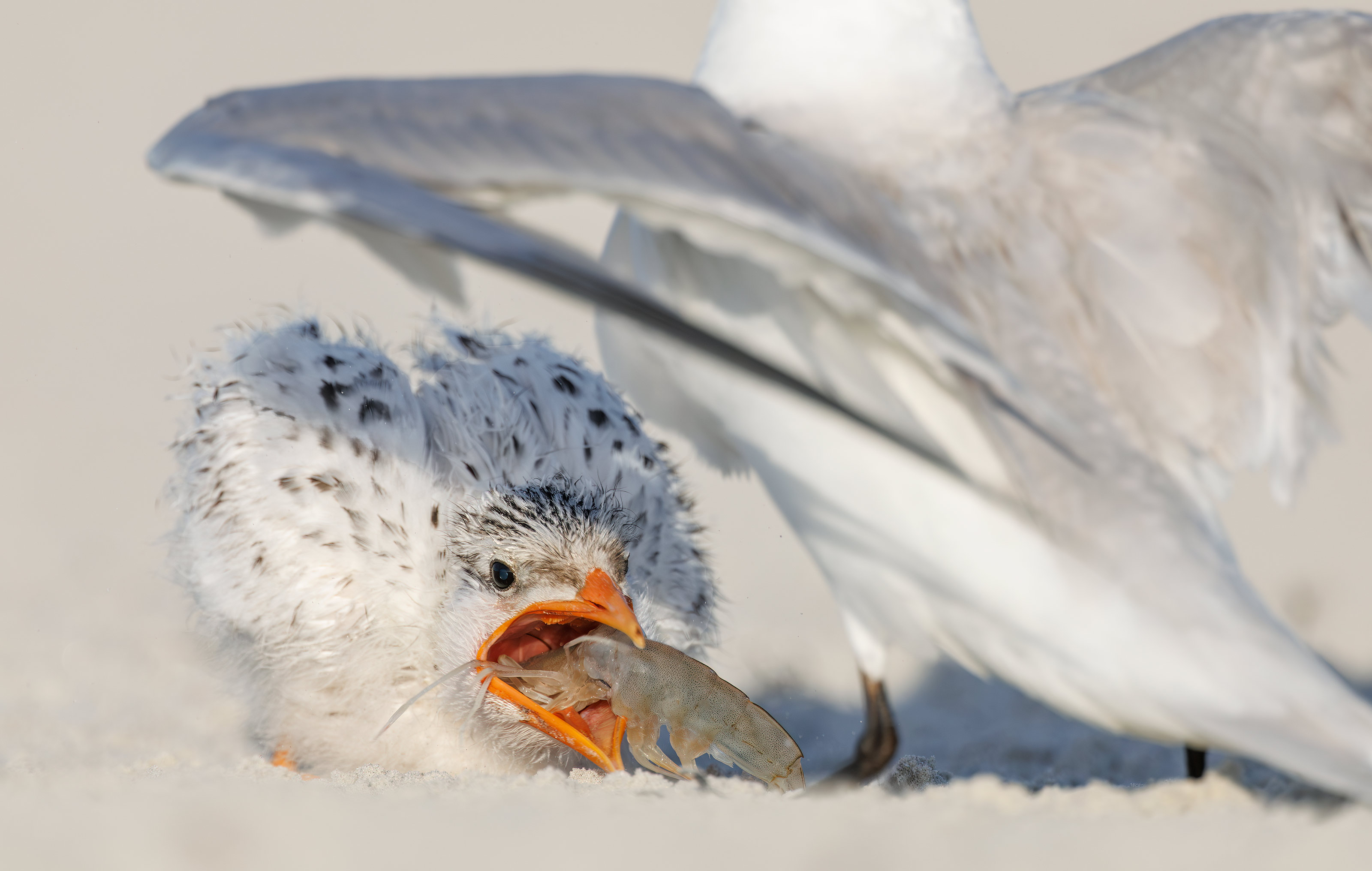
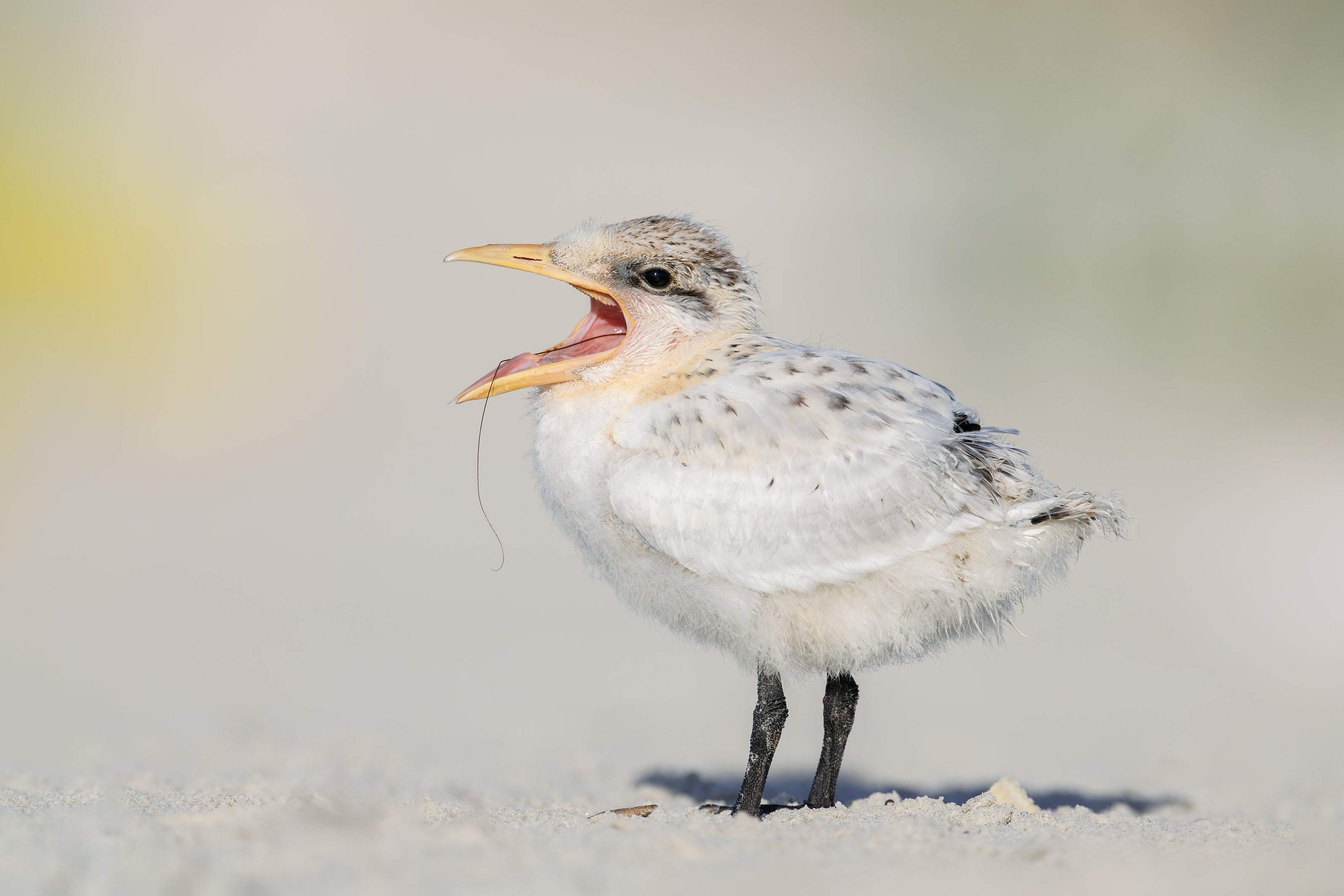
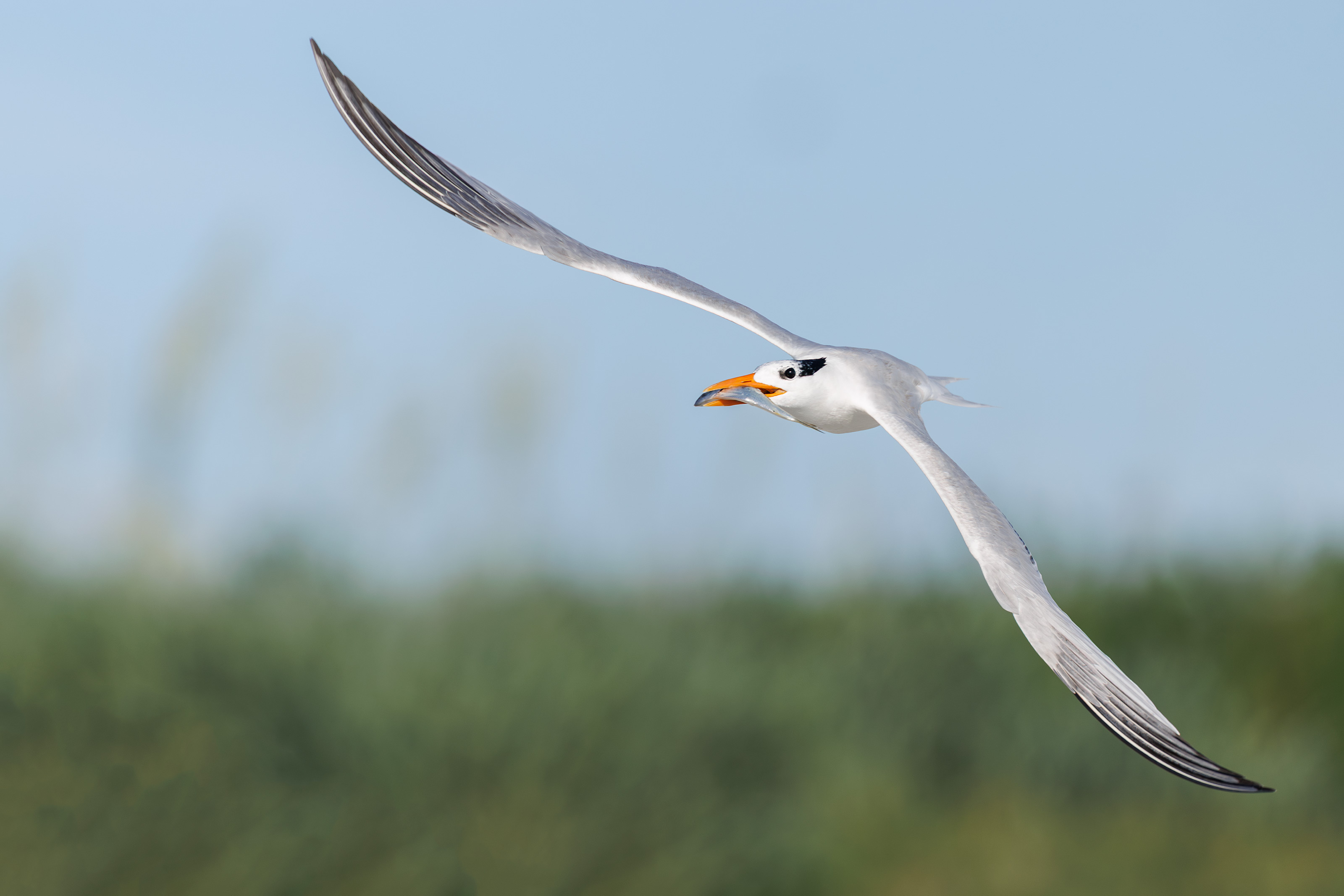
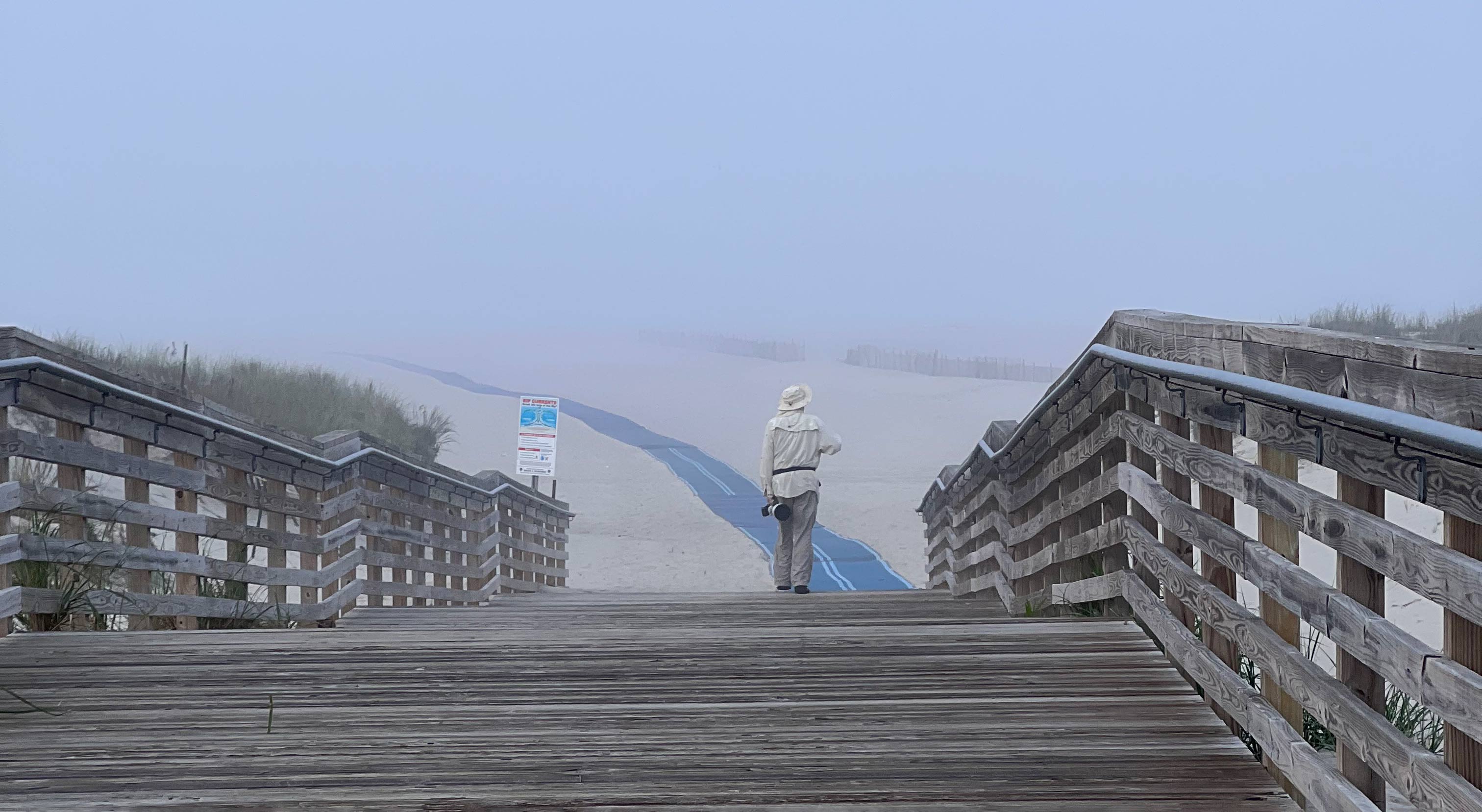
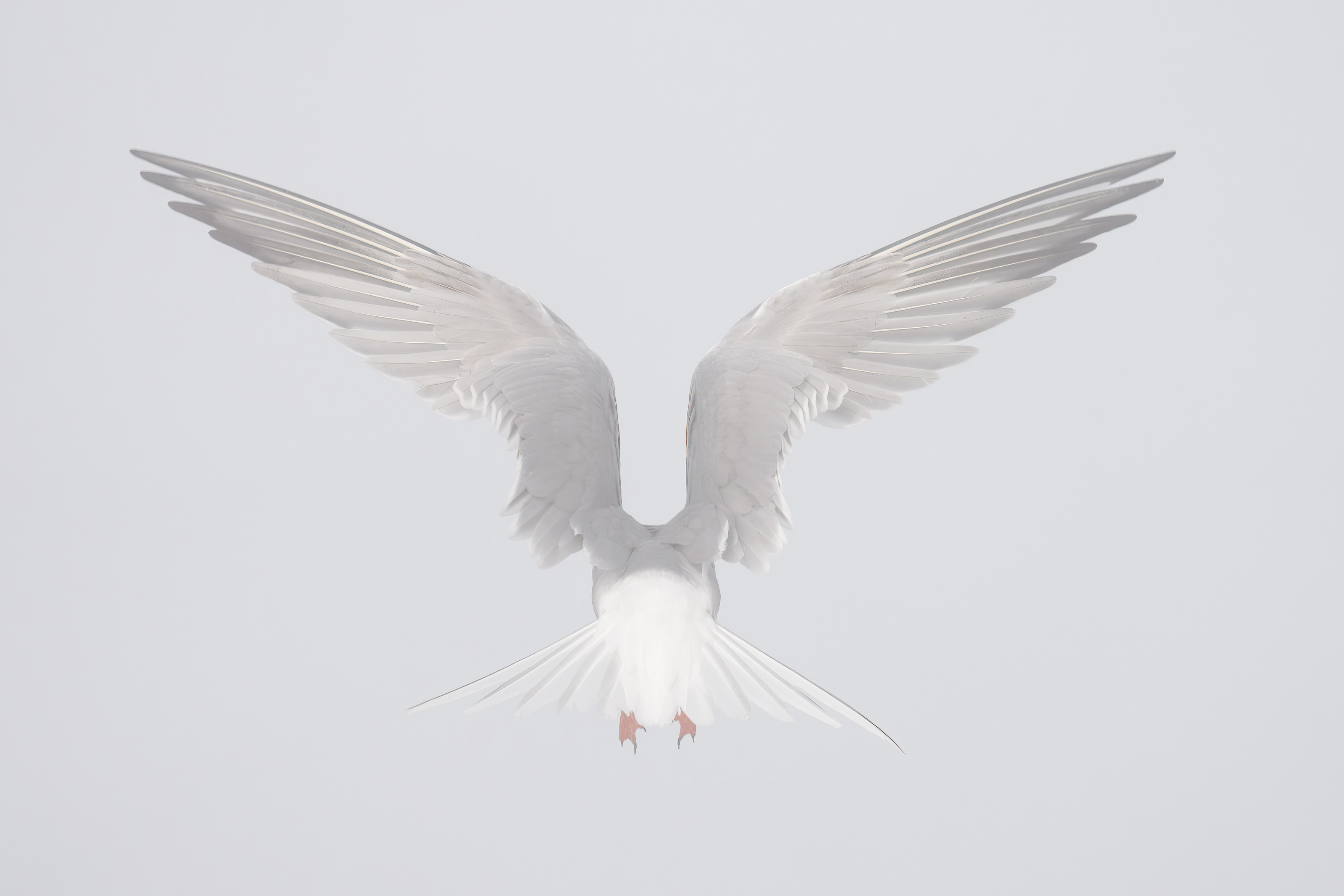
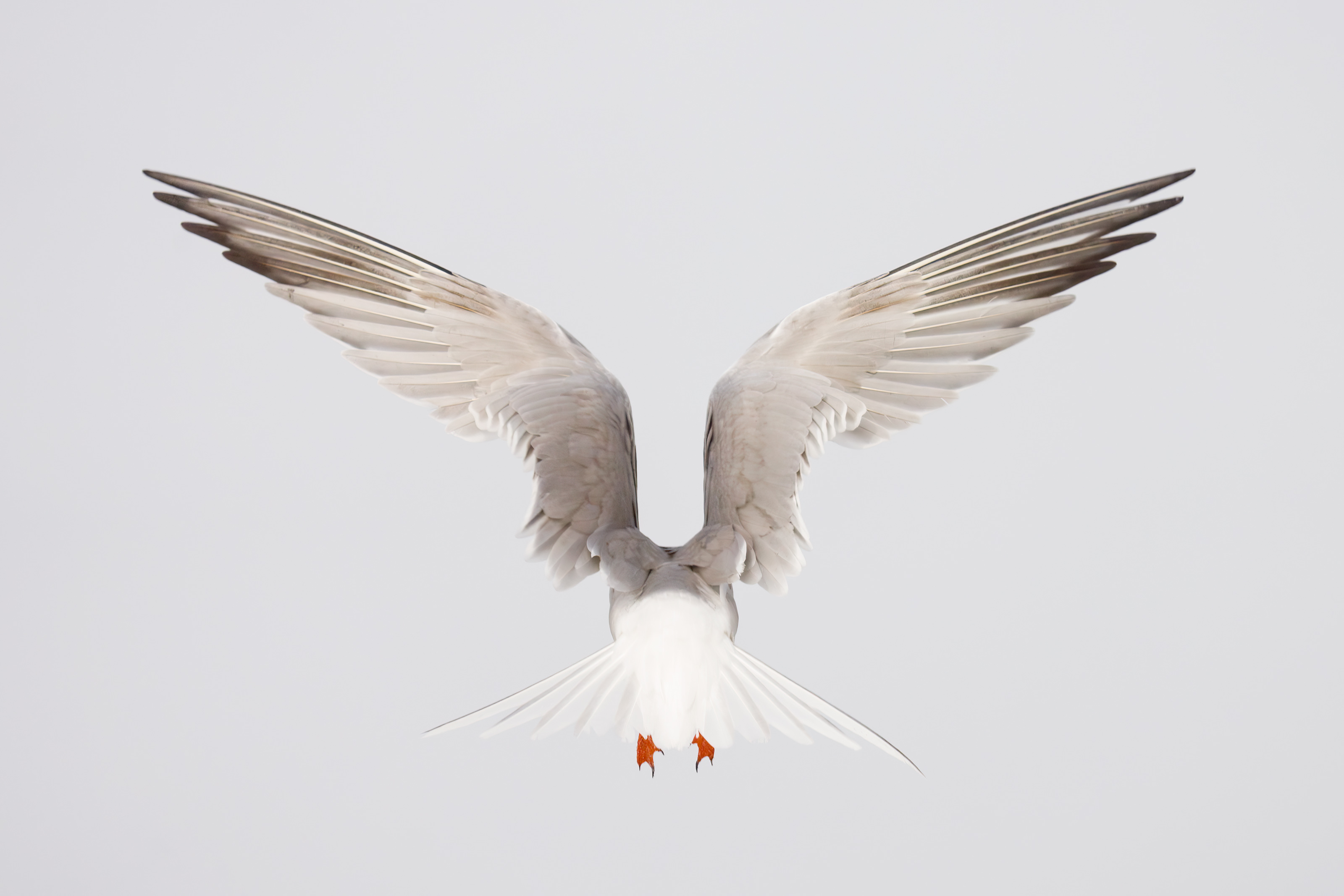
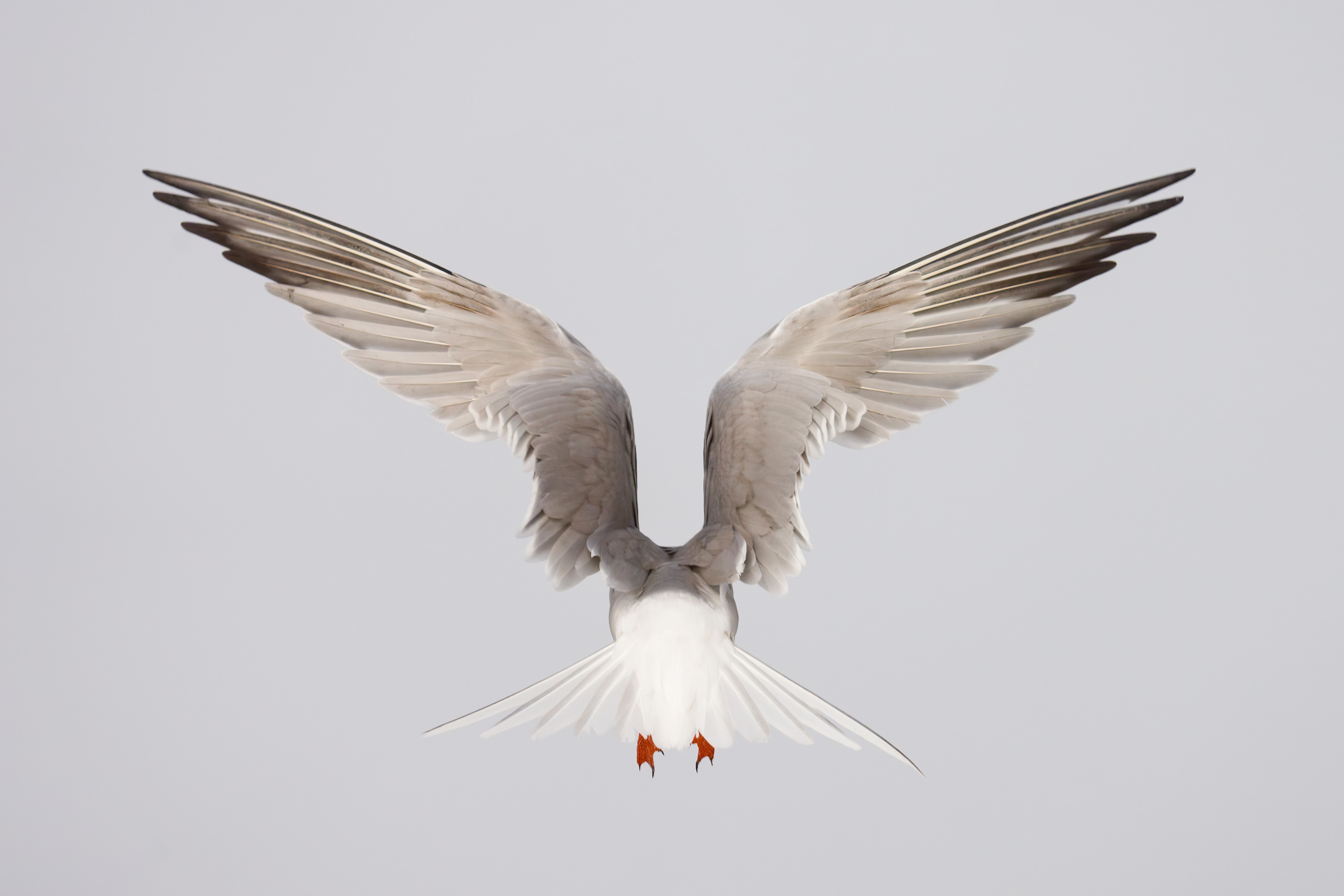
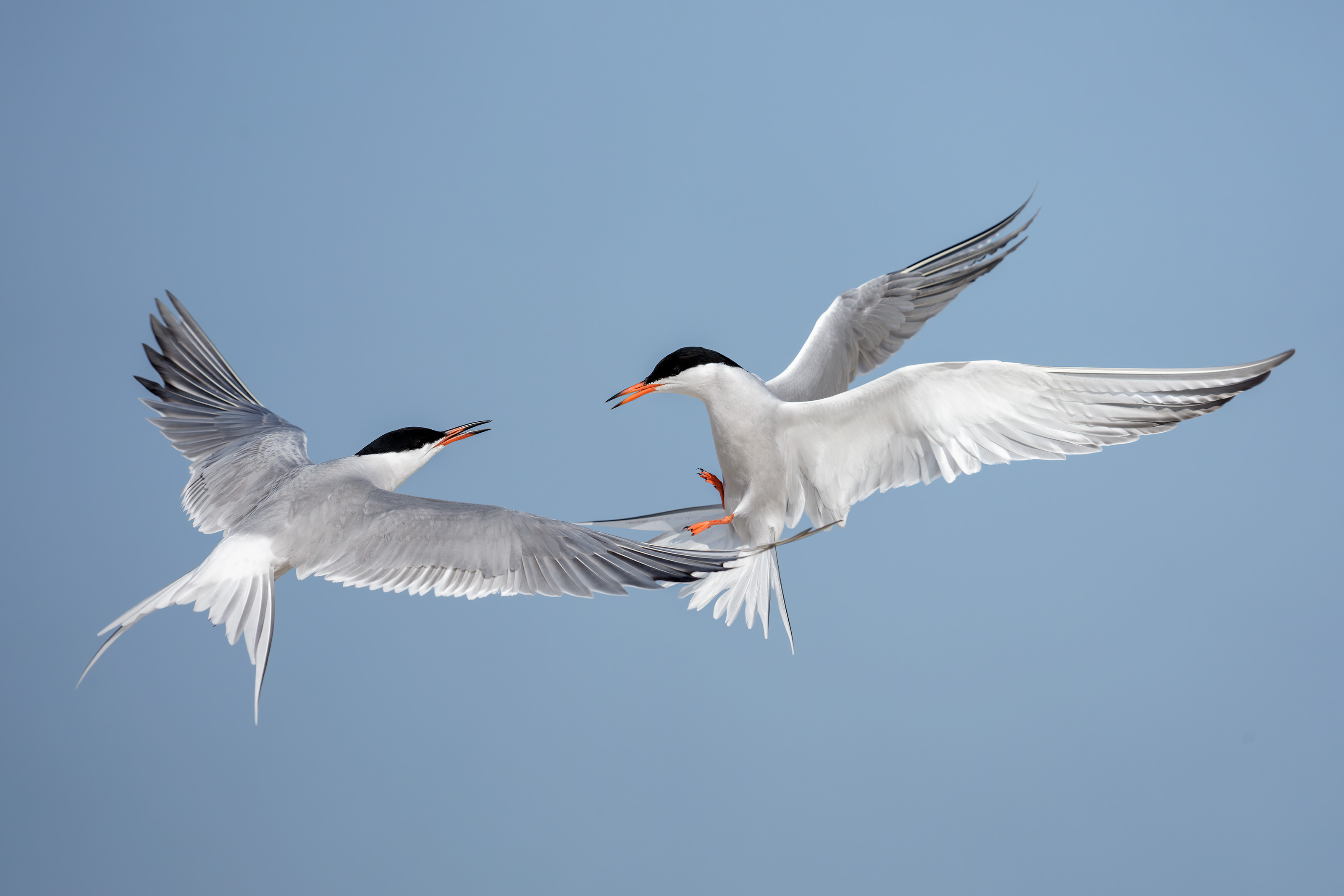
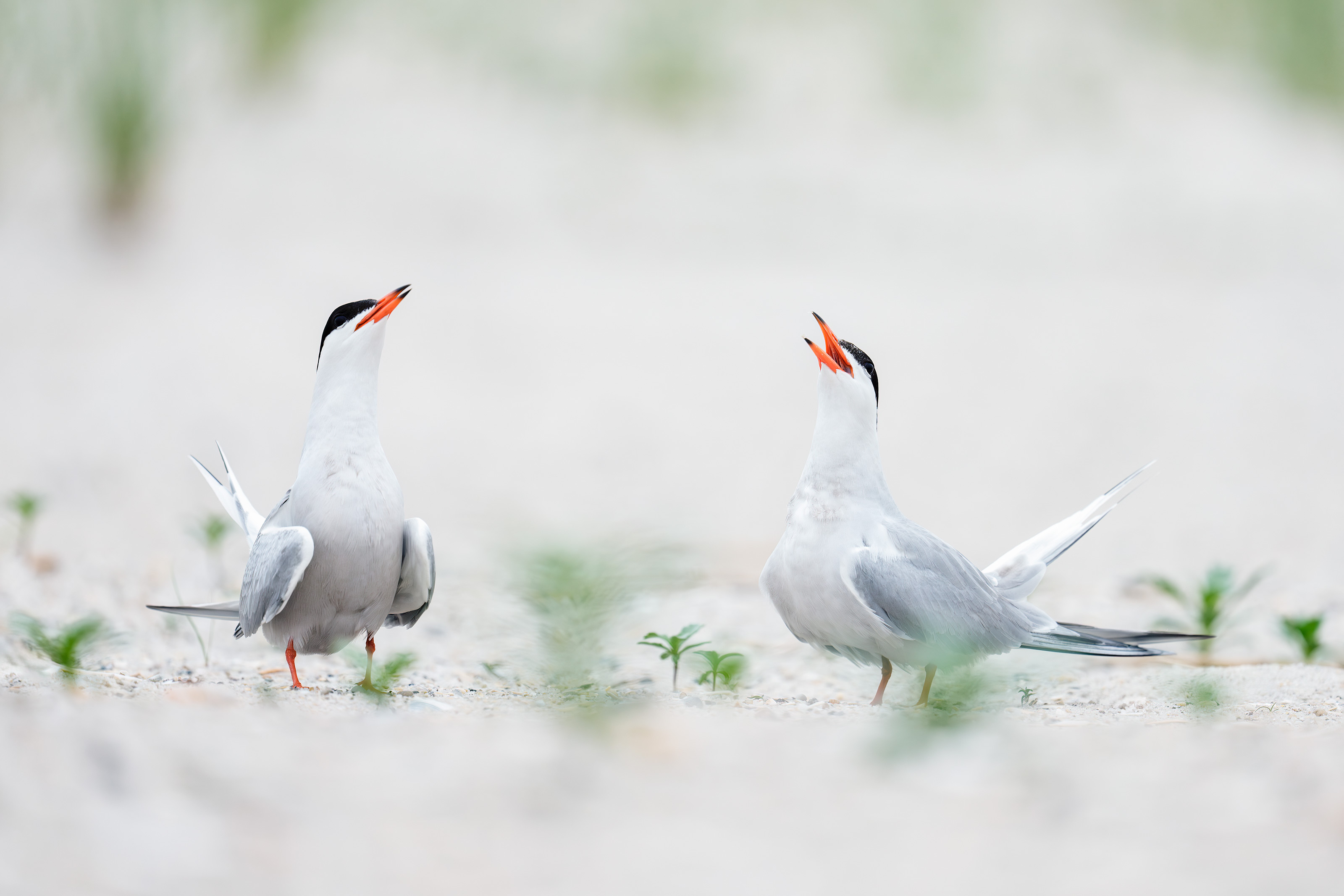
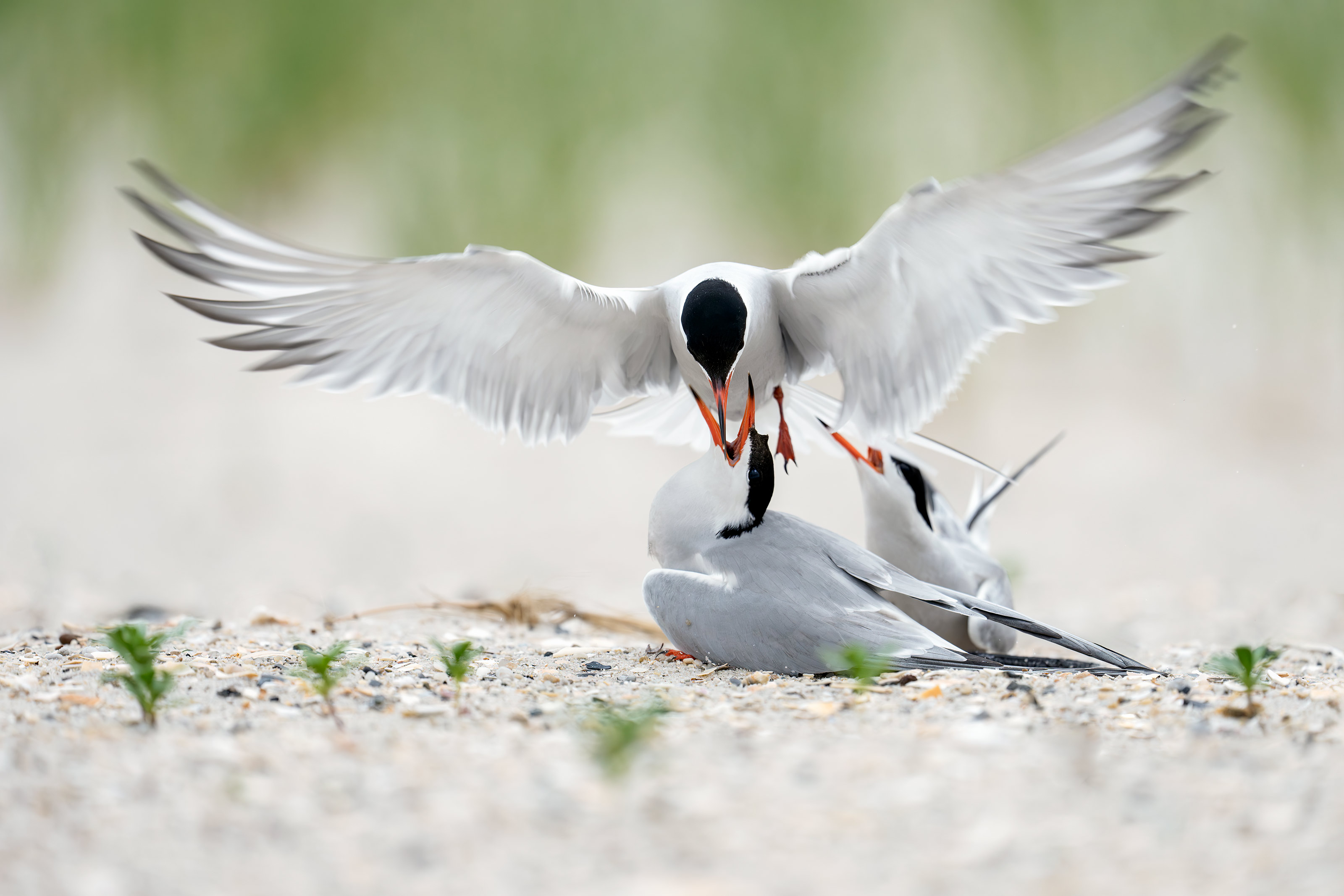
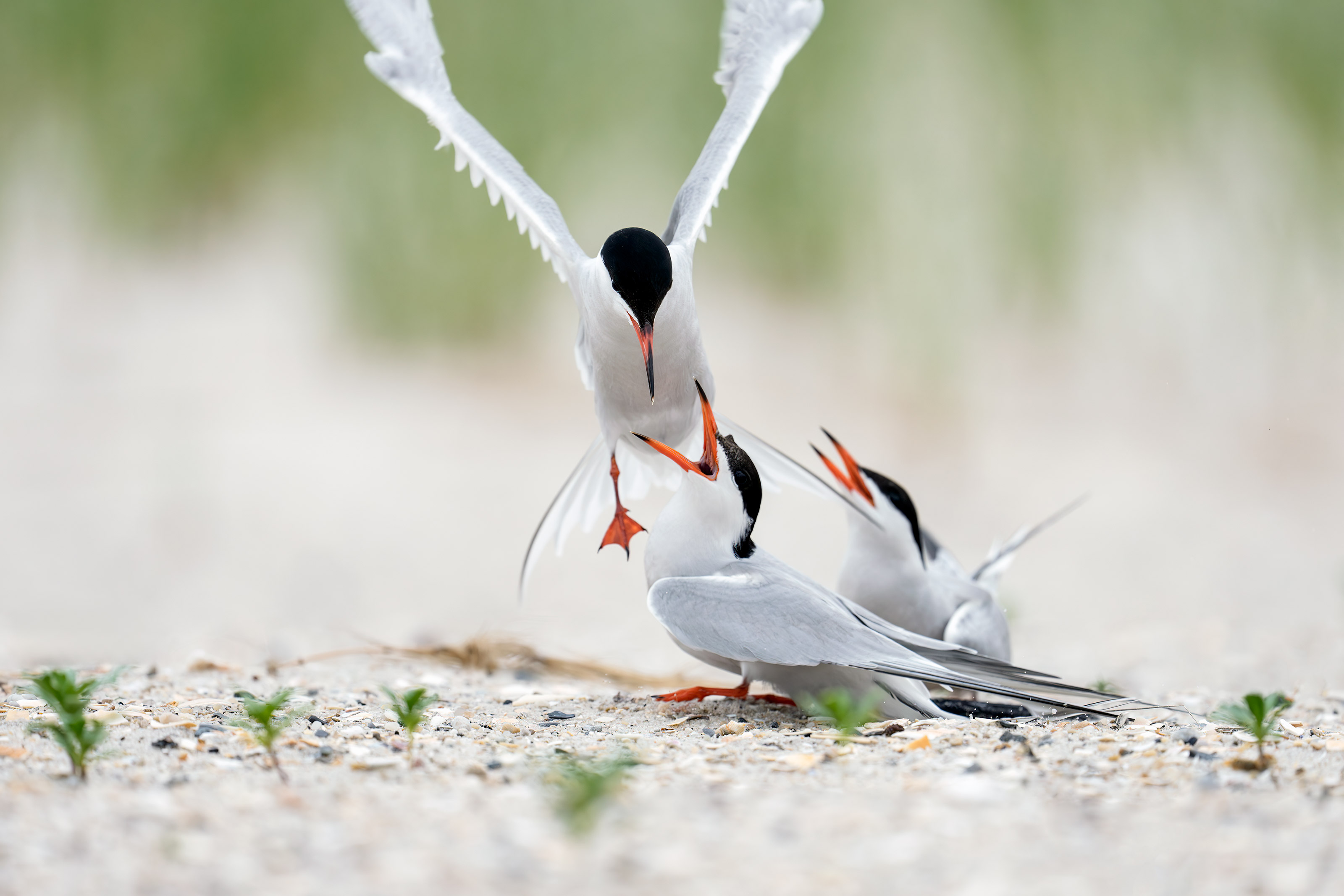
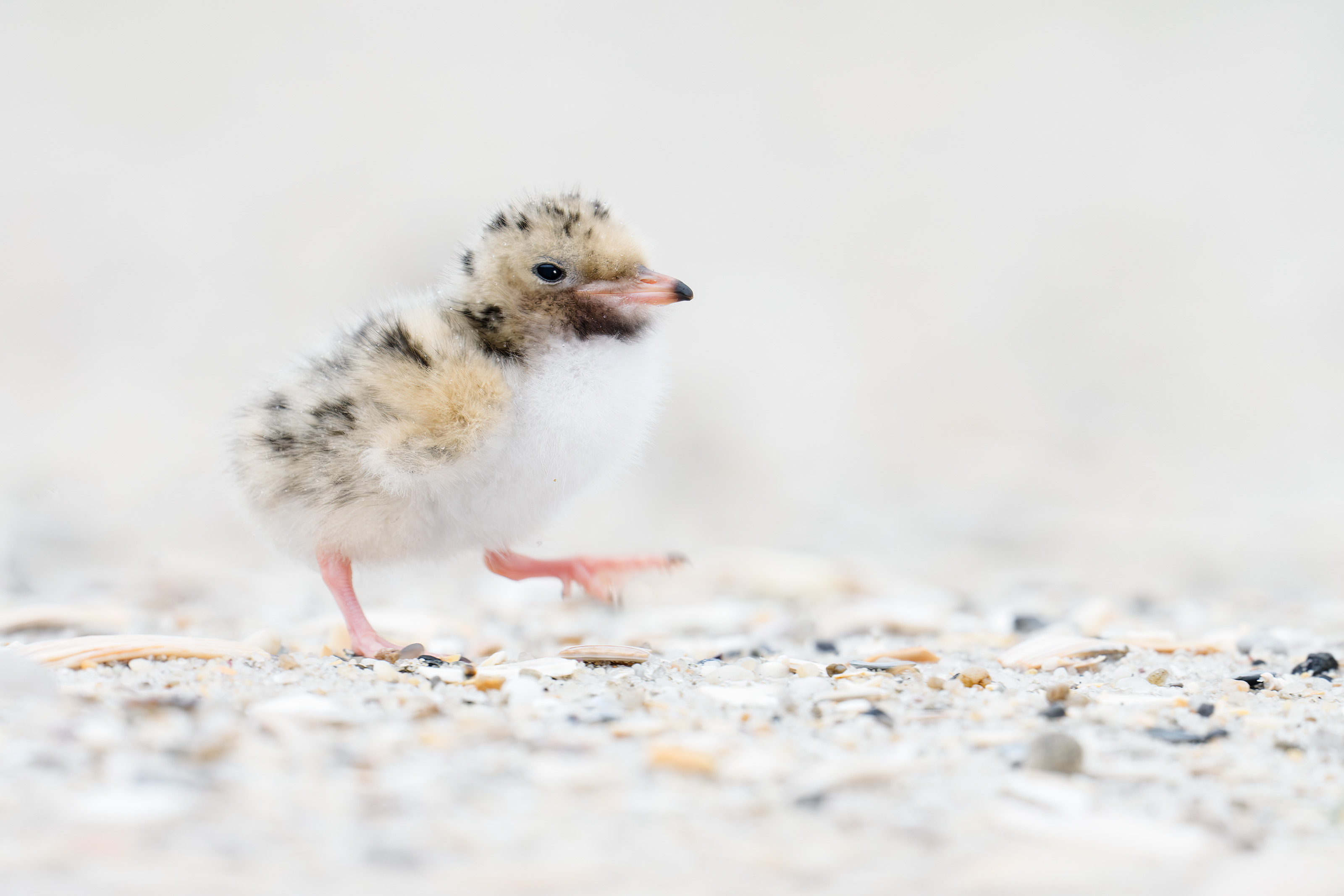
After accidentally killing his toddler son, Dr. Greg Gulbransen set out to help not just patients but strangers. “Feeling needed, feeling useful, feeling important—they’ve helped me hide the demons,” he says.
A Family Doctor’s Search for Salvation
by Joshua Rothman
A Family Doctor’s Search for Salvation
Long time readers are familiar with my friendship with pediatrician Greg Gulbransen. I have shared his story and his images here on the blog several times. He is an extraordinary photographer. More importantly, he is an extraordinary human being. He was profiled in the latest edition of The New Yorker Magazine. You can read the whole story here.
The writing by Joshua Rothman is also extraordinary. Rothman, who is legally blind, spent 14 months with Greg and dove quite deeply. In a speech announcing the Jimmy V Foundation for Cancer Research just before his death, late college basketball coach Jim Valvano said this: “If you laugh, you think, and you cry, that’s a full day. That’s a heck of a day. You do that seven days a week, you’re going to have something special.” Click on the link to read the article above and you will be at least 2/3rds of the way there for today.
In a phone conversation with Greg yesterday I asked him if he might not be doing the same stuff today if the accident had never happened. He was not quite sure but did say that he likely would have been doing similar stuff because of his upbringing. And he did mention that he loves the peace of mind that comes with doing photography.
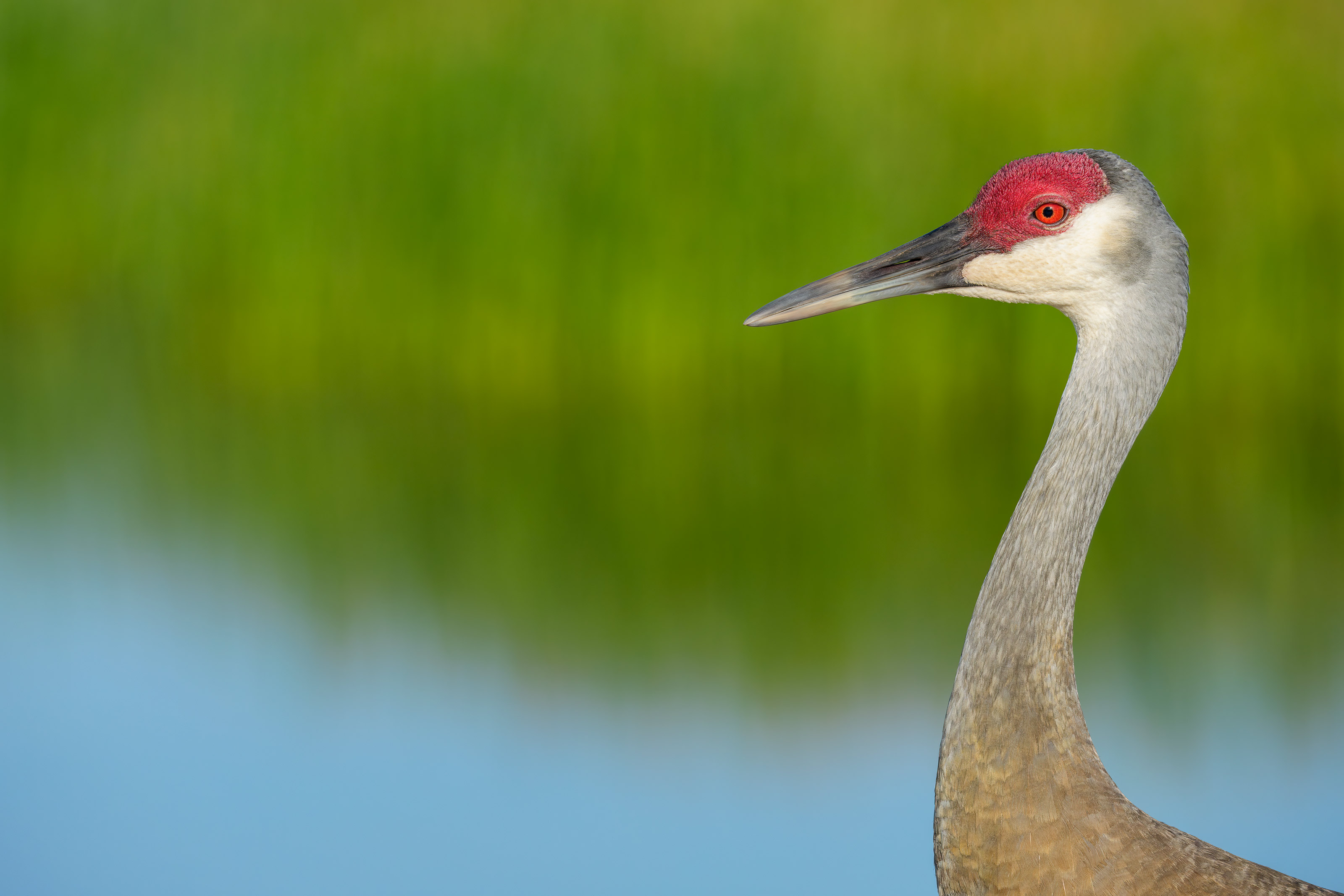
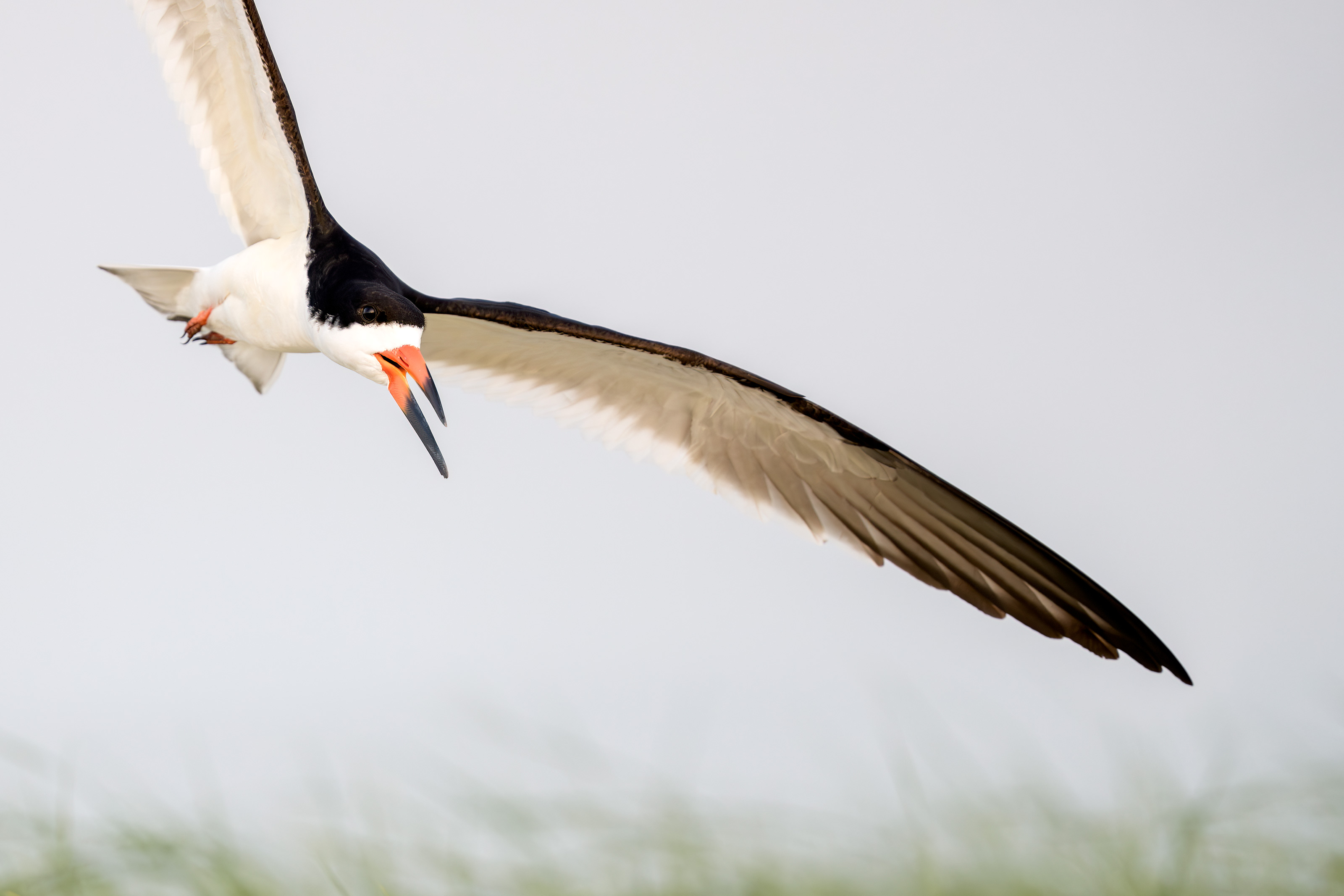
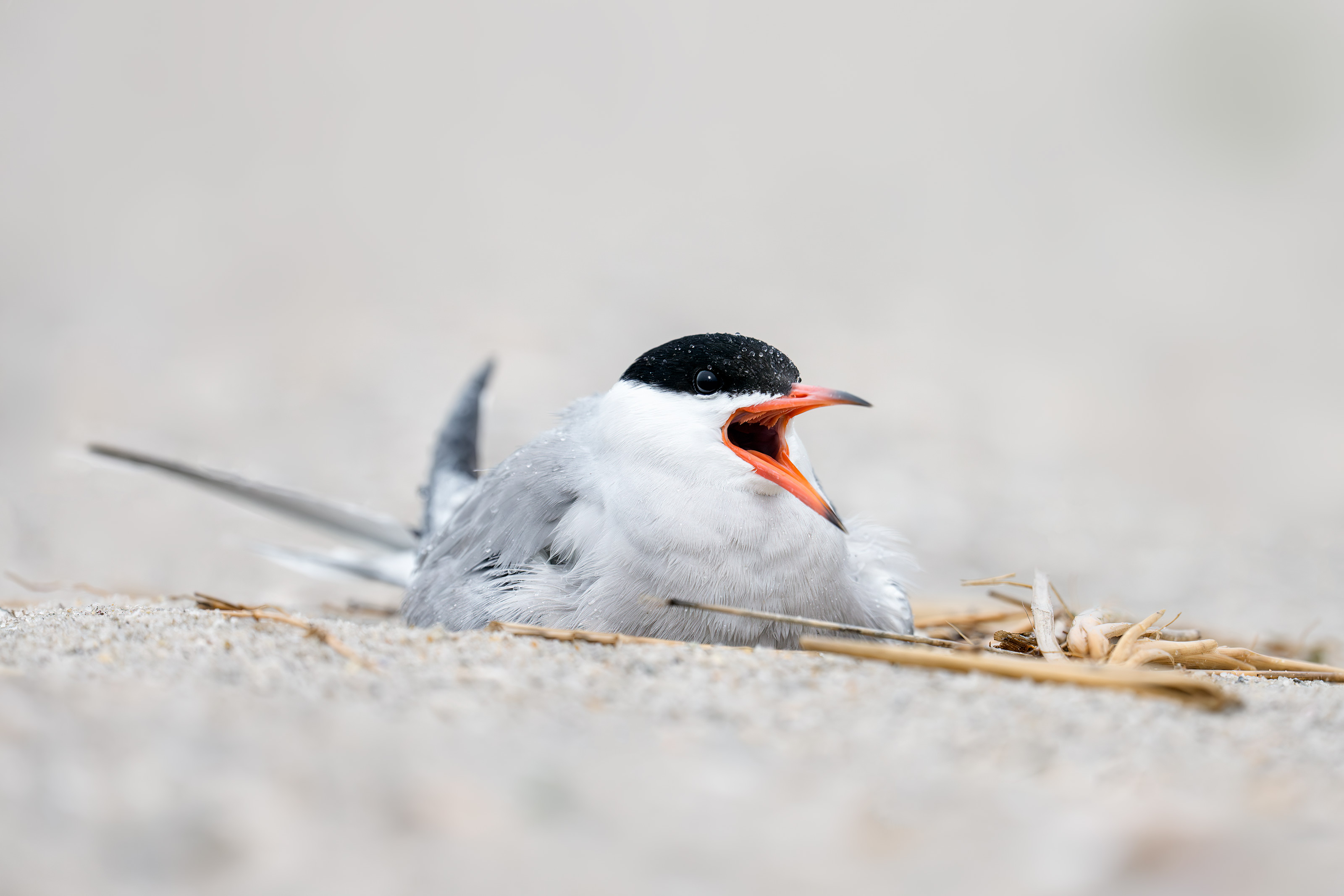
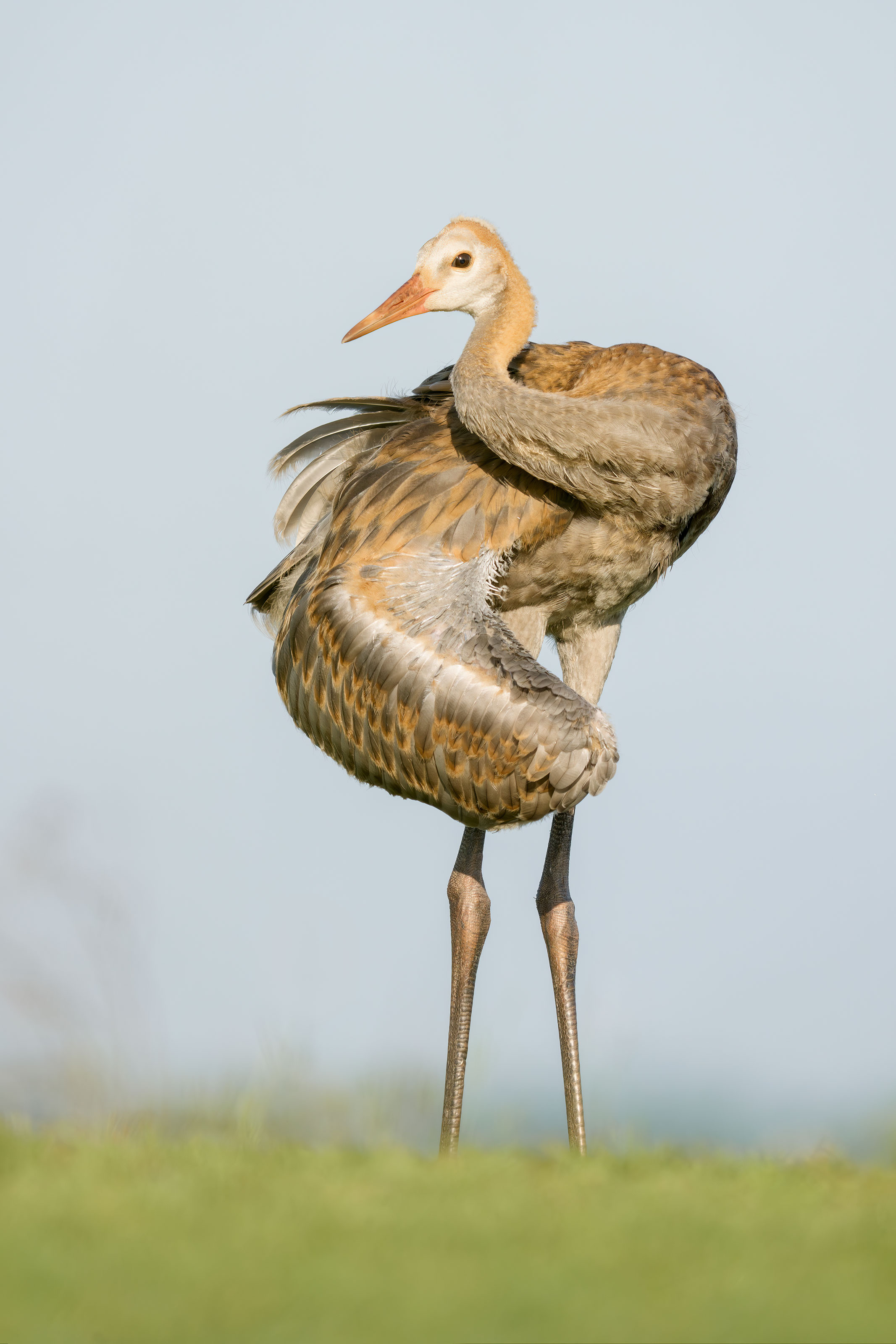
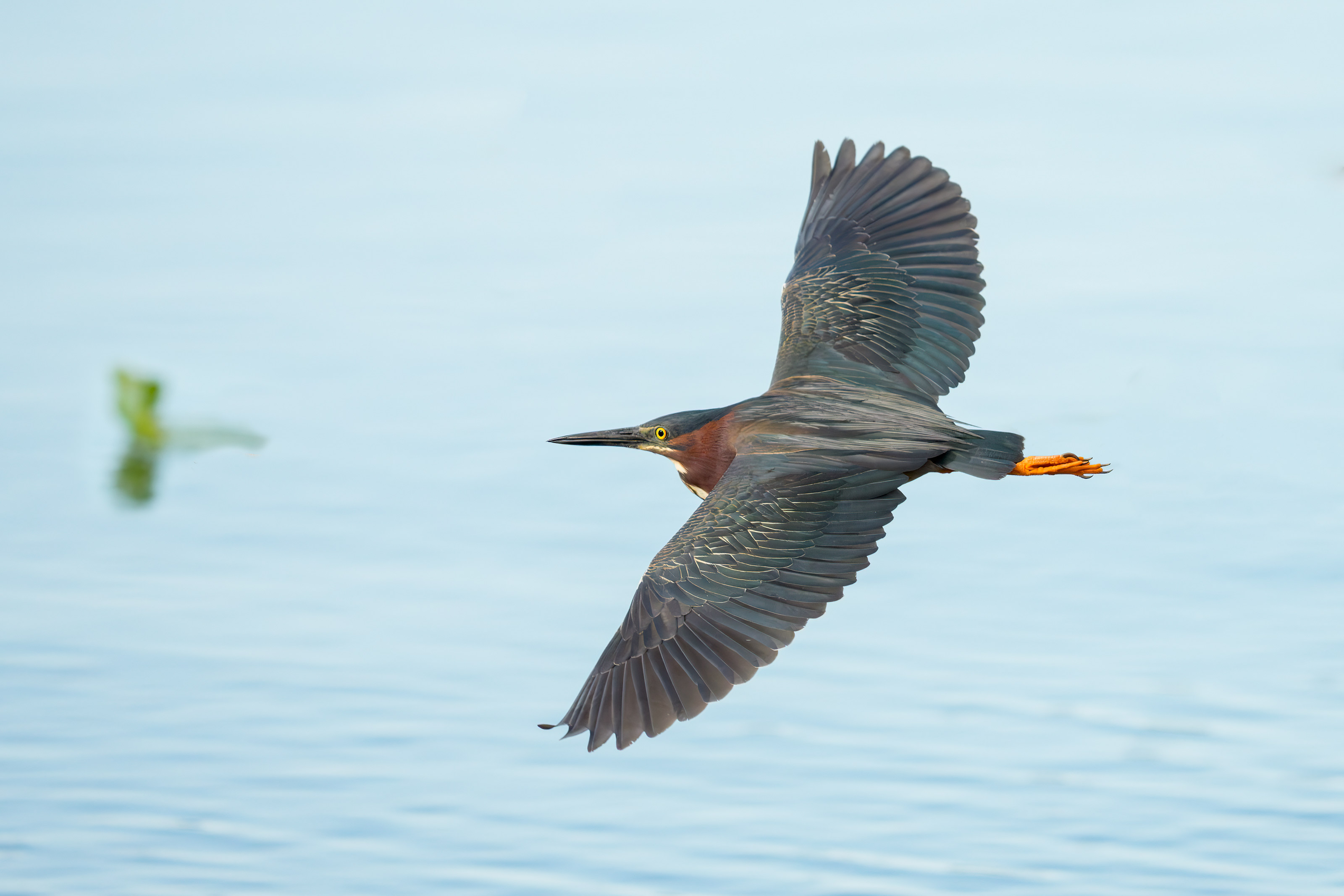
Tracking: Zone/AF-C with Bird-Eye/Face Detection performed well. Click on the image to enjoy the larger, inexplicably sharper high-res version.
Image #1: Sandhill Crane — horizontal head and neck portrait
Image copyright 2025: Arthur Morris/BIRDS AS ART
You Could Not Make This Image on a Cloudy Morning I
I love cloudy conditions and soft light. I love being able to shoot in most directions without having to worry about sun angle. I love the rich colors you can produce and especially love not having to worry about harsh shadows on my subjects. That said, there is nothing like sweet early morning light. I stayed well back from the birds and zoomed out for this one. When I pressed the shutter button, I did not think that the photo would turn out to be anything special. But the rich, bright colors, the softness and quality and colors of the background, and the utterly simple image design have captivated me.
As I had been trying to create tight head portraits I had stopped down one full stop to f/11. I quite surprised and quite thrilled with the rendition of the marsh grasses.
Learn more about using a monopod and be sure to follow the link to the You Tube video in the blog post here.
This image was also created on 16 July down by the lake near my home at Indian Lake Estates, FL. Standing on the the pier, I used the handheld Sony FE 300mm f/2.8 GM OSS Lens (Sony E) with the Sony FE 2x Teleconverter and the Latest Greatest Sony Flagship Body, the a1 II Mirrorless Camera. ISO 400. Exposure determined via Zebras with ISO on the Thumb Wheel: 1/8000 sec. at f/5.6 (wide open) in Manual mode. RawDigger showed that the exposure was dead solid perfect: AWB at 8:38:27am on a sunny morning.
Tracking: Zone/AF-C with Bird Eye/Face Detection enabled performed perfectly.
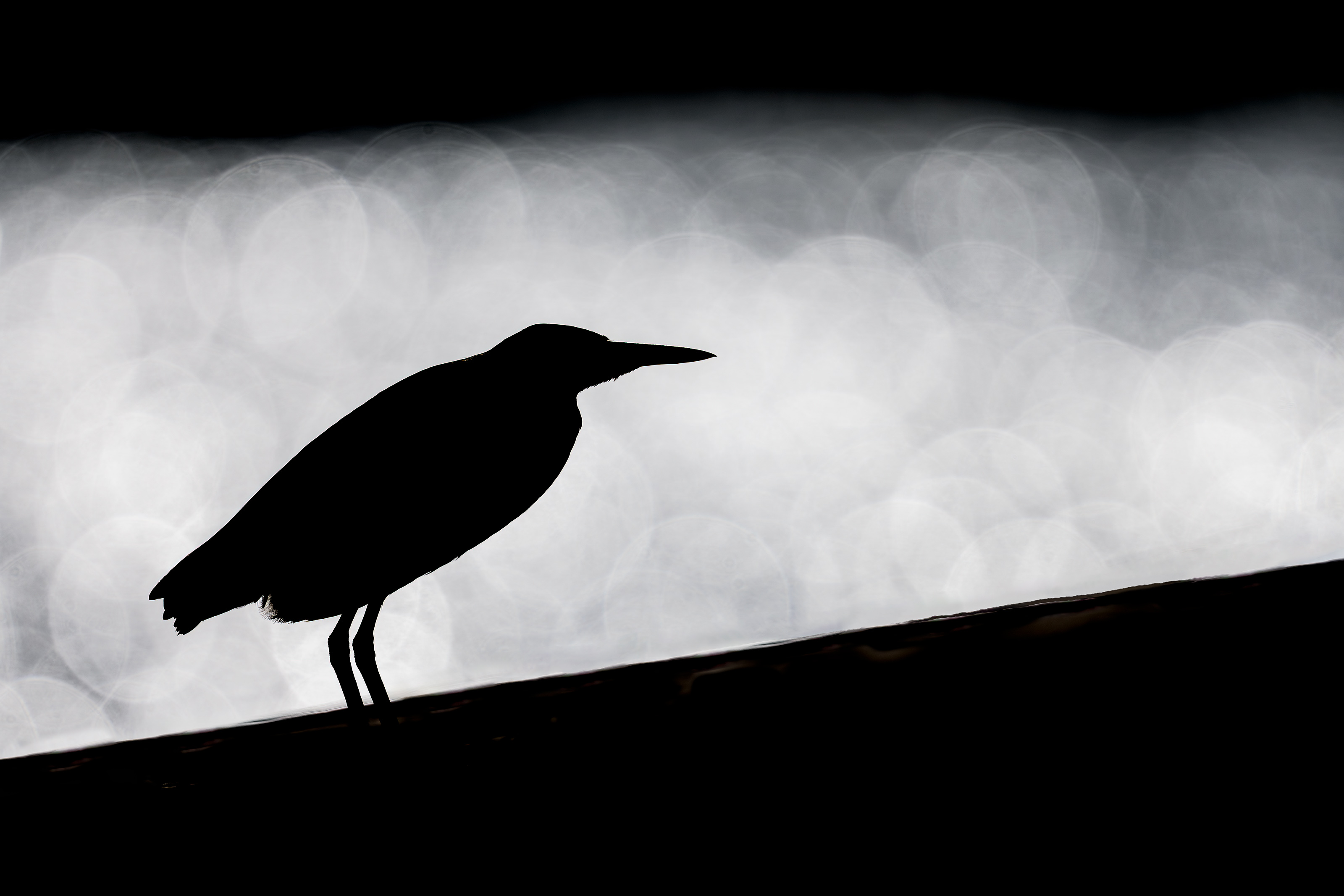
Image #2: Green Heron strongly backlit on pier railing
Image copyright 2025 Arthur Morris/BIRDS AS ART
You Could Not Make This Image on a Cloudy Morning II
It is quite obvious that I could not have made this image on a cloudy day as I was shooting directly into the super-bright reflections of the sun on the water. Getting the right exposure in these situations is a difficult proposition for most camera systems. With Sony, I kept going darker and darker by lowering the ISO and raising the shutter speed until I saw only a few Zebras on the brightest highlights. The a-1 ii is the first camera that I owned that is able to autofocus accurately most of the time when the subject is framed by the glaring highlights.
Typos
With all blog posts, feel free to e-mail or to leave a comment regarding any typos or errors.
With zero comments at the last blog post (until early WED morning), I am wondering if folks are getting the Newsletter post notifications. If you received the post notification via e-mail, please be so kind as the RSVP by clicking here and hitting send. Not much effort is required. Thanks.
The Answer to the South Wind Question
Two posts back, I published this:
Conditions Question
Early on a sunny morning in early summer on the east coast of the USA, why is a north wind much better for bird photography than a wind from the south?
Answer
On the east coast in summer, the sun rises well north of east so with a south wind, the birds will be flying, landing, and usually facing away from the light; if you are on sun angle, you will be shooting up their butts. Learn more about the importance of wind direction and speed and how the relationship between sky conditions and wind direction affect flight photography in the just published The Complete and Quintessential Guide to Photographing Birds in Flight. Scroll down for lots more info on this new and comprehensive work.
What’s Up?
With few birds most mornings, and hot, dreary weather conditions, the summer doldrums are here. On the last three mornings, a west wind (bad) came up as the skies cleared early. I have amazed myself by coming away with at least one interesting image that has made me happy each morning. The streak started on Sunday morning with the GBH/siren and preening crane images and continued on Monday with an Osprey bathing at the edge of the lake on a heavily overcast morning. Yesterday, a large mayfly hatch made things interesting and I stayed with a single Snowy Egret for more than 30 minutes. I was eventually rewarded with a single, tight, head-on photo of the bird gulping down a juicy mayfly.
Today is Wednesday 16 July and I will again be heading down to the lake to see if today will be the day that I come up empty. Whatever you opt to do, I hope that you too choose to have a wonderful and productive day and that you have fun too. Do remember that happiness is a choice — Byron Katie, The Work.Com.
If an item — a Delkin flash card, a Levered-clamp FlexShooter Pro, or a Wimberley lens plate — for example, that is available from B&H and/or Bedfords, is also available in the BAA Online Store, it would be great, and greatly appreciated, if you would opt to purchase from us. We will match any price. Please remember also to use my B&H affiliate links or to earn 3% cash back at Bedfords by using the BIRDSASART discount code at checkout for your major gear purchases. Doing either often earns you free guides and/or discounts. And always earns my great appreciation.
Gear Questions and Advice
Too many folks attending BAA IPTs and dozens of photographers whom I see in the field and on BPN, are — out of ignorance — using the wrong gear, especially when it comes to tripods and more especially, tripod heads. And the same is true in spades when ordering new camera bodies or lenses. My advice will often save you some serious money and may help you avoid making a seriously bad choice. Please know that I am always glad to answer your gear questions via e-mail. If you are desperate, you can try me on my cell at 863-221-2372. Please leave a message and shoot me a text if I do not pick up.
Don’t Just Shoot: Learn
If you are interested in changing your life and becoming a better photographer by joining me on an Extended IPT at Sebastian Inlet for Ospreys and more (SEPT 25 to NOV 24, 2025) in San Diego for Pacific-race Brown Pelicans and more (JAN 6 to FEB 2, 2026), for Roseate Spoonbills at Stick Marsh mid-March 2026, please e-mail for dates, rates, terms, and additional information. Or shoot me a text to 863-221-2372. Some offerings include options for shared AirBnB lodging and meals. Ground transportation during your stay is a possibility.
The Complete and Quintessential Guide to Photographing Birds in Flight
by Arash Hazeghi, Ph.D., and Arthur Morris/BIRDS AS ART
The Complete and Quintessential Guide to Photographing Birds in Flight
I have long dreamed of becoming a great flight photographer. When using dSLR gear, making sharp images was a huge problem. Most of the time, the camera bodies simply were not up to snuff. Things have changed dramatically with mirrorless technology. The high-end mirrorless camera bodies now feature science fiction-like autofocus systems and frame rates of 30, 40, and even 125 fps. Nowadays, getting the eye sharp is no longer a problem. The problem more often involves selecting the strongest image from a long series of sharp images.
The truth, however, is that there is a lot more than owning a Canon EOS R1, a Nikon Z9, or a Sony a-1 ii to consistently creating great photographs of birds in flight. Some of the biggest factors to success include gear choice, shooting strategies, and understanding the importance of sky conditions and wind speed and direction. Once you have the techniques and technical aspects down pat and can routinely create sharp images, learning the importance of flight poses, wing positions, backgrounds, and subject placement and image design enable you to create and then select superb flight images. And you guessed it, each of those topics and tons more are covered in detail in The Complete and Quintessential Guide to Photographing Birds in Flight.
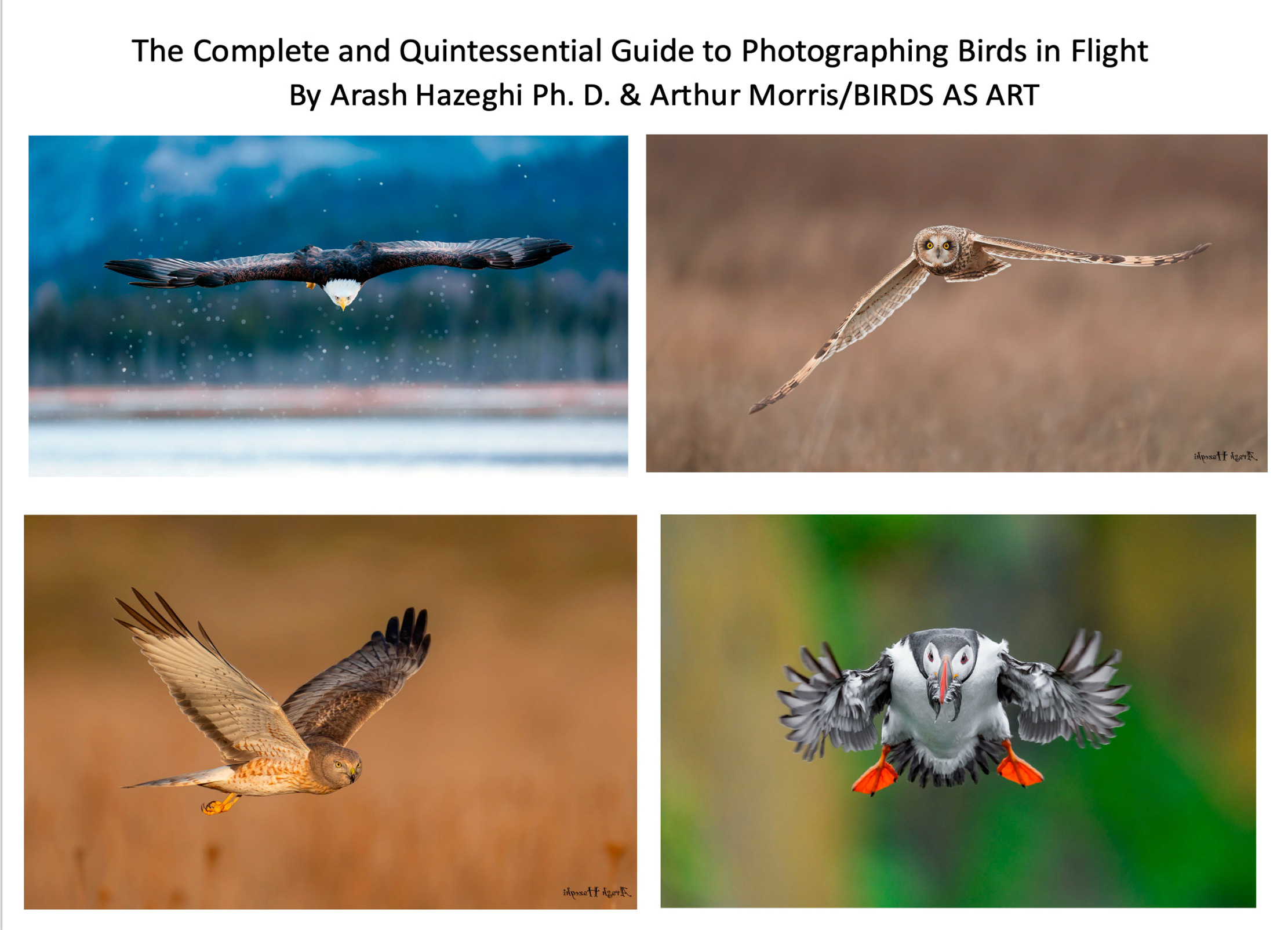
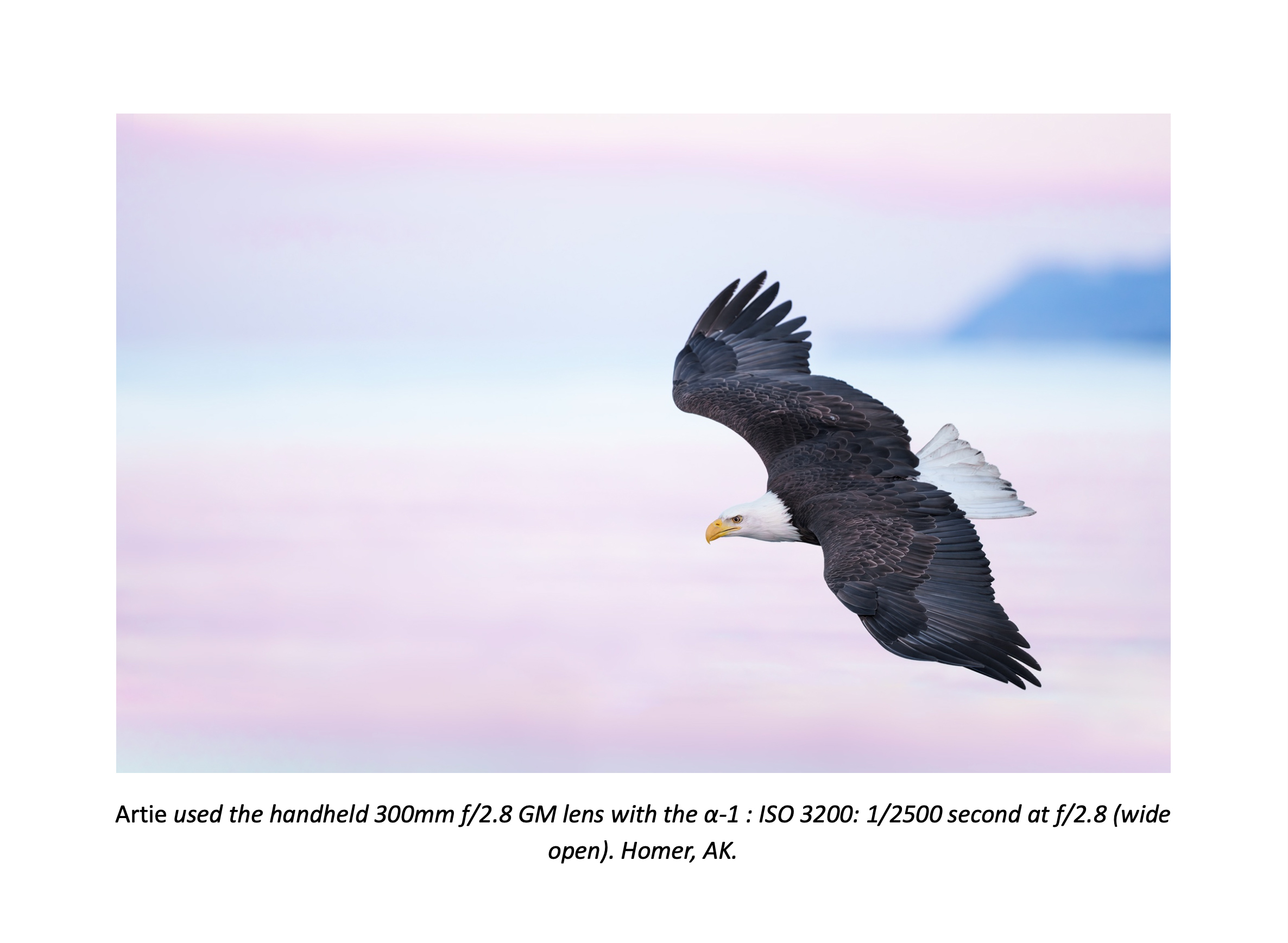
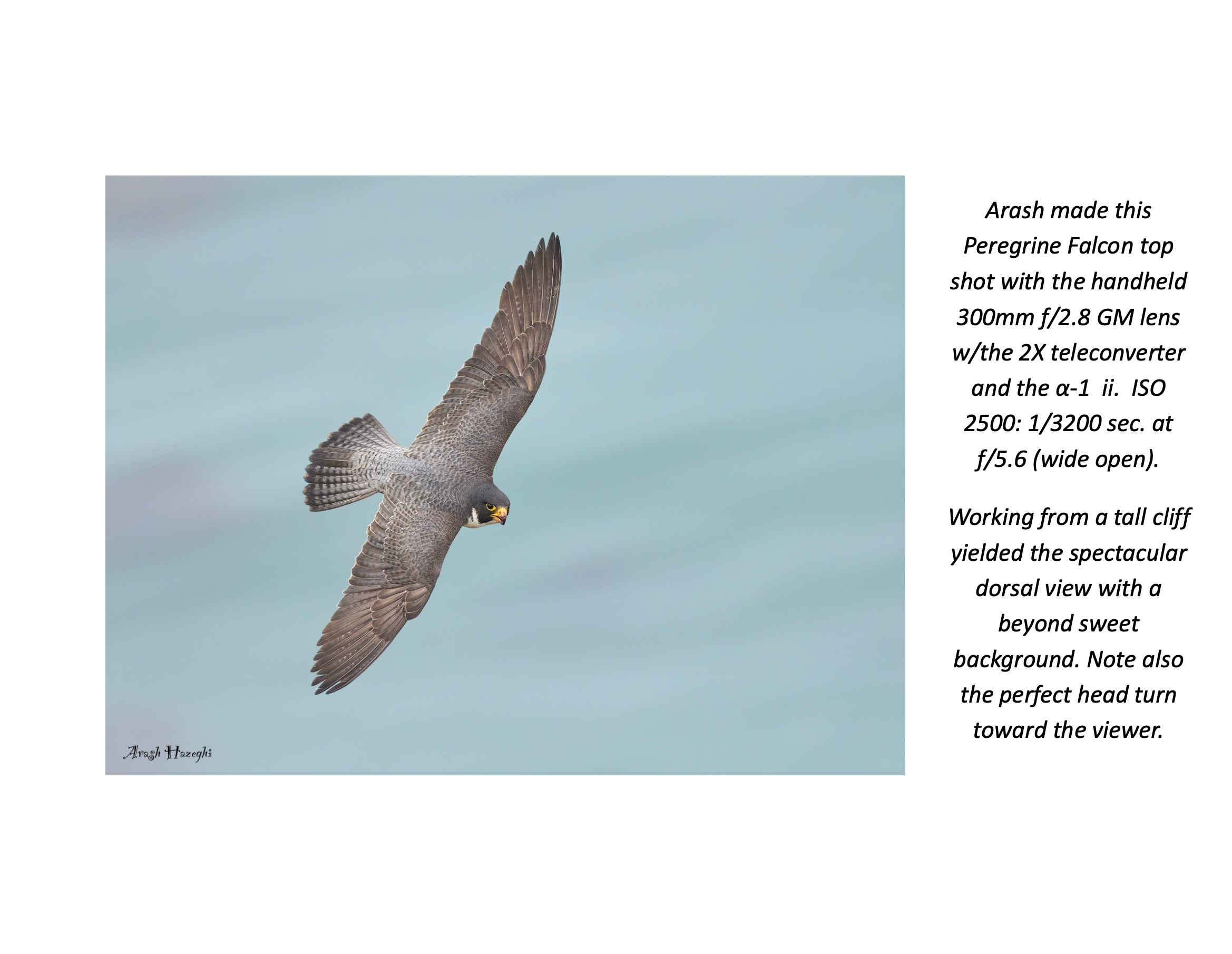
Sample Page #1. Image copyright 2024: Arthur Morris/BIRDS AS ART, the senior author.
Page 28 of The Complete and Quintessential Guide to Photographing Birds in Flight
Sample Page #1
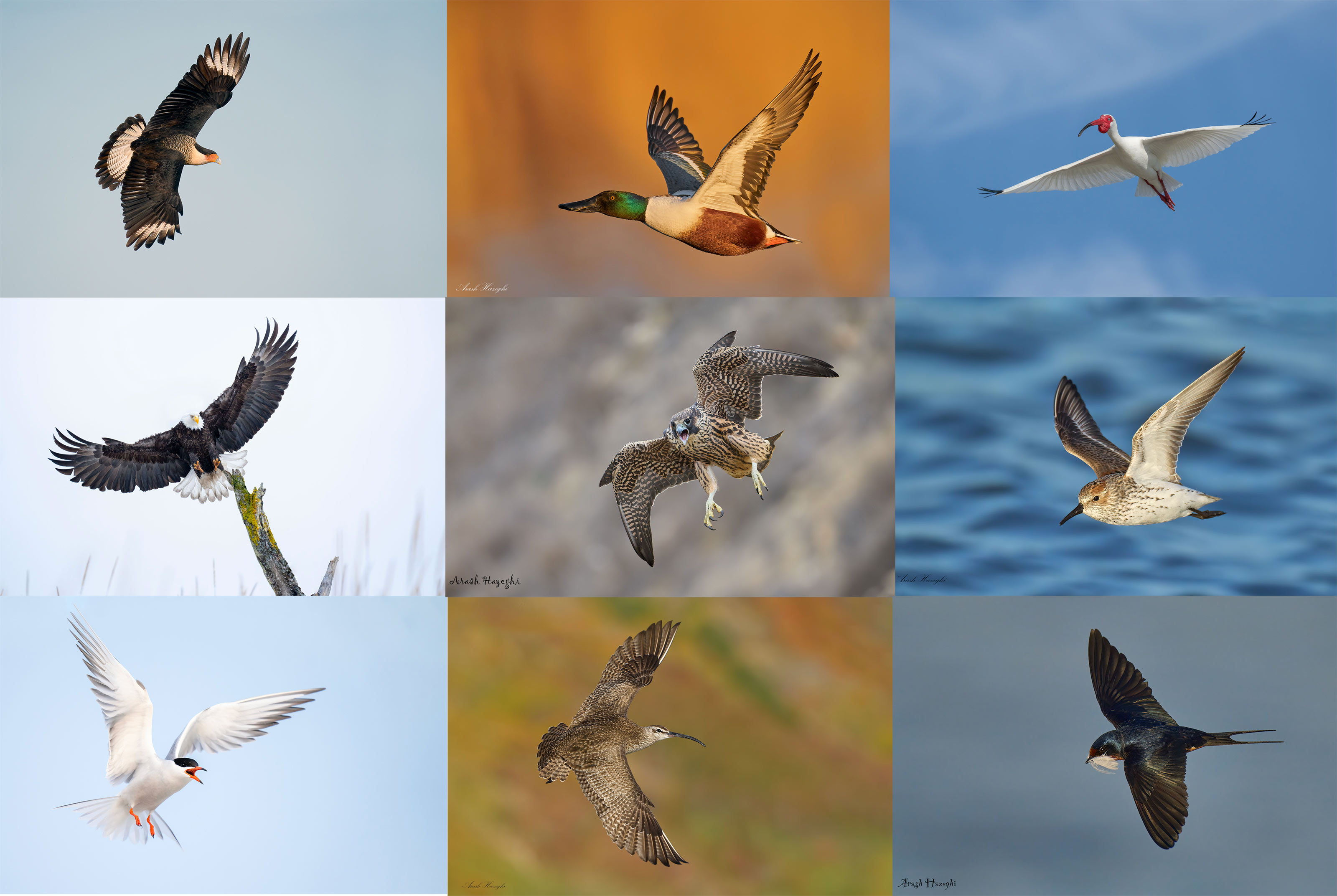
Image copyright 2025: Arash Hazeghi, the junior author.
Page 237 of The Complete and Quintessential Guide to Photographing Birds in Flight
Sample Page #2
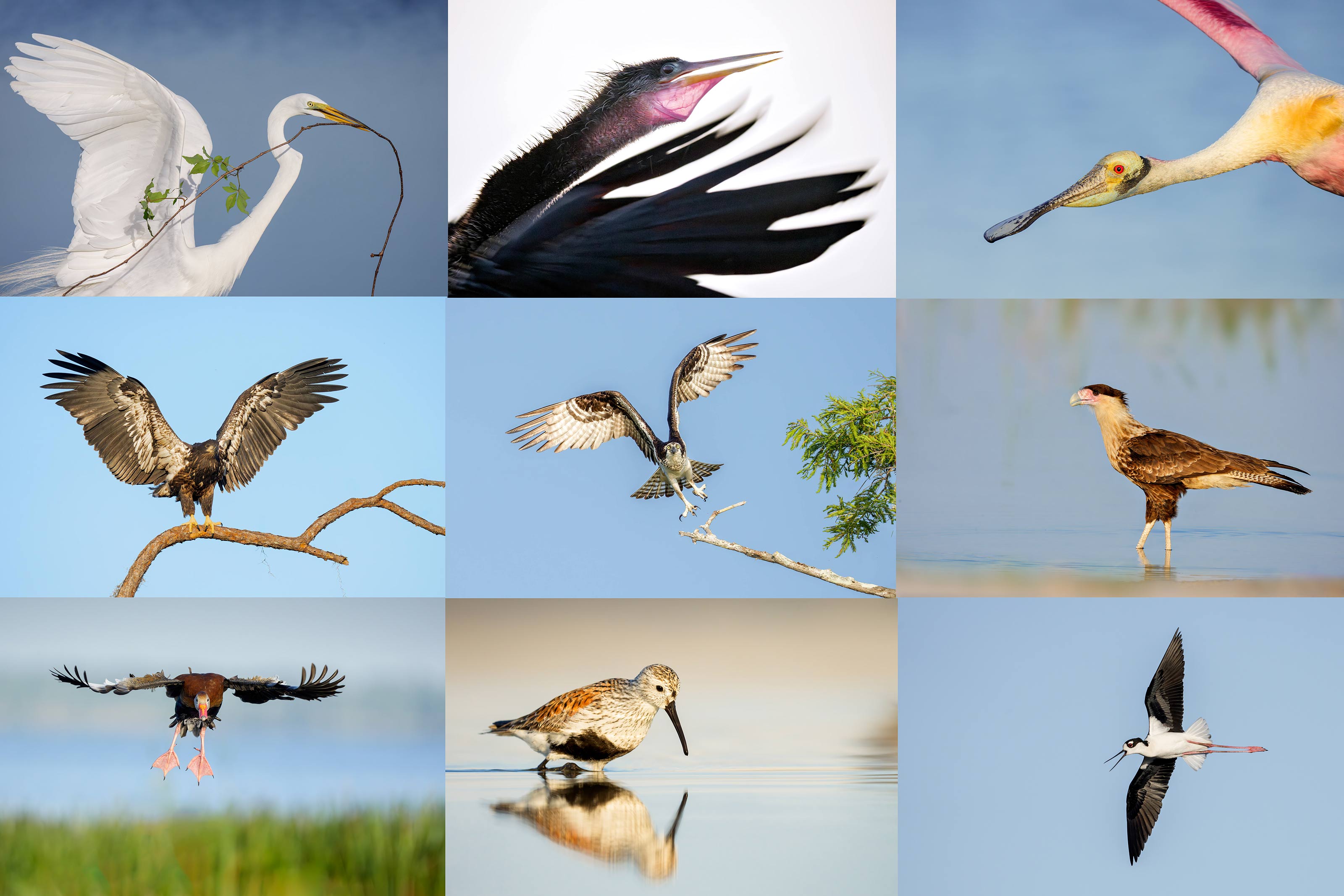
The guide consists of 267 pages, 21,013 words with two screen captures. There are 82 illustrative photos scattered throughout the text and a 112-image gallery that includes examples created by Canon, Nikon, and mostly Sony gear. As above, each of the 194 inspirational photos is labeled with an educational caption.
Arash Hazeghi
Arash Hazeghi, Ph.D. is a principal electron device engineer. He received his Ph.D. degree in Electrical Engineering in 2011, from Stanford University, Stanford, California. His pioneering research on Carbon Nanotubes has been cited many times. In the past decade, Arash Hazeghi has been a major contributor to the research and the development of some of the most cutting-edge technologies introduced by Silicon Valley’s most reputable names including SanDisk, Intel and Apple.
More relevant here is that he is widely recognized as one of the world’s best birds in flight photographers. He specializes in raptors and the technical aspects of bird photography.
Flight photography is a skill that can be studied, practiced, and learned.
The Complete and Quintessential Guide to Photographing Birds in Flight
By Arash Hazeghi Ph.D., and Arthur Morris/BIRDS AS ART
What you will learn (about):
1- Weight and handholding super-telephoto lenses.
2- Weight and handholding intermediate telephoto and telephotos zoom lenses.
3- Choosing the right flight photography lens or lenses for you.
4- The importance of focal length for flight photography.
5- The importance of lens speed (the maximum aperture for flight photography.
6- Choosing between fixed focal lengths and zoom lenses for flight photography.
7- The importance of AF speed and performance for flight photography.
8- Handholding tips and techniques.
9- Shooting flight off a tripod with the Levered-clamp FlexShooter Pro.
10- Flight poses and wing positions.
11- Why artie changed his mind about the 400mm f/2.8 lenses for flight and more.
12- The advantages and disadvantages of using teleconverters for flight photography.
13- Why to stay away from off-brand lenses.
14- Understanding the importance of wind direction and speed for flight photography.
15- The relationship between sky conditions and wind direction and how it affects flight photography.
16- Creating flight silhouettes in wind-against-sun conditions.
17- The importance of being on sun angle for flight photography (and avoiding harsh shadows).
18- Tips on doing flight photography in cloudy, foggy, or overcast conditions.
19- About the direction of light in cloudy, foggy, or overcast conditions and how it affects flight photography.
20- How your understanding of bird behavior can dramatically improve your flight photography.
21- Tips on attracting birds for flight photography.
22- What to do when your camera’s AF system is temporarily blind.
23- The vital importance of pre-focusing.
24- How Direct Manual Focus can help you with flight photography.
25- The importance of shooting aggressively when doing flight photography.
26- Everything that you need to know with regards to rest positions for flight photography.
27- The importance of getting low when doing flight in many situations.
28- Getting the right exposure when doing flight photography.
29_ Why to use Manual mode 95% of the time for flight.
30- Tips on finding the bird in the frame, acquiring focus, and tracking the bird in flight.
31- How to set and best utilize your lens’s image stabilization feature (and why).
32- Setting the focus range limiter switch on your flight lens or lenses.
33- To choose the best shutter speed for photographing birds in flight.
34- The vital importance of pre-focusing. And yes, this is so important that it is on the list twice.
How to Grip the Sony 400-800mm f/6.3-8 G Lens by Arthur Morris/BIRDS AS ART
In this video, I detail the proper way to grip the Sony 400mm lens and share a brand new flight photography tip as well. Using a super-telephoto zoom lens might seem a simple proposition to many. But in four months, I have discovered dozens of tips and secrets that have helped me to create many superb images. All are detailed in my Sony 400-800mm Lens Guide.
The BIRDS AS ART SONY 400-800mm f/6.3-9 G Super-telephoto Zoom Lens Guide: $115.43.
The BIRDS AS ART SONY 400-800mm f/6.3-9 G Super-telephoto Zoom Lens Guide: $115.43.
When I borrowed this lens from Sony, I assumed that at 5.45 pounds it was too heavy to handhold for long and that at f/8 at the long end (800mm), it was too slow for most bird photography applications. In short, I did not want to like the lens. After four months of using it, I could not live without it; I have been using it pretty much every day. After returning the loaner, I was miraculously able to get my own from Bedfords on 16 April 2025. It has quickly become my all time favorite lens because it simplifies my life and allows me to go without a tripod in most situations. There is no need for a teleconverter, and with a Delkin 960GB Black CF Express A card in the top slot, I am good to go with just one extra battery in my pocket.
In this guide I share everything that I have learned about using the 400-800. For best results, you need to know exactly what you are doing to get the most out of this zoom lens. It would be best, therefore, to consider and study the material in the guide so that you can begin making great images with your new lens.
You will learn how to deal with the relatively slow apertures: f/6.3, f/7.1, and f/8 when working in Manual mode.
You will learn how to ensure that you are working at the widest possible aperture by working in Shutter Priority mode with AUTO ISO.
If you are able to handhold the lens, you will learn proper hand holding techniques.
If you can’t, you will learn when, why, and how to employ other options. Those include:
1- The knee-pod, heel-pod, and toe-pod techniques
2- Using the lens on a monopod.
3- The best lens plate and low foot for your 4-8.
4- The best tripod and head for the 4-8 and how best to utilize them.
5- How to use the lens from your vehicle while supporting it on a BLUBB (or not and why not).
6- Detailed instructions on how to set and use the lens controls and buttons:
a- AF/MF
b- DMF Switch
c- Limit Range Switch
d- OSS (Optical Steady Shot) Switch
e- OSS Mode Switch
f- Focus Hold Buttons
The guide also includes a Hand Holding Shutter Speed Primer and an illustrative, educational, and inspiring 67-image gallery.
This guide is free to folks who use one of my two affiliate links to purchase their Sony 400-800 G lens. Others, can either click here to order their copy or send a PayPal for $115.43 to birdsasart@verizon.net and include the words “400-800 Lens Guide” in your e-mail.
In the Last Blog Pose
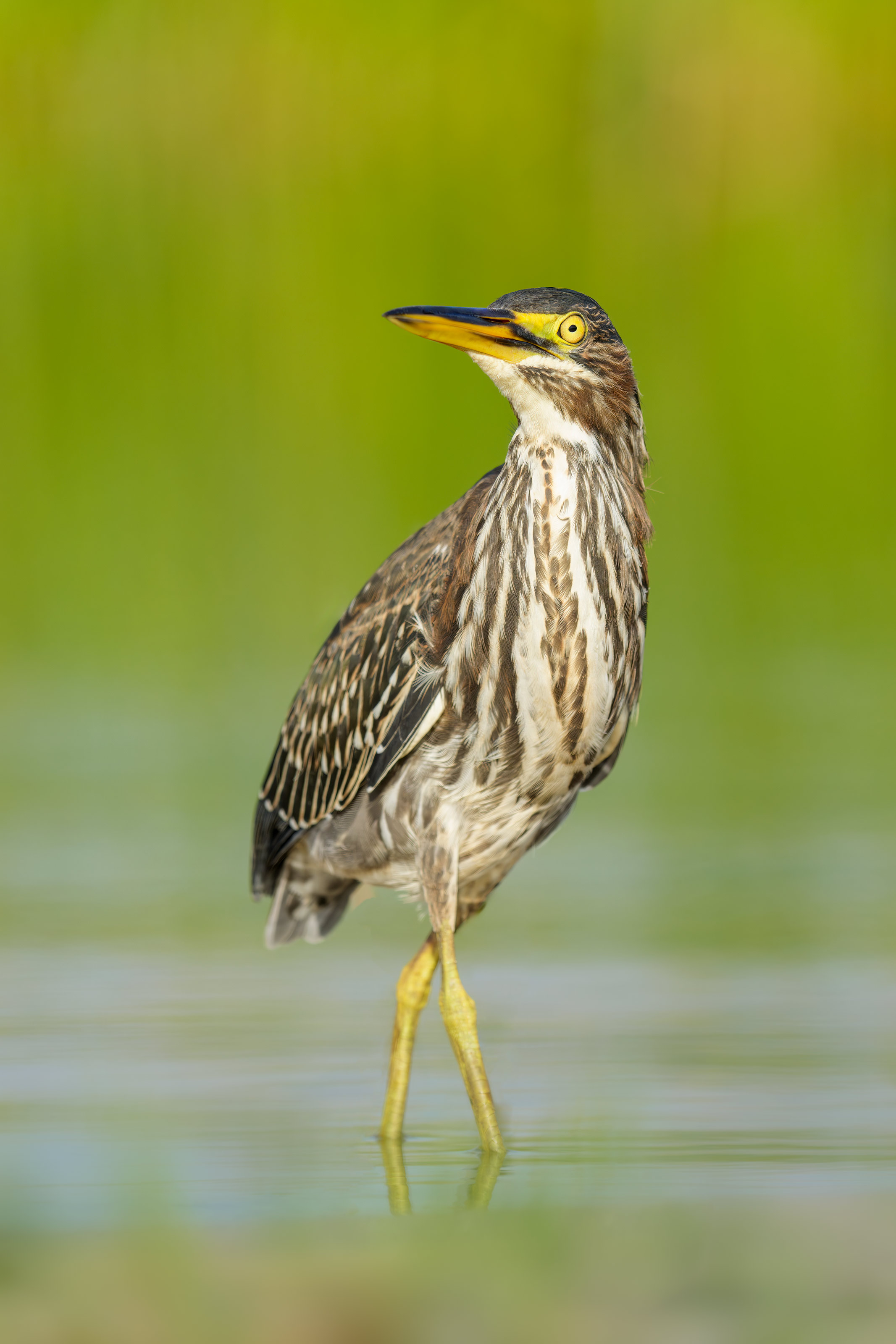
Though I live for and love tight head shots and head and neck portraits, the vertical Green Heron image in the last post was clearly the best by a mile. Thanks to those who commented and explained exactly why they liked that one best. For me it was not only the elegant pose but the sweet light, the incredible detail, and the incredibly soft, green, out-of-focus background. By getting low I moved the background far from the subject to ensure that it would be de-focused despite the fact the f/8 aperture. Getting low was made possible by the tilting vertical screen on my a-1 ii.
What’s Up?
Despite the heat and a breeze from the west on Sunday morning, I enjoyed a pretty darned good session capped by today’s two featured images. Which is your favorite? Early on, I found ILE’s first ever Western Sandpiper, a worn, faded, molting adult, an early arriving southbound migrant and managed one decent image from the SUV at 1200mm.
The Complete and Quintessential Flight Guide is finally finished; co-author Arash Hazeghi e-mailed me a link to the PDF on his family vacation to Europe. It will be featured and available in the next blog post.
Today is Monday 14 July 2025. It is just before 7:00am; I just checked the sky from the pool deck and things are looking quite dreary so I will probably be heading down to the lake at about 7:30. Whatever you opt to do, I hope that you too choose to have a wonderful and productive day and that you have fun too. Do remember that happiness is a choice — Byron Katie, The Work.Com.
If an item — a Delkin flash card, a Levered-clamp FlexShooter Pro, or a Wimberley lens plate — for example, that is available from B&H and/or Bedfords, is also available in the BAA Online Store, it would be great, and greatly appreciated, if you would opt to purchase from us. We will match any price. Please remember also to use my B&H affiliate links or to earn 3% cash back at Bedfords by using the BIRDSASART discount code at checkout for your major gear purchases. Doing either often earns you free guides and/or discounts. And always earns my great appreciation.
Gear Questions and Advice
Too many folks attending BAA IPTs and dozens of photographers whom I see in the field and on BPN, are — out of ignorance — using the wrong gear, especially when it comes to tripods and more especially, tripod heads. And the same is true in spades when ordering new camera bodies or lenses. My advice will often save you some serious money and may help you avoid making a seriously bad choice. Please know that I am always glad to answer your gear questions via e-mail. If you are desperate, you can try me on my cell at 863-221-2372. Please leave a message and shoot me a text if I do not pick up.
Don’t Just Shoot: Learn
If you are interested in changing your life and becoming a better photographer by joining me on an Extended IPT at Sebastian Inlet for Ospreys and more (SEPT 25 to NOV 24, 2025) in San Diego for Pacific-race Brown Pelicans and more (JAN 6 to FEB 2, 2026), for Roseate Spoonbills at Stick Marsh mid-March 2026, please e-mail for dates, rates, terms, and additional information. Or shoot me a text to 863-221-2372. Some offerings include options for shared AirBnB lodging and meals. Ground transportation during your stay is a possibility.
B&H Simplified
To ensure that I get credit for your B&H purchases, you can always click here. The tracking is invisible but using my affiliate links is greatly appreciated. And, with B&H, you can use your PayBoo card. You must use the website to order. You cannot get your free guides if you make a phone order. Once you have an item in your cart, you must complete the order within two hours. Huge thanks!
B&H
Many folks have written recently stating that they purchased a Sony a1 from B&H and would like their free membership in the Sony 1 Info and Updates Group, a $150.00 value. But when I check my affiliate account, their orders have not been there. When I let them know that they get credit for B&H purchases only if they use one of the many B&H affiliate links on the blog or begin their searches with this link, they are always disappointed. If in doubt, please contact me via e-mail and request a BH link. I am always glad to help and to guide you to the right gear.
Bedfords Simplified
Click here to start your search. Choose standard shipping, and when you get to the payment page, enter BIRDSASART in the discount code box and hit apply. You will be upgraded to free second day air Fed-Ex and receive 3% cash back on your credit card once your stuff ships. Using either my affiliate links is greatly appreciated and will often earn you free guides or discounts.
Bedfords Amazing BAA Discount Policy
Folks who have fallen in love with Bedfords can now use the BIRDSASART coupon code at checkout to enjoy a post-purchase, 3% off-statement credit (excluding taxes and shipping charges) on orders paid with a credit card. The 3% credit will be refunded to the card you used for your purchase. Be sure, also, to check the box for free shipping to enjoy free Second Day Air Fed-Ex. This offer does not apply to purchases of Classes, Gift Cards, prior purchases.
Visit the Bedfords website here, shoot Steve Elkins an e-mail, or text him on his cell phone at (479) 381-2592.
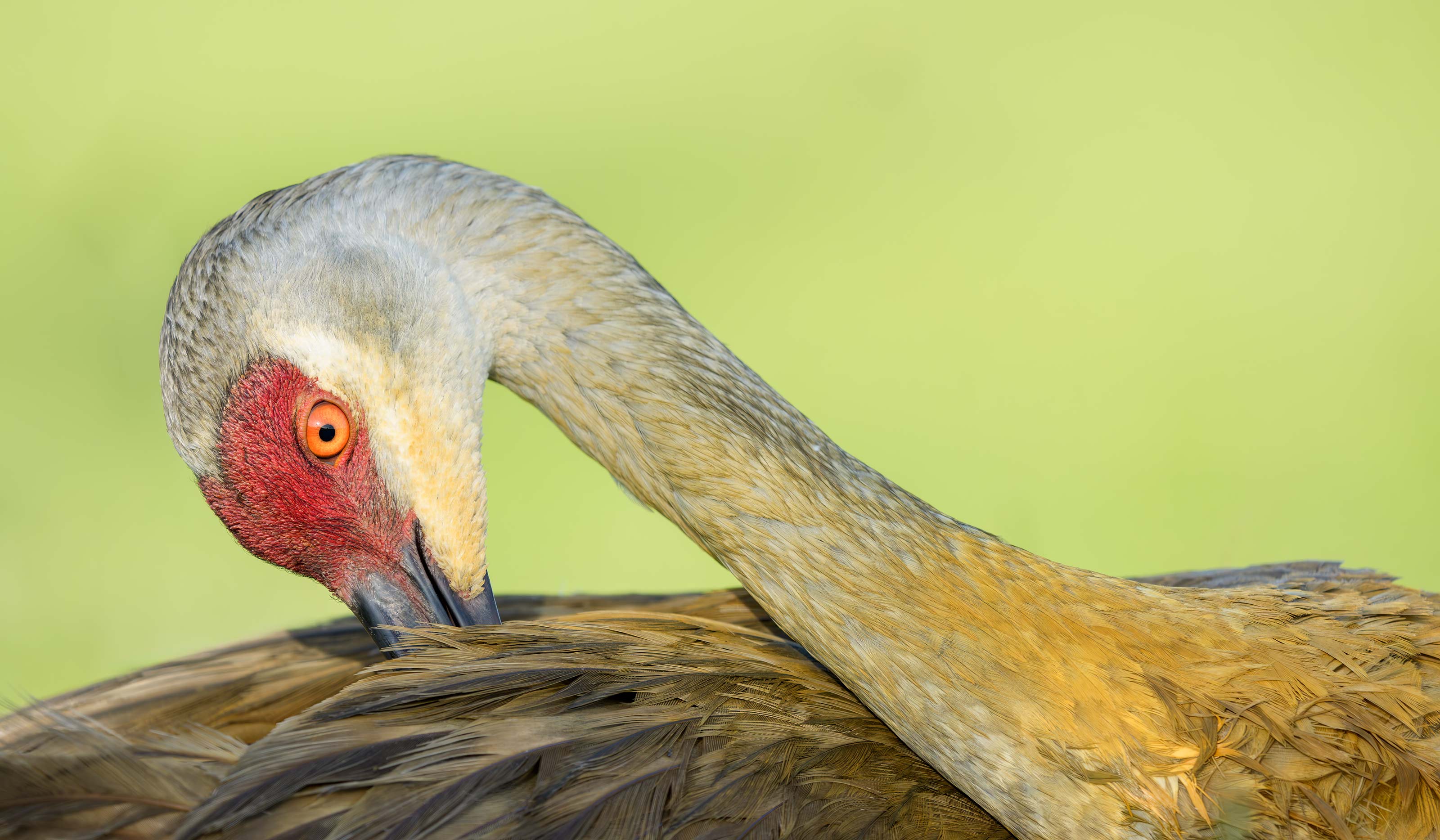
This image was created on 13 July 2025 down at the shoreline near my home at Indian Lake Estates, FL. Seated on the grass doing my best to avoid some fire ant mounds, I used the handheld Sony FE 400-800mm f/6.3-8 G OSS lens (Sony E) (at 800mm) and The Latest Greatest Sony Flagship Body, the a1 II Mirrorless Camera. The exposure was determined by Zebras with ISO on the rear wheel — ISO 1000: 1/500 second at f/8 (wide open) in Manual mode. RawDigger showed that the exposure was perfect. AWB at 7:56:37am on sunny morning.
Tracking: Zone/AF-C with Bird-Eye/Face Detection performed perfectly. Click on the image to enjoy the larger, inexplicably sharper high-res version.
Image #1: Sandhill Crane adult preening back
Image copyright 2025: Arthur Morris/BIRDS AS ART
Subject in Shade, Background in Sun
About a year ago, ten very small palm trees were planted around the parking circle. The crane in the photo has a club for a left foot — sot of mangled with no toes. The bird was resting flat on the ground its upper half in the shade of the wispy fronds of a palm. I had seen it in the same exact spot several times. I had been photographing its mate in full sun, about 15 feet north of it partner when I recognized one of my favorite lighting situations: subject in shade, background in sun. I added 2/3 of a stop of light and went to work. I missed on a straight head portrait with the sublime green background but kept several frames of the bird preening its back.
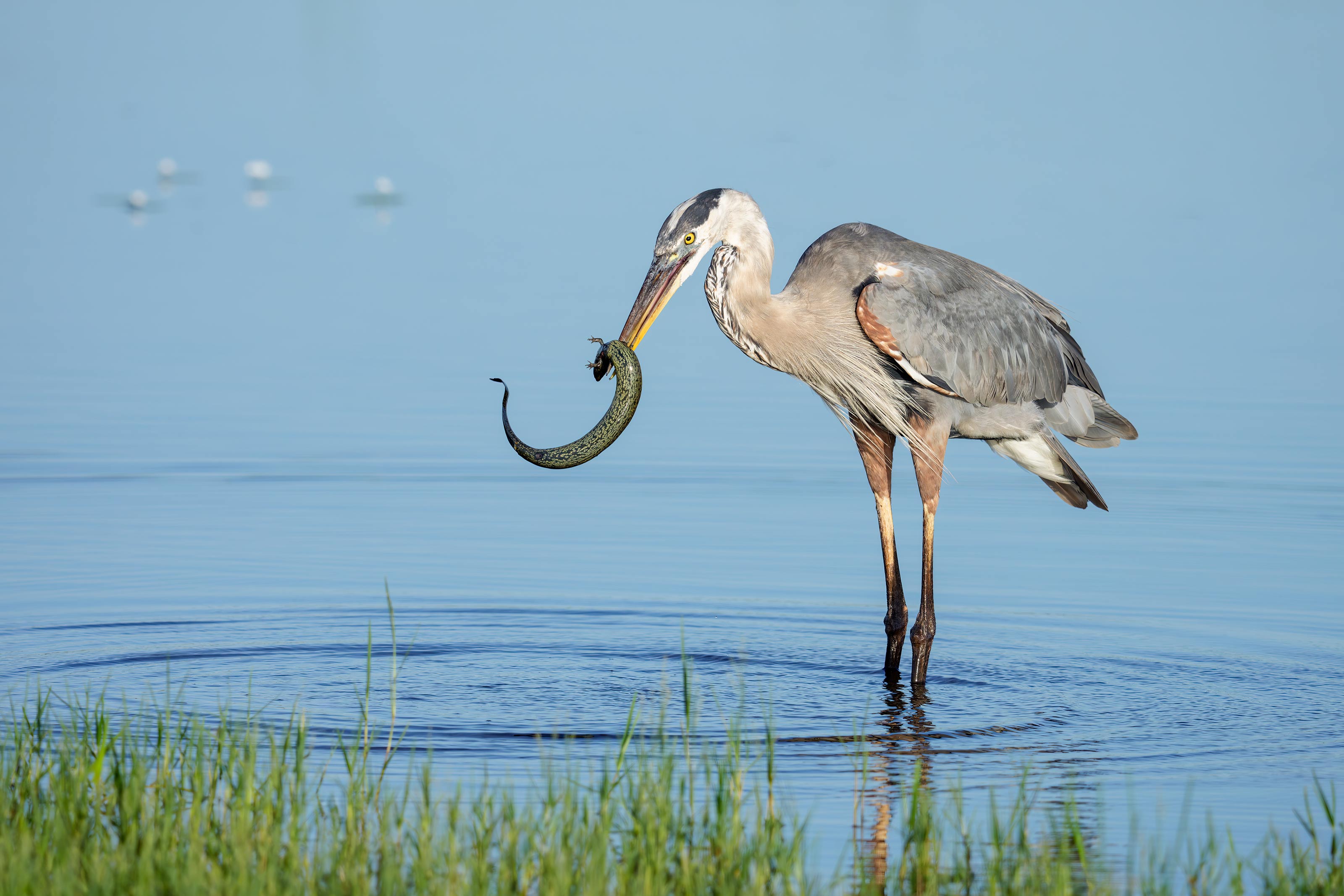
This image was also created on 13 July 2025 down at the shoreline near my home at Indian Lake Estates, FL. Seated in the driver’s seat of my SUV, I used the handheld Sony FE 400-800mm f/6.3-8 G OSS lens (Sony E) (at 553mm) and The Latest Greatest Sony Flagship Body, the a1 II Mirrorless Camera. The exposure was determined by Zebras with ISO on the rear wheel — ISO 1000: 1/1000 second at f/8 (wide open) in Manual mode. RawDigger showed that the exposure was perfect. AWB at 8:00:32am on sunny morning.
Tracking: Zone/AF-C with Bird-Eye/Face Detection performed perfectly. Click on the image to enjoy the larger, inexplicably sharper high-res version.
Image #2: Great Blue Heron subduing Greater Siren
Image copyright 2025: Arthur Morris/BIRDS AS ART
What the Heck is a Siren?
Scant minutes after photographing the adult cranes, I re-checked the bay south of the pier. (I do that quite often every morning.) Just as the bay came into view, I saw a Great Blue Heron flying from its usual fishing spot in the marsh towards the shore. My heart rate increased. I grabbed the 400-800, set the shutter speed and exposure, got halfway on sun angle and began photographing. After perhaps a minute, I switched to 1200mm; all of those images were sharp but the tiny set of front legs was no longer visible. I picked this one from series of ten similars because I like the curve of body the then unknown creature.
Matt Milnes to the Rescue
Matt Milnes helped me with the a turtle ID several years ago and joined me for two mornings at DeSoto with his Nikon Z9 and the Z 800mm not long ago. (Matt lives in Milledgeville, GA where he is a biology professor at Georgia College. He grew up in Clearwater, Florida (not far from Fort DeSoto) and has spent his career studying the physiology of reptiles (and fortunately for me, amphibians too!) After e-mailing him two screen caps, he wrote back with this link to Greater Siren (Siren lacertina). Once again he nailed it.
Dear Artie,
I want to thank you again for another great round of instruction. I regularly read your blog, and learn a lot doing so, but there’s no substitute for being by your side in the field. What I found particularly helpful during our most recent morning session was seeing how you approach a single bird or a mixed flock of birds under different environmental conditions. I also picked up helpful tips about when to shoot from a low vs high perspective based on surroundings and the activity of the birds. The photo review over brunch will help me cull images more efficiently and critically review my own work. Lastly, and maybe most importantly, I had fun shooting with you and made some images that make me happy.
All the best,
Matt
Typos
With all blog posts, feel free to e-mail or to leave a comment regarding any typos or errors.
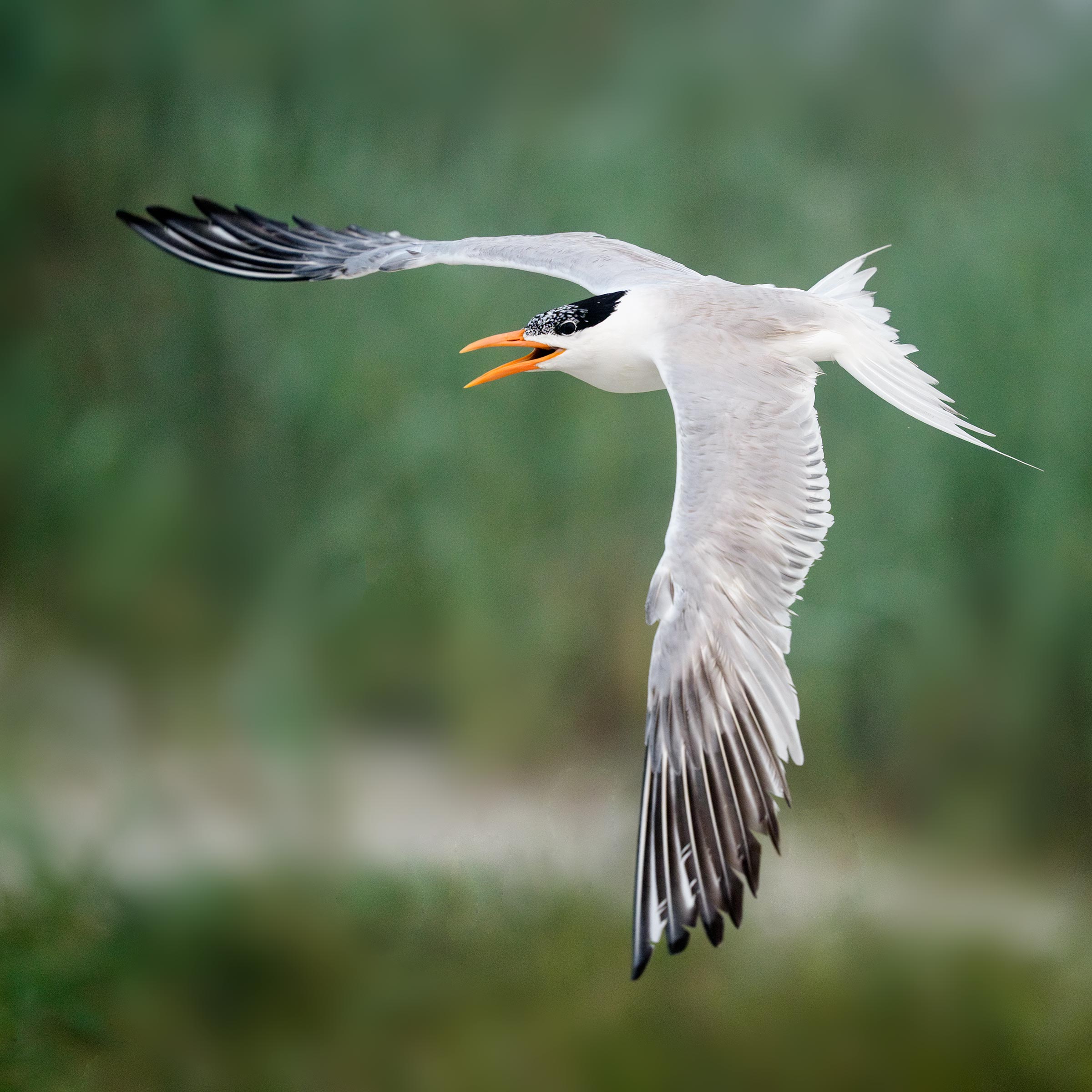
In the last blog post, I liked both images equally, the first for the unusual wings down display flight pose and the second for the neat dorsal view. I needed the square crop for the second image because I failed to follow my own oft-given advice: “Pan faster.” Thus, the bird was much too far forward in the frame.
Special thanks to Tom Redd, the only reader to comment on the images.
Your Call?
Which of today’s two featured images is the strongest? Why? For me, this one is a no-brainer. See my thoughts in the next post.
The In-Stock Sony Miracle
For the first time ever, both the a1 II Mirrorless Camera and the Sony FE 400-800mm f/6.3-8 G OSS lens (Sony E) were in stock on Friday afternoon at B&H. And Bedfords has two of the latter in stock as well. Order one or both right now using one of my two links to earn a free copy or copies of both the camera setup guide and the lens guide. Then join an IPT or meet me at Nickerson Beach to learn to use your new gear like a pro.
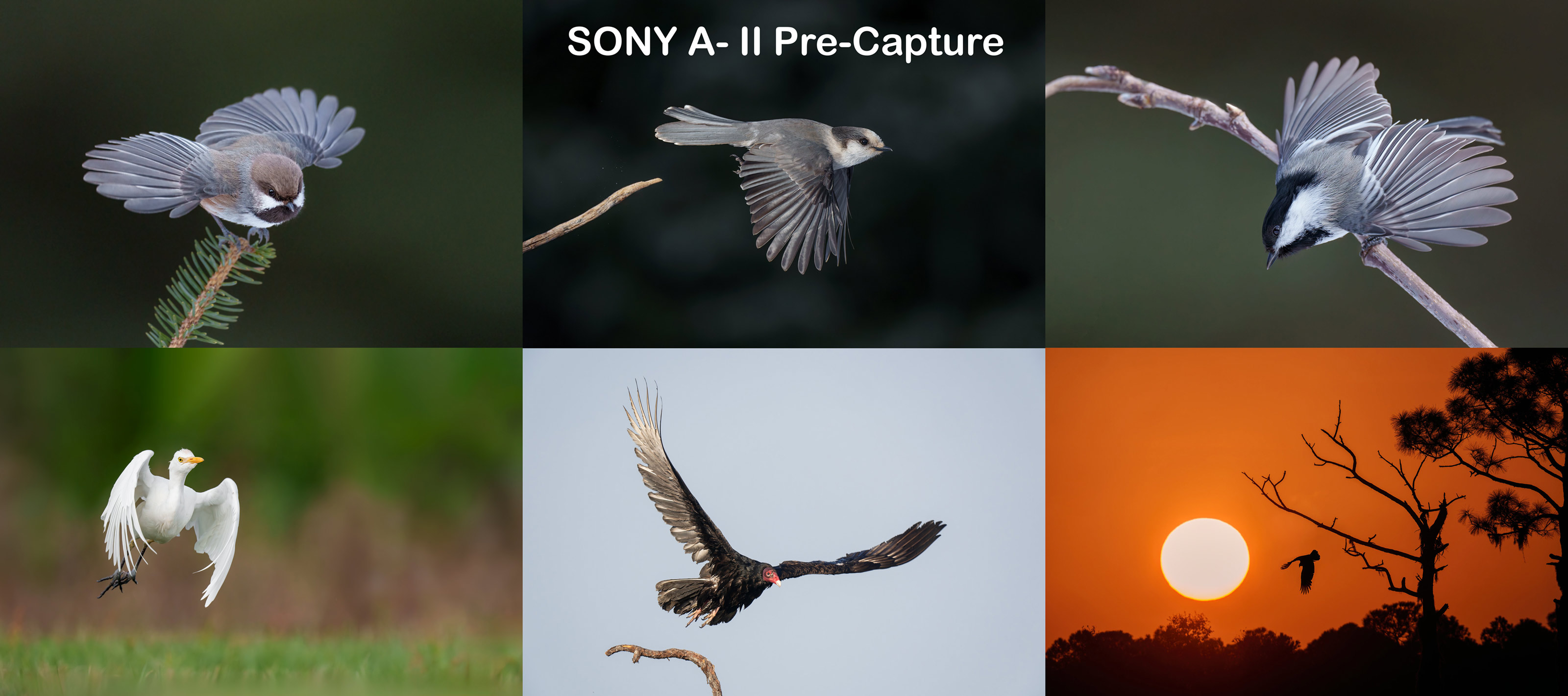
I continue to be amazed by speed and accuracy of the Bird Face-Eye tracking and the overall performance of the camera. Aside from the improved ergonomics as compared to the a-1, the rear screen that tilts both horizontally and vertically is a huge plus, as is Pre-capture that allows me to create take-off images that I missed! The resolution on the rear monitor has been improved dramatically. And the 51MP files are to die for.
If you plan on purchasing Latest Greatest Sony Flagship Body, the Sony a-1 ii, please click here to purchase from B&H and earn your free a-1 ii e-Mail Guide. Or, get 3% back on your credit card by purchasing from Bedfords using this link and entering the BIRDSASART discount code at checkout. Folks who use one of the two affiliate links above to purchase their Sony a-1 ii will receive my .DAT settings (the complete camera set-up), a Buttons and Dials Guide, and the a1- ii Info Sheet for free.
If you have already purchased an a-1 ii, you can join the e-mail group by sending a PayPal for $227.43 to us at samandmayasgrandpa@att.net.. So, yes, it never hurts to use my affiliate links and it never costs you one penny more. And if you contact me via e-mail.before you make a major purchase, I can always advise you and often save you some money.
The BIRDS AS ART SONY 400-800mm f/6.3-9 G Super-telephoto Zoom Lens Guide
The combination of reach, versatility, and handhold-ability of the Sony 400-800 is unmatched.
When I borrowed this lens from Sony, I assumed that at 5.45 pounds it was too heavy to handhold for long and that at f/8 at the long end (800mm), it was too slow for most bird photography applications. In short, I did not want to like the lens. After three months of using it, I cannot live without it. After returning the loaner, I was miraculously able to get my own from Bedfords on 16 April 2025. It has quickly become my all time favorite lens because it simplifies my life and allows me to go without a tripod in most situations. In this guide I share everything that I have learned about using the 400-800. For best results, you need to know exactly what you are doing to get the most out of this zoom lens. It would be best, therefore, to consider and study the material in the guide so that you can begin making great images with your new lens.
You will learn how to deal with the relatively show apertures: f/6.3, f/7.1, and f/8 when working in Manual mode.
You will learn how to ensure that you are working at the widest aperture by working in Shutter Priority mode with AUTO ISO.
If you are able to hand hold the lens, you will learn proper hand holding techniques.
If you can’t, you will learn when, why, and how to employ other options. Those include:
1- The knee-pod, heel-pod, and toe-pod techniques
2- Using the lens on a monopod.
3- The best lens plate and low foot for your 4-8.
4- The best tripod and head for the 4-8 and how best to utilize them.
5- How to use the lens from your vehicle while supporting it on a BLUBB (or not and why not).
6- Detailed instructions on how to set and use the lens controls and buttons:
a- AF/MF
b- DMF Switch
c- Limit Range Switch
d- OSS (Optical Steady Shot) Switch
e- OSS Mode Switch
f- Focus Hold Buttons
The guide also includes a Hand Holding Shutter Speed Primer and an illustrative, educational, and inspiring 67-image gallery.
Free to folks who use one of my two affiliate links to purchase their Sony 400-800 G lens. Others, please send a PayPal for $115.43 to birdsasart@verizon.net and include the words “400-800 Lens Guide” in your e-mail.
New “Used” Gear Listing
Yours truly is offering a Robus RCM-439 4-Section Carbon Fiber Monopod, 65 in like-new plus condition for $74.95 plus the shipping, an even $25.00 less than B&H. In the box with everything that came with it. Never used.
If interested, get in touch with artie via e-mail.
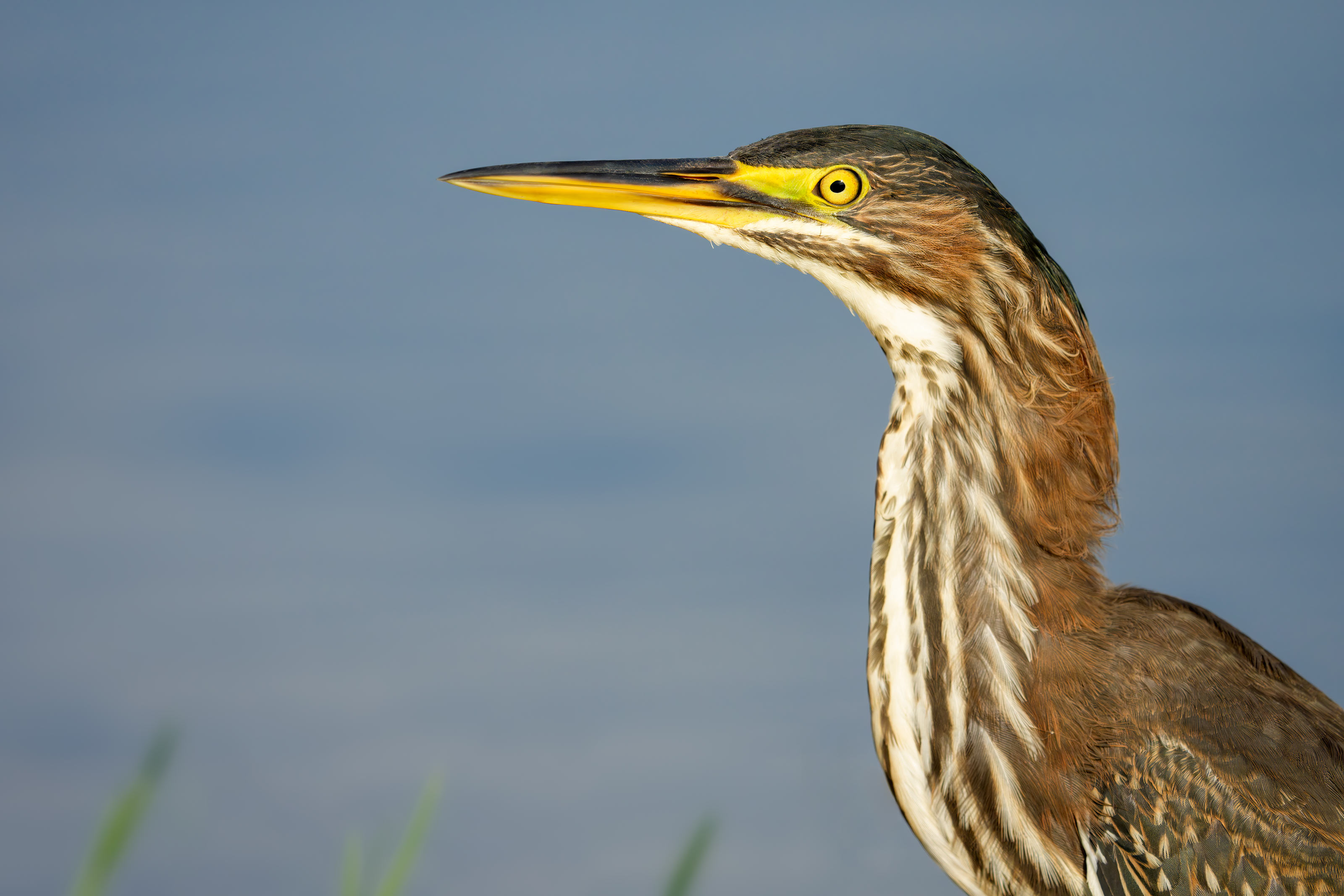
This image was created on 10 July 2025 at the beach left of the pier down by the lake near my home at Indian Lake Estates, FL. Seated on damp sand and working vertically off the tilted rear monitor, I used the toe-pod technique with the handheld Sony FE 400-800mm f/6.3-8 G OSS lens (Sony E) (at 800mm) and The Latest Greatest Sony Flagship Body, the a1 II Mirrorless Camera. The exposure was determined by Zebras with ISO on the rear wheel — ISO 800: 1/1250 second at f/8 (wide open) in Manual mode. RawDigger showed that the exposure was dead-solid perfect. AWB at 8:27:13am on a sunny morning with a bit of haze in the air.
Wide/AF-C with Bird-Eye/Face Detection performed perfectly. Click on the image to enjoy the larger, inexplicably sharper high-res version.
Image #1: Green Heron in fresh juvenile plumage — vertical.
Image copyright 2025: Arthur Morris/BIRDS AS ART
After My Walk
Things have been relatively slow in the July heat so I have been taking my shirtless pier walk early every day. On Thursday morning past, I began the walk with the 400-800 mounted on the Robus RCM-439 4-Section Carbon Fiber Monopod, 65 topped by a Wimberley MonoGimbal Head. (Learn more about using a monopod in the blog post here and be sure to check out the YouTube monopod video as well.) After working some Black Vultures and an adult Green Heron on the pier railing, I laid my gear down on the wooden boards and walked out to the end and back. As I headed to my car, I saw a juvenile Green Heron on the beach to the south of the pier. My first thought was to work the bird from my SUV at 1200mm, but since lower is almost always better, I decided to take my rig off the monopod and try to get on the ground and get close.
The bird seemed quite at ease as I approached so I continued walking to within about 18 feet and got down on the ground as slowly and as gracefully as possible. I was quite happy that the bird stayed. Some avian youngsters can be very accepting of humans. Once I was on the ground I grabbed my reading glasses from my pocket, the better to see the dancing AF points my dear. When the bird stood up tall and faced me, I quickly rotated the rear screen and flipped it down vertically. I placed the lens on my toes to get over some foreground grasses. Six Sandhill Cranes flew over north to out and caught the attention of my young friend as they landed. The result? The elegant pose in Image #1. Sometimes things go even better than planned.
Aside from the vastly improved Bird Face-eye Tracking with the a-1 ii, the vertically tilting rear monitor is my favorite feature as it allows for ground level verticals there were impossible to create with the original a-1.
This image was also created on 10 July 2025 at the beach left of the pier down by the lake near my home at Indian Lake Estates, FL. Seated on damp sand I used the knee-pod technique with the handheld Sony FE 400-800mm f/6.3-8 G OSS lens (Sony E) (at 800mm) and The Latest Greatest Sony Flagship Body, the a1 II Mirrorless Camera. The exposure was determined by Zebras with ISO on the rear wheel — ISO 1600: 1/3200 second at f/8 (wide open) in Manual mode. RawDigger showed that the exposure was dead-solid perfect. AWB at 8:31:58am on a sunny morning with a bit of haze in the air.
Wide/AF-C with Bird-Eye/Face Detection performed perfectly. Click on the image to enjoy the larger, inexplicably sharper high-res version.
Image #2: Green Heron in fresh juvenile plumage — horizontal head and neck portrait.
Image copyright 2025: Arthur Morris/BIRDS AS ART
Doubling Up
Hoping to get some head shots, I followed the small heron as it moved to my right by butt-crawling/shuffling. Thinking that the bird might take flight, I doubled both the ISO and the shutter speed in case it decided to fly to the pier. The bird, however, remained unconcerned with my presence so I kept going and got even closer than I had previously, surely within 13 feet — the MFD of the 4-8 is 11.5 feet.
Still thinking that the bird might fly, I put my glasses away so that I could work from the optical viewfinder. I crouched and bent forward as far as possible while using the knee-pod technique. Why? In order get a more pleasing background than if I had opted to sit up tall. How does that work? By getting as low as possible, I effectively moved the background farther from the bird.
Typos
With all blog posts, feel free to e-mail or to leave a comment regarding any typos or errors.
Early on a sunny morning in early summer on the east coast of the USA, why is a north wind much better for bird photography than a wind from the south?
Be sure to scroll down to the bottom to Your Call and a Question and take a crack at two additional educational questions.
Delkin Devices 960GB BLACK CFexpress Type A 4.0 Memory Card
On Sale Today Only
Normally $429.00 at B&H and here in the BIRDS AS ART Online Store; on sale today for $399.00! Phone orders only: Call Jim right now at 863-221-2372. Till they last. With a rather conservative shooting style, I have never filled a Delkin Black 480GB card.
Whenever folks have memory card problems on an IPT I direct them to Delkin. In 24 years of digital photography I have never lost a single image due to the failure of a Delkin card. Learn and see more here.
Combining strength, reliability, and performance, the 960GB BLACK CFexpress Type A 4.0 Memory Card from Delkin Devices features a storage capacity of 960GB and is designed for professional photographers, videographers, and high-end cinematic hosts. It is well-suited for raw and continuous burst photography as well as raw 8K, 6K, and 4K video at high bitrates and frame rates. Thanks to a PCIe interface, you’ll be able to achieve maximum read speeds of up to 1830 MB/s, maximum write speeds of up to 1740 MB/s, and minimum sustained write speeds of 500 MB/s. Additionally, this card meets the VPG-200 spec, meaning that write speeds are guaranteed not to drop below 200 MB/s.
To help facilitate card usage in almost any environment as well as keeping your content safe, Delkin has built its BLACK Series with a rugged design that is water and shock proof, plus resistant to temperature extremes. In order to further enhance reliability and functionality, the BLACK Series is serialized and protected by a limited lifetime warranty and a 48-hour replacement guarantee upon registration with Delkin.
Please note that this card is not compatible with CFexpress Type B, CFast 2.0, or CompactFlash hosts.
Adapted from AI Overview
In 2022, Birds as Art author Arthur Morris continued to use and endorse Delkin memory cards for their reliability and durability. He highlighted Delkin’s rugged design, waterproof and shockproof capabilities, and lifetime warranty, emphasizing their importance for safe and reliable image storage, especially in challenging environments.
Here’s a more detailed look at why Delkin cards are featured on the BIRDS AS ART blog.
Reliability and Dependability:
Morris has consistently relied on Delkin cards for years, stating that they are “as dependable as they get”. He even mentioned experiencing instances where cards were washed, dropped in saltwater, and exposed to harsh conditions (like being left in a bag with pork fat!) with no issues.
Rugged Design:
Delkin BLACK Series cards were specifically mentioned for their robust construction, designed to withstand temperature extremes, water, and shocks according to BIRDS AS ART.
Warranty and Support:
Delkin offers a lifetime warranty and a 48-hour replacement guarantee for their BLACK Series cards.
In one post, Morris recounted a story of a double Delkin card miracle, where a card was lost, run over by countless vehicles, and found badly damaged three days later; he was able to rip the cover off and successfully download all the images. Even better? Delkin promptly replaced the card with a brand new one.
Focus on Reliability for Bird Photography:
Given the nature of bird photography, with its unpredictable weather and challenging environments, the emphasis on reliable Delkin memory cards is crucial for ensuring that valuable images are captured and preserved says BIRDS AS ART.
What’s Up?
Though the photographic summer doldrums continue here at Indian Lake Estates, I have been managing to create a few decent images every morning; no shock there. Yesterday I walked the pier with the 400-800 and just missed on several excellent chances. I needed one more step to get on sun angle and eliminate the “T” of the pier from the background with a handsome Limpkin on the railing. Yup — the bird flushed with that last step. When I got back to the car I noticed that the bird (or another) had flown back to the railing. The second time was the charm.
On Wednesday, I found all but one of my 1099 and interest forms right where I should have looked in the first place. Then I got online and printed the 2024 Social Security form that I needed to complete the job. Everything was mailed and e-mail to Chip Jackson before lunch.
Today is 10 July 2025 and I will of course be headed down to the lake soon. Whatever you opt to do, I hope that you too choose to have a wonderful and productive day and that you have fun too. Do remember that happiness is a choice — Byron Katie, The Work.Com.
If an item — a Delkin flash card, a Levered-clamp FlexShooter Pro, or a Wimberley lens plate — for example, that is available from B&H and/or Bedfords, is also available in the BAA Online Store, it would be great, and greatly appreciated, if you would opt to purchase from us. We will match any price. Please remember also to use my B&H affiliate links or to earn 3% cash back at Bedfords by using the BIRDSASART discount code at checkout for your major gear purchases. Doing either often earns you free guides and/or discounts. And always earns my great appreciation.
Gear Questions and Advice
Too many folks attending BAA IPTs and dozens of photographers whom I see in the field and on BPN, are — out of ignorance — using the wrong gear, especially when it comes to tripods and more especially, tripod heads. And the same is true in spades when ordering new camera bodies or lenses. My advice will often save you some serious money and may help you avoid making a seriously bad choice. Please know that I am always glad to answer your gear questions via e-mail. If you are desperate, you can try me on my cell at 863-221-2372. Please leave a message and shoot me a text if I do not pick up.
Don’t Just Shoot: Learn
If you are interested in changing your life and becoming a better photographer by joining me on an Extended IPT at Sebastian Inlet for Ospreys and more (SEPT 25 to NOV 24, 2025) in San Diego for Pacific-race Brown Pelicans and more (JAN 6 to FEB 2, 2026), for Roseate Spoonbills at Stick Marsh mid-March 2026, please e-mail for dates, rates, terms, and additional information. Or shoot me a text to 863-221-2372. All offerings include options for shared AirBnB lodging. Ground transportation during your stay is a possibility.
B&H Simplified
To ensure that I get credit for your B&H purchases, you can always click here. The tracking is invisible but using my affiliate links is greatly appreciated. And, with B&H, you can use your PayBoo card. You must use the website to order. You cannot get your free guides if you make a phone order. Once you have an item in your cart, you must complete the order within two hours. Huge thanks!
B&H
Many folks have written recently stating that they purchased a Sony a1 from B&H and would like their free membership in the Sony 1 Info and Updates Group, a $150.00 value. But when I check my affiliate account, their orders have not been there. When I let them know that they get credit for B&H purchases only if they use one of the many B&H affiliate links on the blog or begin their searches with this link, they are always disappointed. If in doubt, please contact me via e-mail and request a BH link. I am always glad to help and to guide you to the right gear.
Bedfords Simplified
Click here to start your search. Choose standard shipping, and when you get to the payment page, enter BIRDSASART in the discount code box and hit apply. You will be upgraded to free second day air Fed-Ex and receive 3% cash back on your credit card once your stuff ships. Using either my affiliate links is greatly appreciated and will often earn you free guides or discounts.
Bedfords Amazing BAA Discount Policy
Folks who have fallen in love with Bedfords can now use the BIRDSASART coupon code at checkout to enjoy a post-purchase, 3% off-statement credit (excluding taxes and shipping charges) on orders paid with a credit card. The 3% credit will be refunded to the card you used for your purchase. Be sure, also, to check the box for free shipping to enjoy free Second Day Air Fed-Ex. This offer does not apply to purchases of Classes, Gift Cards, prior purchases.
Visit the Bedfords website here, shoot Steve Elkins an e-mail, or text him on his cell phone at (479) 381-2592.
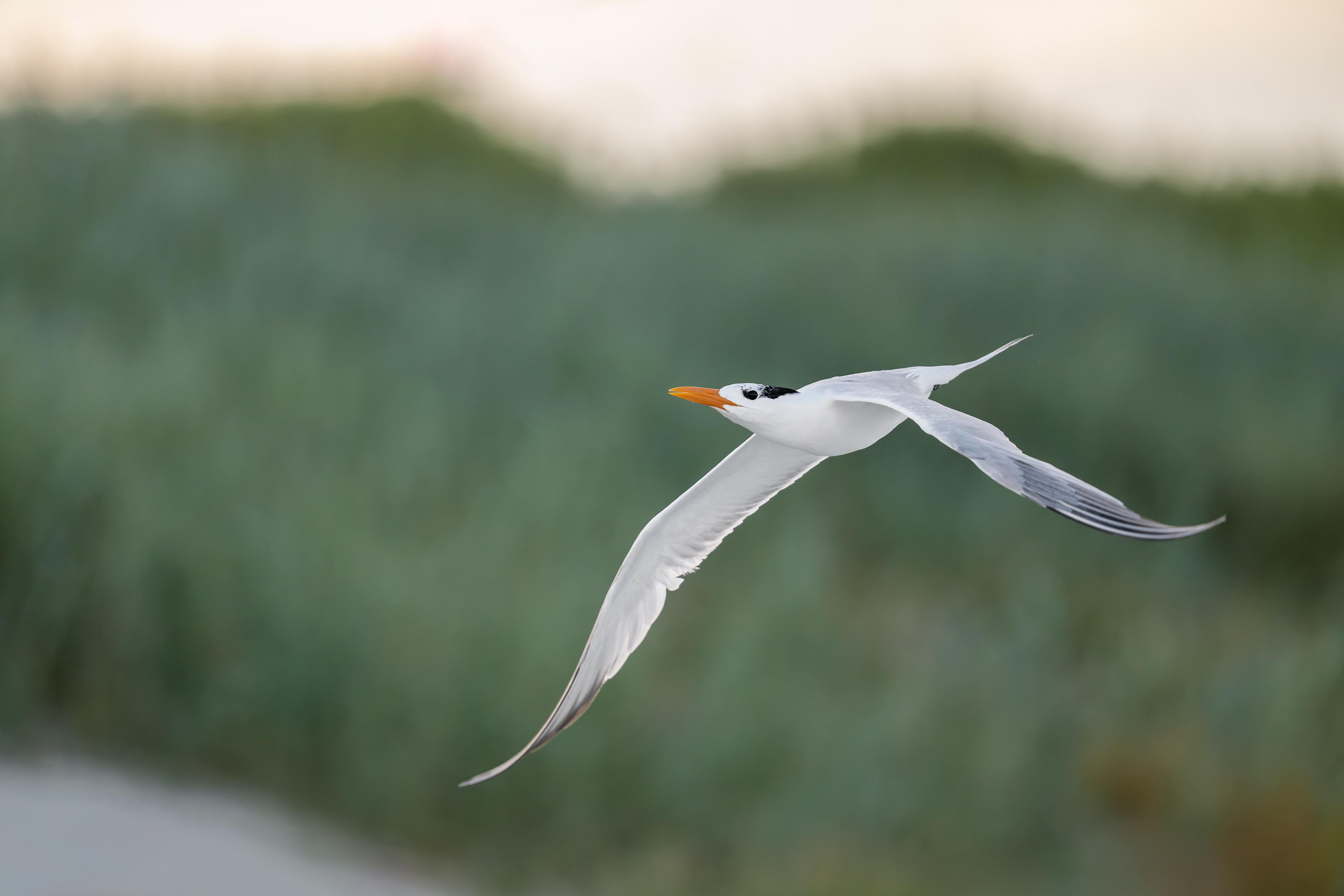
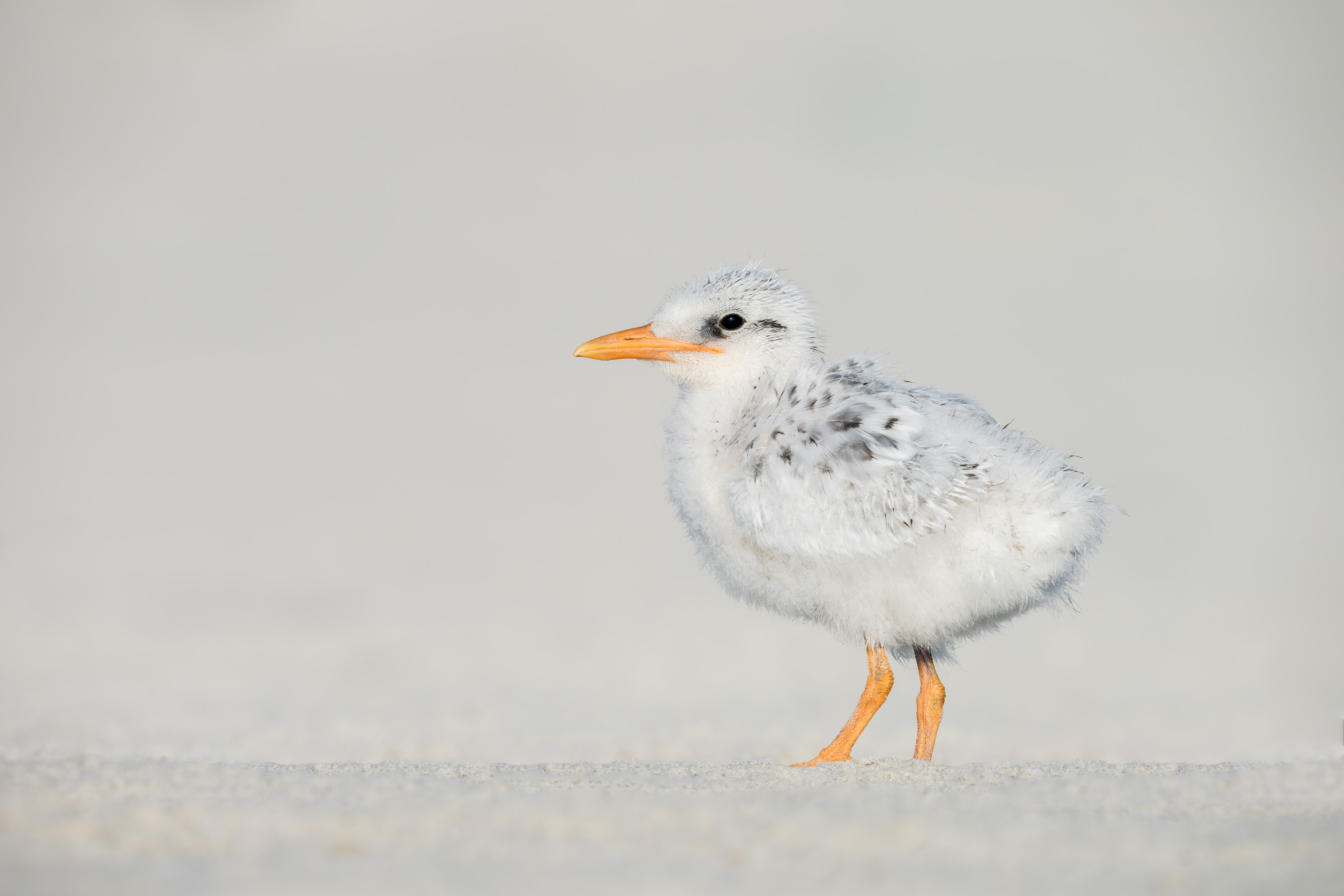
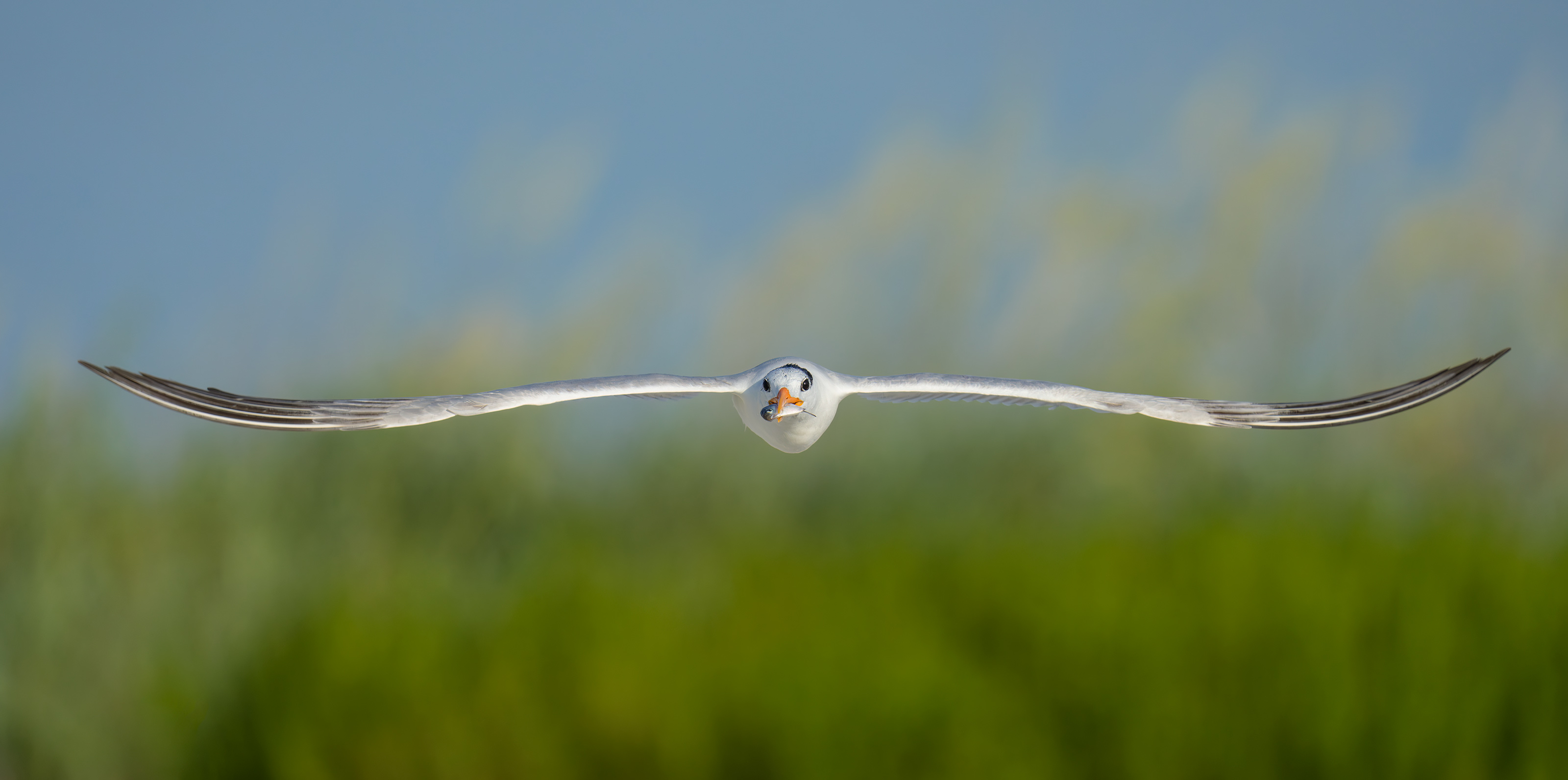
This image was created on 6 June 2025, the first afternoon of the on the Huguenot Memorial Park/Jacksonville Royal Terns and Chicks and More Extended IPT. Standing at full height I used the handheld Sony FE 300mm f/2.8 GM OSS Lens (Sony E) with the Sony FE 1.4x Teleconverter and the Latest Greatest Sony Flagship Body, the a1 II Mirrorless Camera. ISO 2500. Exposure determined via Zebras with ISO on the Thumb Wheel; 1/2500 sec. at f/4 (wide open) in Manual mode. RawDigger showed that the exposure was dead solid perfect: AWB at 7:32:56pm on a cloudy dark afternoon.
Wide AF-C with Bird Eye/Face Detection enabled performed perfectly.
Image #1: Royal Tern adult display flight in front of dune
Image copyright 2025 Arthur Morris/BIRDS AS ART
The New Roped Off Area
Rather than the usual single rope in front of the dunes at the north end of Huguenot Memorial Park that was in place in previous years, in mid-June 2025 the powers that be roped off a huge additional area in front of the dunes running most of the length of the colony from the do-not-drive-past-this-rope rope about 500 yards to the north. I was 100% in favor of the newly roped off area as it provided a safe spot for the chicks venturing out of the colony toward the ocean. But the best news for photographers was that the roped off area was 100% free from human footprints and tire tracks.
A New Place to Shoot
On cloudy mornings and cloudy afternoons with a wind from the south, we would sit or stand at the very south end of the colony where the new rope met the old rope. As seen in today’s two featured images, there was some good flight photography with the green vegetation on the dunes as backgrounds. And, on occasion when we sat quietly, more than a few chicks would often approach us.
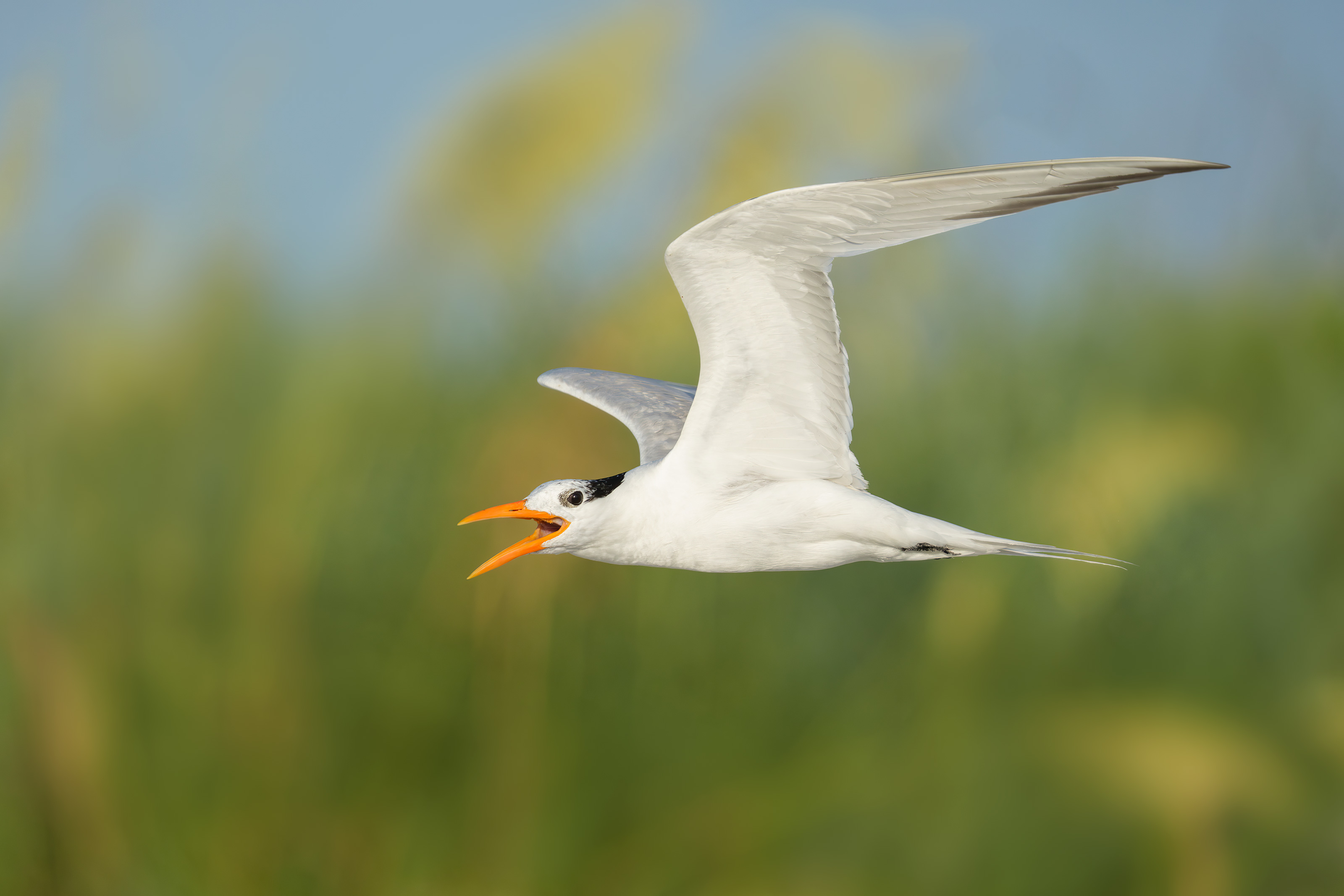
This image was created on 6 June 2025, the first afternoon of the on the Huguenot Memorial Park/Jacksonville Royal Terns and Chicks and More Extended IPT. Standing at full height I used the handheld Sony FE 300mm f/2.8 GM OSS Lens (Sony E) with the Sony FE 1.4x Teleconverter and the Latest Greatest Sony Flagship Body, the a1 II Mirrorless Camera. ISO 3200. Exposure determined via Zebras with ISO on the Thumb Wheel: 1/2500 sec. at f/4 (wide open) in Manual mode. RawDigger showed that the exposure was dead solid perfect: AWB at 7:02:36am on a cloudy dark afternoon.
Wide AF-C with Bird Eye/Face Detection enabled performed perfectly.
Image #2: Royal Tern calling in flight — wings down, Dorsal view
Image copyright 2025 Arthur Morris/BIRDS AS ART
Rig Choice
I had all six of my Sony super-telephoto and telephoto zoom lenses with me at Jacksonville:
To answer your question, yes, I am quite blessed to own all of the above glass. But please remember that the lenses do not make the images. Knowing which lens to use in a given situation is part of the art of bird photography. Each combination of sky conditions, wind strength and direction, and the weather forecast present a puzzle to be solved. Where to head? What gear to bring? What type of images are possible in the current conditions? What techniques to use?
Early on in the trip I used the 600mm f/4 with either TC on the flattened tripod quite often when trying for the chicks.
I used the 400mm f/2.8 once or twice always handheld in low light with the 1.4X TC.
I used the 300mm f/2.8 GM more than a few times either alone or with the 1.4X TC on cloudy days or with the 2X TC in sunny conditions.
I never took the 70-200mm f/2.8 out of my SUV once in ten days as reach is generally more important at JAX than speed. That said, the 70-200 is the bomb both in Homer for Bald Eagles and in San Diego when working the Brandt’s Cormorant colony.
On two mornings I left the 4-8 in the car and went with the 2-6 for its lighter weight and to save 2/3 stop of ISO in low light conditions. I did quite well both times.
More than 50% of the time I headed out with my new favorite lens, the 400-800. Complete freedom. No TCs needed. No fanny pack. No tripod. Just the lens with a Delkin Devices 960GB BLACK CFexpress Type A 4.0 Memory Card in the upper card slot of my a-1 ii and a spare battery in my pocket.
On cloudy afternoons with some sort of south wind I always opted for the 300mm f/2.8 with the 1.4X TC to give me 420mm of reach, a relatively fast aperture of f/4, and an eminently handhold-able rig.
Your Call and a Question
How would you compare today’s two featured images?
Why might I have needed a square crop for Image #2?
Typos
With all blog posts, feel free to e-mail or to leave a comment regarding any typos or errors.
I headed down to the lake early on a hot hazy Monday morning at Indian Lake Estates. The wind was fairly strong from the south and there was not much to photograph other than some of the local Sandhill Cranes. There was one four month old colt with its parents but they all flew away. It looks as if the summer photographic doldrums are here.
I got back to work on my taxes and am pretty much finished (good). But I cannot find my collection of 2024 interest and investment statements, the ones that say, “Important tax information” on the envelope (bad). I will resume my efforts to find the stuff after I get back from the lake.
Today is Tuesday 8 July 2025. Whatever you opt to do, I hope that you too choose to have a wonderful and productive day and that you have fun too. Do remember that happiness is a choice — Byron Katie, The Work.Com.
If an item — a Delkin flash card, a Levered-clamp FlexShooter Pro, or a Wimberley lens plate — for example, that is available from B&H and/or Bedfords, is also available in the BAA Online Store, it would be great, and greatly appreciated, if you would opt to purchase from us. We will match any price. Please remember also to use my B&H affiliate links or to earn 3% cash back at Bedfords by using the BIRDSASART discount code at checkout for your major gear purchases. Doing either often earns you free guides and/or discounts. And always earns my great appreciation.
Gear Questions and Advice
Too many folks attending BAA IPTs and dozens of photographers whom I see in the field and on BPN, are — out of ignorance — using the wrong gear, especially when it comes to tripods and more especially, tripod heads. And the same is true in spades when ordering new camera bodies or lenses. My advice will often save you some serious money and may help you avoid making a seriously bad choice. Please know that I am always glad to answer your gear questions via e-mail. If you are desperate, you can try me on my cell at 863-221-2372. Please leave a message and shoot me a text if I do not pick up.
Don’t Just Shoot: Learn
If, like Stan DeTurris and Abe Curland most recently, you are interested in changing your life and becoming a better photographer by joining me somewhere in the field, consider the Extended IPT at Sebastian Inlet for Ospreys and more (SEPT 25 to NOV 24, 2025), a San Diego IPT for Pacific-race Brown Pelicans and more (JAN 6 to FEB 2, 2026), or for Roseate Spoonbills at Stick Marsh mid-March 2026, please e-mail for dates, rates, terms, and additional information. Or shoot me a text to 863-221-2372. All offerings include options for shared AirBnB lodging. Ground transportation during your stay is a possibility on most trips.
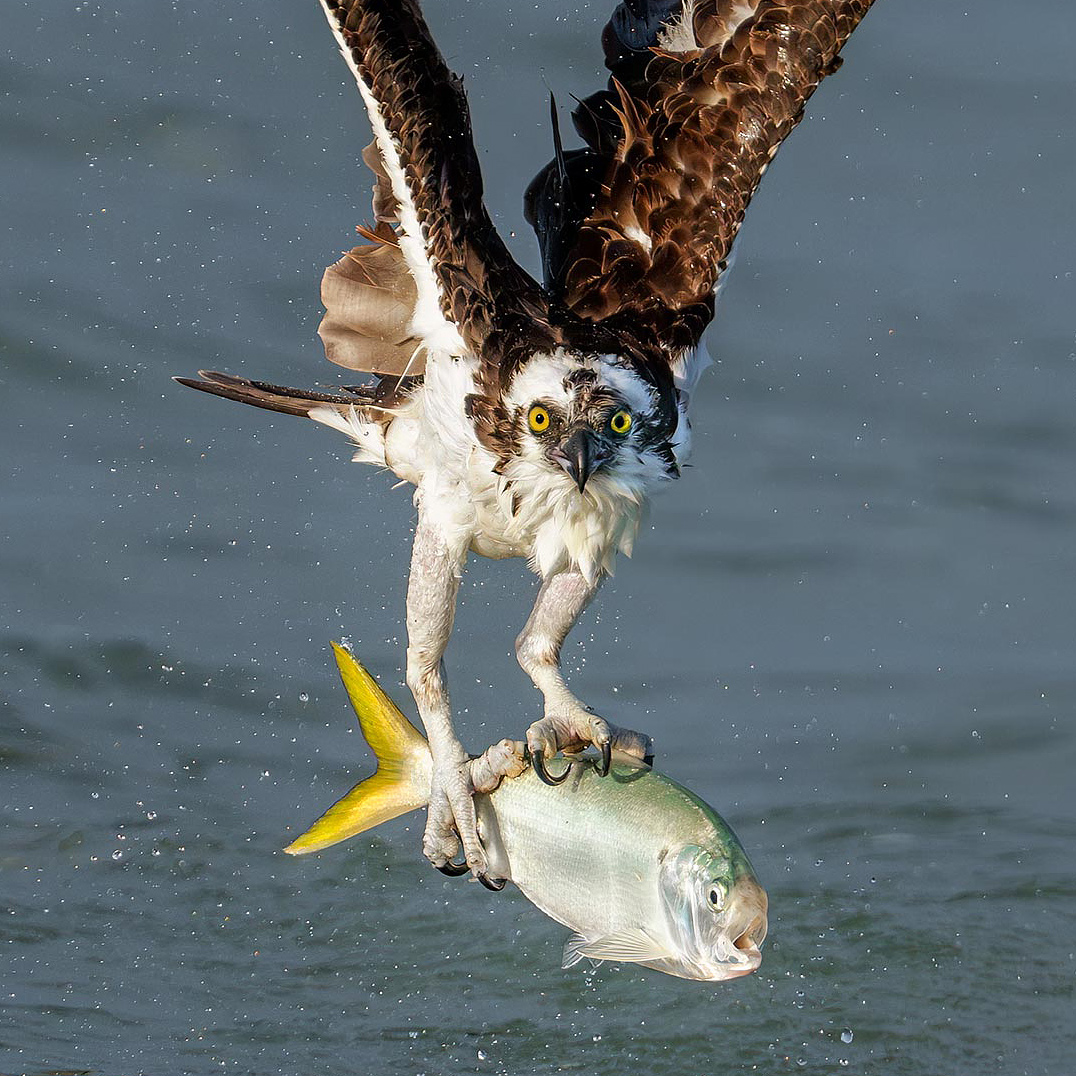
Zone/AF-C with Bird-Eye/Face Detection performed perfectly. Click on the image to enjoy the larger, inexplicably sharper high-res version.
Osprey with Yellow-tailed Menhaden
Image copyright 2025: Arthur Morris/BIRDS AS ART
Viewing the Sebastian Composites below
Be sure to click on each composite to see a larger, inexplicably sharper high res version.
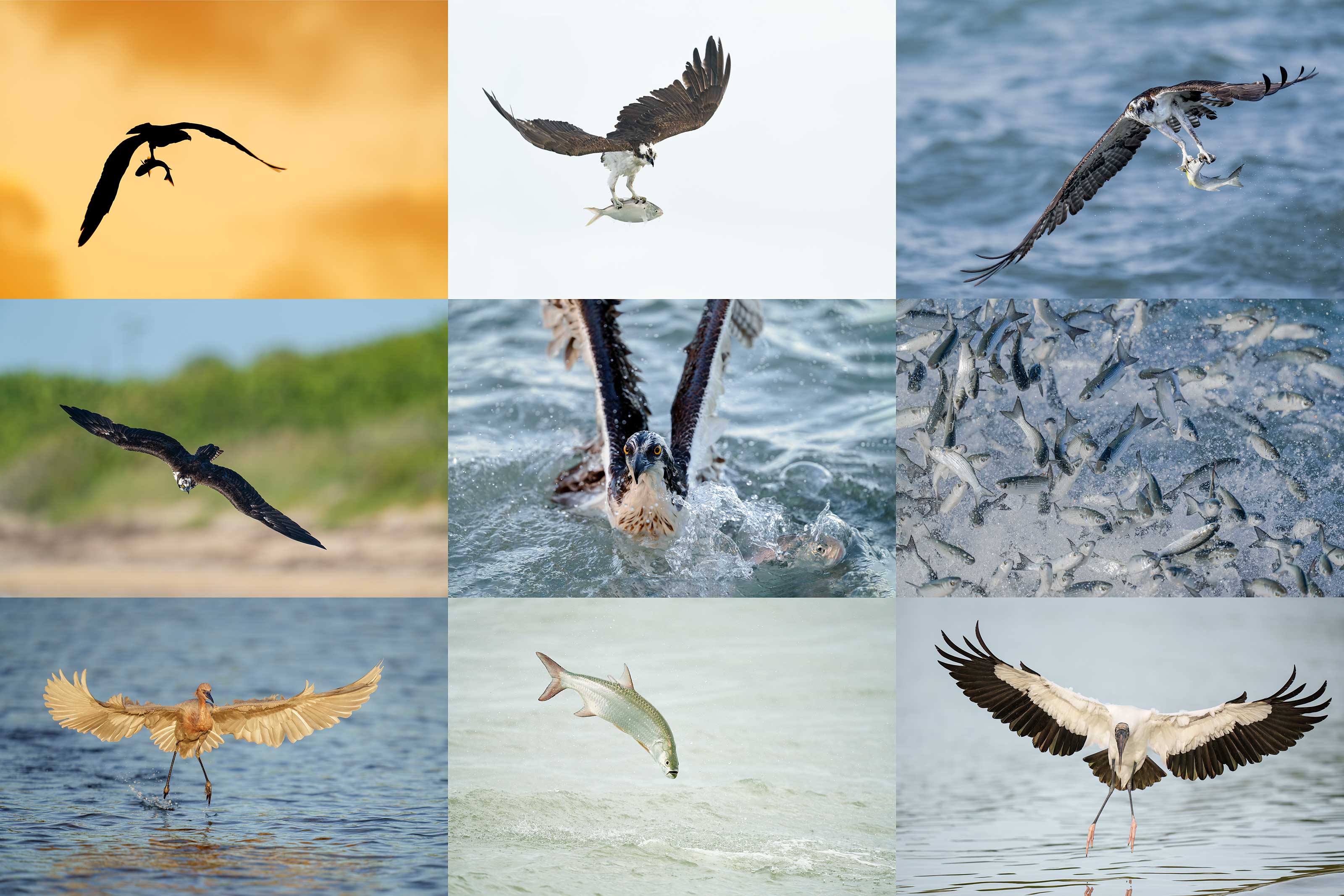
From upper left clockwise around to center: Osprey with fish at dawn; Osprey with menhaden; Osprey with Mullet; Mullet school under attack from below; Wood Stork landing; Tarpon jumping; Reddish Egret landing; Osprey turning to begin dive; Osprey with Yellow-tailed Menhaden.
Click on the composite to see a larger, inexplicably sharper high res version.
All images copyright 2025 Arthur Morris/BIRDS AS ART
Sebastian Inlet in Fall
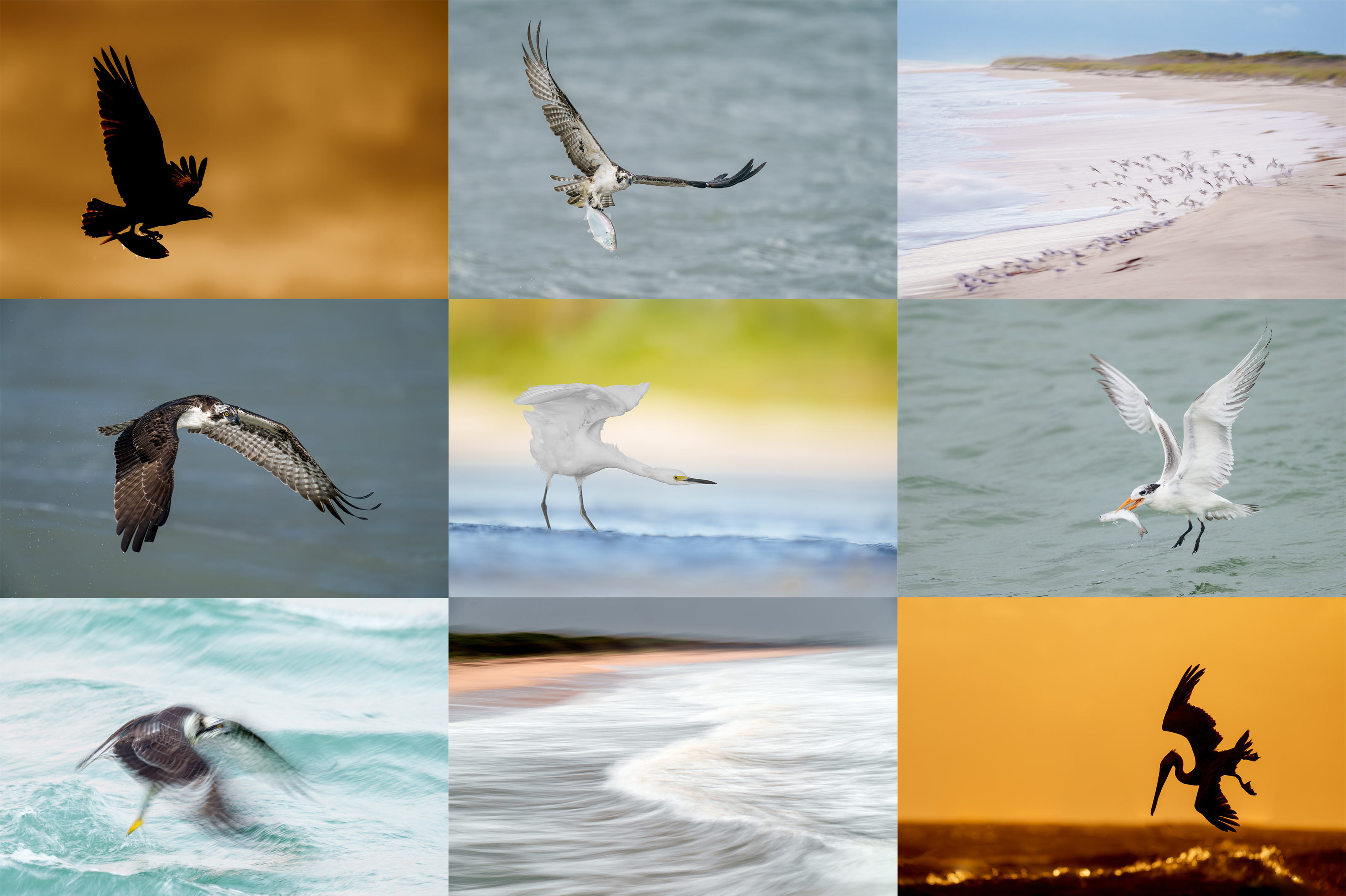
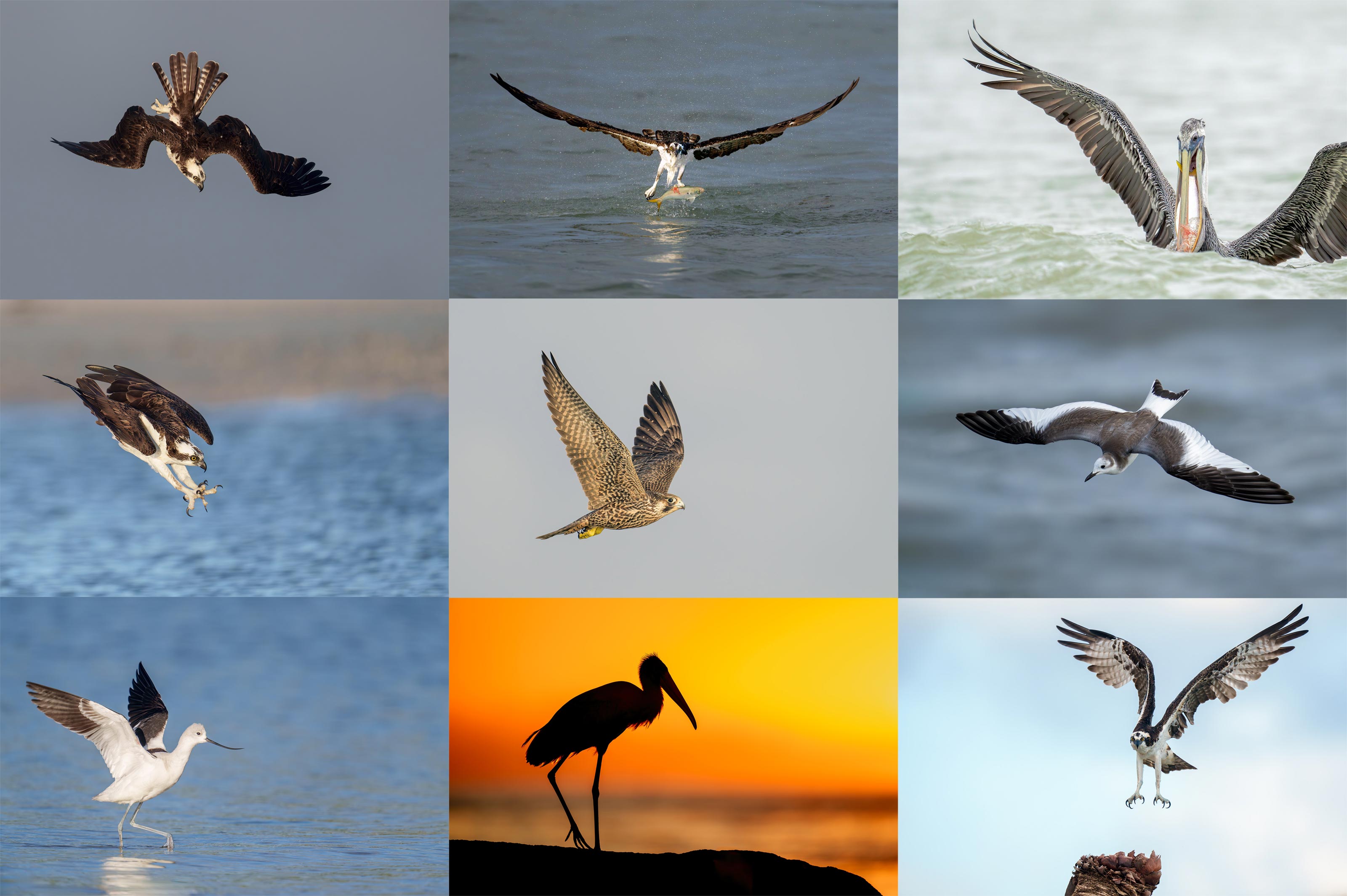
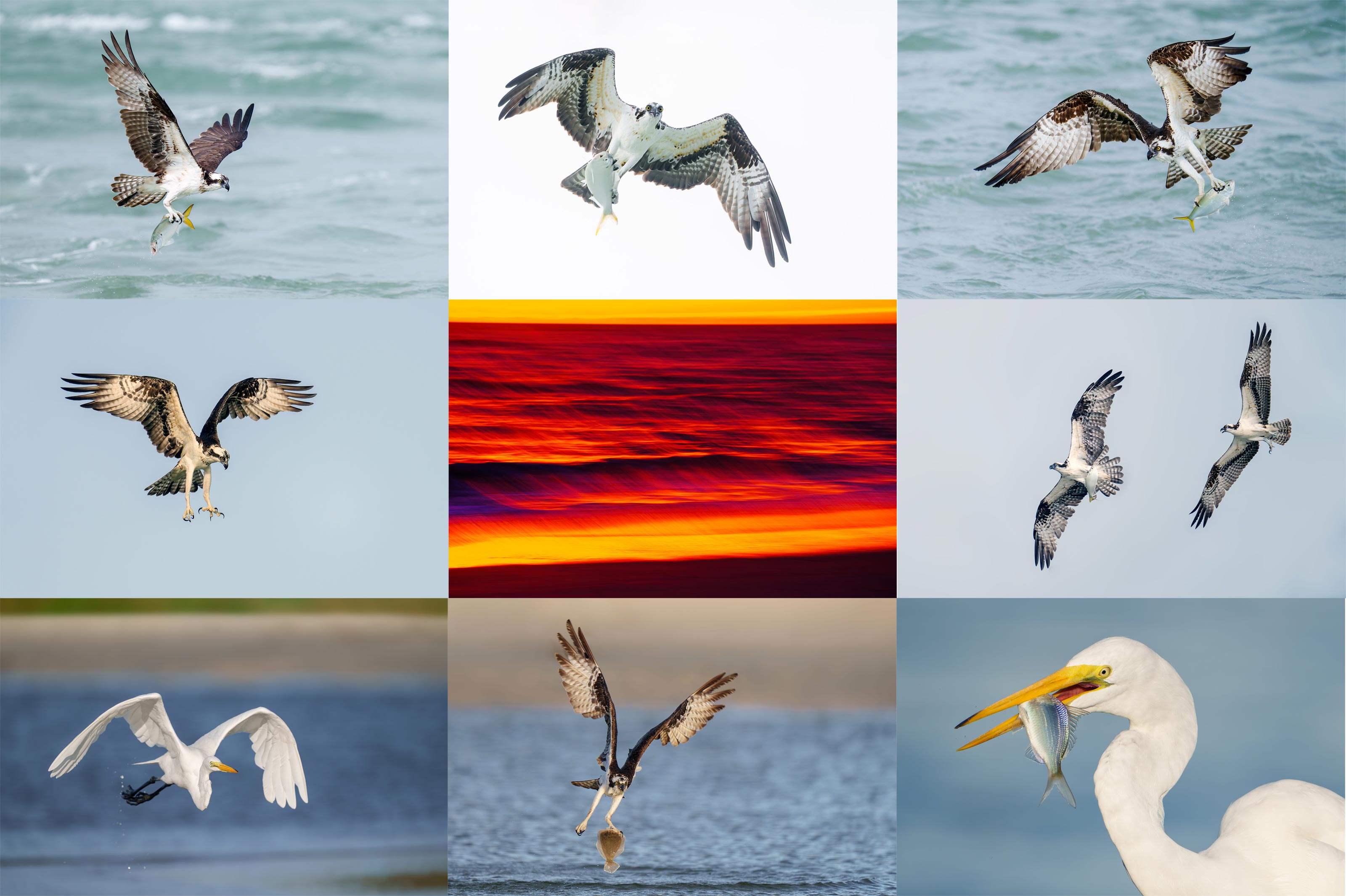
Sebastian Inlet in the fall attracts schools of migrating saltwater fish that in turn attract dozens of Ospreys — we’ve counted 61 in the air at once, along with hordes of hungry birds including Brown Pelican, Royal Tern, and Laughing Gull. Other species of birds feed on smaller baitfish; those include Wood Stork, Reddish Egret, Snowy Egret, Great Egret, Great Blue heron, Little Blue Heron, and White Ibis. Sanderling and Ruddy Turnstone are easily photographed. American Avocet is an uncommon visitor. Rare gulls have included Lesser Black-backed Gull (all ages), Franklin’s Gull (first winter), and in 2024, a spectacular young Sabine’s Gull that remained for several weeks.
As this location provides world class action for at least two months each year, bird photographers travel to Florida’s East Coast from all over the planet. You are invited not only to join me but to learn a ton about bird photography. Remember that the more time you spend at great locations, the more chance you have to enjoy perfect weather conditions and opportunities that leave you in awe.
The shared AirBnB approach has proven to be tremendously popular and is hugely beneficial to learning.
From upper left clockwise around to center: Osprey with fish at dawn; Osprey with menhaden; Sanderling flock bird-scape blur; Royal Tern with large baitfish; Brown Pelican diving silhouette; 1-second breaking wave blur; Osprey with Yellow-tailed Menhaden blur; Osprey in flight/full downstroke; Snowy Egret/double overhead wingstretch.
Click on the composite to see a larger, inexplicably sharper high res version.
All images copyright 2025 Arthur Morris/BIRDS AS ART
2025 BIRDS AS ART Sebastian Inlet Ospreys and More In-the-Field Sessions
Available Dates: Friday 26 September (arrive on Thursday 25 September) thru the morning session on Mon 24 November 2025.
Limit: four photographers.
In 2024, I had an AirBnB in Vero Lake Estates for 26 nights. I had so much fun and enjoyed so many great opportunities that I am returning next fall for two full months; the AirBnB is just 22 minutes from the inlet.
Getting There
You can fly to Orlando International Airport (MCO) and rent a car or fly to Melbourne International Airport (MEL) and explore the possibility of airport pick-up and drop-off or a taxi or uber ride to and from the AirBnB. Rides with me are available for $15/day on a space available basis. Folks who ride with me do not need to purchase a park pass but will need to kick in $2.00/day when we are charged.
From upper left clockwise around to center: Osprey diving; Osprey with menhaden; Brown Pelican with Yellow-tailed Menhaden in bill pouch; Sabine’s Gull/juvenile top shot; Osprey landing on Cabbage Palm stump; Wood Stork sunrise silhouette; American Avocet running with wings raised; Osprey diving with talons outstretched; Peregrine with wings fully raised.
Click on the composite to see a larger, inexplicably sharper high res version.
All images copyright 2025 Arthur Morris/BIRDS AS ART
What You Will Learn
1- First and foremost you will learn to become a better flight photographer. Much better.
2- You will learn to shoot flight hand held and off the tripod.
3-You will learn the basics and fine points of digital exposure. Nikon and Canon folks will learn to get the right exposure every time after making a single test exposure, and SONY folks will learn to use Zebras so that they can be sure of making excellent exposures before pressing the shutter button.
4- You will learn to work in Manual exposure mode even if you fear it.
5- You will learn to evaluate wind and sky conditions and understand how they affect bird photography, especially (but not limited to) the photography of birds in flight.
6- You will learn to select the best shutter speeds for all types of bird photography, from flight and action to pleasing blurs.
7- You will learn how to approach free and wild birds without disturbing them.
8- You will learn to spot the good and the great situations.
9- You will learn to understand and predict bird behavior.
10- You will learn to design pleasing images by mastering your camera’s AF system.
11- You will learn to choose the best perspective.
12- You will learn to see and control your backgrounds.
13- You will learn to see and understand the light.
14- You will learn to see and create pleasing blurs in pre-dawn situations.
15- You will learn to be ready for the most likely event.
16- You will learn pro level tripod handling tips
17- During our image review sessions, you will learn the factors that separate insta-deletes, keepers, and family jewels. With general bird photography those include head angle, subject-to-sensor plane orientation, choice of perspective, the quality of the light, the quality of the background, image sharpness, and the image design. When evaluating photos of birds in flight, you must — in addition to the above, consider wing positions and flight poses.
18- You will improve your image optimization skills by leaps and bounds and will return home with a collection of image optimization videos.
The very best news is that you will be able to take everything you learn home with you so that you will be a better photographer wherever you are and whenever you photograph.
From upper left clockwise around to center: Osprey with Yellow-tailed Menhaden; Osprey overhead with bunker; Osprey with Yellow-tailed Menhaden; Osprey chase; Great Egret with pinfish; Osprey emerging with flounder; Great Egret taking flight; Osprey kiting; 1/8 second sunrise Atlantic Ocean blur.
Click on the composite to see a larger, inexplicably sharper high res version.
All images copyright 2025 Arthur Morris/BIRDS AS ART
Trip Costs and Booking Details
Change Your Life
Book any 3-6 Days: Lodging is $175/night. Instruction is $600/day. There is a morning session every day. Afternoon sessions average every other day. Image review and Photoshop sessions are usually daily.
Please note: Folks who sign up for an odd number of days of instruction will enjoy half + 1 afternoon sessions (more are possible if conditions are good) Those who sign up for an even number of days will enjoy at least 1/2 that number of afternoon shooting sessions (more are possible if conditions are good)
Book any 7-10 Days: Lodging is $160/night. Instruction is $575/day. There is a morning session every day. Afternoon sessions average every other day. Image review and Photoshop sessions are almost daily.
Book any 11-14 Days: Lodging is $150/night. Instruction is $550/day. There is a morning session every day. Afternoon sessions average every other day. Image review and Photoshop sessions are almost daily.
Book any three weeks: Lodging is $130/night. Instruction is $525/day. There is a morning session every day. Afternoon sessions average every other day. Image review and Photoshop sessions are almost daily.
Stay for one month (28 nights): Lodging is $120/night. Instruction is $500/day. There is a morning session every day. Afternoon sessions average every other day. Image review and Photoshop sessions are almost daily.
Stay two months (60 nights): Lodging is $100/night. Instruction is $475/day. There is a morning session every day. Afternoon sessions average every other day. Image review and Photoshop sessions are almost daily.
Brunch is on me. Dinners are provided for $20/day. I am an excellent chef and the food both healthy and of high quality.
Please note: your day of arrival is not a day of instruction.
Deposit Information
A non-refundable deposit by check is required to hold your spot. The amount will be 50% of the total for lodging, instruction, and meals. Please make the check out to:
BIRDS AS ART
And send it via US Mail to
BIRDS AS ART
PO Box 7245
Indian Lake Estates, FL 33855
Your balance, payable by check only as above, is due two months before your arrival date.
I hope to spend some quality time with you at Sebastian Inlet in the fall of 2025. If you have any questions, please get in touch via e-mail or with a text to 863-221-2372.
with love, artie
Typos
With all blog posts, feel free to e-mail or to leave a comment regarding any typos or errors.
Sony has raised the prices of the a-1 and a-1 II cameras in the US by $400.00 and $500.000 respectively (along with the prices of many other cameras, lenses, and accessories), seemingly in response to increased import tariffs. I was unable to find any details regarding the import tariffs.
Sony a-1 Mirrorless Camera Body with Extras!
Tom Redd is offering a Sony a-1 camera body in mint condition for $3498.00. The sale includes a mint condition Sony VG-C4EM Vertical Battery Grip, a $438.00 value, the original product box, the manuals, the USB cable, the front body cap, the original camera strap, the original Sony battery and one extra Sony battery (an $86.00 value), the battery charger, and insured ground shipping via major courier to lower-48 US addresses only. Your item will not ship until your check clears unless other arrangements are made.
I used Sony a-1 bodies as my workhorse cameras for more than three years. They produce stunning 51MP files with vivid natural colors. The AF system is superb. They are rugged and dependable and 30 frames per second is nothing to sneeze at. With a brand new a-1 now selling for $5898.00 and the a-1 ii going for $6998.00, you can save an even $3400.00 by grabbing Tom’s as good as new a- copy ASAP. Right now, B&H is offering a used Sony a-1 in the same condition, 10, for a ridiculously high $5,189.95! Don’t believe me? Click the link here. artie
Your Flag Decal Won’t Get You Into Heaven Anymore/John Prine
Enjoy the (relatively) mellow voice of a young John Prine before his 1998 throat cancer surgery. Prine, a beloved American singer/songwriter, passed away in 2020, several years before I ever heard of him. Hard to believe.
Lines that strike me a particularly humorous have been bold-faced by yours truly.
While digesting Reader’s Digest
In the back of a dirty book store,
A plastic flag, with gum on the back,
Fell out on the floor.
Well, I picked it up and I ran outside
Slapped it on my window shield,
And if I could see old Betsy Ross
I’d tell her how good I feel.
Chorus:
But your flag decal won’t get you
Into Heaven any more.
They’re already overcrowded
From your dirty little war.
Now Jesus don’t like killin’
No matter what the reason’s for,
And your flag decal won’t get you
Into Heaven any more.
Well, I went to the bank this morning
And the cashier he said to me,
“If you join the Christmas club
We’ll give you ten of them flags for free.”
Well, I didn’t mess around a bit
I took him up on what he said.
And I stuck them stickers all over my car
And one on my wife’s forehead.
Repeat Chorus:
Well, I got my window shield so filled
With flags I couldn’t see.
So, I ran the car upside a curb
And right into a tree.
By the time they got a doctor down
I was already dead.
And I’ll never understand why the man
Standing in the Pearly Gates said…
“But your flag decal won’t get you
Into Heaven any more.
We’re already overcrowded
From your dirty little war.
Now Jesus don’t like killin’
No matter what the reason’s for,
And your flag decal won’t get you
Into Heaven any more.”
What’s Up?
On the morning of the Fourth of July it was foggy, hot, and humid. Once the sun came out, it was as if we were photographing in a very hot sauna. Anyhoo, we did very well. That afternoon, we wound up at the far north end of the colony and did fantastically well. On the morning of 5 July 2025, there was a strong and refreshingly cool breeze from the north by slightly east. It was hard to believe we were at the same location. With alternating clouds and sun, we headed back to the north end and enjoyed another great session. And the north end provided lots of action at high tide in the afternoon once the light clouds rolled in.
The first two screen captures in today’s post are reruns from the previous post. Scroll down to see my optimized version and learn something.
Today is Sunday 6 July 2025. Vasili Chernishof is heading back to LA early this morning after “another home run of a trip.” Stan DeTurris and I will of course, be heading to the beach early. After brunch, Stan and Saloni will be driving back to Gainesville and I will be headed down to Indian Lake Estates. Whatever you opt to do, I hope that you too choose to have a wonderful and productive day and that you have fun too. Do remember that happiness is a choice — Byron Katie, The Work.Com.
If an item — a Delkin flash card, a Levered-clamp FlexShooter Pro, or a Wimberley lens plate — for example, that is available from B&H and/or Bedfords, is also available in the BAA Online Store, it would be great, and greatly appreciated, if you would opt to purchase from us. We will match any price. Please remember also to use my B&H affiliate links or to earn 3% cash back at Bedfords by using the BIRDSASART discount code at checkout for your major gear purchases. Doing either often earns you free guides and/or discounts. And always earns my great appreciation.
Gear Questions and Advice
Too many folks attending BAA IPTs and dozens of photographers whom I see in the field and on BPN, are — out of ignorance — using the wrong gear, especially when it comes to tripods and more especially, tripod heads. And the same is true in spades when ordering new camera bodies or lenses. My advice will often save you some serious money and may help you avoid making a seriously bad choice. Please know that I am always glad to answer your gear questions via e-mail. If you are desperate, you can try me on my cell at 863-221-2372. Please leave a message and shoot me a text if I do not pick up.
Don’t Just Shoot: Learn
If, like Stan DeTurris and Abe Curland most recently, you are interested in changing your life and becoming a better photographer by joining me somewhere in the field, consider the Extended IPT at Sebastian Inlet for Ospreys and more (SEPT 25 to NOV 24, 2025), a San Diego IPT for Pacific-race Brown Pelicans and more (JAN 6 to FEB 2, 2026), or for Roseate Spoonbills at Stick Marsh mid-March 2026, please e-mail for dates, rates, terms, and additional information. Or shoot me a text to 863-221-2372. All offerings include options for shared AirBnB lodging. Ground transportation during your stay is a possibility on most trips.
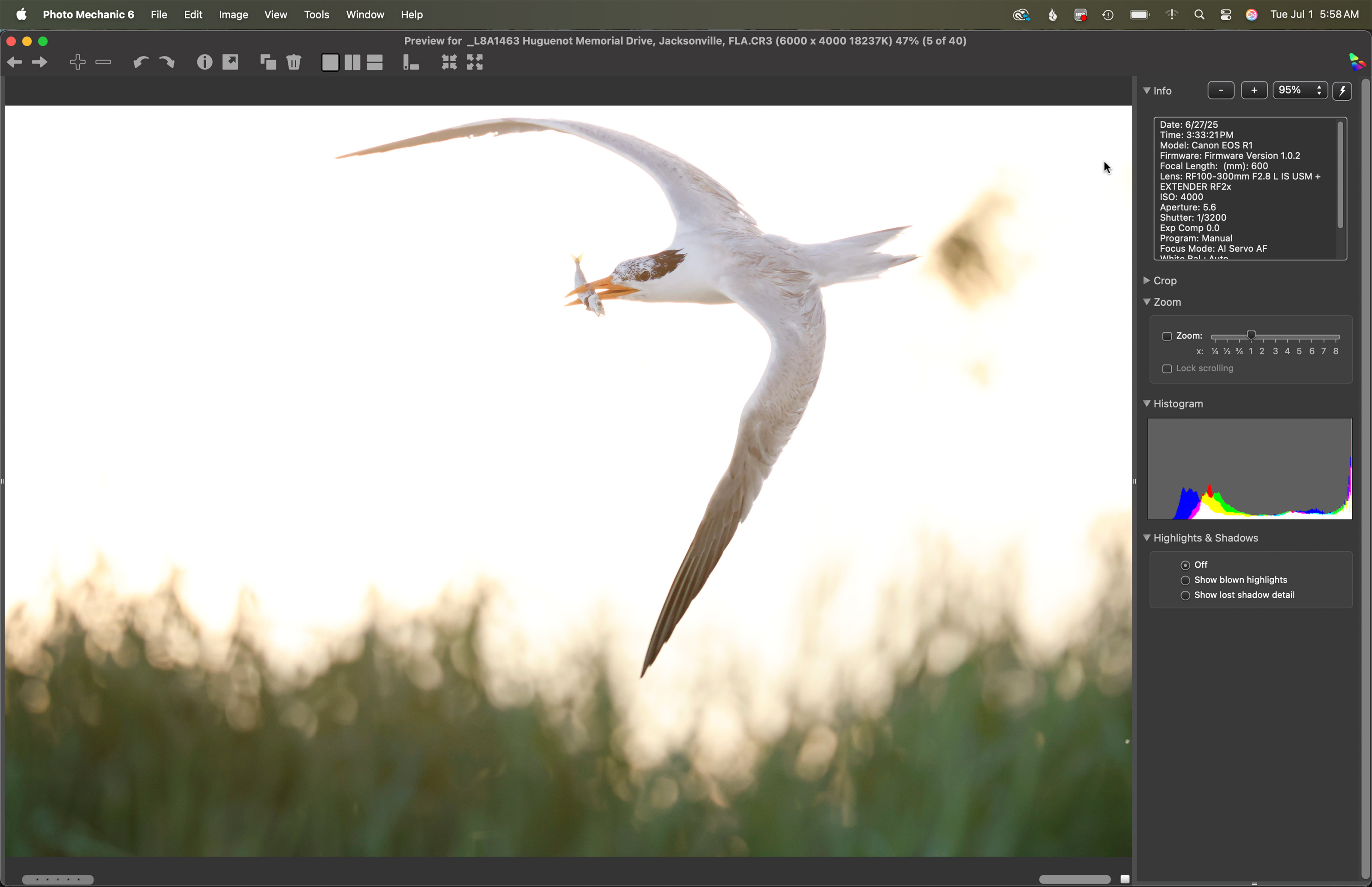
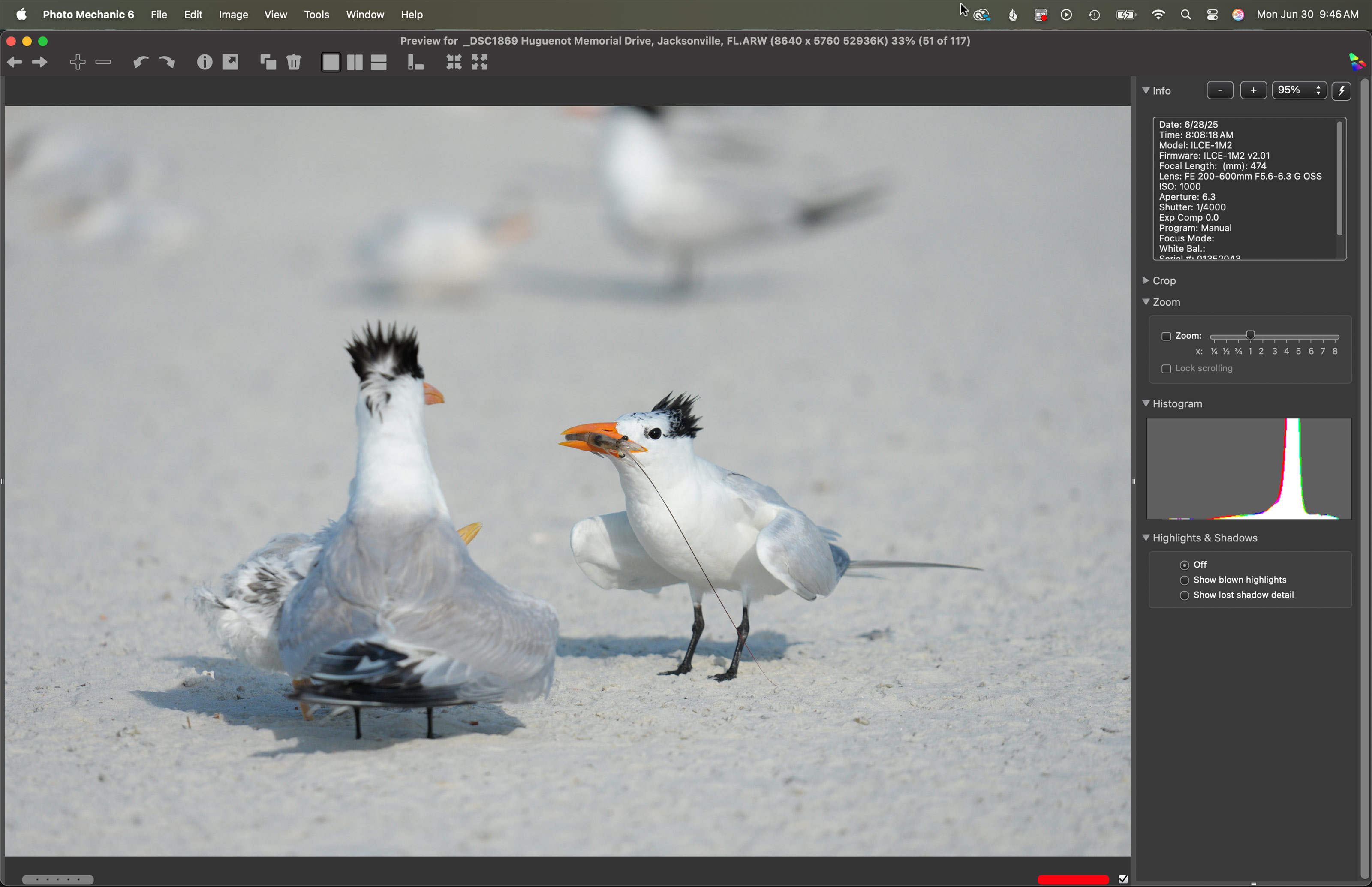
This is the Photo Mechanic screen capture for an image was created on 27 June 2025 on the Huguenot Memorial Park/Jacksonville Royal Terns and Chicks and More Extended IPT by many multiple IPT veteran Vasili Chernishof. Standing at full height he used the handheld Canon RF 100-300mm f/2.8 L IS USM lens with the Canon Extender RF 2x and the remarkable Canon EOS R1 Mirrorless Camera. ISO 4000: 1/3200 sec at f/5.6 (wide open) in Manual mode. AWB at 6:33:21pm on a mostly cloudy afternoon.
Image #1: Royal Tern in flight
Image courtesy of and copyright 2025: Vasili Chernishof
Why the Over-Exposure?
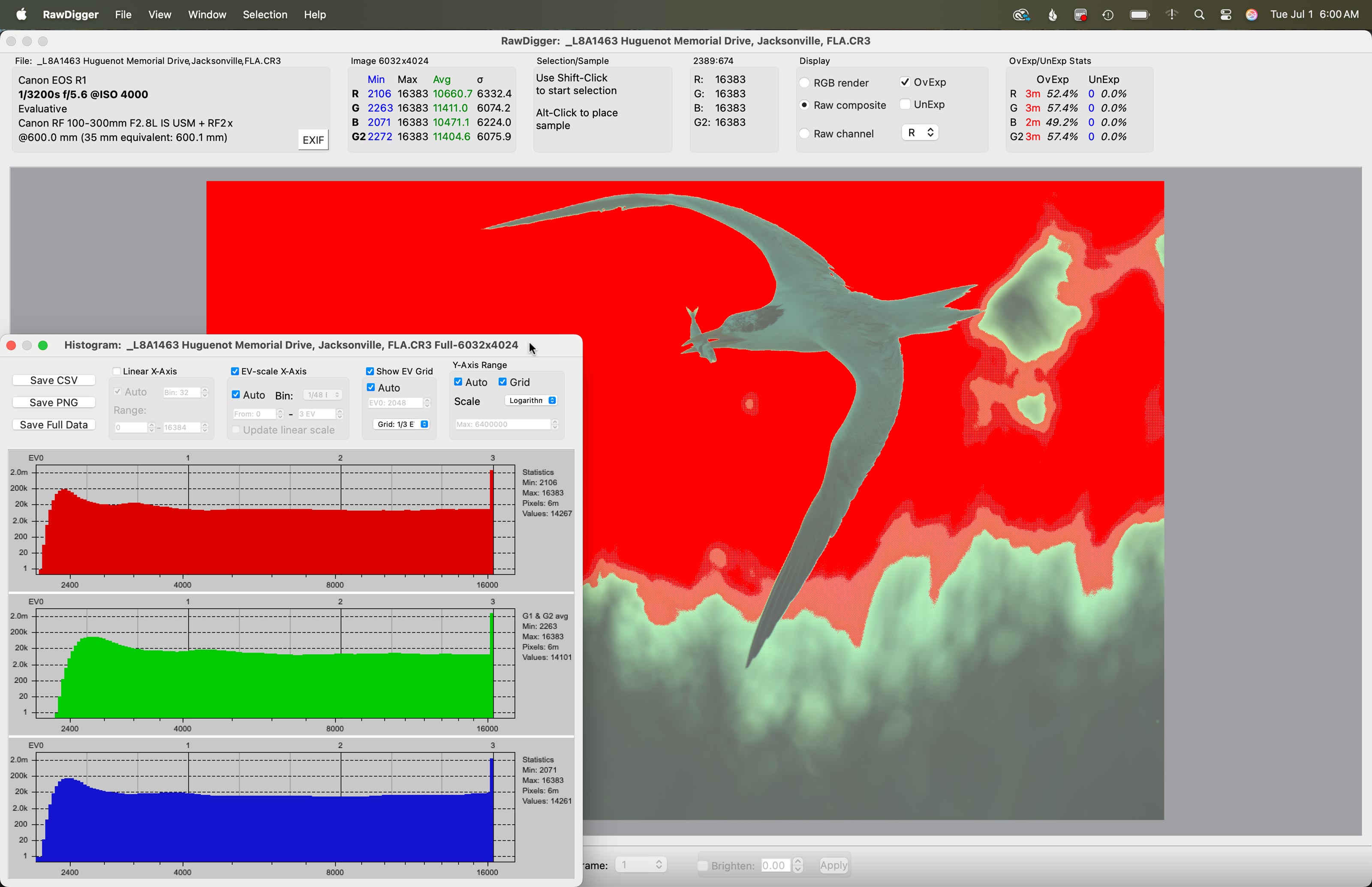
Vasili and I talked about getting the right exposure for the birds flying or landing in front of the vegetated dune. And we got some very nice ones. He did not realize that if he pointed his lens above the dune into the fairly bright northwestern sky that he would need to at least double his shutter speed or halve the ISO to avoid severely over-exposing the sky.
The RawDigger screen capture for the image above.
Image #1A: Royal Tern in flight
Image courtesy of and copyright 2025: Vasili Chernishof
Keep or Delete?
With 11,000,000 OvExp pixels, would you keep this image or delete it? If this is an insta-delete for you, why did you make that decision. If you would keep it, leave a comment letting us know why and detailing your image optimization plans. My decision will follow in the next blog post.
New Comments by artie
The very few folks who left a comment all stated that they would keep the image but did not detail why they would not trash it nor did they detail their plans for the image optimization. East Bobman suggested making the sky blue but with the entire sky totally over-exposed at 255, 255, 255, there would be nothing in the sky to work with (even though no part of the bird was over-exposed).
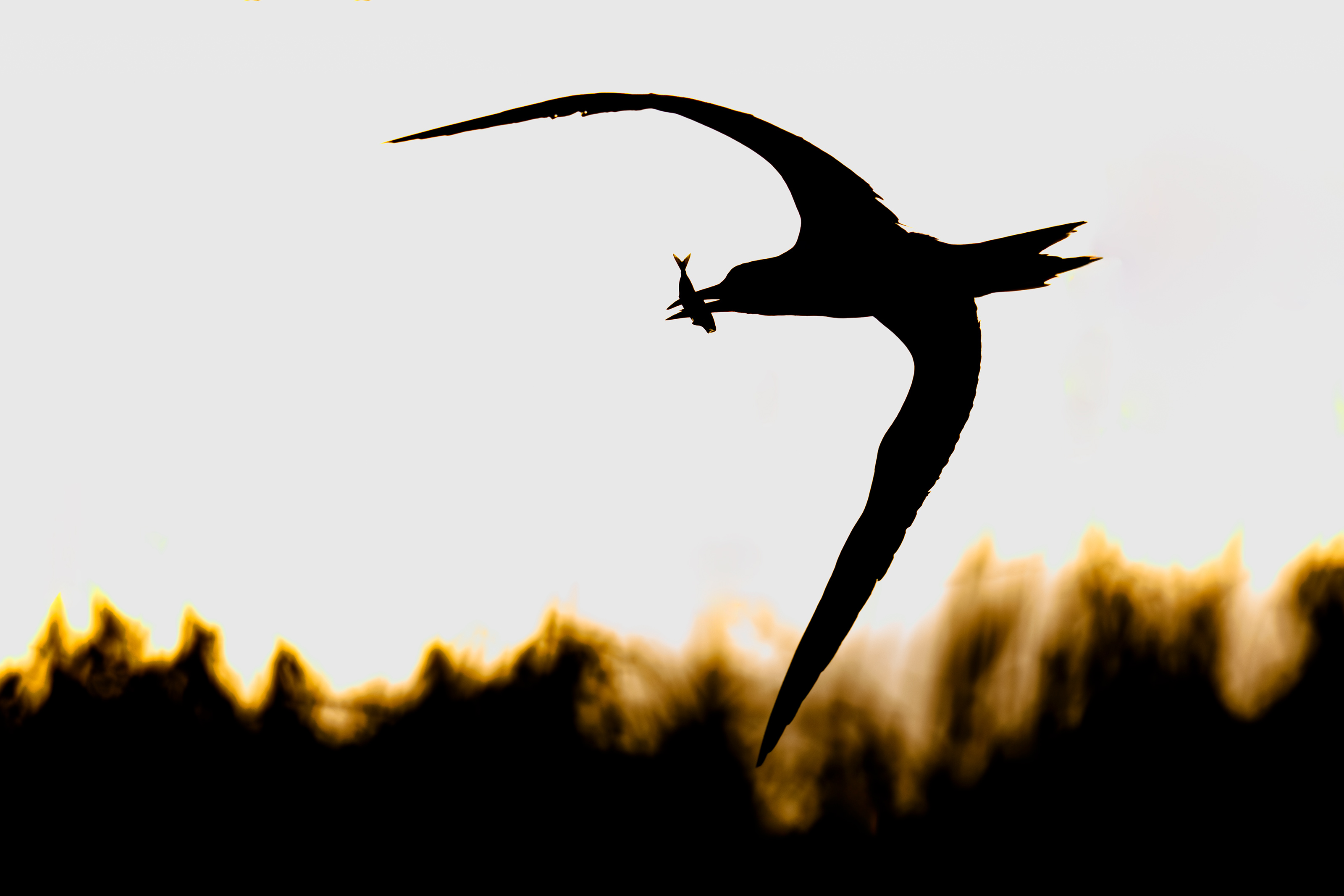
This is the Photo Mechanic screen capture for an image was created on 27 June 2025 on the Huguenot Memorial Park/Jacksonville Royal Terns and Chicks and More Extended IPT by many multiple IPT veteran Vasili Chernishof. Standing at full height he used the handheld Canon RF 100-300mm f/2.8 L IS USM lens with the Canon Extender RF 2x and the remarkable Canon EOS R1 Mirrorless Camera. ISO 4000: 1/3200 sec at f/5.6 (wide open) in Manual mode. AWB at 6:33:21pm on a mostly cloudy afternoon.
Image #1B: Royal Tern silhouetted in flight
Image courtesy of and copyright 2025: Vasili Chernishof
Image optimization by Arthur Morris/BIRDS AS ART
Nobody Had a Clue …
Nobody but me had a clue as to how to create a strong image from a raw file with about half the pixels drastically over-exposed. Hopefully, those who have read this far may have learned something. The key was realizing that late in the day there was gold in the western sky. Though we could not see the gold in the raw file because of the over-exposure, I knew that we could bring up some of the color on the sea oats atop the dunes. And as no part of the bird was over-exposed, creating a silhouette of the bird would be a piece of cake.
Your Call?
What do you think of the optimized version?
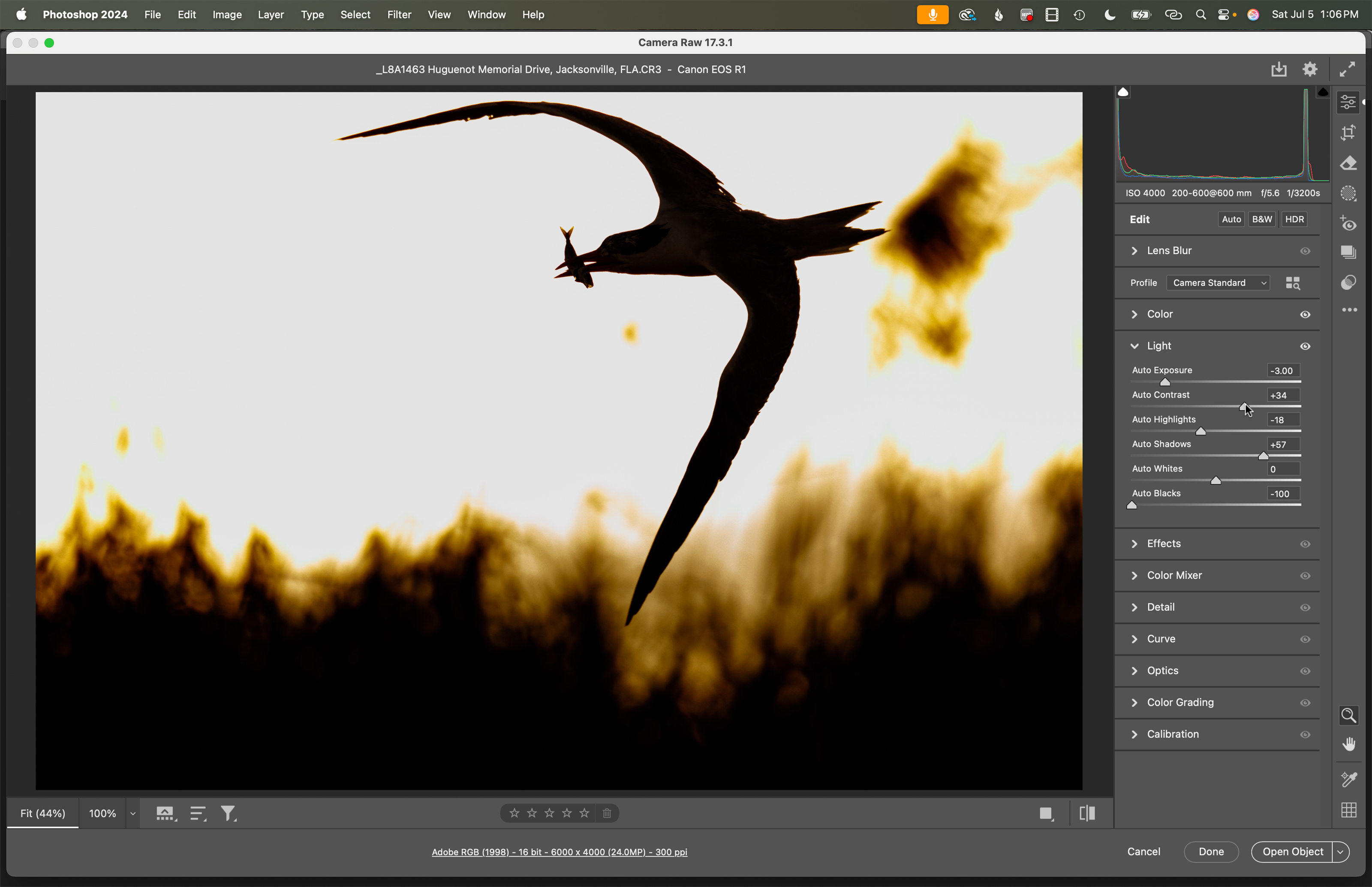
The Adobe Camera RAW (ACR) Light tab sliders for the Royal Tern silhouetted in flight image.
Image courtesy of and copyright 2025: Vasili Chernishof
Image optimization by Arthur Morris/BIRDS AS ART
The Adobe Camera RAW (ACR) Light Tab Sliders for Today’s Featured Image
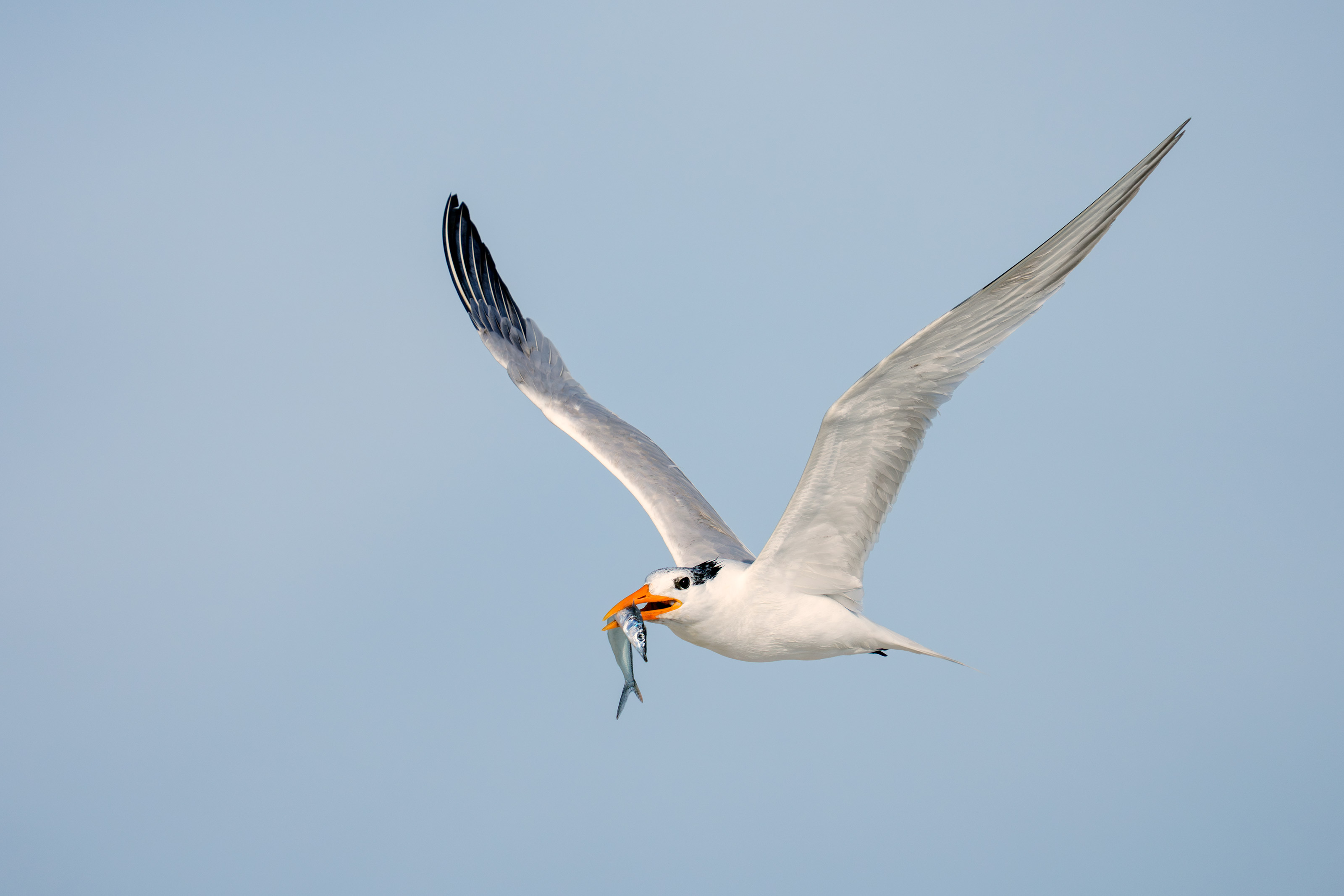
After increasing the color temperature to 9200 K to bring up the gold tones, I adjusted the sliders as above to produce the silhouette that I knew was there. Once in Photoshop, I added canvas above, used a Levels adjustment to blacken the blacks, removed the extraneous sea oats from the sky, and cleaned up some of the bright specks on the bird. The incredible sharpness of the fish makes the image for me. Along with my skillfully creative use of Photoshop — he said modestly 🙂
Typos
With all blog posts, feel free to e-mail or to leave a comment regarding any typos or errors.
Vasili Chernishoff and I continue to enjoy countless opportunities on the Huguenot Memorial Park/Jacksonville Royal Terns and Chicks and More Extended IPT. More and more tern chicks continue to move from the colony to the open beaches. There is tons of flight photography with the adults bringing in fish of all kinds, squid, and small soft-shell stage crabs. I saw my first flying juvenile royal on Wednesday and got some great images of a young one in flight on Thursday afternoon with the 300mm f/2.8 GM lens, the 1.4X TC, and the a-1 ii. The winds have been mostly SW in the mornings (bad) and mostly S in the afternoons, the latter great when it was cloudy.
Yesterday afternoon we were joined by a lovely couple, Stan and Saloni DeTurris from Gainesville, FL. Stan is the photographer. He uses a Nikon Z6 II, a 70-200 f/2.8 with the 2X TC, and the 200-500 and is looking to upgrade his gear. After a great dinner prepared by Chef Morris — seared tuna, sautéed flounder, and butternut squash, we headed to the beach. It took me a full 30 minutes to get his camera in working order by putting AF on the shutter button, adding a histogram (RGB) and highlight alert to Playback, and experimenting with the various AF patterns. And to have him remove the camera strap.
Next we set a shutter speed and I explained that for most bird photography we want to use the wide open aperture and control the exposure by changing the ISO to expose to the right. He is still working to break his habit of holding the lens with the palm of his left hand facing the ground rather than supporting the lens from below with his palm facing the sky.
The camera strap and rear button focus had combined to make bird photography nearly impossible. A short time after he began shooting he said, “In the last five minutes I’ve made the best bird photographs I have ever made.” Back at the ranch, he thanked me profusely for the instruction, described the afternoon as both sublime and great. More than anything he needs to upgrade his Nikon mirrorless camera body as I would describe the AF system of the Z9 II as rudimentary at best.
Today is Friday 4 July 2025. Happy birthday to the USA. Every year without fail we read of folks being blinded or burned or severely injured so please be careful with the fireworks. The morning forecast is calling for mostly to partly cloudy with a gentle breeze from the NW. Not good, especially if partly cloudy turns out to mean mostly sunny as it usually does. We will of course, be heading to the beach early. Whatever you opt to do, I hope that you too choose to have a wonderful and productive day and that you have fun too. Do remember that happiness is a choice — Byron Katie, The Work.Com.
If an item — a Delkin flash card, a Levered-clamp FlexShooter Pro, or a Wimberley lens plate — for example, that is available from B&H and/or Bedfords, is also available in the BAA Online Store, it would be great, and greatly appreciated, if you would opt to purchase from us. We will match any price. Please remember also to use my B&H affiliate links or to earn 3% cash back at Bedfords by using the BIRDSASART discount code at checkout for your major gear purchases. Doing either often earns you free guides and/or discounts. And always earns my great appreciation.
Gear Questions and Advice
Too many folks attending BAA IPTs and dozens of photographers whom I see in the field and on BPN, are — out of ignorance — using the wrong gear, especially when it comes to tripods and more especially, tripod heads. And the same is true in spades when ordering new camera bodies or lenses. My advice will often save you some serious money and may help you avoid making a seriously bad choice. Please know that I am always glad to answer your gear questions via e-mail. If you are desperate, you can try me on my cell at 863-221-2372. Please leave a message and shoot me a text if I do not pick up.
Don’t Just Shoot: Learn
If, like Stan DeTurris and Abe Curland most recently, you are interested in changing your life and becoming a better photographer by joining me somewhere in the field, consider the Extended IPT at Sebastian Inlet for Ospreys and more (SEPT 25 to NOV 24, 2025), a San Diego IPT for Pacific-race Brown Pelicans and more (JAN 6 to FEB 2, 2026), or for Roseate Spoonbills at Stick Marsh mid-March 2026, please e-mail for dates, rates, terms, and additional information. Or shoot me a text to 863-221-2372. All offerings include options for shared AirBnB lodging. Ground transportation during your stay is a possibility on most trips.
This is the Photo Mechanic screen capture for an image was created on 27 June 2025 on the Huguenot Memorial Park/Jacksonville Royal Terns and Chicks and More Extended IPT by many multiple IPT veteran Vasili Chernishof. Standing at full height he used the handheld Canon RF 100-300mm f/2.8 L IS USM lens with the Canon Extender RF 2x and the remarkable Canon EOS R1 Mirrorless Camera. ISO 4000: 1/3200 sec at f/5.6 (wide open) in Manual mode. AWB at 6:33:21pm on a mostly cloudy afternoon.
Image #1: Royal Tern in flight
Image courtesy of and copyright 2025: Vasili Chernishof
Why the Over-Exposure?
We talked about getting the right exposure for the birds flying or landing in front of the vegetated dune. And we got some very nice ones. Vasili did not realize that if he pointed his lens above the dune into the fairly bright north western sky that he would need to at least double his shutter speed or halve the ISO.
The RawDigger screen capture for the image above.
Image #1A: Royal Tern in flight
Image courtesy of and copyright 2025: Vasili Chernishof
Keep or Delete?
With 11,000,000 OvExp pixels, would you keep this image or delete it? If this is an insta-delete for you, why did you make that decision. If you would keep it, leave a comment letting us know why and detailing your image optimization plans. My decision will follow in the next blog post.
The RawDigger Adapted (pink) Histogram
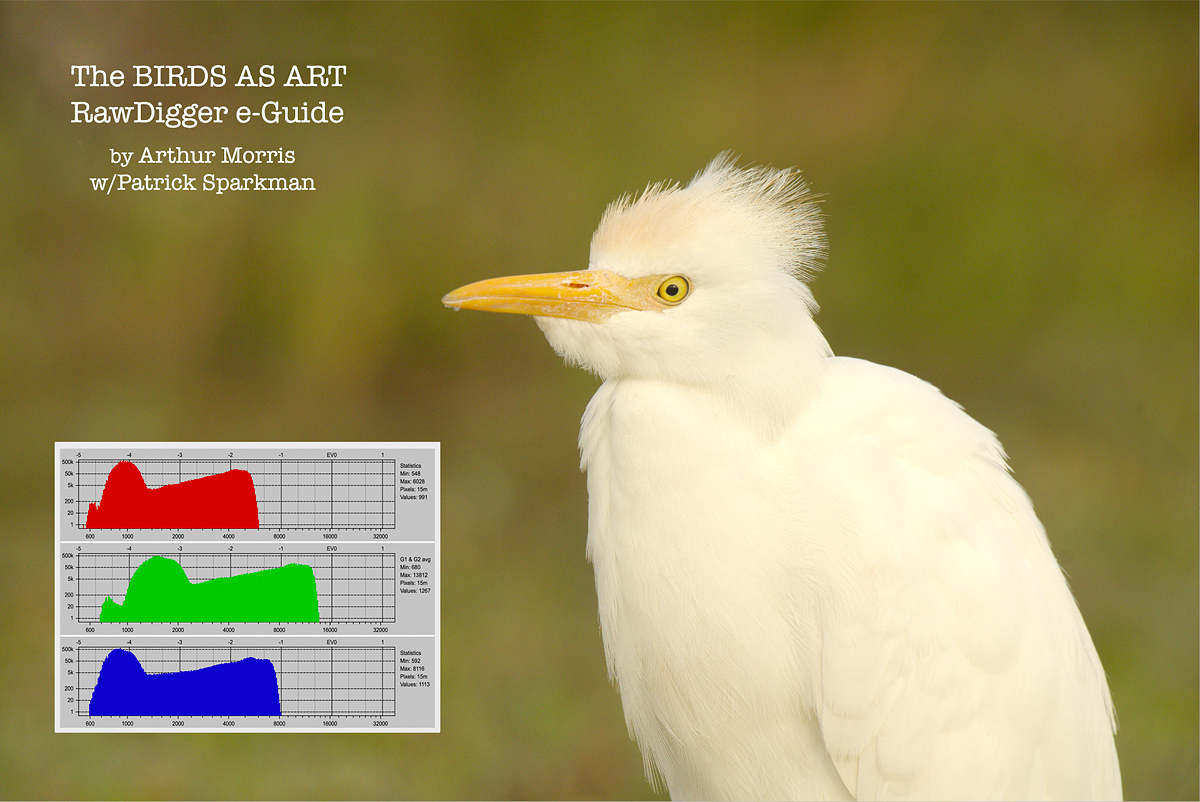
In the RawDigger e-Guide, you will learn exactly how to set up the Adapted “pink” RawDigger Histogram and how to use it to quickly and easily evaluate the exposure or raw file brightness of images from all digital cameras currently in use. RawDigger was especially helpful to me as I have struggled with R5 exposures and learned my new camera body, the Sony Alpha a1.
RawDigger e-Guide with Two Videos
The RawDigger e-Guide with Two Videos
by Arthur Morris with Patrick Sparkman
The RawDigger e-Guide was created only for serious photographers who wish to get the absolute most out of their raw files.
Patrick and I began work on the guide in July 2020. At first, we struggled. We asked questions. We learned about Max-G values. We puzzled as to why the Max G values for different cameras were different. IPT veteran Bart Deamer asked lots of questions that we could not answer. We got help from RawDigger creator Iliah Borg. We learned. In December, Patrick came up with an Adapted Histogram that allows us to evaluate the exposures and raw file brightness for all images created with all digital camera bodies from the last two decades. What we learned each time prompted three complete beginning to end re-writes.
The point of the guide is to teach you to truly expose to the mega-Expose-to-the-Right so that you will minimize noise, maximize image quality, best utilize your camera’s dynamic range, and attain the highest possible level of shadow detail in your RAW files in every situation. In addition, your properly exposed RAW files will contain more tonal information and feature the smoothest possible transitions between tones. And your optimized images will feature rich, accurate color.
We teach you why the GREEN channel is almost always the first to over-expose. We save you money by advising you which version of RawDigger you need. We teach you how to interpret the Max G values for your Canon, Nikon, and SONY camera bodies. It is very likely that the Shock-your-World section will shock you. And lastly — thanks to the technical and practical brilliance of Patrick Sparkman — we teach you a simple way to evaluate your exposures and the raw file brightness quickly and easily buying the Adapted RawDigger histogram.
The flower video takes you through a session where artie edits a folder of images in Capture One while checking the exposures and Max-G values in RawDigger. The Adapted Histogram video examines a series of recent images with the pink histograms and covers lots of fine points including and especially how to deal with specular highlights. The directions for setting up the Adapted Histogram are in the text.
If we priced this guide based on how much effort we put into it, it would sell it for $999.00. But as this guide will be purchased only by a limited number of serious photographers, we have priced it at $51.00. You can order yours here in the BAA Online Store.
Typos
With all blog posts, feel free to e-mail or to leave a comment regarding any typos or errors.
The tern chicks are beginning to move down to the beach and it is a record year for the production of young Royal Terns. And photography continues to be excellent. On a cloudy Sunday afternoon, Vasili went off on his own to try for “blue water Backgrounds” while I opted to remain at the south colony ropes to try for jumping chicks. Vasili got jumping chicks exercising their wings with the gorgeous blue water backgrounds he had envisioned. So, a bad decision by me. Vasili made so many wonderful images that I will do a YouTube video of his great afternoon. Monday afternoon was sunny with a southwest wind and we did well.
On Tuesday morning we were joined by Abe Curland of B&H, one of their original affiliate managers. He is using OM gear — the OM SYSTEM M. Zuiko 150-400mm f/4.5 TC 1.25 IS PRO Lens with the OM SYSTEM OM-1 Mark II Mirrorless Camera (Body Only). He could not believe how many chicks there were or how much he learned. He now lives in Ormond Beach, FL. He made some nice images of the chicks that morning. Tuesday afternoon began sunny with a south wind (bad) but when the clouds came (great!) the three of us enjoyed an afternoon of nonstop flight photography.
On the afternoon of June 30 and the full day on July 1 Vasili outdid himself; he created exactly 41,977 images. Ladies and gentleman, that is not a typo: forty-one thousand, nine hundred, seventy seven.
It is just after 9:00am on Wednesday 2 July 2025. We had a good morning with the chicks but with a brisk west wind we decided to head back early. We are hoping for another cloudy afternoon with a W/SW wind. Whatever you opt to do, I hope that you too choose to have a wonderful and productive day and that you have fun too. Do remember that happiness is a choice — Byron Katie, The Work.Com.
If an item — a Delkin flash card, a Levered-clamp FlexShooter Pro, or a Wimberley lens plate — for example, that is available from B&H and/or Bedfords, is also available in the BAA Online Store, it would be great, and greatly appreciated, if you would opt to purchase from us. We will match any price. Please remember also to use my B&H affiliate links or to earn 3% cash back at Bedfords by using the BIRDSASART discount code at checkout for your major gear purchases. Doing either often earns you free guides and/or discounts. And always earns my great appreciation.
Gear Questions and Advice
Too many folks attending BAA IPTs and dozens of photographers whom I see in the field and on BPN, are — out of ignorance — using the wrong gear, especially when it comes to tripods and more especially, tripod heads. And the same is true in spades when ordering new camera bodies or lenses. My advice will often save you some serious money and may help you avoid making a seriously bad choice. Please know that I am always glad to answer your gear questions via e-mail. If you are desperate, you can try me on my cell at 863-221-2372. Please leave a message and shoot me a text if I do not pick up.
Don’t Just Shoot: Learn
If you are interested in changing your life and becoming a better photographer by joining me on an Extended IPT at Sebastian Inlet for Ospreys and more (SEPT 25 to NOV 24, 2025) in San Diego for Pacific-race Brown Pelicans and more (JAN 6 to FEB 2, 2026), for Roseate Spoonbills at Stick Marsh mid-March 2026, please e-mail for dates, rates, terms, and additional information. Or shoot me a text to 863-221-2372. All offerings include options for shared AirBnB lodging. Ground transportation during your stay is a possibility.
This image was created on 30 June 2025 at Huguenot Memorial Park, Jacksonville, FL on a BIRDS AS ART Extended IPT. Seated on dry sand using the toe pod technique I used the handheld Sony FE 400-800mm f/6.3-8 G OSS lens (Sony E) (at 800mm) and The Latest Greatest Sony Flagship Body, the a1 II Mirrorless Camera. The exposure was determined by Zebras with ISO on the rear wheel — ISO 1000: 1/1250 second at f/11 (stopped down one stop) in Manual mode. RawDigger showed that the exposure was perfect. AWB at 7:50:17am on sunny morning.
Tracking: Zone/AF-C with Bird-Eye/Face Detection performed perfectly. Click on the image to enjoy the larger, inexplicably sharper high-res version.
Image #1: Royal Tern chick on berm
Image copyright 2025: Arthur Morris/BIRDS AS ART
Purity
This image epitomizes the BIRDS AS ART style: clean, tight, and graphic. Atypically, I stopped down one full stop because I was relatively close to the chick, perhaps 16 feet. (Note: the MFD of the 400-800 is an impressive 11.5 feet at 800mm.) The photo was the result of seeing a new situation, planning a strategy, and executing it perfectly. There is a small sand cliff, caused by erosion, about two feet high. Staying well back from the birds atop the berm, I got down on the ground and butt crawled up the slope closer and closer, moving side to side as needed to get right on sun angle. Bingo on this cute little white one.
This image was created on 27 June 2025 at Huguenot Memorial Park, Jacksonville, FL on a BIRDS AS ART Extended IPT. Seated on dry sand using the toe pod technique I used the handheld Sony FE 400-800mm f/6.3-8 G OSS lens (Sony E) (at 800mm) and The Latest Greatest Sony Flagship Body, the a1 II Mirrorless Camera. The exposure was determined by Zebras with ISO on the rear wheel — ISO 1000: 1/3200 second at f/8 (wide open) in Manual mode. RawDigger showed that the exposure was perfect. AWB at 7:56:43am on sunny morning.
Tracking: Zone/AF-C with Bird-Eye/Face Detection performed perfectly. Click on the image to enjoy the larger, inexplicably sharper high-res version.
Image #2: Royal Tern chick with shrimp antennae sticking out of bill
Image copyright 2025: Arthur Morris/BIRDS AS ART
The Tern Antennae Moustache
The Royal Terns at Huguenot are putting a hurting on the Mayport River shrimp quota this year. More than half the terns carrying prey back to the colony have had a shrimp in their bills. Most of the time when the prey is swallowed by the chicks — usually in about one second flat, one or both of the long antennae are left protruding from the chick’s bill. Shrimp have two long and two short antennae — the long ones are used for orientation, the short ones for finding food.
This image was also created on 28 June 2025 at Huguenot Memorial Park, Jacksonville, FL. Standing at full height, I used the handheld Sony FE 200-600mm f/5.6-6.3 G OSS lens (at 474mm) and The Latest Greatest Sony Flagship Body, the a1 II Mirrorless Camera. The exposure was determined by Zebras with ISO on the rear wheel — ISO 1000: 1/4000 second at f/6.3 (wide open) in Manual mode. RawDigger showed that the exposure was 1/2. stop short of perfect. AWB at 8:08:18am on a mostly sunny morning.
Wide/AF-C with Bird-Eye/Face Detection performed perfectly. Click on the image to enjoy the larger, inexplicably sharper high-res version.
Image #3: Royal Tern with (bug-eyed!) shrimp for chick
Image copyright 2025: Arthur Morris/BIRDS AS ART
How Large a Crop?
In the previous blog post, I asked, “What percentage of the original frame do you think is depicted in Image #3?” Scroll down to see the original frame.
Image #3A: Royal Tern with (bug-eyed!) shrimp for chick
Image copyright 2025: Arthur Morris/BIRDS AS ART
The 82% Crop
My original plan for this image was a tight vertical crop. But I could not control myself and because of the incredible quality of the a–1 ii sensor and sharpness of the raw file, I eventually went for a huge crop — only 18% of the original pixels persisted to the final image. In a comment at the original post Cliff Beittel wrote, “Given the quality of today’s photographers, autofocus, sensors, and processing, could be 10% of the original frame or 100%.” You might say he hit the nail on the head.
Typos
With all blog posts, feel free to e-mail or to leave a comment regarding any typos or errors.
Morning photography at Huguenot Memorial Park in Jacksonville, FL continues to be fabulous with no wind or a SE breeze instead of the forecast wind from the SW. David and Michele Pugsley headed home after their third great morning. It is the best year for chicks in more than two decades. I have room for you in the AirBnB for three nights — beginning on Monday 29 June. If you are nearby and can make it, text me at 863-221-2372 to learn about a practically free IPT. It never hurts to try.
Saturday past was the very first time that I used the 200-600 with the a-1 ii. And it turned out to be a perfect lens for tern flight (and more) at Huguenot. Scroll down to learn exactly why the 200-600 and the 400-800 are two completely different animals (AKA tools).
We finally got what we wanted on Sunday afternoon: cloudy bright with a strong wind from the south. And lots of images of the larger chicks jumping into the air and exercising their wings.
Today is Monday June 2025. Can you believe how the months are rolling by? Vasili and I will be at the beach at 6:00am sharp again when the gates open in hopes of a mega-sunrise. The forecast is for mostly cloudy with a SW breeze at 4-6 mph; not great. We might be spending some time on the low tide sand flats. We are again of course, hoping for SE instead of SW. Whatever you opt to do, I hope that you too choose to have a wonderful and productive day and that you have fun too. Do remember that happiness is a choice — Byron Katie, The Work.Com.
If an item — a Delkin flash card, a Levered-clamp FlexShooter Pro, or a Wimberley lens plate — for example, that is available from B&H and/or Bedfords, is also available in the BAA Online Store, it would be great, and greatly appreciated, if you would opt to purchase from us. We will match any price. Please remember also to use my B&H affiliate links or to earn 3% cash back at Bedfords by using the BIRDSASART discount code at checkout for your major gear purchases. Doing either often earns you free guides and/or discounts. And always earns my great appreciation.
Your Call?
Which of today’s four images is best? Why? Be sure to take a crack at the crop question at image #4.
In the Last Blog Post
In the last blog post I felt that Vasili’s Image #2, Royal Tern chick downing jumbo shrimp, was the best by far. Feeding images are nearly impossible for many reasons; this one told a story and getting the chick and the shrimp sharp was pretty much a miracle. Most folks agreed with me.
Gear Questions and Advice
Too many folks attending BAA IPTs and dozens of photographers whom I see in the field and on BPN, are — out of ignorance — using the wrong gear, especially when it comes to tripods and more especially, tripod heads. And the same is true in spades when ordering new camera bodies or lenses. My advice will often save you some serious money and may help you avoid making a seriously bad choice. Please know that I am always glad to answer your gear questions via e-mail. If you are desperate, you can try me on my cell at 863-221-2372. Please leave a message and shoot me a text if I do not pick up.
Don’t Just Shoot: Learn
If you are interested in changing your life and becoming a better photographer by joining me on an Extended IPT at Sebastian Inlet for Ospreys and more (SEPT 25 to NOV 24, 2025) in San Diego for Pacific-race Brown Pelicans and more (JAN 6 to FEB 2, 2026), for Roseate Spoonbills at Stick Marsh mid-March 2026, please e-mail for dates, rates, terms, and additional information. Or shoot me a text to 863-221-2372. All offerings include options for shared AirBnB lodging. Ground transportation during your stay is a possibility.
B&H Simplified
To ensure that I get credit for your B&H purchases, you can always click here. The tracking is invisible but using my affiliate links is greatly appreciated. And, with B&H, you can use your PayBoo card. You must use the website to order. You cannot get your free guides if you make a phone order. Once you have an item in your cart, you must complete the order within two hours. Huge thanks!
B&H
Many folks have written recently stating that they purchased a Sony a1 from B&H and would like their free membership in the Sony 1 Info and Updates Group, a $150.00 value. But when I check my affiliate account, their orders have not been there. When I let them know that they get credit for B&H purchases only if they use one of the many B&H affiliate links on the blog or begin their searches with this link, they are always disappointed. If in doubt, please contact me via e-mail and request a BH link. I am always glad to help and to guide you to the right gear.
Bedfords Simplified
Click here to start your search. Choose standard shipping, and when you get to the payment page, enter BIRDSASART in the discount code box and hit apply. You will be upgraded to free second day air Fed-Ex and receive 3% cash back on your credit card once your stuff ships. Using either my affiliate links is greatly appreciated and will often earn you free guides or discounts.
Bedfords Amazing BAA Discount Policy
Folks who have fallen in love with Bedfords can now use the BIRDSASART coupon code at checkout to enjoy a post-purchase, 3% off-statement credit (excluding taxes and shipping charges) on orders paid with a credit card. The 3% credit will be refunded to the card you used for your purchase. Be sure, also, to check the box for free shipping to enjoy free Second Day Air Fed-Ex. This offer does not apply to purchases of Classes, Gift Cards, prior purchases.
Visit the Bedfords website here, shoot Steve Elkins an e-mail, or text him on his cell phone at (479) 381-2592.
This image was created on 28 June 2025 at Huguenot Memorial Park, Jacksonville, FL. Standing at full height, I used the handheld Sony FE 200-600mm f/5.6-6.3 G OSS lens (at 600mm) and The Latest Greatest Sony Flagship Body, the a1 II Mirrorless Camera. The exposure was determined by Zebras with ISO on the rear wheel — ISO 800: 1/4000 second at f/6.3 (wide open) in Manual mode. RawDigger showed that the exposure was 1/6 stop short of perfect. AWB at 7:38:14am on a mostly sunny morning.
Wide/AF-C with Bird-Eye/Face Detection performed perfectly. Click on the image to enjoy the larger, inexplicably sharper high-res version.
Image #1: Royal Tern in flat flight with butterfish (?) for chick
Image copyright 2025: Arthur Morris/BIRDS AS ART
Why the 200-600 When You Own the 400-800?
I’ve been using the handheld 4-8 while seated for both chicks and for flight. But with the right wind, I prefer standing for flight and after a while, the 4-8 is simply too heavy for me to handhold for extended periods. So when we take a flight walk to look for a spot where the birds are turning toward us to land, I switch out the 4-8 for the somewhat lighter 200-600 (4.65 lbs. vs. 5.45 lbs.) Despite being less than a pound lighter, I can pretty much handhold it forever for flight. Item last: it is a lot easier to find and frame fairly distant subjects at 600mm than it is at 800mm.
Backgrounds Other Than Sky
As you can see in this and the following image, the Sony a-1 ii rarely has a problem with backgrounds other than sky. While I will always attempt to acquire focus on the bird with a sky background and then follow it down, the a- ii will usually attain AF even when you start with relatively busy backgrounds.
This image was created on 28 June 2025 at Huguenot Memorial Park, Jacksonville, FL. Standing at full height, I used the handheld Sony FE 200-600mm f/5.6-6.3 G OSS lens (at 600mm) and The Latest Greatest Sony Flagship Body, the a1 II Mirrorless Camera. The exposure was determined by Zebras with ISO on the rear wheel — ISO 800: 1/4000 second at f/7.1 (stopped down 1/3- stop) in Manual mode. RawDigger showed that the exposure was 1/3 stop short of perfect. AWB at 7:54:46am on a mostly sunny morning.
Wide/AF-C with Bird-Eye/Face Detection performed perfectly. Click on the image to enjoy the larger, inexplicably sharper high-res version.
Image #2: Royal Tern in flat flight with butterfish (?) for chick
Image copyright 2025: Arthur Morris/BIRDS AS ART
Flat Flight
Flat flight images work best either when the bird is flying directly at you or angling toward you. If you photograph a bird in flat flight from the side, you wind up with a pancake. In other words, not too good. For best results, try to keep the wind (and the light) behind you.
This image was also created on 28 June 2025 at Huguenot Memorial Park, Jacksonville, FL. Standing at full height, I used the handheld Sony FE 200-600mm f/5.6-6.3 G OSS lens (at 600mm) and The Latest Greatest Sony Flagship Body, the a1 II Mirrorless Camera. The exposure was determined by Zebras with ISO on the rear wheel — ISO 1000: 1/4000 second at f/6.3 (wide open) in Manual mode. RawDigger showed that the exposure was dead-solid perfect. AWB at 8:24:47am on a mostly sunny morning.
Wide/AF-C with Bird-Eye/Face Detection performed perfectly. Click on the image to enjoy the larger, inexplicably sharper high-res version.
Image #3: Royal Tern in flight with Spanish Mackerel for chick
Image copyright 2025: Arthur Morris/BIRDS AS ART
Wings Up, Zero Shadows
Wings fully up or wings fully down are generally big plusses for flight images. And, in a perfect situation, with the bird right on sun angle, it is possible to make a flight image with no shadows anywhere. With the amazing AF accuracy offered by today’s high end mirrorless camera bodies, the standards as to what makes a great flight image are being raised continually. The Complete and Quintessential Guide to Photographing Birds in flight by Arash Hazeghi, Ph.D., and Arthur Morris, BIRDS AS ART, will be released soon and will surely help folks to raise the bar even higher.
This image was also created on 28 June 2025 at Huguenot Memorial Park, Jacksonville, FL. Standing at full height, I used the handheld Sony FE 200-600mm f/5.6-6.3 G OSS lens (at 474mm) and The Latest Greatest Sony Flagship Body, the a1 II Mirrorless Camera. The exposure was determined by Zebras with ISO on the rear wheel — ISO 1000: 1/4000 second at f/6.3 (wide open) in Manual mode. RawDigger showed that the exposure was 1/2. stop short of perfect. AWB at 8:08:18am on a mostly sunny morning.
Wide/AF-C with Bird-Eye/Face Detection performed perfectly. Click on the image to enjoy the larger, inexplicably sharper high-res version.
Image #4: Royal Tern with (bug-eyed!) shrimp for chick
Image copyright 2025: Arthur Morris/BIRDS AS ART
How Large a Crop?
This one looks quite sharp to me. Actually, it looks stunningly sharp. What percentage of the original frame do you think is depicted? Reveal in the next blog post.
I have found that eye-tracking for general bird photography with the a-1 ii is far, far better than with the original Sony a-1. It grabs the eye and tracks it faster and far more consistently and focus is rarely lost, even with backgrounds other than sky.
For birds in flight, the a-1 ii Mirrorless Camera body has no equal. As Arash Hazeghi says, “It is better than the a-1.” When I am late getting on a bird in flight, I have consistently been amazed at how often the AF system of the a-1 ii finds and tracks the bird’s eye.
When it comes to Pre-Capture with the a-1 ii Mirrorless Camera body, Arash and I agree 100%. And with my slower reflexes, Pre-Capture is more important for me than it is for Arash. Understand that in each of the images in Composite #3, I did not push the shutter button until after the bird took flight!
I continue to be amazed by speed and accuracy of the Bird Face-Eye tracking and the overall performance of the camera. Aside from the improved ergonomics as compared to the a-1, the rear screen that tilts both horizontally and vertically is a huge plus, as is Pre-capture that allows me to create take-off images that I missed! The resolution on the rear monitor has been improved dramatically. And the 51MP files are to die for.
If you plan on purchasing Latest Greatest Sony Flagship Body, the Sony a-1 ii, please click here to purchase from B&H and earn your free a-1 ii e-Mail Guide. Or, get 3% back on your credit card by purchasing from Bedfords using this link and entering the BIRDSASART discount code at checkout. Folks who use one of the two affiliate links above to purchase their Sony a-1 ii will receive my .DAT settings (the complete camera set-up), a Buttons and Dials Guide, and the a1- ii Info Sheet for free.
If you have already purchased an a-1 ii, you can join the e-mail group by sending a PayPal for $227.43 to us at samandmayasgrandpa@att.net.. So, yes, it never hurts to use my affiliate links and it never costs you one penny more. And if you contact me via e-mail.before you make a major purchase, I can always advise you and often save you some money.
Typos
With all blog posts, feel free to e-mail or to leave a comment regarding any typos or errors.
The forecast for the Friday morning past at Huguenot Memorial Park was for partly cloudy with a southwest breeze. Partly cloudy in Florida usually means full sun ten minutes are sunrise and that was the case on the 27th. The good news is that the breeze at the beach was from the southeast so flight photography was there for the taking. And there were many hundred Royal Tern chicks on beach behind the new ropes. I actually love the ropes as you do not have to deal with human footprints. The chicks were quite skittish early on but as the sun rose, they became more copasetic. The afternoon forecast was for totally cloudy with a southwest with scattered thunderstorms. Not bad. The reality was a 20-knot wind from the southeast and bright sun till 7:30pm 🙁 So we got a whole lotta nuthin’ until right before they kicked us out of the park.
I was joined by part of the last Galapagos crew — Vasili Chernishoff (here from LA for all ten days) and David and Michelle Pugsley (here for three days from Plant City, FL). Vasili was up to his usual self creating 15,476 images with his Canon EOS R1.
Today is Saturday 28 July 2025. We will be back at the beach at 6:00am sharp again when the gates open in hopes of a mega-sunrise. The forecast is for mostly sunny and SW at 3-4 mph. We are of course, hoping for SE. Whatever you opt to do, I hope that you too choose to have a wonderful and productive day and that you have fun too. Do remember that happiness is a choice — Byron Katie, The Work.Com.
If an item — a Delkin flash card, a Levered-clamp FlexShooter Pro, or a Wimberley lens plate — for example, that is available from B&H and/or Bedfords, is also available in the BAA Online Store, it would be great, and greatly appreciated, if you would opt to purchase from us. We will match any price. Please remember also to use my B&H affiliate links or to earn 3% cash back at Bedfords by using the BIRDSASART discount code at checkout for your major gear purchases. Doing either often earns you free guides and/or discounts. And always earns my great appreciation.
Your Call?
Which of Vasili’s four images is best? Why?
In the Last Blog Post
In the last blog post I had four favorites: William Wang’s cell phone shot of me heading into the gloaming; the single tern chick with its foot raised for the low perspective and the cuteness factor; the ethereal foggy back shot of the tern; and the squabbling terns for the action and two decent flight poses.
Gear Questions and Advice
Too many folks attending BAA IPTs and dozens of photographers whom I see in the field and on BPN, are — out of ignorance — using the wrong gear, especially when it comes to tripods and more especially, tripod heads. And the same is true in spades when ordering new camera bodies or lenses. My advice will often save you some serious money and may help you avoid making a seriously bad choice. Please know that I am always glad to answer your gear questions via e-mail. If you are desperate, you can try me on my cell at 863-221-2372. Please leave a message and shoot me a text if I do not pick up.
Don’t Just Shoot: Learn
If you are interested in changing your life and becoming a better photographer by joining me on an Extended IPT at Sebastian Inlet for Ospreys and more (SEPT 25 to NOV 24, 2025) in San Diego for Pacific-race Brown Pelicans and more (JAN 6 to FEB 2, 2026), for Roseate Spoonbills at Stick Marsh mid-March 2026, please e-mail for dates, rates, terms, and additional information. Or shoot me a text to 863-221-2372. All offerings include options for shared AirBnB lodging. Ground transportation during your stay is a possibility.
B&H Simplified
To ensure that I get credit for your B&H purchases, you can always click here. The tracking is invisible but using my affiliate links is greatly appreciated. And, with B&H, you can use your PayBoo card. You must use the website to order. You cannot get your free guides if you make a phone order. Once you have an item in your cart, you must complete the order within two hours. Huge thanks!
B&H
Many folks have written recently stating that they purchased a Sony a1 from B&H and would like their free membership in the Sony 1 Info and Updates Group, a $150.00 value. But when I check my affiliate account, their orders have not been there. When I let them know that they get credit for B&H purchases only if they use one of the many B&H affiliate links on the blog or begin their searches with this link, they are always disappointed. If in doubt, please contact me via e-mail and request a BH link. I am always glad to help and to guide you to the right gear.
Bedfords Simplified
Click here to start your search. Choose standard shipping, and when you get to the payment page, enter BIRDSASART in the discount code box and hit apply. You will be upgraded to free second day air Fed-Ex and receive 3% cash back on your credit card once your stuff ships. Using either my affiliate links is greatly appreciated and will often earn you free guides or discounts.
Bedfords Amazing BAA Discount Policy
Folks who have fallen in love with Bedfords can now use the BIRDSASART coupon code at checkout to enjoy a post-purchase, 3% off-statement credit (excluding taxes and shipping charges) on orders paid with a credit card. The 3% credit will be refunded to the card you used for your purchase. Be sure, also, to check the box for free shipping to enjoy free Second Day Air Fed-Ex. This offer does not apply to purchases of Classes, Gift Cards, prior purchases.
Visit the Bedfords website here, shoot Steve Elkins an e-mail, or text him on his cell phone at (479) 381-2592.
This image was created on 27 June on the first morning of the Huguenot Memorial Park/Jacksonville Royal Terns and Chicks and More Extended IPT by many multiple IPT veteran Vasili Chernishof. Seated on dry sand he used the handheld Canon RF 600mm f/4 L IS USM Lens with the Canon Extender RF 2x and the remarkable Canon EOS R1 Mirrorless Camera. ISO 1000: 1/2500 sec at f/8 (wide open) in Manual mode. AWB at 7::16:48am on a sunny morning.
Image #1: Royal Tern chick flapping wings
Image courtesy of and copyright 2025: Vasili Chernishof
Image Optimization by Arthur Morris/BIRDS AS ART
Vasili, the 600, the 2X, and the Canon EOS R1. Handheld!
For most of our wonderful first morning, Vasili handheld at 1200mm. At times, he lamented that the chicks were too big in the frame. Being able to zoom in and out with the 400-800, I actually felt sorry for him at times. After seeing so many of his very excellent images from the morning, I realized that the last thing he needed was my sympathy. As in San Diego, I was mega-impressed with the autofocus capabilities of the Canon R1.
This image was also created on 27 June on the first morning of the Huguenot Memorial Park/Jacksonville Royal Terns and Chicks and More Extended IPT by many multiple IPT veteran Vasili Chernishof. Seated on dry sand he used the handheld Canon RF 600mm f/4 L IS USM Lens with the Canon Extender RF 2x and the remarkable Canon EOS R1 Mirrorless Camera. ISO 1000: 1/2500 sec at f/8 (wide open) in Manual mode. AWB at 7:18:01am on a sunny morning.
Image #2: Royal Tern chick downing jumbo shrimp
Image courtesy of and copyright 2025: Vasili Chernishof
Image Optimization by Arthur Morris/BIRDS AS ART
Amazing AF Performance
How any mirrorless camera grabbed focus on the chick’s eye in the exceedingly difficult situation will always be a mystery to me. Kudos to Canon and to Vasili on this image.
This image was also created on 27 June on the first morning of the Huguenot Memorial Park/Jacksonville Royal Terns and Chicks and More Extended IPT by many multiple IPT veteran Vasili Chernishof. Seated on dry sand he used the handheld Canon RF 600mm f/4 L IS USM Lens with the Canon Extender RF 2x and the remarkable Canon EOS R1 Mirrorless Camera. ISO 800: 1/2500 sec at f/8 (wide open) in Manual mode. AWB at 7:34:59am on a sunny morning.
Image #3: Royal Tern chick swallowing prey item
Image courtesy of and copyright 2025: Vasili Chernishof
Image Optimization by Arthur Morris/BIRDS AS ART
What Prey Item?
What prey item did this chick just swallow?
This image was created on 23 January 2025 on a San Diego In-the-Field session by multiple IPT veteran Vasili Chernishof. Kneeling on damp sand, he used the hand held Canon RF 100-300mm f/2.8 L IS USM lens with the Canon Extender RF 1.4x (at 420mm) and the remarkable Canon EOS R1 Mirrorless Camera. ISO 400: 1/4000 sec at f/4 (wide open) in Manual mode. AWB at 8:28:30am on a sunny morning.
Image #4: Royal Tern in flight with baitfish for chick
Image courtesy of and copyright 2025: Vasili Chernishof
Image Optimization by Arthur Morris/BIRDS AS ART
Taking a Flight Walk
After sitting for two hours photographing Royal Tern chicks of varying sizes and coloration, Vasili and I grabbed our favorite flight lenses, the 100-300 f/2.8 for him, and the Sony 300mm f/2.8 GM for me. Each of use added the matching 1.4X TC. Vasili wanted to make an image with some of the dunes’ greenery in the frame and he did that beautifully with Image #4.
Typos
With all blog posts, feel free to e-mail or to leave a comment regarding any typos or errors.
Why the Sony 400-800 on a Foggy Day? by Arthur Morris/BIRDS AS ART
When I first borrowed the Sony 400-800, I assumed that at 5.45 lbs. it was too heavy and that a f/8 on the long end it was too slow for general bird photography. Boy was I wrong. While photographing Roseate Spoonbills at Stick Marsh in March I fell in love with the lens and have used it pretty much every day since then. On a foggy morning in mid-June I opted to head out on Nickerson Beach with only the 400-800 and my a-1 II. It turned out to be the perfect choice despite the low light. Learn why in today’s 12-minute video, and learn a ton about shooting in the fog and about processing foggy images.
Your Call?
Which of today’s featured images is your top pick? Why did you make your choice?
The BIRDS AS ART SONY 400-800mm f/6.3-9 G Super-telephoto Zoom Lens Guide
When I borrowed this lens from Sony, I assumed that at 5.45 pounds it was too heavy to handhold for long and that at f/8 at the long end (800mm,) it was too slow for most bird photography applications. In short, I did not want to like the lens. After a month of using it, I cannot live without it. After returning the loaner, I was miraculously able to get my own from Bedfords on 16 April 2025. In this guide I share everything that I have learned about using the 400-800. For best results, you need to know exactly what you are doing to get the most out of this zoom lens. It would be best, therefore, to consider and study the material in the guide so that you can begin making great images with your new lens.
You will learn how to deal with the relatively show apertures: f/6.3, f/7.1, and f/8 when working in Manual mode.
You will learn how to ensure that you are working at the widest aperture by working in Shutter Priority mode with AUTO ISO.
If you are able to hand hold the lens, you will learn proper hand holding techniques.
If you can’t, you will learn when, why, and how to employ other options. Those include:
1- The knee-pod, heel-pod, and toe-pod techniques
2- Using the lens on a monopod.
3- The best lens plate and low foot for your 4-8.
4- The best tripod and head for the 4-8 and how best to utilize them.
5- How to use the lens from your vehicle while supporting it on a BLUBB (or not and why not).
6- Detailed instructions on how to set and use the lens controls and buttons:
a- AF/MF
b- DMF Switch
c- Limit Range Switch
d- OSS (Optical Steady Shot) Switch
e- OSS Mode Switch
f- Focus Hold Buttons
The guide also includes a Hand Holding Shutter Speed Primer and an illustrative, educational, and inspiring 67-image gallery.
Free to folks who use one of my two affiliate links to purchase their Sony 400-800 G lens. Otherwise, please send a PayPal for $115.43 to birdsasart@verizon.net and include the words “400-800 Lens Guide” in your e-mail.
What’s Up?
Photography down by the lakefront at Indian Lake Estates has been unexpectedly excellent since I got back from NYC. There has been a smattering of cooperative Black-bellied Whistling Ducks, young and adult Killdeer, Green Herons, a dancing Snowy Egret, pied juvenile Little Blue Heron, Great Egret, Tricolored Heron, two juvenile Ospreys, foraging Limpkins, a silly tame juvenile plumage Great Blue Heron on the pier railing, foraging Common Moorhens, both adult and young Sandhill Cranes, and, on Wednesday morning, 25 Black Vultures having a sipping party on the edge of the lake right in front me. That same morning I saw but did not get to photograph a Least Bittern, a rare sight at ILE.
Today is Thursday 26 January 2025. I will be heading down to the lake early in perfect conditions — sunny with a breeze from the northeast. After brunch, a swim, and an early nap, I will drive the almost four hours up to Jacksonville to photograph nesting Royal Terns (7000 pairs), Sandwich Terns (a few dozen pairs), and 10,000 pairs of Laughing Gulls, all with chicks of varying ages from tiny to fledged and flying. Despite offering practically free instruction, I still have room in the AirBnB from 29 June through 5 July (photographing on the last Sunday morning). If interested, shoot me a text to 863-221-2372 and include your e-mail address.
If it is cloudy in the afternoon, I might pop into the St. Augustine Alligator Farm to check on the crop of wading bird chicks. Whatever you opt to do, I hope that you too choose to have a wonderful and productive day and that you have fun too. Do remember that happiness is a choice — Byron Katie, The Work.Com.
If an item — a Delkin flash card, a Levered-clamp FlexShooter Pro, or a Wimberley lens plate — for example, that is available from B&H and/or Bedfords, is also available in the BAA Online Store, it would be great, and greatly appreciated, if you would opt to purchase from us. We will match any price. Please remember also to use my B&H affiliate links or to earn 3% cash back at Bedfords by using the BIRDSASART discount code at checkout for your major gear purchases. Doing either often earns you free guides and/or discounts. And always earns my great appreciation.
In the Last Blog Post
In the last blog post here, I responded to each and every comment and in addition, revealed my favorite image in my response to many multiple IPT veteran and good friend Monte Brown.
Gear Questions and Advice
Too many folks attending BAA IPTs and dozens of photographers whom I see in the field and on BPN, are — out of ignorance — using the wrong gear, especially when it comes to tripods and more especially, tripod heads. And the same is true in spades when ordering new camera bodies or lenses. My advice will often save you some serious money and may help you avoid making a seriously bad choice. Please know that I am always glad to answer your gear questions via e-mail. If you are desperate, you can try me on my cell at 863-221-2372. Please leave a message and shoot me a text if I do not pick up.
Don’t Just Shoot: Learn
If you are interested in changing your life and becoming a better photographer by joining me on an Extended IPT at Sebastian Inlet for Ospreys and more (SEPT 25 to NOV 24, 2025) in San Diego for Pacific-race Brown Pelicans and more (JAN 6 to FEB 2, 2026), for Roseate Spoonbills at Stick Marsh mid-March 2026, please e-mail for dates, rates, terms, and additional information. Or shoot me a text to 863-221-2372. All offerings include options for shared AirBnB lodging. Ground transportation during your stay is a possibility.
B&H Simplified
To ensure that I get credit for your B&H purchases, you can always click here. The tracking is invisible but using my affiliate links is greatly appreciated. And, with B&H, you can use your PayBoo card. You must use the website to order. You cannot get your free guides if you make a phone order. Once you have an item in your cart, you must complete the order within two hours. Huge thanks!
B&H
Many folks have written recently stating that they purchased a Sony a1 from B&H and would like their free membership in the Sony 1 Info and Updates Group, a $150.00 value. But when I check my affiliate account, their orders have not been there. When I let them know that they get credit for B&H purchases only if they use one of the many B&H affiliate links on the blog or begin their searches with this link, they are always disappointed. If in doubt, please contact me via e-mail and request a BH link. I am always glad to help and to guide you to the right gear.
Bedfords Simplified
Click here to start your search. Choose standard shipping, and when you get to the payment page, enter BIRDSASART in the discount code box and hit apply. You will be upgraded to free second day air Fed-Ex and receive 3% cash back on your credit card once your stuff ships. Using either my affiliate links is greatly appreciated and will often earn you free guides or discounts.
Bedfords Amazing BAA Discount Policy
Folks who have fallen in love with Bedfords can now use the BIRDSASART coupon code at checkout to enjoy a post-purchase, 3% off-statement credit (excluding taxes and shipping charges) on orders paid with a credit card. The 3% credit will be refunded to the card you used for your purchase. Be sure, also, to check the box for free shipping to enjoy free Second Day Air Fed-Ex. This offer does not apply to purchases of Classes, Gift Cards, prior purchases.
Visit the Bedfords website here, shoot Steve Elkins an e-mail, or text him on his cell phone at (479) 381-2592.
This image was created on 19 June 2025 at Nickerson Beach Park, Lido Beach, Long Island, New York by William Wang. He used the handheld iPhone 13 Pro Max with the iPhone 13 Pro Max back triple camera 9mm f/2.8 lens. ISO 32: 1/200 sec. at f/2.8.
Image #1: artie heading into the fog at Nickerson Beach
Image courtesy of and copyright 2025: William Wang
Thrilled
I was thrilled when I received an e-mail from William Wang with an iPhone photo of yours truly heading into the fog at Nickerson Beach on the morning of 19 June. Traveling light with the 400-800/a-1 II rig (without a tripod!) is my idea of fun. And despite the low light and the f/8 aperture at the long end, I made some quite excellent images.
This image was created on 19 June 2025 at Nickerson Beach Park, Lido Beach, Long Island, New York. Crouching a bit, I used the handheld Sony FE 400-800mm f/6.3-8 G OSS lens (Sony E) (at 725mm) and The Latest Greatest Sony Flagship Body, the a1 II Mirrorless Camera. Multi-metering +2.0 stops in Shutter Priority mode with Exposure Compensation (EC) on the Thumb Dial. AUTO ISO set ISO 5000: 1/1250 sec. at f/8 (wide open). AWB at 6:27:02am on a then foggy morning.
Wide/AF-C with Bird-Eye/Face Detection performed perfectly. Click on the image to enjoy the larger, inexplicably sharper high-res version.
Image #2: Black Skimmer, adult with Atlantic Silversides (spearing)
Image copyright 2025: Arthur Morris/BIRDS AS ART
Optimizing Foggy Images
Simply by adjusting the sliders under the Light tab in Adobe Camera Raw just as I do for every image, the very foggy raw file was brought to life. Learn how in Digital Basics II and in the Digital Basics III Video Series.
You can view the foggy raw file in the YouTube video above.
This image was also created on 19 June 2025 at Nickerson Beach Park, Lido Beach, Long Island, New York. Seated on damp sand I used the knee-pod technique with the handheld Sony FE 400-800mm f/6.3-8 G OSS lens (Sony E) (at 800mm) and The Latest Greatest Sony Flagship Body, the a1 II Mirrorless Camera. The exposure was determined by Zebras with ISO on the rear wheel — ISO 4000: 1/1000 second at f/8 (wide open) in Manual mode. RawDigger showed that the exposure was dead-solid perfect. AWB at 6:40:12am on a then foggy morning.
Wide/AF-C with Bird-Eye/Face Detection performed perfectly. Click on the image to enjoy the larger, inexplicably sharper high-res version.
Image #3: American Oystercatcher fledgling flapping after bath
Image copyright 2025: Arthur Morris/BIRDS AS ART
Do Not Fear the High ISO Settings
When working in low light with the 400-800, you will — on occasion, need to use some high ISO settings. My double noise reductions techniques detailed in both in Digital Basics II and in the Digital Basics III Video Series can help you to create pleasing, virtually noise-free images with ISOs as high as 12,800.
I was a bit lucky that the 1/1000 sec. shutter speed that I chose was fast enough to freeze the action. Again, you can see the foggy raw file in the YouTube video above.
This image was also created on 19 June 2025 at Nickerson Beach Park, Lido Beach, Long Island, New York. Seated on dry sand and working off the tilted rear monitor, I used the heel-pod technique with the handheld Sony FE 400-800mm f/6.3-8 G OSS lens (Sony E) (at 700mm) and The Latest Greatest Sony Flagship Body, the a1 II Mirrorless Camera. The exposure was determined by Zebras with ISO on the rear wheel — ISO 2000: 1/500 second at f/11 (stopped down one stop) in Manual mode. RawDigger showed that the exposure was dead-solid perfect. AWB at 7:00:00am on a then foggy morning.
Wide/AF-C with Bird-Eye/Face Detection performed perfectly. Click on the image to enjoy the larger, inexplicably sharper high-res version.
Image #4: Common Tern with chick at nest scrape
Image copyright 2025: Arthur Morris/BIRDS AS ART
Degrees of Low-ness
Compare this image with Image #5 below to see the difference in perspective between photos made with the ultra-low heel pod technique and those made with the knee-pod technique.
This image was also created on 19 June 2025 at Nickerson Beach Park, Lido Beach, Long Island, New York. Seated on dry sand I used the knee-pod technique with the handheld Sony FE 400-800mm f/6.3-8 G OSS lens (Sony E) (at 800mm) and The Latest Greatest Sony Flagship Body, the a1 II Mirrorless Camera. The exposure was determined by Zebras with ISO on the rear wheel — ISO 1250: 1/1000 second at f/9 (stopped down 1/3-stop) in Manual mode. RawDigger showed that the exposure was dead-solid perfect. AWB at 7:19:33am on a then foggy morning.
Wide/AF-C with Bird-Eye/Face Detection performed perfectly. Click on the image to enjoy the larger, inexplicably sharper high-res version.
Image #5: Common Tern week-old chick striding with foot raised
Image copyright 2025: Arthur Morris/BIRDS AS ART
A Huge Knee-Pod Technique Advantage
Though I love the ultra low perspective that comes when employing the various foot-pod techniques, it is extremely difficult (at best) to follow a running bird. That is much easier to do using the knee-pod technique because your eye is at the viewfinder.
This image was also created on 19 June 2025 at Nickerson Beach Park, Lido Beach, Long Island, New York. Seated on dry sand I used the handheld Sony FE 400-800mm f/6.3-8 G OSS lens (Sony E) (at 800mm) and The Latest Greatest Sony Flagship Body, the a1 II Mirrorless Camera. The exposure was determined by Zebras with ISO on the rear wheel — ISO 2000: 1/3200 second at f/8 (wide open) in Manual mode. RawDigger showed that the exposure was dead-solid perfect. AWB at 7:45:39am on a then foggy morning.
Wide/AF-C with Bird-Eye/Face Detection performed perfectly. Click on the image to enjoy the larger, inexplicably sharper high-res version.
Image #6: Common Tern kiting into west wind — back shot — foggy version
Image copyright 2025: Arthur Morris/BIRDS AS ART
Foggy Image Optimization Choice I
The photographer can control the look of images made in foggy conditions. Image #6 maintains the foggy look quite well.
Why the Back Flight Shot?
Understand that when the wind if from the west in the morning that flight shots with the bird facing directly away from you may be the best option; they often yield lovely views of the dorsal wing surfaces and interestingly symmetrical wing positions.
This one was created from the same raw file as Image #6.
Image #6A: Common Tern kiting into west wind — back shot — moderate contrast version
Image copyright 2025: Arthur Morris/BIRDS AS ART
Foggy Image Optimization Choice II
With 6A, I increased the contrast a bit to the degree that there is not much visible fog remaining.
This one was also created from the same raw file as Image #6.
Image #6B: Common Tern kiting into west wind — back shot — high contrast version
Image copyright 2025: Arthur Morris/BIRDS AS ART
Foggy Image Optimization Choice III
This was my first attempt but I realized that the I had made the dorsal wing surfaces too dark. So, I went back a first created 6A and finally the foggiest version, Image #6.
Image Question
Which of the three foggy image optimizations do you like best, 6, 6A, or 6B? Why?
This image was also created on 19 June 2025 at Nickerson Beach Park, Lido Beach, Long Island, New York. Seated on dry sand I used the handheld Sony FE 400-800mm f/6.3-8 G OSS lens (Sony E) (at 720mm) and The Latest Greatest Sony Flagship Body, the a1 II Mirrorless Camera. The exposure was determined by Zebras with ISO on the rear wheel — ISO 2000: 1/3200 second at f/8 (wide open) in Manual mode. RawDigger showed that the exposure was dead-solid perfect. AWB at 8:35:07am on a then-sunny morning.
Wide/AF-C with Bird-Eye/Face Detection performed perfectly. Click on the image to enjoy the larger, inexplicably sharper high-res version.
Image #7: Common Tern midair territorial squabble
Image copyright 2025: Arthur Morris/BIRDS AS ART
Finally, the Sun Came Out!
After more than two hours of foggy bird photography, the sun broke through at 8:30am. I got lucky with a few tern squabbling photos, but as the wind strengthened, all the birds were facing away to the southwest.
Generative Fill
As shown in the YouTube Video, I used Generative Fill to remove the aluminum USFWS band from the left leg of the bird on our right. It removed the band perfectly but the leg was a bit too skinny; I used the Transform Tool to fatten the leg a bit so that it looks completely natural.
Typos
With all blog posts, feel free to e-mail or to leave a comment regarding any typos or errors.
Common Tern originals
Images copyright 2025 Arthur Morris/BIRDS AS ART
The Four Originals
Click on the composite above to see a larger, inexplicably sharper version. Before you scroll down, ask yourself, “How would I crop and optimize each of them?”
Your Call?
Which of today’s four featured images is the strongest? Why did you make your choice? In addition, to maximize your learning, check out the to three Image Questions below. I will share my thoughts and answers to the Image Questions with you in the next blog post.
What’s Up?
Sunday morning down by the lake near my home in Central Florida was excellent with clear skies early and a NE breeze. Monday morning was even better! Photos and details at some point. Thanks for all the comments on the last blog post; you can read all of them and see my responses here. My favorite image was #4, Anke Frohlich’s Least Tern chasing a dropped Sandeel.
If you would like to join me in Jacksonville for part of the Now-Practically-Free Royal Terns and More Extended IPT (arriving in one week on 29 June) please get in touch immediately (for the amazing details) via e-mail or shoot me a text to 863-221-2372.
Today is Tuesday 24 June 2025. I will of course be heading out early to check out the lakefront. Whatever you do, consider choosing to have fun.
If an item — a Delkin flash card, or a Levered-clamp FlexShooter Pro head — for example, that is available from B&H and/or Bedfords, is also available in the BAA Online Store, it would be great, and greatly appreciated, if you would opt to purchase from us. We will match any price. Please remember also to use my B&H affiliate links or to earn 3% cash back at Bedfords by using the BIRDSASART discount code at checkout for your major gear purchases. Doing either often earns you free guides and/or discounts. And always earns my great appreciation.
Supporting My Efforts Here
If you enjoy and learn from the blog, are all set for gear, or live overseas, consider leaving a BAA Blog Thank You Gift here.
If you enjoy and learn from the blog, please consider using one of my affiliate links when purchasing new gear. It will never cost you a single penny. To support my effort here, please order from B&H by beginning your search here. Or, click here, to order from Bedfords and enter the discount code BIRDSASART at checkout to receive 3% cash back to your credit card and enjoy free Second-Day Air Fed-Ex shipping. It is always best to write for advice via e-mail.
In many cases, I can help you save some serious dollars. And/or prevent you from purchasing the wrong gear from the wrong shop.
If an item — a Delkin flash card, a Levered-clamp FlexShooter Pro, or a Wimberley lens plate — for example, that is available from B&H and/or Bedfords, is also available in the BAA Online Store, it would be great, and greatly appreciated, if you would opt to purchase from us. We will match any price. Please remember also to use my B&H affiliate links or to earn 3% cash back at Bedfords by using the BIRDSASART discount code at checkout for your major gear purchases. Doing either often earns you free guides and/or discounts. And always earns my great appreciation.
Don’t Just Shoot: Learn
If you are interested in changing your life and becoming a better photographer by joining me on an Extended IPT at Sebastian Inlet for Ospreys and more (SEPT 25 to NOV 24, 2025) in San Diego for Pacific-race Brown Pelicans and more (JAN 6 to FEB 2, 2026), for Roseate Spoonbills at Stick Marsh mid-March 2026, please e-mail for dates, rates, terms, and additional information. Or shoot me a text to 863-221-2372. All offerings include options for shared AirBnB lodging. Ground transportation during your stay is a possibility.
B&H Simplified
To ensure that I get credit for your B&H purchases, you can always click here. The tracking is invisible but using my affiliate links is greatly appreciated. And, with B&H, you can use your PayBoo card. You must use the website to order. You cannot get your free guides if you make a phone order. Once you have an item in your cart, you must complete the order within two hours. Huge thanks!
B&H
Many folks have written recently stating that they purchased a Sony a1 from B&H and would like their free membership in the Sony 1 Info and Updates Group, a $150.00 value. But when I check my affiliate account, their orders have not been there. When I let them know that they get credit for B&H purchases only if they use one of the many B&H affiliate links on the blog or begin their searches with this link, they are always disappointed. If in doubt, please contact me via e-mail and request a BH link. I am always glad to help and to guide you to the right gear.
Bedfords Simplified
Click here to start your search. Choose standard shipping, and when you get to the payment page, enter BIRDSASART in the discount code box and hit apply. You will be upgraded to free second day air Fed-Ex and receive 3% cash back on your credit card once your stuff ships. Using either my affiliate links is greatly appreciated and will often earn you free guides or discounts.
Bedfords Amazing BAA Discount Policy
Folks who have fallen in love with Bedfords can now use the BIRDSASART coupon code at checkout to enjoy a post-purchase, 3% off-statement credit (excluding taxes and shipping charges) on orders paid with a credit card. The 3% credit will be refunded to the card you used for your purchase. Be sure, also, to check the box for free shipping to enjoy free Second Day Air Fed-Ex. This offer does not apply to purchases of Classes, Gift Cards, prior purchases.
Visit the Bedfords website here, shoot Steve Elkins an e-mail, or text him on his cell phone at (479) 381-2592.
This image was created on 12 June 2025 at Nickerson Beach Park, Lido Beach, Long Island, New York. Seated on dry sand I used I used the hand held Sony FE 300mm f/2.8 GM OSS Lens (Sony E) with the Sony FE 1.4x Teleconverter and the Latest Greatest Sony Flagship Body, the a1 II Mirrorless Camera. Exposure determined via Zebras with ISO on the Thumb Wheel. ISO 2500: 1/4000 sec. at f/4 (wide open) in Manual mode. RawDigger showed that the exposure was perfect: AWB at 6:44:52pm on a variably hazy/variably sunny, variably cloudy afternoon.
Wide/AF-C with Bird Eye/Face Detection enabled performed perfectly.
Image #1: Common Tern wheeling in flight
Image copyright 2025 Arthur Morris/BIRDS AS ART
The Sony 300mm f/2.8 GM Lens at Nickerson
Because I flew to Long Island, I brought only three lenses with me:
I only used the 300 only twice, about 10% of the time. In cloudy conditions, it shines because of its wide apetrture: f/2.8 with the bare lens alone; and f/4 with the 1.4X TC in place. I probably went with the 600 and a tripod about 40% of the time — always in low light. And half the time, I enjoyed the pleasure of being on the beach with just the handheld 400-800, usually in sunny or cloudy bright conditions. With my Delkin Devices 960GB BLACK CFexpress Type A 4.0 Memory Card there was no need to carry my card wallet with an extra card. And no need to bring a tripod. So I hit the beach most of the time with just a single extra battery in my pocket.
On June 12, I grabbed the 300 and both TCs but wound up using the 1.4X TC on occasion — never needed the 2X.
Image Question
See the original above; would you have cropped this one differently?
This image was also created on 12 June 2025 at Nickerson Beach Park, Lido Beach, Long Island, New York. Seated on dry sand I used I used the hand held Sony FE 300mm f/2.8 GM OSS Lens (Sony E) and the Latest Greatest Sony Flagship Body, the a1 II Mirrorless Camera. Exposure determined via Zebras with ISO on the Thumb Wheel. ISO 2000. 1/4000 sec. at f/2.8 (wide open) in Manual mode. RawDigger showed that the exposure was dead-solid perfect: AWB at 7:00:18pm on a variably hazy/variably sunny, variably cloudy afternoon.
Wide/AF-C with Bird Eye/Face Detection enabled performed perfectly.
Image #2: Common Tern braking to land at small colony
Image copyright 2025 Arthur Morris/BIRDS AS ART
The Walkway
There is a small satellite colony consisting of about 10 Common Tern nests fairly close to the dunes at west of the East Colony at Nickerson Beach. If you sit by the ropes, the birds will rise up to peck your head even if you stay well back. So move in, get your spot, and the birds will be back on their nests in a minute or two. There is a blue walkway that runs right by this small roped off area so on busy beach days, the birds will spend plenty of time defending their nests. You can see the walkway at the top of this image. Any wind with some west in it on most afternoons will provide lots of flight opportunities; sitting is just fine.
Image Optimization Note
Check out the original image above for this one and you will see that this one required lots of work in Photoshop.
This image was also created on 12 June 2025 at Nickerson Beach Park, Lido Beach, Long Island, New York. Seated on dry sand I used I used the hand held Sony FE 300mm f/2.8 GM OSS Lens (Sony E) and the Latest Greatest Sony Flagship Body, the a1 II Mirrorless Camera. Exposure determined via Zebras with ISO on the Thumb Wheel. ISO 1600. 1/4000 sec. at f/2.8 (wide open) in Manual mode. RawDigger showed that the exposure was dead-solid perfect: AWB at 7:02:16pm on a variably hazy/variably sunny, variably cloudy afternoon.
Wide/AF-C with Bird Eye/Face Detection enabled performed perfectly.
Image #3: Common Tern with chick and egg in scrape
Image copyright 2025 Arthur Morris/BIRDS AS ART
The Nest Scrape
Both sexes create the nests by shaping a scrape with their bottoms and kicking sand out with their feet. They often line the scrape with grasses, small pebbles, and bits of shell. In the little satellite colony, bits of wooden scraps and driftwood are often employed. Much it out comes from the remains of decaying snow fencing. It is common to see one of the terns picking up bits of shell and tiny twigs and tossing the items behind it toward the nest as they walk away from it. Strangely, though they do this quite often, none of that material ever seems to make its way to the nest.
The Pano Crop
For this one, the pano crop seemed obvious the blank sand above and below did not add anything.
Image Question
Do you like the beach plant in this image?
This image was also created on 12 June 2025 at Nickerson Beach Park, Lido Beach, Long Island, New York. Seated on dry sand I used I used the hand held Sony FE 300mm f/2.8 GM OSS Lens (Sony E) with the Sony FE 1.4x Teleconverter and the Latest Greatest Sony Flagship Body, the a1 II Mirrorless Camera. Exposure determined via Zebras with ISO on the Thumb Wheel. ISO 3200: 1/4000 sec. at f/4 (wide open) in Manual mode. RawDigger showed that the exposure was perfect: AWB at 7:07:21 pm on a variably hazy/variably sunny, variably cloudy afternoon.
Wide/AF-C with Bird Eye/Face Detection enabled performed perfectly.
Image #4: Common Tern on two eggs in scrape nest
Image copyright 2025 Arthur Morris/BIRDS AS ART
Image Question
Click on the composite that opens this post. Why did I move the out of focus piece of wood in the background to the left side of the frame?
For those who did not use my link to purchase their Sony 300mm f/2.8 GM lens, you can order your a copy here for $209.93.
Click on the image to enlarge and to be able to read the fine print.
The BAA Sony 300mm f/2.8 Lens Guide
Impressed by my (or Pat’s) Sony FE 300mm f/2.8 GM OSS Lens (Sony E) images? Use either my Bedfords or B&H affiliate link to purchase your Sony 300mm f/2.8 GM lens and shoot me your receipt via e-mail and request a copy of the first-ever BAA Lens Guide. I thought that it would take only minutes to create this guide, but I was dead wrong. In the process of creating it, I learned a ton about the lens. And even better, I discovered a simple yet potentially fatal flaw that was resulting in sporadically unsharp flight images. The set-up fix is simple. Just be sure to use one of my affiliate links and get the guide for free.
If not, you can purchase a copy here for $209.93. Yes, it never hurts to use my links and it never costs you one penny more. And if you contact me via e-mail before you make a major purchase, I can often save you some money.
The BIRDS AS ART Current Workflow e-Guide (Digital Basics II).
You can order your copy from the BAA Online Store here, by sending a PayPal for $40 here, or by calling Jim or Jennifer weekdays at 863-692-0906 with your credit card in hand. Be sure to specify Digital Basics II.
The BIRDS AS ART Current Workflow e-Guide (Digital Basics II)
The techniques mentioned above and tons more great Photoshop tips and techniques — along with my complete digital workflow, Digital Eye Doctor Techniques, and all my personalized Keyboard Shortcuts — are covered in detail in the BIRDS AS ART Current Workflow e-Guide (Digital Basics II), an instructional PDF that is sent via e-mail. Note: folks working on a PC and/or those who do not want to miss anything Photoshop may wish to purchase the original Digital Basics along with DB II while saving $15 by clicking here to buy the DB Bundle.
Please note: the Divide and Conquer technique was inadvertently omitted from DB II. It is detailed in a free excerpt in the blog post here.
Folks who learn well by following along rather than by reading can check out the complete collection of MP 4 Photoshop Tutorial Videos by clicking here. Note: most of the videos are now priced at an amazingly low $5.00 each.
You can learn how and why I converted all of my Canon digital RAW files in DPP 4 in the DPP 4 RAW Conversion Guide here. More recently, I became proficient at converting my Nikon RAW (NEF) files in Adobe Camera Raw. About three years ago I began converting my Nikon and Sony RAW files in Capture One and did that for two years. You can learn more about Capture One in the Capture One Pro 12 Simplified MP4 Video here. The next step would be to get a copy of Arash Hazeghi’s “The Nikon Photographers’ Guide to Phase One Capture One Pro e-Guide” in the blog post here. Today, I routinely convert my Sony raw files in Photoshop with the latest version of Adobe Camera Raw.
You can learn advanced Quick Masking and advanced Layer Masking techniques in APTATS I & II. You can save $15 by purchasing the pair.
The Digital Basics III Video Series
The Digital Basics III Video Series
I realized well more than a year ago that my digital workflow had changed significantly and was toying with the idea of writing a Digital Basics III. More recently, I learned and begun working with two great new Photoshop Tools, the Remove Tool and the Luminance Targeted Adjustment Tool. The former is like a smarter Spot Healing Brush Tool on steroids and the latter is a step up from the fabulous Color Mixer Tool. During that same time frame, I came up with a new and improved 2-step noise reduction technique. I still use Divide and Conquer, Quick Masks, Layer Masks, an expanded array of personalized keyboard shortcuts, and tons of other stuff from both versions of Digital Basics.
As soon as I realized that I did not want to take on another large writing project, I realized that by creating a series of videos I could much more easily share all the details of my current digital workflow and much more easily incorporate additional new tips, techniques, and tools as I went. And so, The Digital Basics III Video Series was born.
You can purchase the Digital Basics III Video Series by clicking here. The videos will be most valuable for folks using the latest version of Photoshop (2024) or Lightroom along with Topaz DeNoise AI and Topaz Sharpen AI.
Typos
With all blog posts, feel free to e-mail or to leave a comment regarding any typos or errors.
I had a decent morning on Saturday. The stars of the show were a single Black-bellied Whistling Duck and an adult Sandhill Crane south of the pier, both with still blue water backgrounds. I walked the pier with the 400-800 and made a single nice flight image of a backlit young Green Heron backlit, a first for me. If you would like to join me in Jacksonville for part of the Now-Practically-Free Royal Terns and More Extended IPT (arriving in one week on 29 June) please get in touch immediately (for the amazing details) via e-mail or shoot me a text t0 863-221-2372.
Today is Sunday 22 June 2025. I will of course be heading out early to check out the lakefront. Whatever you do, consider choosing to have fun.
If an item — a Delkin flash card, or a Levered-clamp FlexShooter Pro head — for example, that is available from B&H and/or Bedfords, is also available in the BAA Online Store, it would be great, and greatly appreciated, if you would opt to purchase from us. We will match any price. Please remember also to use my B&H affiliate links or to earn 3% cash back at Bedfords by using the BIRDSASART discount code at checkout for your major gear purchases. Doing either often earns you free guides and/or discounts. And always earns my great appreciation.
In the Last Blog Post
In the last blog post here, thanks to Shelley Taylor, J Marr Miller, and Patricia Fishburne, the only three folks who commented on the images. Shelley and J Marr like Image #2 while Pat went for Image #3. I originally like Image #2 best because I did not clip the wings of the interloper bird. But, while optimizing the two images #3 became my top pick because none of three birds was blocked from our view and I like the separation between bill of the attacking and the bill of the defending bird.
Supporting My Efforts Here
If you enjoy and learn from the blog, are all set for gear, or live overseas, consider leaving a BAA Blog Thank You Gift here.
If you enjoy and learn from the blog, please consider using one of my affiliate links when purchasing new gear. It will never cost you a single penny. To support my effort here, please order from B&H by beginning your search here. Or, click here, to order from Bedfords and enter the discount code BIRDSASART at checkout to receive 3% cash back to your credit card and enjoy free Second-Day Air Fed-Ex shipping. It is always best to write for advice via e-mail.
In many cases, I can help you save some serious dollars. And/or prevent you from purchasing the wrong gear from the wrong shop.
If an item — a Delkin flash card, a Levered-clamp FlexShooter Pro, or a Wimberley lens plate — for example, that is available from B&H and/or Bedfords, is also available in the BAA Online Store, it would be great, and greatly appreciated, if you would opt to purchase from us. We will match any price. Please remember also to use my B&H affiliate links or to earn 3% cash back at Bedfords by using the BIRDSASART discount code at checkout for your major gear purchases. Doing either often earns you free guides and/or discounts. And always earns my great appreciation.
Employment Opportunity
Seeking experienced nature photographer for photo editing …
Multiple IPT veteran and friend of 3+ decades Robert (Bear Bob) Sabin is looking to hire someone to download, edit, organize, and optimize thousands of his images. Nassau County, Long Island, NY. Hourly wages — terms negotiable. If you are interested, please contact me via e-mail or via text to 863-221-2372 and I will put you in touch with Bob.
This image was created on 11 June 2025 at Sunken Meadow State Park, New York. Seated on the pebble beach, I used the handheld Sony FE 400-800mm f/6.3-8 G OSS lens (Sony E) (at 594mm) and The Latest Greatest Sony Flagship Body, the a1 II Mirrorless Camera. The exposure was determined by Zebras with ISO on the rear wheel — ISO 1250: 1/4000 second at f/8 (wide open) in Manual mode. RawDigger showed that the exposure was dead-solid perfect. AWB at 5:50:26pm on a sunny afternoon.
Wide/AF-C with Bird-Eye/Face Detection performed perfectly. Click on the image to enjoy the larger, inexplicably sharper high-res version.
Image #1: Least Tern with Sandeel
Image copyright 2025: Arthur Morris/BIRDS AS ART
First Analysis
Thanks again to old friend Tom Pfeiffer for letting us know about the Least Tern colony at Sunken Meadow State Park. The long, rectangular shaped colony runs east west and it was a bright, sunny afternoon with a breeze from the west; we quickly realized that getting on sun angle to photograph birds (and possibly chicks) on the ground in the colony would be impossible. You would need a cloudy day for that. There were groups of terns on the gravel beach so we decided to sit on the beach and see if any birds landed close to us. None did, so still seated, we tried for flight.
This image was also created on 11 June 2025 at Sunken Meadow State Park, New York. Standing at full height, I used the handheld Sony FE 400-800mm f/6.3-8 G OSS lens (Sony E) (at 594mm) and The Latest Greatest Sony Flagship Body, the a1 II Mirrorless Camera. The exposure was determined by Zebras with ISO on the rear wheel — ISO 1600: 1/4000 second at f/8 (wide open) in Manual mode. RawDigger showed that the exposure was dead-solid perfect. AWB at 6:19:28pm on a sunny afternoon.
Wide/AF-C with Bird-Eye/Face Detection performed perfectly. Click on the image to enjoy the larger, inexplicably sharper high-res version.
Image #2: Least Tern flat incoming flight
Image copyright 2025: Arthur Morris/BIRDS AS ART
Sit or Stand?
In a recent blog post I wrote that when photographing terns and gull flying in to land on a beach or sand spit with others, the sitting — even in the water if necessary, was best to move the background farther from the incoming birds. So we sat. But we realized that for fishing terns and fly-bys, we would be better off standing. So we stood and did much better.
This image was created on 11 June 2025 at Sunken Meadow State Park, New York by Anke Frohlich. Standing at full height she used the handheld Sony FE 300mm f/2.8 GM OSS Lens (Sony E) with the Sony FE 2x Teleconverter and The Latest Greatest Sony Flagship Body, the a1 II Mirrorless Camera. ISO 1250. Exposure determined via Zebras with ISO on the Thumb Wheel; 1/5000 sec. at f/5.6 (wide open) in Manual mode. RawDigger showed that the exposure was perfect: AWB at 6:25:28pm on a sunny afternoon.
Tracking Zone/AF-C with Bird Eye/Face Detection enabled performed perfectly.
Image #3: Least Tern with Sandeel
Image courtesy of and copyright 2025 Anke Frohlich
Fishing Terns Flight Tip
Adapted from the soon-to-be published “The Complete and Quintessential Guide to Photographing Birds in Flight by Arash Hazeghi, PH.D, and yours truly, Arthur Morris, BIRDS AS ART:
Photographing terns emerging from the water after a dive is another example of how pre-focusing can help you create some dynamic images. Terns often hover above the water scanning for fish. When they spot a meal, they dive and may submerge almost fully. After the dive, the terns fly out of the water and often shake violently shedding droplets of water from their feathers. It is very difficult to follow the terns by panning vertically down with a large lens as they dive; it is a lot easier to get them coming out of the water than it is to get them diving into it.
To capture images like those here today, follow these steps:
Wait until the dive. Do not aim your long lens at a tern that is hovering far above the water at a steep shooting angle. Rest until the tern dives. As soon it dives, look for the splash to locate the point of impact. Then immediately aim your lens at the splash and focus on it. The tern will first submerge and then emerge from the water in 1-2 seconds or less after the splash and fly out. Pan with the tern as you shoot a burst. Keep shooting until you see the tern roll and shake itself in flight.
This image was also created on 11 June 2025 at Sunken Meadow State Park, New York by Anke Frohlich. Standing at full height she used the handheld Sony FE 300mm f/2.8 GM OSS Lens (Sony E) with the Sony FE 2x Teleconverter and The Latest Greatest Sony Flagship Body, the a1 II Mirrorless Camera. ISO 1250. Exposure determined via Zebras with ISO on the Thumb Wheel; 1/5000 sec. at f/5.6 (wide open) in Manual mode. RawDigger showed that the exposure was perfect: AWB at 6:25:29pm on a sunny afternoon.
Tracking Zone/AF-C with Bird Eye/Face Detection enabled performed perfectly.
Image #4: Least Tern chasing dropped Sandeel
Image courtesy of and copyright 2025 Anke Frohlich
Your Call?
Which of today’s four featured images is the strongest? Why did you make your choice? For me, one of the four is clearly best. I will share my thoughts with you here in the next blog post.
Typos
With all blog posts, feel free to e-mail or to leave a comment regarding any typos or errors.
BILD EXPO SALE: Save $115.00! Expires June 22, 2025
I double back up my images every day using a 4TB SSHD. If you are not backing up your work, it is only a matter of time until you lose all of your images. The Samsung 4TB T7 Shield Portable SSD (Black) is currently the pick of the litter and is on sale only until Sunday close of business. Quit procrastinating and order two right now.
The Samsung 4TB T7 Shield Portable SSD features a rubber protected exterior and an IP65 rating, providing content creators with both performance and durability. The rugged design and advanced outer elastomer protect it from drops while still being lightweight and portable. Moreover, the T7 Shield offers users quick performance and little downtime with read and write speeds of up to 1,050 MB/s and 1,000 MB/s respectively. Its USB 3.2 Gen 2 Type-C port provides wide compatibility.
The T7 Shield delivers a max read speed of 1,050 MB/s and a max write speed of 1,000 MB/s through its USB 3.2 Gen 2 Type-C port. It is approximately twice as fast as its predecessor, the T5, and up to 9.5 times faster than a traditional external hard disk drive. The T7 Shield supports 256-bit AES hardware encryption to keep the data safe and secure. Do not be tempted by the T9 model as it requires a specialized port that most computers do not have.
What’s Up?
BILD was a blast, a photographic love-fest and a ton of fun. Attendance was huge and the event was a mega-success all around filled energy and learning. Over the course of two intense days I met many wonderful folks — both hobbyists and professionals. Huge thanks to B&H for the invite. I ate much too much on the B&H Circle Line Boat on Tuesday evening.
I got in one last morning photo session at Nickerson on a very foggy Thursday morning. I was in bed by 8:00pm on Thursday night, woke at 1:15am, and read until 2:30 when I got out of bed. My son-in-law Ajiniyaz kindly woke early and drove me to Islip Airport at 3:20am for my 5:05 nonstop flight to Orlando. For the first time in years I fell asleep on a flight and did not wake up till right before we landed. Jim picked me up at MCO and after a stop at Publix we arrived home just after 10:30am.
Today is Friday 20 June 2025. I cannot wait to get back to Nickserson. I will be catching up on e-mail and picking my keepers from several very large day folders. Whatever you do, choose to have fun.
If an item — a Delkin flash card, or a Levered-clamp FlexShooter Pro head — for example, that is available from B&H and/or Bedfords, is also available in the BAA Online Store, it would be great, and greatly appreciated, if you would opt to purchase from us. We will match any price. Please remember also to use my B&H affiliate links or to earn 3% cash back at Bedfords by using the BIRDSASART discount code at checkout for your major gear purchases. Doing either often earns you free guides and/or discounts. And always earns my great appreciation.
Supporting My Efforts Here
If you enjoy and learn from the blog, are all set for gear, or live overseas, consider leaving a BAA Blog Thank You Gift here.
If you enjoy and learn from the blog, please consider using one of my affiliate links when purchasing new gear. It will never cost you a single penny. To support my effort here, please order from B&H by beginning your search here. Or, click here, to order from Bedfords and enter the discount code BIRDSASART at checkout to receive 3% cash back to your credit card and enjoy free Second-Day Air Fed-Ex shipping. It is always best to write for advice via e-mail.
In many cases, I can help you save some serious dollars. And/or prevent you from purchasing the wrong gear from the wrong shop.
If an item — a Delkin flash card, a Levered-clamp FlexShooter Pro, or a Wimberley lens plate — for example, that is available from B&H and/or Bedfords, is also available in the BAA Online Store, it would be great, and greatly appreciated, if you would opt to purchase from us. We will match any price. Please remember also to use my B&H affiliate links or to earn 3% cash back at Bedfords by using the BIRDSASART discount code at checkout for your major gear purchases. Doing either often earns you free guides and/or discounts. And always earns my great appreciation.
This image was created on 16 June 2025 at Nickerson Beach Park, Lido Beach, Long Island, NY. Sitting behind my flattened tripod, I used the Robus RC-5570 Vantage Series 3 Carbon Fiber Tripod/Levered-Clamp FlexShooter Pro-mounted Sony FE 600mm f/4 GM OSS lens and The Latest Greatest Sony Flagship Body, the a1 II Mirrorless Camera. The exposure was determined via Zebras with ISO on the thumb dial. ISO 2500: 1/1000 sec. at f/4 (wide open) in Manual mode. RawDigger showed that the raw file brightness was fractionally short of perfect. AWB at 7:40:14am on a cloudy morning.
Wide/AF-C with Bird Eye/Face Detection enabled performed adequately. Click on the image to see a larger, sharper high resolution version
Image #1: Common Terns courting
Image copyright 2025 Arthur Morris/BIRDS AS ART
Flattening Your Tripod
Flattening your tripod completely and working off the tilted rear monitor is a great way to get low without having to lie flat on your belly. To get super-low at Nickerson, I pushed and wiggled my Robus RC-5570 tripod into the sand so that most of the legs were buried. Worried about sand screwing up your tripod? With Robus, a quick spray under a hose and you are as good as new. Which Robus tripod is best for you? Check out the blog post here.
When I noticed this pair courting, I removed my 1.4X TC and went to a faster shutter speed than I had been using. With this image, it helps that the two birds are almost on the same plane.
This image was created on 16 June 2025 at Nickerson Beach Park, Lido Beach, Long Island, NY. Sitting behind my flattened tripod, I used the Robus RC-5570 Vantage Series 3 Carbon Fiber Tripod/Levered-Clamp FlexShooter Pro-mounted Sony FE 600mm f/4 GM OSS lens and The Latest Greatest Sony Flagship Body, the a1 II Mirrorless Camera. The exposure was determined via Zebras with ISO on the thumb dial. ISO 2500: 1/1000 sec. at f/4 (wide open) in Manual mode. RawDigger showed that the raw file brightness was fractionally shot of perfect. AWB at 7:40:14am on a cloudy morning.
Wide/AF-C with Bird Eye/Face Detection enabled performed adequately. Click on the image to see a larger, sharper high resolution version
Image #2: Common Tern squabble
Image copyright 2025 Arthur Morris/BIRDS AS ART
I Listened to My Own, Oft-given Advice
It is not easy shooting action when working on a flattened tripod. As noted above, I had just doubled my shutter speed to 1/1000 second to photograph the courting terns. When an interloper flew in to interfere, I pushed the shutter button and held it down. I created perhaps 25 or so images in about a second and kept six pretty decent ones. Images #2 and #3 are my favorites.
The tern on the bottom is thinking, “You are not gonna steal my honey.”
When unexpected action occurs, push the shutter button. If you try to change anything, you will almost always wind up with nothing.
I did get a bit lucky with the shutter speed, a relatively low 1/1000 sec. Trying to increase that when the third bird flew in would have been fatal.
This image was created on 16 June 2025 at Nickerson Beach Park, Lido Beach, Long Island, NY. Sitting behind my flattened tripod, I used the Robus RC-5570 Vantage Series 3 Carbon Fiber Tripod/Levered-Clamp FlexShooter Pro-mounted Sony FE 600mm f/4 GM OSS lens and The Latest Greatest Sony Flagship Body, the a1 II Mirrorless Camera. The exposure was determined via Zebras with ISO on the thumb dial. ISO 2500: 1/1000 sec. at f/4 (wide open) in Manual mode. RawDigger showed that the raw file brightness was fractionally shot of perfect. AWB at 7:40:14am on a cloudy morning.
Wide/AF-C with Bird Eye/Face Detection enabled performed adequately. Click on the image to see a larger, sharper high resolution version
Image #3: Common Tern squabble
Image copyright 2025 Arthur Morris/BIRDS AS ART
Which is the Best Image?
After clicking on each of the two squabbling tern photos, #2 & #3, to enlarge it, please leave a comment letting us know which of the two you prefer and why you made your choice. Each has its plusses and minuses.
I will share my thoughts on the two images in the next blog post.
Typos
With all blog posts, feel free to e-mail or to leave a comment regarding any typos or errors.
After getting drenched on my birthday, we headed back to Nickerson on Sunday morning. It was cold and a little bit wet with a brisk northeast wind. At times, I had the chills. But the photography was fantastic and the tern chicks got fed many times; there was lots of action. Note: photographing tern feedings is a huge challenge as 99% of the time either the chick or the adult is facing away and/or there is blocking vegetation and/or there are extraneous subjects in the frame. I started with the 600 and the 1.4X TC on my flattened tripod and switched to the 2X TC once it brightened up a bit. When the dust cleared, I had created 5,476 as yet un-edited images. I cherry-picked one as a teaser for a future post that will feature my best images from what was a most wonderful morning. We returned to the same spot on Sunday afternoon in similar and seemingly perfect conditions — very cloudy with a dead east wind, and pretty much came up empty.
Today is Monday 16 June 2025. We drive into the city to attend a pre-BILD gathering at B&H at 4:00pm so I am fervently hoping for early check-in at my midtown hotel. Whatever you opt to do, I hope that you too choose to have a wonderful and productive day and that you have fun too. Do remember that happiness is a choice — Byron Katie, The Work.Com.
If an item — a Delkin flash card or a Levered-clamp FlexShooter Pro — for example, that is available from B&H and/or Bedfords, is also available in the BAA Online Store, it would be great, and greatly appreciated, if you would opt to purchase from us. We will match any price. Please remember also to use my B&H affiliate links or to earn 3% cash back at Bedfords by using the BIRDSASART discount code at checkout for your major gear purchases. Doing either often earns you free guides and/or discounts. And always earns my great appreciation.
Gear Questions and Advice
Too many folks attending BAA IPTs and dozens of photographers whom I see in the field and on BPN, are — out of ignorance — using the wrong gear, especially when it comes to tripods and more especially, tripod heads. And the same is true in spades when ordering new camera bodies or lenses. My advice will often save you some serious money and may help you avoid making a seriously bad choice. Please know that I am always glad to answer your gear questions via e-mail. If you are desperate, you can try me on my cell at 863-221-2372. Please leave a message and shoot me a text if I do not pick up.
Don’t Just Shoot: Learn
To learn of the late-registration discounts and AirBnB availability for the Jacksonville Royal Terns with chicks and more extended IPT late June/early July, or if you are interested in changing your life and becoming a better photographer by joining me on an Extended IPT at Sebastian Inlet for Ospreys and more (SEPT 25 to NOV 24, 2025) or in San Diego for Pacific-race Brown Pelicans and more (JAN 6 to FEB 2, 2026), please e-mail for dates, rates, terms, and additional information. Or shoot me a text to 863-221-2372. Both offerings include options for shared AirBnB lodging and ground transportation during your stay.
Amazing BILD Discovery: BILD EXPO Presented by B&H
I learned recently that all BILD programs are 100% free. All you need to do is register and show up. See you there!
Why Attend? BIRDS AS ART Appearances, Speakers, Gear, Deals, and more
I am pleased to announce that I will be doing four round table sessions at BILD this June. Here are the round table topics:
1- Systems, Lenses, and Camera Bodies for Bird Photography
2- Creating Sharp Bird Photographs
3- Bird Photography Hotspots
4- Creating Bird Photographs that depict Flight, Action, and Behavior
Bild Expo is back! Join B&H at The Javits Center in New York City for an unforgettable event featuring 100+ expert speakers, 250+ exhibitors, hands-on experiences, and the world’s greatest creative community. B&H’s incredible show specials will be the icing on the cake! Whether you’re a seasoned pro, an enthusiast, or a beginner, at Bild you will get inspired, learn, meet like-minded people, and celebrate being part of this amazing world of creativity.
Click here or on the logo link above for more information.
iPhone 15 Pro Max back triple camera 2.22mm f/2.2: ISO 1250: 1/30 sec at f/2.2.
Birthday cake, no candles
Birthday Cake!
On Friday evening, we celebrated my 79th birthday at the fabulous Wild Ginger in Rockville Center. For dessert, I enjoyed a chocolate Sunday with whipped cream and vanilla ice cream atop a scrumptious hot brownie.
Your Call?
Which two of today’s featured images are your favorites? Why did you make your choices?
In the Last Blog Post
In the last blog post, thanks to Pat Fishburne and Cliff Beittel, the two folks who commented. My favorite was the Boat-tailed Grackle followed closely by the Green Heron followed closely by the crane colt.
Amazing BILD Discovery: BILD EXPO Presented by B&H
I just learned yesterday that all BILD programs are 100% free. All you need to do is register and show up. See you there!
Why Attend? BIRDS AS ART Appearances, Speakers, Gear, Deals, and more
I am pleased to announce that I will be doing four round table sessions at BILD this June. Here are the round table topics:
1- Systems, Lenses, and Camera Bodies for Bird Photography
2- Creating Sharp Bird Photographs
3- Bird Photography Hotspots
4- Creating Bird Photographs that depict Flight, Action, and Behavior
Bild Expo is back! Join B&H at The Javits Center in New York City for an unforgettable event featuring 100+ expert speakers, 250+ exhibitors, hands-on experiences, and the world’s greatest creative community. B&H’s incredible show specials will be the icing on the cake! Whether you’re a seasoned pro, an enthusiast, or a beginner, at Bild you will get inspired, learn, meet like-minded people, and celebrate being part of this amazing world of creativity.
Click here or on the logo link above for more information.
As expected, bird photography at Nickerson Beach in mid-June has not been as exciting as it is in August. As noted previously, there are lots of oystercatcher families on the beaches, nesting Common Terns (some with chicks), and many hundreds (if not a thousand or two) Black Skimmers scooping out territories and creating nest scrapes. That said, we have had some excellent opportunities. Scroll down to see nine of my favorites from this short trip.
Today is Saturday 14 June, 2025, AKA, artie’s birthday. I am not 79 years old and still at it and loving life and bird photography. This morning, we headed to Nickerson at 5:45am. The weather mentioned drizzle at 8:00am and rain by 9:00am. Anyhoo, by 6:45am it was pouring cats and dogs. Soaking wet and sandy, we headed back to our AirBnB a few minutes after seven. Whatever you opt to do, I hope that you too choose to have a wonderful and productive day and that you stay dry. Do remember that happiness is a choice — Byron Katie, The Work.Com.
I head into the city after a Monday morning session to check into my Manhattan hotel for three nights and the two days at BILD. I fly home at oh dark hundred on Friday.
If an item — a Delkin flash card or a Levered-clamp FlexShooter Pro — for example, that is available from B&H and/or Bedfords, is also available in the BAA Online Store, it would be great, and greatly appreciated, if you would opt to purchase from us. We will match any price. Please remember also to use my B&H affiliate links or to earn 3% cash back at Bedfords by using the BIRDSASART discount code at checkout for your major gear purchases. Doing either often earns you free guides and/or discounts. And always earns my great appreciation.
Gear Questions and Advice
Too many folks attending BAA IPTs and dozens of photographers whom I see in the field and on BPN, are — out of ignorance — using the wrong gear, especially when it comes to tripods and more especially, tripod heads. And the same is true in spades when ordering new camera bodies or lenses. My advice will often save you some serious money and may help you avoid making a seriously bad choice. Please know that I am always glad to answer your gear questions via e-mail. If you are desperate, you can try me on my cell at 863-221-2372. Please leave a message and shoot me a text if I do not pick up.
Don’t Just Shoot: Learn
To learn of the late-registration discounts and AirBnB availability for the Jacksonville Royal Terns with chicks and more extended IPT late June/early July, or if you are interested in changing your life and becoming a better photographer by joining me on an Extended IPT at Sebastian Inlet for Ospreys and more (SEPT 25 to NOV 24, 2025) or in San Diego for Pacific-race Brown Pelicans and more (JAN 6 to FEB 2, 2026), please e-mail for dates, rates, terms, and additional information. Or shoot me a text to 863-221-2372. Both offerings include options for shared AirBnB lodging and ground transportation during your stay.
Peter Kes is job hunting
Peter Kes
Peter Kes, friend of 3 decades and longtime BAA blog webmaster, is a brilliant IT (information technology) and computer expert. He is currently living on and running a Bushveld Farm in Dinokeng Game Reserve, Pretoria, Gauteng, RSA (Republic of South Africa) and is looking to re-locate. You can learn more about Peter and check out his impressive resume at his LinkedIn profile page here. You can contact Peter via e-mail.
This image was created on 10 June 2025 at Nickerson Beach Park, Lido Beach, Long Island, New York. Seated on dry sand I used the instep-pod technique with the handheld Sony FE 400-800mm f/6.3-8 G OSS lens (Sony E) (at 715mm) and The Latest Greatest Sony Flagship Body, the a1 II Mirrorless Camera. The exposure was determined by Zebras with ISO on the rear wheel — ISO 1600: 1/1250 second at f/8 (wide open) in Manual mode. RawDigger showed that the exposure was dead-solid perfect. AWB at 6:39:02pm on a then sunny afternoon.
Wide/AF-C with Bird-Eye/Face Detection performed perfectly. Click on the image to enjoy the larger, inexplicably sharper high-res version.
Image #1: Common Tern on nest with eggs
Image copyright 2025: Arthur Morris/BIRDS AS ART
Getting Low
All nine of today’s featured images below were created while I was sitting. When photographing birds at the beach, getting low is often the first and most important key to success. I will be sharing a short YouTube video here soon detailing the various ways that I use to get low.
This image was also created on 10 June 2025 at Nickerson Beach Park, Lido Beach, Long Island, New York. Seated on dry sand I used the toe-pod technique with the handheld Sony FE 400-800mm f/6.3-8 G OSS lens (Sony E) (at 780mm) and The Latest Greatest Sony Flagship Body, the a1 II Mirrorless Camera. The exposure was determined by Zebras with ISO on the rear wheel — ISO 4000: 1/800 second at f/8 (wide open) in Manual mode. RawDigger showed that the exposure was perfect. AWB at 7:37:51pm on a then cloudy afternoon.
Wide/AF-C with Bird-Eye/Face Detection performed perfectly. Click on the image to enjoy the larger, inexplicably sharper high-res version.
Image #2: American Oystercatcher with one of its two small chicks
Image copyright 2025: Arthur Morris/BIRDS AS ART
No Tripod with the 400-800 Equals Higher ISOs
The tradeoff in low light situations when opting to grab the 400-800 and leave the 600mm f/4 and the tripod in my vehicle is that you will need higher ISOs in order to attain useable shutter speeds. That said, I like this image and I like leaving my fanny pack and TC in the car and heading into the filed with a Delkin Devices 960GB BLACK CFexpress Type A 4.0 Memory Card in my camera and one extra battery in my pant pocket. I have never, ever come anywhere near filling a 960 card.
Wide/AF-C with Bird-Eye/Face Detection performed perfectly. Click on the image to enjoy the larger, inexplicably sharper high-res version.
Image #3: American Oystercatcher small chick in heaven
Image copyright 2025: Arthur Morris/BIRDS AS ART
Foggy Morning Choice
On an obviously foggy morning, I did go with the 600 and the tripod and added the 1.4X TC to get more pixels on the subject. I was glad that I did as I was able to make sharp images at “only” ISO 2500. Much better than ISO 5000.
Wide/AF-C with Bird-Eye/Face Detection performed perfectly. Click on the image to enjoy the larger, inexplicably sharper high-res version.
Image #4: American Oystercatcher large chick with opened mussel
Image copyright 2025: Arthur Morris/BIRDS AS ART
Once the Sun Came Out
Once the sun came out, I was able to add the 2X TC and make sharp, perfectly exposed images.
This image was created on 12 June 2025 at Nickerson Beach Park, Lido Beach, Long Island, New York. Seated on dry sand I used I used the hand held Sony FE 300mm f/2.8 GM OSS Lens (Sony E) with the Sony FE 1.4x Teleconverter and the Latest Greatest Sony Flagship Body, the a1 II Mirrorless Camera. Exposure determined via Zebras with ISO on the Thumb Wheel. ISO 2500: 1/4000 sec. at f/4 (wide open) in Manual mode. RawDigger showed that the exposure was perfect: AWB at 6:51:27pm on a variably hazy/variably sunny, variably cloudy afternoon.
Tracking: Zone/AF-C with Bird Eye/Face Detection enabled performed perfectly.
Image #5: Common Tern in flight/dorsal view
Image copyright 2025 Arthur Morris/BIRDS AS ART
With Clouds and Haze and Sun
With some clouds, some haze, and some sun, I grabbed the 300mm f2.8 lens and both teleconverters. There is a walkway very near to a small roped off tern colony away from the main East Colony. There are about eight terns on eggs. Though I sit back from the colony ropes, the terns will fly up to attack the folks on the walkway and then visit me on the way back to their eggs. That situation provides lots of chances for flight photography. The 300 with the 1.4X TC was perfect for most of the flight photography.
This image was also created on 12 June 2025 at Nickerson Beach Park, Lido Beach, Long Island, New York. Seated on dry sand I used I used the hand held Sony FE 300mm f/2.8 GM OSS Lens (Sony E) and the Latest Greatest Sony Flagship Body, the a1 II Mirrorless Camera. Exposure determined via Zebras with ISO on the Thumb Wheel. ISO 2000. 1/4000 sec. at f/2.8 (wide open) in Manual mode. RawDigger showed that the exposure was dead-solid perfect: AWB at 6:55:06pm on a variably hazy/variably sunny, variably cloudy afternoon.
Tracking: Zone/AF-C with Bird Eye/Face Detection enabled performed perfectly.
Image #6: Common Tern in charging flight
Image copyright 2025 Arthur Morris/BIRDS AS ART
Charger
For whatever reason, there was one bird that would charge right at my head me whenever somebody walked by on the opposite side of the small colony. To improve AF performance in this extremely challenging situation, I removed the teleconverter and worked at 300m at f/2.8. Bingo!
This image was also created on 12 June 2025 at Nickerson Beach Park, Lido Beach, Long Island, New York. Seated on dry sand I used I used the hand held Sony FE 300mm f/2.8 GM OSS Lens (Sony E) with the Sony FE 1.4x Teleconverter and the Latest Greatest Sony Flagship Body, the a1 II Mirrorless Camera. Exposure determined via Zebras with ISO on the Thumb Wheel. ISO 3200: 1/4000 sec. at f/4 (wide open) in Manual mode. RawDigger showed that the exposure was perfect: AWB at 7:06:07pm on a variably hazy/variably sunny, variably cloudy afternoon.
Tracking: Zone/AF-C with Bird Eye/Face Detection enabled performed perfectly.
Image #7: Common Tern kiting above nest
Image copyright 2025 Arthur Morris/BIRDS AS ART
100% Full Frame
It is very rare to present any image with the framing identical to that of the raw file. I will almost always need to crop a bit or move the bird around in the frame to some degree. This is one of those rare occasions. In fact, I cannot remember the last time I optimized a flight image and went with the exact original capture.
This image was also created on 12 June 2025 at Nickerson Beach Park, Lido Beach, Long Island, New York. Seated on dry sand I used I used the hand held Sony FE 300mm f/2.8 GM OSS Lens (Sony E) with the Sony FE 1.4x Teleconverter and the Latest Greatest Sony Flagship Body, the a1 II Mirrorless Camera. Exposure determined via Zebras with ISO on the Thumb Wheel. ISO 3200: 1/2500 sec. at f/4 (wide open) in Manual mode. RawDigger showed that the exposure was perfect: AWB at 7:25:18pm on a variably hazy/variably sunny afternoon.
Tracking: Zone/AF-C with Bird Eye/Face Detection enabled performed perfectly.
Image #8: Black Skimmer in tight flight
Image copyright 2025 Arthur Morris/BIRDS AS ART
More Creative Cropping
We’ve seen more and more examples recently of needing to execute tight and creative crops of flight images in which it was impossible to fit the whole bird in the fame. Why? AF performance with all high-end mirrorless camera bodies is so superior to dSLR AF that we are winding up with more and more sharp images when the birds fly by at close range.
This image was created on 14 June 2025 at Nickerson Beach Park, Lido Beach, Long Island, New York. Seated on wet sand behind my flattened tripod, I used the Robus RC-5570 Vantage Series 3 Carbon Fiber Tripod/Levered-Clamp FlexShooter Pro-mounted Sony FE 600mm f/4 GM OSS lens and The Latest Greatest Sony Flagship Body, the a1 II Mirrorless Camera. The exposure was determined by Zebras with ISO on the rear wheel — ISO 1600: 1/250 second at f/4 (wide open) in Manual mode. RawDigger showed that the exposure was perfect. AWB at 6:17:00am on a then foggy morning.
Wide/AF-C with Bird-Eye/Face Detection performed perfectly. Click on the image to enjoy the larger, inexplicably sharper high-res version.
Image #9: Common Tern on nest on rainy morning
Image copyright 2025: Arthur Morris/BIRDS AS ART
Amazing BILD Discovery: BILD EXPO Presented by B&H
I just learned yesterday that all BILD programs are 100% free. All you need to do is register and show up. See you there!
Why Attend? BIRDS AS ART Appearances, Speakers, Gear, Deals, and more
I am pleased to announce that I will be doing four round table sessions at BILD this June. Here are the round table topics:
1- Systems, Lenses, and Camera Bodies for Bird Photography
2- Creating Sharp Bird Photographs
3- Bird Photography Hotspots
4- Creating Bird Photographs that depict Flight, Action, and Behavior
Bild Expo is back! Join B&H at The Javits Center in New York City for an unforgettable event featuring 100+ expert speakers, 250+ exhibitors, hands-on experiences, and the world’s greatest creative community. B&H’s incredible show specials will be the icing on the cake! Whether you’re a seasoned pro, an enthusiast, or a beginner, at Bild you will get inspired, learn, meet like-minded people, and celebrate being part of this amazing world of creativity.
Click here or on the logo link above for more information.
The BIRDS AS ART SONY 400-800mm f/6.3-9 G Super-telephoto Zoom Lens Guide
When I borrowed this lens from Sony, I assumed that at 5.45 pounds it was too heavy to handhold for long and that at f/8 at the long end (800mm,) it was too slow for most bird photography applications. In short, I did not want to like the lens. After a month of using it, I cannot live without it. After returning the loaner, I was miraculously able to get my own from Bedfords on 16 April 2025. In this guide I share everything that I have learned about using the 400-800. For best results, you need to know exactly what you are doing to get the most out of this zoom lens. It would be best, therefore, to consider and study the material in the guide so that you can begin making great images with your new lens.
You will learn how to deal with the relatively show apertures: f/6.3, f/7.1, and f/8 when working in Manual mode.
You will learn how to ensure that you are working at the widest aperture by working in Shutter Priority mode with AUTO ISO.
If you are able to hand hold the lens, you will learn proper hand holding techniques.
If you can’t, you will learn when, why, and how to employ other options. Those include:
1- The knee-pod, heel-pod, and toe-pod techniques
2- Using the lens on a monopod.
3- The best lens plate and low foot for your 4-8.
4- The best tripod and head for the 4-8 and how best to utilize them.
5- How to use the lens from your vehicle while supporting it on a BLUBB (or not and why not).
6- Detailed instructions on how to set and use the lens controls and buttons:
a- AF/MF
b- DMF Switch
c- Limit Range Switch
d- OSS (Optical Steady Shot) Switch
e- OSS Mode Switch
f- Focus Hold Buttons
The guide also includes a Hand Holding Shutter Speed Primer and an illustrative, educational, and inspiring 67-image gallery.
Free to folks who use one of my two affiliate links to purchase their Sony 400-800 G lens. Otherwise, please send a PayPal for $115.43 to birdsasart@verizon.net and include the words “400-800 Lens Guide” in your e-mail.
Sony Alpha 1 (a-1) Mirrorless Camera Body
Multiple IPT veteran and dear friend William (Bill) Schneider is offering a rarely if ever used used Sony a-1 (ILCE-1) mirrorless camera body in like-new condition for a very low $3,398.00. The sale includes the original product box, and everything that came in it including one battery, the charger, the camera strap, and insured ground shipping via major courier to lower-48 US addresses only. Your item will not ship until your check clears unless other arrangements are made.
Please contact Bill via e-mail or by phone at 262-269-8628.
I used Sony a-1 bodies as my workhorse cameras for more than three years. They produce stunning 51MP files with vivid natural colors. The AF system is superb. They are rugged and dependable and 30 frames per second is nothing to sneeze at. With a brand new a-1 ii going for $6498.00, you can save an even $3200.00 by grabbing Pat’s nearly as good as new a- copy ASAP. Right now, B&H is offering a used Sony a-1 in the same condition, 9+, for $4,674.95 here. Don’t believe me? Click the link.
What’s Up?
Tuesday afternoon at Nickerson Beach was fairly good. There are many oystercatcher chicks of varying ages and many, many hundreds of skimmers and Common Terns setting up to nest this summer. We even spotted a few tiny Common Tern chicks. As it was sunny at first, I took only the 400-800 — no tripod, no teleconverter, no worries, all pleasure.
The forecast for Wednesday morning was terrible — clear with a southwest wind. The reality was much better: 5:00am drizzle followed by mostly cloudy till about 7:30am followed by some sun. Early on there was very little breeze. That was followed by a gentle wind from the north sometimes northeast. With the early clouds I went with the 600mm f/4 GM lens with both TCs in my beloved fanny pack and the tripod topped by a Levered-clamp FlexShooter Pro. I got some decent stuff on small oystercatcher chicks at 840mm. Then, thanks to friend Steffen Foerster, we went looking for some Piping Plover chicks. We found two families with five tiny chicks total. But no images to speak of. All in all, I walked about 2 miles.
On Wednesday afternoon, we tried the Least Tern colony at Sunken Meadow Park. Good friend Tom Pfeiffer photographed some chicks there in the morning in the fog, but with full sun in the afternoon the only photography was flight over the Long Island Sound. We had very good few chances. Anke Frohlich got a great series with the 300mm f/2.8 and the 2X TC on a Least Tern coming out of the water with a sandeel, dropping it in midair, and trying to catch it a second time. Standing right next to her I completely fanned on the opportunity :-(.
Today is Thursday 11 June 2025. We will likely be heading back to Nickerson to try for the Piping Plover chicks in the morning. Whatever you opt to do, I hope that you too choose to have a wonderful and productive day. Do remember that happiness is a choice — Byron Katie, The Work.Com.
If an item — a Delkin flash card or a Levered-clamp FlexShooter Pro — for example, that is available from B&H and/or Bedfords, is also available in the BAA Online Store, it would be great, and greatly appreciated, if you would opt to purchase from us. We will match any price. Please remember also to use my B&H affiliate links or to earn 3% cash back at Bedfords by using the BIRDSASART discount code at checkout for your major gear purchases. Doing either often earns you free guides and/or discounts. And always earns my great appreciation.
Don’t Just Shoot: Learn
To learn of the late-registration discounts and AirBnB availability for the Jacksonville Royal Terns with chicks and more extended IPT late June/early July, or if you are interested in changing your life and becoming a better photographer by joining me on an Extended IPT at Sebastian Inlet for Ospreys and more (SEPT 25 to NOV 24, 2025) or in San Diego for Pacific-race Brown Pelicans and more (JAN 6 to FEB 2, 2026), please e-mail for dates, rates, terms, and additional information. Or shoot me a text to 863-221-2372. Both offerings include options for shared AirBnB lodging and ground transportation during your stay.
This image was created on 27 May 2025 at Indian Lake Estates, FL. Standing on a slope that leads down to a canal to get on the bird’s level, I used the hand held Sony FE 400-800mm f/6.3-8 G OSS lens (Sony E) (at 800mm) and The Latest Greatest Sony Flagship Body, the a1 II Mirrorless Camera. The exposure was determined by Zebras with ISO on the rear wheel — ISO 1250: 1/2000 second at f/8 (wide open) in Manual mode. RawDigger showed that the exposure was perfect. AWB at 8:01:50am on a partly sunny morning.
Wide/AF-C with Bird-Eye/Face Detection performed perfectly. Click on the image to enjoy the larger, inexplicably sharper high-res version.
Image #1: Sandhill Crane colt stretching one wing
Image copyright 2025: Arthur Morris/BIRDS AS ART
Sometimes the Plan Works
When I see an isolated crane colt on the South Peninsula, I will usually grab the 400-800 and head down the slope to the South Canal to get pretty much level with the bird and enjoy sky or lake/marsh backgrounds. Once I am in position and have zoomed to a good focal length, I hope for the bird to do something interesting. This one cooperated nicely.
This image was created on 3 June 2025 at Indian Lake Estates, FL. Standing on the pier, I used the hand held Sony FE 400-800mm f/6.3-8 G OSS lens (Sony E) (at 800mm) and The Latest Greatest Sony Flagship Body, the a1 II Mirrorless Camera. Multi-metering +2.0 stops in Shutter Priority mode with Exposure Compensation (EC) on the Thumb Dial. AUTO ISO set ISO 6400: 1/3200 sec. at f/8 (wide open). AWB at 8:17:41am on a partly sunny morning.
Wide/AF-C with Bird-Eye/Face Detection performed perfectly. Click on the image to enjoy the larger, inexplicably sharper high-res version.
Image #2: Green Heron adult flying away
Image copyright 2025: Arthur Morris/BIRDS AS ART
Why Shutter Priority and AUTO ISO?
When you are walking along on a cloudy day and are not sure what to expect, Shutter Priority with AUTO ISO is often a good way to go. When this bird flew off from unexpectedly from below the pier, I raised the lens and fired, thinking that if it flew against the green marsh that the bird might be over-exposed at +2 stops. But with the water background everything was perfect. Here is a caption from the The Complete and Quintessential Guide to Photographing Bird in Flight by Arash Hazeghi and yours truly, Arthur Morris/BIRDS AS ART:
Green Heron, ILE, FL. With the hand held Sony 400-800 GM lens (at 800mm) & the a-1 ii: ISO 6400: 1/3200 sec. at f/8. Birds in flight angling away may provide spectacular views of the dorsal wing surfaces.
This image was also created on 3 June 2025 at Indian Lake Estates, FL. Standing on the pier, I used the hand held Sony FE 400-800mm f/6.3-8 G OSS lens (Sony E) (at 400mm) and The Latest Greatest Sony Flagship Body, the a1 II Mirrorless Camera. Multi-metering +2.3 stops (!) in Shutter Priority mode with Exposure Compensation (EC) on the Thumb Dial. AUTO ISO set ISO 6400: 1/4000 sec. at f/6.3 (!) (wide open). AWB at 8:26:34am on a partly sunny morning.
Wide/AF-C with Bird-Eye/Face Detection performed perfectly. Click on the image to enjoy the larger, inexplicably sharper high-res version.
Image #3: Boat-tailed Grackle male in flight
Image copyright 2025: Arthur Morris/BIRDS AS ART
Close to Perfect
Despite being created at +2.3 stops, RawDigger showed that the raw file brightness for Image #3 was about 1/6-stop too dark. All in all, not bad.
Sharpness, the flight pose, the incredible dorsal (top side) view, and the head angle however, are all dead-solid perfect.
This image was created on 6 June 2025 at Indian Lake Estates, FL. Sitting on the pier, I used the knee-pod technique with the hand held Sony FE 400-800mm f/6.3-8 G OSS lens (Sony E) (at 584mm) and The Latest Greatest Sony Flagship Body, the a1 II Mirrorless Camera. The exposure was determined by Zebras with ISO on the rear wheel — ISO 3200: 1/2000 second at f/7.1 (wide open at that focal length) in Manual mode. RawDigger showed that the exposure was perfect. AWB at 7:51:30am on a partly sunny morning.
Wide/AF-C with Bird-Eye/Face Detection performed perfectly. Click on the image to enjoy the larger, inexplicably sharper high-res version.
Image #4: Green Heron juvenile
Image copyright 2025: Arthur Morris/BIRDS AS ART
Surprise
I was walking slowly out towards the end of the pier checking out the juvenile Osprey sitting on railing and dreaming when I glanced down and to my left and spotted a juvenile Green Heron siting on the edge of the pier deck. Surprise. Since it was a juvie, I figured that it would be tame so after making a few frames standing I sat down slowly. The whole bird was included in the original frame but I did not like the wooden planks as much as I had in the previous image. That necessitated a somewhat clever square crop to eliminate all the wood with a relatively pleasing result. I could have done something similar in the field simply by zooming in a lot more.
This image was created on 8 June 2025 at Indian Lake Estates, FL. Standing on the beach to the left of the pier, I used the hand held Sony FE 400-800mm f/6.3-8 G OSS lens (Sony E) (at 795mm) and The Latest Greatest Sony Flagship Body, the a1 II Mirrorless Camera. The exposure was determined by Zebras with ISO on the rear wheel — ISO 2500: 1/4000 second at f/8 (wide open) in Manual mode. RawDigger showed that the exposure was dead solid perfect. AWB at 7:55:07m on a mostly sunny morning.
Wide/AF-C with Bird-Eye/Face Detection performed perfectly. Click on the image to enjoy the larger, inexplicably sharper high-res version.
Image #5: Osprey — adult with fish
Image copyright 2025: Arthur Morris/BIRDS AS ART
Almost Missed This!
After photographing a Green Heron on the beach, I was getting into the car when I saw this bird flying at me with a still-unidentified fish, possibly a Tilapia. I turned around, raised the lens, raised the shutter speed, adjusted the exposure with my eye to the viewfinder, and fired off a long sequence.
Typos
With all blog posts, feel free to e-mail or to leave a comment regarding any typos or errors.
Which of today’s three featured images is the strongest? Why did you make your choice?
In the Last Blog Post
Thanks for all the comments at the last offering. I loved all three of the photos equally for the reasons noted in the post. And all three were mentioned by at least one person. If you forced me to pick just one, I would go with the Green Heron that looked as much like a painting as it did a photograph. It was the consensus choice.
What’s Up?
I woke at 4am on Monday morning. We left at 5:10am and Jim kindly drove me to the airport for my 8:55am flight to Islip. After yet another blessedly uneventful (though quite bumpy at times) flight, we landed just a few minutes late. I visited my younger daughter Alissa for lunch, picked up a friend in the city, and then headed for dinner and the AirBnB in Seaford, Long Island. It was a long and very exhausting day.
While on the plane, after many months of work by both authors, I added three final images to The Complete and Quintessential Guide to Photographing Bird in Flight by Arash Hazeghi and yours truly, Arthur Morris/BIRDS AS ART. The title says it all. The work consists of 20,605 words in 523 paragraphs. There are 183 quite excellent images each with an informative educational caption. Though most of the photos were made with Sony mirrorless gear, there are representative examples of image created with both Canon and Nikon dSLR equipment. I am sending the MS Word file to BAA-friend David Pugsley who kindly agreed to review and proofread the final manuscript. More here when he is done.
Today is Tuesday 10 June 2025. It is dreary here on Long Island so I am taking a rare morning off to unpack, organize and do some shopping. The weather — sunny with a SW breeze, is looking decent for an afternoon visit to Nickerson Beach. I hope that you too choose to have a wonderful and productive day. Do remember that happiness is a choice — Byron Katie, The Work.Com.
If you are interested in a fun morning, afternoon, or day (or two) of In-the-Field Instruction at Nickerson between now and the morning of 16 June, please get in touch via e-mail or try me on my cell at 863-221-2372. Please leave a message and shoot me a text if I do not pick up. Weatherwise, Friday morning is looking best, Saturday is supposed to be a washout, and all the other afternoons are looking pretty good.
If an item — a Delkin flash card or a Levered-clamp FlexShooter Pro — for example, that is available from B&H and/or Bedfords, is also available in the BAA Online Store, it would be great, and greatly appreciated, if you would opt to purchase from us. We will match any price. Please remember also to use my B&H affiliate links or to earn 3% cash back at Bedfords by using the BIRDSASART discount code at checkout for your major gear purchases. Doing either often earns you free guides and/or discounts. And always earns my great appreciation.
Gear Questions and Advice
Too many folks attending BAA IPTs and dozens of photographers whom I see in the field and on BPN, are — out of ignorance — using the wrong gear, especially when it comes to tripods and more especially, tripod heads. And the same is true in spades when ordering new camera bodies or lenses. My advice will often save you some serious money and may help you avoid making a seriously bad choice. Please know that I am always glad to answer your gear questions via e-mail. If you are desperate, you can try me on my cell at 863-221-2372. Please leave a message and shoot me a text if I do not pick up.
Don’t Just Shoot: Learn
To learn of the late-registration discounts and AirBnB availability for the Jacksonville Royal Terns with chicks and more extended IPT late June/early July, or If you are interested in changing your life and becoming a better photographer by joining me on an Extended IPT at Sebastian Inlet for Ospreys and more (SEPT 25 to NOV 24, 2025) or in San Diego for Pacific-race Brown Pelicans and more (JAN 6 to FEB 2, 2026), please e-mail for dates, rates, terms, and additional information. Or shoot me a text to 863-221-2372. Both offerings include options for shared AirBnB lodging and ground transportation during your stay.
BILD EXPO Presented by B&H
Why Attend? BIRDS AS ART Appearances, Speakers, Gear, Deals, and More!
Bild Expo is back! Join us at The Javits Center in New York City for an unforgettable event featuring 100+ expert speakers, 250+ exhibitors, hands-on experiences, and the world’s greatest creative community. B&H’s incredible show specials will be the icing on the cake! Whether you’re a seasoned pro, an enthusiast, or a beginner, at Bild you will get inspired, learn, meet like-minded people, and celebrate being part of this amazing world of creativity.
I am pleased to announce that I will be doing portfolio reviews and four round table sessions at BILD this June. Here are the round table topics:
1- Systems, Lenses, and Camera Bodies for Bird Photography
2- Creating Sharp Bird Photographs
3- Bird Photography Hotspots
4- Creating Bird Photographs that depict Flight, Action, and Behavior
Click here or on the logo link above for more information.
Wide/AF-C with Bird-Eye/Face Detection performed perfectly. Click on the image to enjoy the high-res version.
Image #1: Osprey in fresh juvenal plumage on pier railing
Juvenile Ospreys
With their extraordinarily long, sharp talons, orange irises — they are yellow on the adults, and crisply edged black covert and back feathers, young Ospreys just out of the nest are very handsome, among the most attractive juvenile raptors on the planet. From the seven nests down by the lake, I am only aware of two fledglings hanging around the pier this season. And one of them very much likes the pier.
It Was a Cloudy Morning
It was a cloudy morning and there was not much around. I had made a few so-so images of a Black-bellied Whistling Duck and a pied juvenile Little Blue Heron. There was, however, a handsome juvenile Osprey sitting on the pier railing. So, I parked, grabbed my 1200mm rig and the tripod, and walked slowly down the pier hoping for a tight head portrait; some juvenile Ospreys allow for a close approach. This one did not :-(.
For the full body portrait, I pulled the tripod legs in a bit to get as tall as possible to place the faint impression of the distant part of the pier above the bird’s head. With the great Sony OSSs (Optical Stabilization Systems), one in the lens and one in the camera body (AKA IBIS), working at 1/640 sec. at 1200mm was child’s play. I do not hesitate to go as slow as 1/60 second when working at 1200mm on the tripod.
Talon and Railing Cleanup
A close look at the young bird’s talons in Photoshop revealed that it had recently enjoyed a meal of fish. In short, the bird’s feet were a mess. In addition, I was not thrilled by the bent board behind the bird’s feet. So, I went to work with the Remove Tool, the Clone Stamp Tool, and a small Quick Mask or two each refined by a Regular Layer Mask.
The BIRDS AS ART Current Workflow e-Guide (Digital Basics II).
You can order your copy from the BAA Online Store here, by sending a PayPal for $40 here, or by calling Jim or Jennifer weekdays at 863-692-0906 with your credit card in hand. Be sure to specify Digital Basics II.
The BIRDS AS ART Current Workflow e-Guide (Digital Basics II)
The techniques mentioned above and tons more great Photoshop tips and techniques — along with my complete digital workflow, Digital Eye Doctor Techniques, and all my personalized Keyboard Shortcuts — are covered in detail in the BIRDS AS ART Current Workflow e-Guide (Digital Basics II), an instructional PDF that is sent via e-mail. Note: folks working on a PC and/or those who do not want to miss anything Photoshop may wish to purchase the original Digital Basics along with DB II while saving $15 by clicking here to buy the DB Bundle.
Please note: the Divide and Conquer technique was inadvertently omitted from DB II. It is detailed in a free excerpt in the blog post here.
Folks who learn well by following along rather than by reading can check out the complete collection of MP 4 Photoshop Tutorial Videos by clicking here. Note: most of the videos are now priced at an amazingly low $5.00 each.
You can learn how and why I converted all of my Canon digital RAW files in DPP 4 in the DPP 4 RAW Conversion Guide here. More recently, I became proficient at converting my Nikon RAW (NEF) files in Adobe Camera Raw. About three years ago I began converting my Nikon and Sony RAW files in Capture One and did that for two years. You can learn more about Capture One in the Capture One Pro 12 Simplified MP4 Video here. The next step would be to get a copy of Arash Hazeghi’s “The Nikon Photographers’ Guide to Phase One Capture One Pro e-Guide” in the blog post here. Today, I routinely convert my Sony raw files in Photoshop with the latest version of Adobe Camera Raw.
You can learn advanced Quick Masking and advanced Layer Masking techniques in APTATS I & II. You can save $15 by purchasing the pair.
The Digital Basics III Video Series
The Digital Basics III Video Series
I realized well more than a year ago that my digital workflow had changed significantly and was toying with the idea of writing a Digital Basics III. More recently, I learned and begun working with two great new Photoshop Tools, the Remove Tool and the Luminance Targeted Adjustment Tool. The former is like a smarter Spot Healing Brush Tool on steroids and the latter is a step up from the fabulous Color Mixer Tool. During that same time frame, I came up with a new and improved 2-step noise reduction technique. I still use Divide and Conquer, Quick Masks, Layer Masks, an expanded array of personalized keyboard shortcuts, and tons of other stuff from both versions of Digital Basics.
As soon as I realized that I did not want to take on another large writing project, I realized that by creating a series of videos I could much more easily share all the details of my current digital workflow and much more easily incorporate additional new tips, techniques, and tools as I went. And so, The Digital Basics III Video Series was born.
You can purchase the Digital Basics III Video Series by clicking here. The videos will be most valuable for folks using the latest version of Photoshop (2024) or Lightroom along with Topaz DeNoise AI and Topaz Sharpen AI.
Wide/AF-C with Bird-Eye/Face Detection performed perfectly. Click on the image to enjoy the high-res version.
Image #2: Osprey in fresh juvenal plumage landing on lamppost
Think Fast, Act Fast
When the young raptor took flight, I knew that 1/640 sec. would not cut it so I spun the shutter speed dial five or six times to increase the shutter and did likewise to the Thumb Dial to raise the ISO, both without counting. I figured faster would be much better and that I would be in the right neighborhood exposure-wise.
I was a bit disappointed when the bird landed as I am not a big fan of lampposts as perches for birds, handsome or otherwise. The lamppost got me thinking …
Note that I knew that the bird would be landing away from me as the breeze was from the southwest.
From Image #2, above; branch courtesy of Generative Fill
Image #2A: Osprey in fresh juvenal plumage landing on not a lamppost anymore
What If …
I thought, what if the lamppost were a branch? And in the moment, I decided to take my first step down the slippery slope of (AI) Generative Fill. I circled the lamppost with the Patch Tool (my keyboard shortcut “P”), went to Edit > Generative Fill, typed “branch” in the Prompt dialogue box, and hit Generate. Three results popped up but all had too many twigs. So, I tried “single curved branch” and three more popped up. I was not thrilled by any of them but I selected the best of the lot, trimmed the end, and then selected the branch and desaturated it.
I am curious as to your thoughts about using (AI) Generative Fill in the manner shown here.
Wide/AF-C with Bird-Eye/Face Detection performed perfectly. Click on the image to enjoy the high-res version.
Image #3: Osprey in fresh juvenal plumage in flight
Remarkable
It is truly amazing that today, photographers can create a fairly decent flight image working at 1200mm with an ISO of 8000. The improvement in the technological advances made with the high end mirrorless gear is indeed remarkable. Who would’a thunk it?
Typos
With all blog posts, feel free to e-mail or to leave a comment regarding any typos or errors.
Which of today’s three featured photos do you like best? Why did you make your choice?
In the Last Blog Post
In the last blog post, my favorites were Image #3: White Ibis feeling for mole crab and #10: Incoming Royal Tern. For me, the single most ordinary of the lot was Image #6: Nanday Parakeet stretching wings. Thanks to the two folks who commented.
Pier Walks
With most of the grassy areas by the lake too wet to drive on safely, I have been finished shooting from the car at about 8:00am recently. Most days, I will take off my shirt to get some vitamin D, grab a lens, and walk the pier, the longest fresh water pier in the state of Florida. On sunny days I will usually grab the 400-800. On very cloudy days I will grab the 300 f/2.8 with the 1.4X TC. And on cloudy bright days I might go for the 300 with the 2X TC. It’s nice to have a choice. In the past, I have made some nice images with the 70-200 and the 2x TC. Most days, I am able to come up with a few keepers. Some days, however, are stones (not diamonds). But I always enjoy my walk even on very buggy days; the gnats and mayflies — often swarms of them, do not bite.
Don’t Just Shoot: Learn
To learn of the late-registration discounts and AirBnB availability for the Jacksonville Royal Terns with chicks and more extended IPT late June/early July, or If you are interested in changing your life and becoming a better photographer by joining me on an Extended IPT at Sebastian Inlet for Ospreys and more (SEPT 25 to NOV 24, 2025) or in San Diego for Pacific-race Brown Pelicans and more (JAN 6 to FEB 2, 2026), please e-mail for dates, rates, terms, and additional information. Or shoot me a text to 863-221-2372. Both offerings include options for shared AirBnB lodging and ground transportation during your stay.
BILD EXPO Presented by B&H
Why Attend? BIRDS AS ART Appearances, Speakers, Gear, Deals, and More!
I am pleased to announce that I will be doing portfolio reviews and four round table sessions at BILD this June. Here are the round table topics:
1- Systems, Lenses, and Camera Bodies for Bird Photography
2- Creating Sharp Bird Photographs
3- Bird Photography Hotspots
4- Creating Bird Photographs that depict Flight, Action, and Behavior
Stay tuned for a definitive schedule. I hope to see you there.
Bild Expo is back! Join us at The Javits Center in New York City for an unforgettable event featuring 100+ expert speakers, 250+ exhibitors, hands-on experiences, and the world’s greatest creative community. B&H’s incredible show specials will be the icing on the cake! Whether you’re a seasoned pro, an enthusiast, or a beginner, at Bild you will get inspired, learn, meet like-minded people, and celebrate being part of this amazing world of creativity.
Click here or on the logo link above for more information.
The rain and mediocre bird photography at Indian Lake Estates continue. I was glad to learn yesterday that many multiple IPT veteran and longtime BAA friend Pat Fishburne sold her Sony a-1 for $3098.00 after the second $100.00 price drop. I have another one coming up for sale most likely in like-new or better condition. If you are interested, please shoot me an e-mail or try me on my cell at 863-221-2372. Please leave a message and shoot me a text if I do not pick up.
Today is Sunday 8 June 2025. Whatever you opt to do, I hope that you too choose to have a wonderful and productive day. Do remember that happiness is a choice — Byron Katie, The Work.Com.
I’ve got lots of packing to do as I fly to Long Island early on tomorrow morning for a week of early season bird photography at Nickerson Beach before attending BILD (the latter courtesy of my friends at B&H). If you are interested in a fun morning, afternoon, or day (or two) of In-the-Field Instruction there, please get in touch via e-mail or try me on my cell at 863-221-2372. Please leave a message and shoot me a text if I do not pick up.
If an item — a Delkin flash card or a Levered-clamp FlexShooter Pro — for example, that is available from B&H and/or Bedfords, is also available in the BAA Online Store, it would be great, and greatly appreciated, if you would opt to purchase from us. We will match any price. Please remember also to use my B&H affiliate links or to earn 3% cash back at Bedfords by using the BIRDSASART discount code at checkout for your major gear purchases. Doing either often earns you free guides and/or discounts. And always earns my great appreciation.
Gear Questions and Advice
Too many folks attending BAA IPTs and dozens of photographers whom I see in the field and on BPN, are — out of ignorance — using the wrong gear, especially when it comes to tripods and more especially, tripod heads. And the same is true in spades when ordering new camera bodies or lenses. My advice will often save you some serious money and may help you avoid making a seriously bad choice. Please know that I am always glad to answer your gear questions via e-mail. If you are desperate, you can try me on my cell at 863-221-2372. Please leave a message and shoot me a text if I do not pick up.
B&H Simplified
To ensure that I get credit for your B&H purchases, you can always click here. The tracking is invisible but greatly appreciated. And, you can use your PayBoo card. You must use the website to order. You cannot get your free guides if you make a phone order. Once you have an item in your cart, you must complete the order within two hours. Huge thanks!
Bedfords Simplified
Click here to start your search. Choose standard shipping, and when you get to the payment page, enter BIRDSASART in the discount code box and hit apply. You will be upgraded to free second day air Fed-Ex and receive 3% cash back on your credit card once your stuff ships. Either is greatly appreciated by yours truly.
B&H
Many folks have written recently stating that they purchased a Sony a1 from B&H and would like their free membership in the Sony 1 Info and Updates Group, a $150.00 value. But when I check my affiliate account, their orders have not been there. When I let them know that they get credit for B&H purchases only if they use one of the many B&H affiliate links on the blog or begin their searches with this link, they are always disappointed. If in doubt, please contact me via e-mail and request a BH link. I am always glad to help and to guide you to the right gear.
Bedfords Amazing BAA Discount Policy
Folks who have fallen in love with Bedfords can now use the BIRDSASART coupon code at checkout to enjoy a post-purchase, 3% off-statement credit (excluding taxes and shipping charges) on orders paid with a credit card. The 3% credit will be refunded to the card you used for your purchase. Be sure, also, to check the box for free shipping to enjoy free Second Day Air Fed-Ex. This offer does not apply to purchases of Classes, Gift Cards, prior purchases.
Visit the Bedfords website here, shoot Steve Elkins an e-mail, or text him on his cell phone at (479) 381-2592.
This image was created on 2 June 2025 from the pier down by the lake at near my home. Leaning on the pier railing I used the hand held Sony FE 300mm f/2.8 GM OSS Lens (Sony E) with the Sony FE 1.4x Teleconverter and the Latest Greatest Sony Flagship Body, the a1 II Mirrorless Camera. ISO 5000. Exposure determined via Zebras with ISO on the Thumb Wheel; 1/400 sec. at f/4 (wide open) in Manual mode. RawDigger showed that the exposure was dead solid perfect: AWB at 8:22:27am in total shade on a cloudy morning.
Wide/AF-C with Bird Eye/Face Detection enabled performed perfectly.
Image #1: Green Heron adult on pier supports
Image copyright 2025 Arthur Morris/BIRDS AS ART
Keep Your Eyes Open
I am always looking for Green Herons when I walk the pier at this time of the year. Those that sit on the pier railings are easy to spot but usually difficult to approach. Others, like this one, fish from the wooden framework below the deck of the pier. I only saw this bird because it was below the square part at the end of the pier. I braced my left forearm on the railing and used a high ISO to expose to the right.
I love the simplistic, almost cartoonish look of this one. Did you notice the gnat in the bird’s bill?
This image was created on 4 June 2025 on the pier down by the lake near my home. Standing as tall as possible, I used the hand held Sony FE 300mm f/2.8 GM OSS Lens (Sony E) with the Sony FE 2x Teleconverter and the Latest Greatest Sony Flagship Body, the a1 II Mirrorless Camera. ISO 2000. Exposure determined via Zebras with ISO on the Thumb Wheel; 1/1600 sec. at f/5.6 (wide open) in Manual mode. RawDigger showed that the exposure was dead solid perfect: AWB at 8:29:06am on a partly sunny morning.
Tracking: Zone/AF-C with Bird Eye/Face Detection enabled performed perfectly.
Image #2: Black Vulture (adult and juvenile) on pier railing — juxtaposition
Image copyright 2025 Arthur Morris/BIRDS AS ART
When All You Have is Lemons …
When the vultures are sitting on the railings, they can — at times, be relatively easy to approach as long as you move very slowly. I was trying for tight head shots of the young single bird, but the adult kept hopping right behind the youngster, the one with the fuzzy white cap. So instead of a head portrait, I made lemonade. I needed to get as tall as possible in order to get the separation that I wanted.
Here, I love the rather creative image design. Good juxtaposition shots usually last one or two seconds so you need to think and act fast once the opportunities arise.
This image was also created on 4 June 2025 on the pier down by the lake near my home. Leaning over the pier railing and pointing the lens almost straight down, I used the hand held Sony FE 300mm f/2.8 GM OSS Lens (Sony E) with the Sony FE 2x Teleconverter and the Latest Greatest Sony Flagship Body, the a1 II Mirrorless Camera. ISO 2000. Exposure determined via Zebras with ISO on the Thumb Wheel; 1/1600 sec. at f/5.6 (wide open) in Manual mode. RawDigger showed that the exposure was dead solid perfect: AWB at 8:59:07am on a partly sunny morning.
Tracking: Zone/AF-C with Bird Eye/Face Detection enabled performed perfectly.
Image #3: Water Lily blossom opening
Image copyright 2025 Arthur Morris/BIRDS AS ART
Shooting Straight Down
I’d been checking out the water lilies for several weeks on my walks. I had made only a very few images and kept none. Until this one. I love the soft light, the image design, the orange center, the sharpness, and the black water with the swirlies.
Typos
With all blog posts, feel free to e-mail or to leave a comment regarding any typos or errors.