Archive for February, 2010

Carmen’s Tale & Handholding the Canon 800mm f/5.6L IS Lens

Sunday, February 28th, 2010
This Wihte Pelican was photographed with the handheld Canon 800mm f/5.6L IS lens and the EOS-1D MIV camera body. ISO 400. Evaluative metering +1 2/3 stops: 1/125 sec. at f/13.  For tips on handholding big lenses, scroll down to item 2. To see a larger, sharper version of this image, click on the photo.

This Wihte Pelican was photographed with the handheld Canon 800mm f/5.6L IS lens and the EOS-1D MIV camera body. ISO 400. Evaluative metering +1 2/3 stops: 1/125 sec. at f/13. For tips on handholding big lenses, scroll down to item 2. To see a larger, sharper version of this image, click on the photo.

A Tale of Carmen

Last week I received an e-mail from another old student, Carmine Narine:

Good Morning Mr. Morris,  You may not remember me but I saw your blog online and decided to reach out as I have thought about you many times during the last 20 years.  I attended PS 106. You were my 3rd, 4th and 5th grade teacher. My name is Umawattie Narine but I went by Carmen.  I remember our trips to bird watch at Jamaica bay and the stencils and sketches of birds we did.  But most of all I remember the stamp collection we started. I still have it!   I wanted to let you know that back then I wasn’t very confident but you made me feel important and smart. You were the best teacher I have ever had.  We once listened to Les Miserable in class and when I saw the actual play- I cried and I felt ahead of my time. I know that sounds strange but I felt so good that I knew everything about it because I had a teacher who not only taught us Math and English— you taught us about life and art.   You always had confidence in me and it gave me confidence to strive to be better in all things.   I hope this email reaches you and that you are well.  Thank you for everything you did for all the kids whose lives you touched.   Carmen

After I wrote Carmen, she wrote back to me:

Good Morning Mr. World Famous Bird Photographer!   I work in Ad Operations for Conde Naste.  I manage the ads on our websites and make sure the clients’ campaigns serve and perform well.  It is fun and I love it worked at The Weather Channel and the NBA doing the same thing.   I am so sorry to hear that Mrs. Belsky died,  and yes, I do remember her.  Her class came a few times on our class  trips.

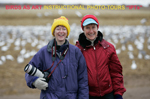
I don’t have a picture from our class but I have attached one that should help. I ended up graduating valedictorian from the 6th grade. I was in Mrs. Lowe’s class.   I have read your Blog- that’s actually how I found you- I was so excited!!   I am so glad you are doing well and I will continue to follow your Blog. A friend of mine is also a photographer and I tried convincing him to take up Bird Watching.   Carmen

I wrote Carmen back telling her how proud I am of her.  It is of course quite rewarding to hear from my old students.

Handholding the Canon 800mm f/5.6L IS

Recently I have begun handholding the Canon 800mm f/5.6L IS /EOS-1D MIV combo to good advantage.  I have been using the principles taught to me by my friend, Posse member Jim Neiger.  The advantages of handholding are that you are more quickly and easily able to get on the action than if you were using a tripod.  Especially when it would be necessary to move the tripod before starting to photograph a new situation.  And it is easier to frame fast moving birds (especially those that fly somewhat erratic patterns) and to frame and follow frantic action  when handholding than it is when working atop a tripod.

Do know that it is only necessary to hold the lens up for short periods of time, say 10-20 seconds at most.  Before raising the lens it is best to support it in some manner to prevent fatigue.  Jim’s mantra is “practice, practice, practice” so that when you raise the lens you are able to get right on the subject.  I have been after Jim for a year or two to put together “The Guide to Handheld Photography With Big Telephoto Lenses.”

In the opening White Pelican image in this post it would have been impossible to get as low as I wanted low with the tripod-mounted 800 on the crowded pier that the IPT group was working from.  So I simply sat on the edge of the dock, supported the lens on my bent knee when waiting for the situation to improve, and then raised the lens when the big, beautiful birds swam into the perfect position.  In the relatively low light situation I supported the back of my left wrist and hand again on my bent left knee.  (I did not realize that I had been working at such a slow shutter speed; my technique must have been perfect!)   Do compare the light and the exposure data with that of  the similar White Pelican image at the top of the February 19 post below; that one was created in full sun.

This Great Egret calling in flight image was created with the handheld Canon 800mm f/5.6L lens with the EOS-1D MIV.  ISO 400.  Evaluative metering +1/3 stop: 1/2000 sec. at f/6.3 set manually.

This Great Egret calling in flight image was created with the handheld Canon 800mm f/5.6L lens with the EOS-1D MIV. ISO 400. Evaluative metering +1/3 stop: 1/2000 sec. at f/6.3 set manually.

The handheld 800 image above was also created from a small boat. Handholding made it relatively easy to follow the bird in flight even at close range.  Ron Mayberry was kind enough to take Lou Newman, Denise Ippolito, and me out for some rookery photography in Sarasota Bay on the morning of my Sarasota Audubon presentation a few weeks ago.  (Ron and Lou will be joining me on the 2nd Midway trip; I am posting this from the Orlando Airport on my way to Honolulu.)   Using a tripod on a small boat with four folks is pretty much out of the question so the decision to handhold was a good one that enabled me to create a rather cool image.  Here I used the central AF sensor.  Always use AI Servo AF for photographing moving subject.

Note:  As a Canon Explorer of Light I am and have been a paid Canon spokesperson since 1996.


Gatorland: Rocking Now and Getting Better Each Day!

Monday, February 22nd, 2010
This copulating pair of Great Egrets was photographed with the Canon 70-200mm f/4 L IS lens with the 1.4X II TC (handheld at 113mm) and the EOS-1D MIV.   ISO 1600.  Evaluative metering +2 stops: 1/100 sec. at f/5.6  On-camera fill flash at -2 stops.  I was a bit surprised to get all sharp images at such a slow shutter speed.  With some ugly buildingin the BKGR, my first instinct was to get down on one knee and work with a sky background while at the same time I instinctively raised the ISO. As always, click on the image to see a larger sharper version.

This copulating pair of Great Egrets was photographed with the Canon 70-200mm f/4 L IS lens with the 1.4X II TC (handheld at 113mm) and the EOS-1D MIV. ISO 1600. Evaluative metering +2 stops: 1/100 sec. at f/5.6 On-camera fill flash at -2 stops. I was a bit surprised to get all sharp images at such a slow shutter speed. With some ugly buildingin the BKGR, my first instinct was to get down on one knee and work with a sky background while at the same time I instinctively raised the ISO. As always, click on the image to see a larger sharper version.

BPN Out of the Box Moderator Denise Ippolito and I visited Gatorland yesterday. Things were spectacular. Robert Amoruso was finishing up a three day workshop; it was great seeing him there. There were dozens of Great Egrets in spectacular breeding plumage, probably well more than 100 Great Egret nests (and possibly twice that many),  lot of Wood Storks, and a few red-lored Snowy Egrets. The number of birds was much astounding. And there was a very tame adult Black-crowned Night-Heron that posed for head portraits. I was puzzled as to why there were so many wading birds including killer breeding Great Egrets, Wood Storks, a Great Blue Heron or two, and Snowy Egrets in the water on the afternoon-light side of the boardwalk. It didn’t used to be that way… When I inquired, I learned that there is a new program where the visitors are encouraged to feed hot dogs to the gators. The profusion of food in the water attracts lots of small fish and lots of hungry herons and egrets. The Wood Storks preferred the small fish to the frankfurters

The crazy thing is that the rookery will be getting better and better every day with the arrival of the smaller species: Tricolored Heron and Cattle and Snowy Egret. Each exhibits spectacular soft parts color at the height of breeding plumage, the colors intensified by increased hormonal levels. And for those who can stand the heat of a Florida summer, there will be tons of chick to photograph though the month of July.

Mike Godwin was a most gracious host and he kindly reminded me that I was the one who–years ago–encouraged him to create an early entry/late-stay program for photographers

You can learn more about the Gatorland Rookery (in Kissimmee, FL) and their photographer’s program here: http://tinyurl.com/ygcq9yk

To see ”Gatorland Perfection,” my very favorite image from yesterdays Gatorland visit, check out my BPN Post here: http://www.birdphotographers.net/forums/showthread.php?p=451157#post451157

Simplified JPEG Sharpening Suggestion

Friday, February 19th, 2010
This White Pelican was photographed with the handheld 800mm f/5.6L IS lens and the EOS-1D MIV. ISO 400.  Evaluative metering -1/3 stop: 1/2000 sec. at f/11.  See additional comments below.  As always, you can click on each image to enjoy a larger, sharped version.  (I am not sure why the smaller images in Word Press look less sharp than the larger ones <smile>

This White Pelican was photographed with the handheld 800mm f/5.6L IS lens and the EOS-1D MIV. ISO 400. Evaluative metering -1/3 stop: 1/2000 sec. at f/11. See additional comments below. As always, you can click on each image to enjoy a larger, sharper version. (I am not sure why the smaller images in Word Press look less sharp than the larger ones <smile>)

While I use the settings mentioned in yesterday’s post below for sharpening my 800 pixel wide JPEGs generically via an action, here is a great suggestion for those who sharpen their JPEGs individually.  I am 99% sure that I got this tip from David Thomasson on BPN:   Using Unsharp Mask set the Radius to .3 and then vary the Amount from 200 to 500%.  Check for halos and artifacting by viewing the image at at least 100% in the Unsharp Mask dialogue box.  When the image looks sharp and you are not seeing any of the destructive elements mentioned above click OK.  You can left-click on the image in the dialogue box  to see the effects of the sharpening or check and uncheck the Preview box to see the before and after sharpening on the image itself.

The generically created White Pelican JPEG above did not look ultra sharp so I brought it back into Photoshop and gave it an additional round of sharpening at 200/.3/0.  Now it rocks!

Thanks again David!

Sharpening Tutorial (Free Digital Basics Excerpt); the Great Laptop Miracle

Thursday, February 18th, 2010
Canon 800mm f/5.6L IS lens with the 1.4X II TC and the EOS-1D MIV.  ISO 400.  Evaluative metering +1 stop: 1/640 sec. at f/9.

Canon 800mm f/5.6L IS lens with the 1.4X II TC and the EOS-1D MIV. ISO 400. Evaluative metering +1 stop: 1/640 sec. at f/9. As always you can click on the image to see a larger, sharper version.

There are so many misconceptions about sharpening digital images floating about that it is no wonder that most folks are confused.  As my diabetes doctor, Richard K. Bernstein wrote in his book, The Diabetes Solution, “Don’t listen to them.  Listen to me.”  Funny how great minds think alike.

The only sharpening done to the master TIFF of the image above was done by applying a Contrast Mask at 15/65/0 to the face of the gull.  Otherwise, the master file was not and should never be sharpened…  Ever.   To learn more about Contrast Maskes,  click here: http://www.birdsasart.com/bn247.htm and scroll down to DIGITAL BASICS UPDATE FREEBIE/THE CONTRAST MASK

Here is another free excerpt from the recently revised, re-written, and re-organized Digital Basics File;

SHARPENING: 

Just about every image created with a digital camera needs to be sharpened to some degree.  (Do note that images from scanned film usually require more sharpening than digital originals).  All digital image files should undergo final sharpening only after have been sized for a specific use.  Larger files need much more sharpening than smaller ones.  All such sharpening should—of course—be done at the desired output resolution. (Folks who reproduce the same print at the same size over and over again should of course save a sharpened version labeled as such.)  

Some digital experts feels that because all digital SLRs use anti-aliasing filters that render all images slightly soft as they come out of the camera the very first thing you should do when opening a new image is to apply a very modest sharpening such as 200/0.3/2.  Still others set a small amount of in-camera sharpening for the same reason.  At BIRDS AS ART we apply a small bit of sharpening via the Clarity Slider when converting in ACR (as described above). Our master files are never sharpened.  (Note: I often sharpen selected areas of master files as needed, most often the bird’s head or face.) 

For small j-peg files to be used electronically, I generally sharpen three times using Filter/Sharpen/Unsharp Mask with the following settings:  Amount: 125%; Radius: 0.2 pixels; Threshold: 0 levels.  Some folks prefer sharpening once at something like 350/0.2/0.  When sharpening for the web you do not want the image to look at all over-sharpened on the monitor. 

 As file size increases (generally for images that are to be printed in one form or another), there are two options.  You may decide to increase the Amount to somewhere between 300 and 500 while keeping the radius approximately the same.  (In this case, you may need to sharpen more than once while decreasing the amount each time).  Or you may increase the Radius to somewhere in the range of 0.85 and 1.25 while keeping the Amount roughly the same. 

Unsharp Mask settings for a 30 mb flattened 8-bit file might range from 250/.8/0 to as much as 475/1.4/0 depending on the amount of detail in the image.  When sharpening for print with Unsharp Mask it is suggested that you want the image to look a bit over-sharpened on your monitor as the printed image will look a bit softer due to the paper absorbing some of the ink. 

For natural history images, the threshold is usually set at 0 to yield the most detail.  For portraits of people, the threshold might be set as high as 4-8 so that skin imperfections are not emphasized.  For natural history images made at high ISO settings or those with large areas of sky, threshold settings of from 2 to 3 may yield the best results.  If you ask 100 good digital photographers exactly how they best sharpen their images, you would probably get 100 totally different answers.  To attain the very best results, experiment with each image by trying a range of sharpening settings and comparing the results.  Sharpening is much more of an art than a skill.

You can learn more about Digital Basics or purchase a copy here:  https://store.birdsasart.com/shop/category.aspx?catid=32

The Great Laptop Miracle

After photographing on the Monday morning before the SW FLA tour with IPT veteran and friend Lou Newman aboard Ron Mayberry’s boat in Sarasota Bay, Lou invited us for lunch as his condo.  I opted to leave my laptop bag in the car and grabbed just the computer.  And I locked the car with the switch on the door without checking to see that I had “keys in hand.”  Thus, I locked my car keys in the vehicle.  (I had unexplicably placed them on the back seat…)   An extra key was of course in the computer bag.  <smile>

When we were done with lunch I called the AAA and the locksmith was of course delayed.  For no reason at all I took my laptop out to the Sequoia to wait for service.  Then, violating one of my rules for good living, I placed the laptop on the hood of the vehicle on the driver’s side figuring that I would surely see it before pulling off.  (I have been burned before by that one but this will be the last time….) 

The guy showed up in about 15 miinutes and easily unlocked the SUV.  I grabbed the keys off the back seat, fired her up, and pulled ahead the 50 yards or so to ssay good by to Lou.  I exited the vehicle and walked around the rear of the car only to see my laptop on the pavement.  Ooops.  After a quick glance it appeared to be undamaged.  It had been in sleep mode so I simply hit the space bar and was thrilled when it awoke.  I typed in my security code and was again thrilled to see that the laptop was working perfectly.

Amazingly, the next day at lunch, I glanced at the left hand corner of the laptop at the same moment and was aghast to see that there was major damage to the computer.  The thin metal strapping frame was broken into two pieces and there was a 1/4 inch plus separation between the face of the keyboard and the chassis.  You could see into the innards of the laptop.  And most amazing of all was the fact that I had been and am still able to download the image files from my Delkin e-Film Pro 32 gb flash cards; the card reader port is on the left side of the machine close to the corner.  Totally amazing. 

The computer continues to operate perfectly.  I am planning on bringing it on the Midway trip.  When I return from Hawaii, I will get in touch with HP and have the unit repaired.  As I say often, “You gotta love it.”

Been Away Too Long! Venice Rookery Update, Rita Matthews

Friday, February 12th, 2010
This Great Egret was photographed with the Canon 800mm f/5.6L IS lens and the EOS-1D Mark IV.  ISO 400.  1/2000 sec. at f/8 set manually using my brilliant white in bright sun exposure for ISO 400.

This Great Egret was photographed with the Canon 800mm f/5.6L IS lens and the EOS-1D Mark IV. ISO 400. 1/2000 sec. at f/8 set manually using my brilliant white in bright sun exposure for ISO 400. As always, you can click on each image to see a larger, sharper version.

Wow!  Have I been busy.  Saw “A Chorus Line” in West Palm Beach, attended the BPN South Florida Get-Together last Sunday, drove to Sarasota, photographed in Sarasota Bay on Ron Mayberry’s boat with Lou Newman and Denise Ippolito, presented  “A Bird Photographer’s Story for almost 200 folks at Sarasota Audubon, and headed to Fort Myers for the Southwest Florida President’s Week IPT. 

The group is great and Tim Grey is amazing; he is doing a 3-hour Photoshop session for the group on a windy, rainy Friday afternoon as I type.

For the past few years photographic opportunities at the Venice Rookery have been fewer and fewer, and this year is the worst ever by far.  There were two great blue nests with small chicks that were pretty much un-photographable and one nest with eggs that was somewhat photogenic.  There were several pairs of Great Egrets building nests.  If you have a choice of locations on a visit this year skipping the Venice Rookery might be a good plan.  We did, however have a few good chances.  Both of the Great Egret images here were created at the rookery on the first morning of the IPT.

Great Egret flash blur.  Canon 400mm f/4IS DO lens handheld with the EOS-1D Mark IV.  ISO 400: +2 stops off the white sky: 1/40 sec. at f/4 set manually.  Manual flash at 1:1 with Better Beamer.

Great Egret flash blur. Canon 400mm f/4IS DO lens handheld with the EOS-1D Mark IV. ISO 400: +2 stops off the white sky: 1/40 sec. at f/4 set manually. Manual flash at 1:1 with Better Beamer.

Rita Matthews smiling at Fort Myers Beach on the SW FLA IPT.

Rita Matthews smiling at Fort Myers Beach on the SW FLA IPT.

I first met Rita Matthews on last year’s Post NANPA Bosque IPT.  She is a good friend of BIRDS AS ART special friend Isobel Wayrick.   At 88 years young, Rita is the senior IPT participant.  Rita, has PHDs in biochemistry and biology.  Among the many accomplishments in her long and amazing career are the development of a patented medication for treating hemophelia and–during a stint in Antarctica in the 1970s–the development of a substance used to cool the heart during surgery; she developed the latter by blasting holes in 10 feet of ice with dynamite, trapping the cold-adapted fish using kitchen scraps as bait, and studying their “antifreeze.”  She is quite an amazing lady.   And always smiling and appreciative.

BAA Bulletin #315 On-line Now, Fracting Fun

Wednesday, February 3rd, 2010
    The image above was created with Fractalius, a Photoshop plug-in.  See lots more below.

Brown Pelican, La Jolla, CA. Image copyright 2010: Arthur Morris/BIRDS AS ART. The image was created with Fractalius, a Photoshop plug-in filter. See lots more below. And be sure to click on the image to see a larger version.

 BIRDS AS ART Bulletin #315 is now available on-line here:  http://www.birdsasart.com/bn315.htm

Here are the featured items:

SAN DIEGO IPT FOLLOW-UP
ONE IMAGE: MANY LESSONS
ANNOUNCING THE JANUARY 2011 SAN DIEGO IPT 
FRACTALIUS: IMAGES & TUTORIALS BY DENISE IPPOLITO
SARASOTA FLORIDA AUDUBON PROGRAM 
BOK TOWER EXHIBIT OPENING
CANON GEAR FOR SALE
KUDOS
IPT UPDATES

A while back, BPN Out of the Box moderator Denise Ippolito, a talented, creative photographer, introduced me to Fractalius, a Photoshop  plug-in that can be used to create unusual, eccentric artwork from a photograph in a single step.  The effects are based on the extraction of an image’s hidden fractal textures.  It can also be used to simulate various types of exotic lighting  and ultra-realistic pencil sketches.   I was so excited by the look and feel of the images that I asked Denise to create a tutorial for her favortie Fractalius setting, Glow 100.  Click here: http://www.birdsasart.com/bn315.htm and scroll down to see four of Denise’s fabulous Fracted images and to read the Glow 100 tutorial.  You can check out both of her Fractalius tutorials and learn more about Denise by clicking here: http://deniseippolito.smugmug.com/ and scrolling down.  Be sure to visit some of her galleries too.

If you are sold on Fracting after seeing the killer pelican image above, you can purchase a copy of Fracalius by clicking here:  https://www.plimus.com/jsp/buynow.jsp?contractId=1720292&referrer=birdsasart.  Please be sure to use this link to purchase; doing so will enable us to bring you more tutorials <smile> You can see the original pelican image here: http://www.birdphotographers.net/forums/showthread.php?t=55949

I will be on the road for 2 1/2 weeks for the Sarasota Audubon Program (see in the Bulletin), the SW FLA IPT, and the NANPA Summit in Reno, NV.  Then it’s home for a few days and off to Midway!  I will be posting here regularly.