
Anyone Can Learn Photoshop!
As you will see in this six-minute video, Photoshop can do amazing things. And the big news is that it is not difficult to learn to improve your images. Anybody can do it. Especially when you have clear, easy to follow instructions like those in the Digital Basics IV Video Series.
What’s Up?
It has been cold and windy here at ILE for the past few days. I had some fun on Friday morning doing black background preening Sandhill Crane head portrait stuff. Learn how you get a black background on a sunny day in the next blog post (I think).
Today is Saturday 7 February 2026. I will be heading down to the lake soon despite the sunny/NW wind forecast. My first checked bag, the one with all of my cold weather gear, is packed for my Monday morning flight to Anchorage, AK. Today I will pack my second checked bag with my underwear and personal stuff. I will pack my Think Tank bag on Sunday morning after I get back from the lake. I hope that you too choose to have a wonderful and productive day and that you have fun too. And please remember that happiness is a choice — Byron Katie, The Work.Com (and as discussed in depth here recently).
If an item — a Delkin flash card or reader, a Levered-clamp FlexShooter Pro, or a Wimberley lens plate or low foot — for example, that is available from B&H and/or Bedfords, is also available in the BAA Online Store, it would be great, and greatly appreciated, if you would opt to purchase from us. We will match or beat any price. Please remember also to use my B&H affiliate links or to earn 3% cash back at Bedford by using the BIRDSASART discount code at checkout for your major gear purchases. Doing either often earns you free guides and/or discounts. And always earns my great appreciation.
Gear Questions and Advice
Too many folks attending BAA IPTs and dozens of photographers whom I see in the field and on BirdPhotographer’s.Net, are — out of ignorance — using the wrong gear, especially when it comes to tripods and more especially, tripod heads. And the same is true in spades when ordering new camera bodies or lenses. My advice will often save you some serious money and may help you avoid making a seriously bad choice. Please know that I am always glad to answer your gear questions via e-mail. If you are desperate, you can try me on my cell at 863-221-2372. Please leave a message and shoot me a text if I do not pick up.
|
|
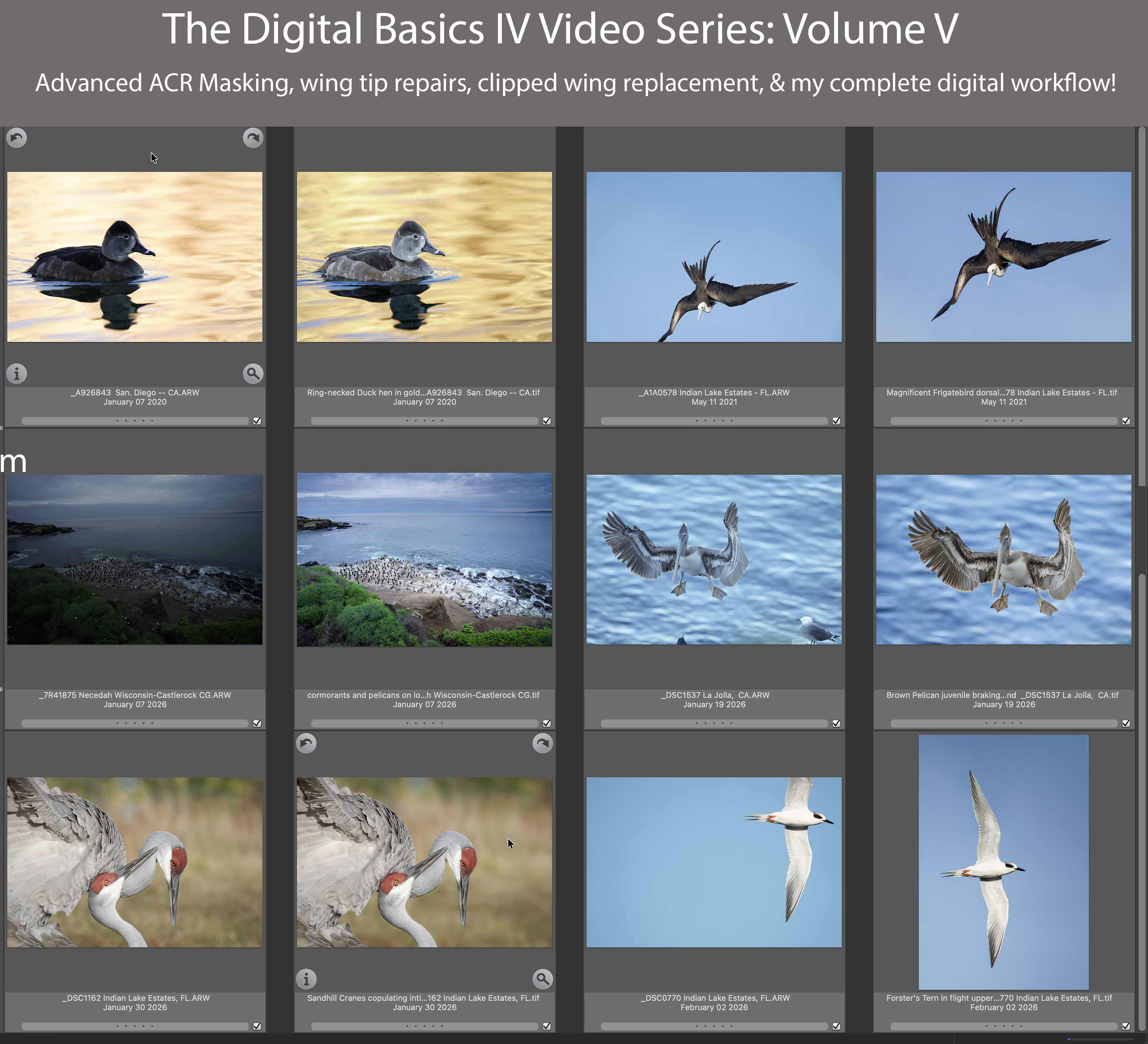
The Digital Basics IV Video Series: Volume V just might be the best of them all. You can purchase Volume V alone here for $49.00. A much better option would be to save $50.00 by purchasing the entire Digital Basics IV Video Series by clicking here. New purchasers will receive links to all five videos on Saturday afternoon or Sunday morning. Volume V of the Digital Basics IV Video Series |
Volume V of the Digital Basics IV Video Series
Volume V of the Digital Basics IV Video Series just might be the best of all ten videos in the two DB Video series. This one hour, 13 minute video details the image optimization of six images. It covers in detail the creative use of the Adobe Camera Raw masking feature (in both Photoshop and LightRoom), adding a clipped wingtip from thin air (the frigatebird image), and combining two mis-framed, badly clipped, pretty much worthless horizontal flight images into a single excellent vertical Forster’s Tern flight photograph. Sit next to me on my laptop as I convert and optimize each image, save the master.TIF file, and create and save a JPEG for the blog.
My basic workflow remains much the same as is detailed in the Digital Basics II PDF, in the Digital Basics III Video Series, and in the first four volumes of the Digital Basic IV Video Series.
1- Setting the Color Temperature (when and if needed).
2- Setting the White and Black Points and adjusting the Highlights and Shadows sliders.
3- Setting the Clarity and Dehaze sliders.
4- Fine-tuning color using the Hue/Saturation/Luminance Targeted Adjustment Tool, a huge step up from the Color Mixer Tool.
5- An explanation of the latest DeNoise option in Photoshop and Lightroom.
6- My 2-step noise reduction technique (with most images).
7- Using the Point Color eye dropper to tame super-saturated colors during raw conversions.
8- How I use my usual cadre of clean-up tools and techniques including the Remove Tool, the Clone Stamp (only rarely), Divide and Conquer, Quick Masking, Layer Masking, Gaussian Blurs, an expanded array of personalized keyboard shortcuts, and tons of other image optimization strategies and methods adapted from previous versions of Digital Basics. I also demonstrate the selective use of Topaz Sharpen AI utilizing the masking feature.
You can purchase Volume V alone here for $49.00. A much better option would be to save $50.00 by purchasing the entire Digital Basics IV Video Series by clicking here. New purchasers will receive links to all five videos on Saturday afternoon or Sunday morning.
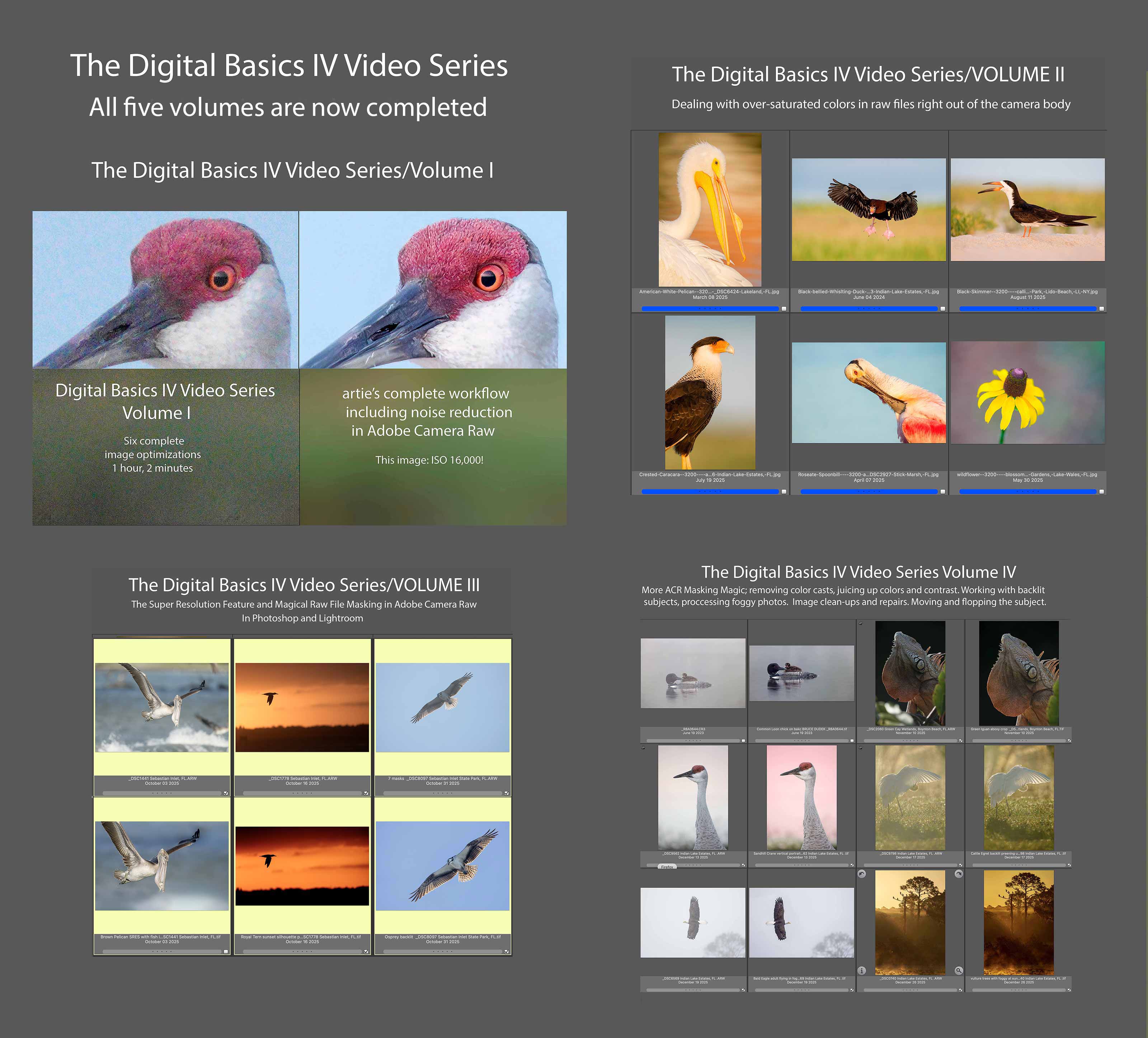
The Digital Basics IV Video Series is now complete. If you have previously purchased the DB IV Video Series, you should have received Volume V on Tuesday. If not, please contact Jim Litzenberg via e-mail.
|
|
Click to enlarge. The Digital Basics IV Video Series by Arthur Morris/BIRDS AS ARTYou can save $50.00 by purchasing the entire 5-Volume Series by clicking here. |
Digital Basics IV Video Series: $146.00 for all five videos/save $50.00
I have some fabulous new image optimization tips, techniques, and tricks to share. As the Digital Basics III Video Series proved to be so popular, I decided last fall to run it back in the form of Digital Basics IV. Digital Basics V is on the horizon.
My new workflow includes the use of the masking feature in Adobe Camera Raw (thanks to Anita North), the use of the Point Color eye dropper to tame super-saturated colors during raw conversions (discovered in tandem with Anita), a fabulous new Remove Tool trick that makes my favorite Photoshop Tool even more powerful than before -— that one discovered by me. In addition, I have recently begun doing some Curves work during my ACR raw conversions.
My basic workflow remains much the same as is detailed in both the Digital Basics II PDF and in the Digital Basics III Video Series:
1- Setting the Color Temperature (when and if needed).
2- Setting the White and Black Points and adjusting the Highlights and Shadows sliders.
3- Setting the Clarity and Dehaze sliders.
4- Fine-tuning color using the Hue/Saturation/Luminance Targeted Adjustment Tool, a huge step up from the Color Mixer Tool.
5- My 2-step noise reduction technique (with most images).
Once I have the .TIF file in Photoshop, I use my usual cadre of clean-up tools and techniques including the Remove Tool, the Clone Stamp (only rarely), Divide and Conquer, Quick Masking, Layer Masking, Gaussian Blurs, an expanded array of personalized keyboard shortcuts, and tons of other image optimization strategies and methods adapted from previous versions of Digital Basics. I also demonstrate the selective use of Topaz Sharpen AI utilizing the masking feature. And last but not least, I share my JPEG creation methodology.
The Digital Basics IV Video Series is now complete. If you have previously purchased the DB IV Video Series, you should have received Volume V on Tuesday. If not, please contact Jim Litzenberg via e-mail.
|
ACR Masking
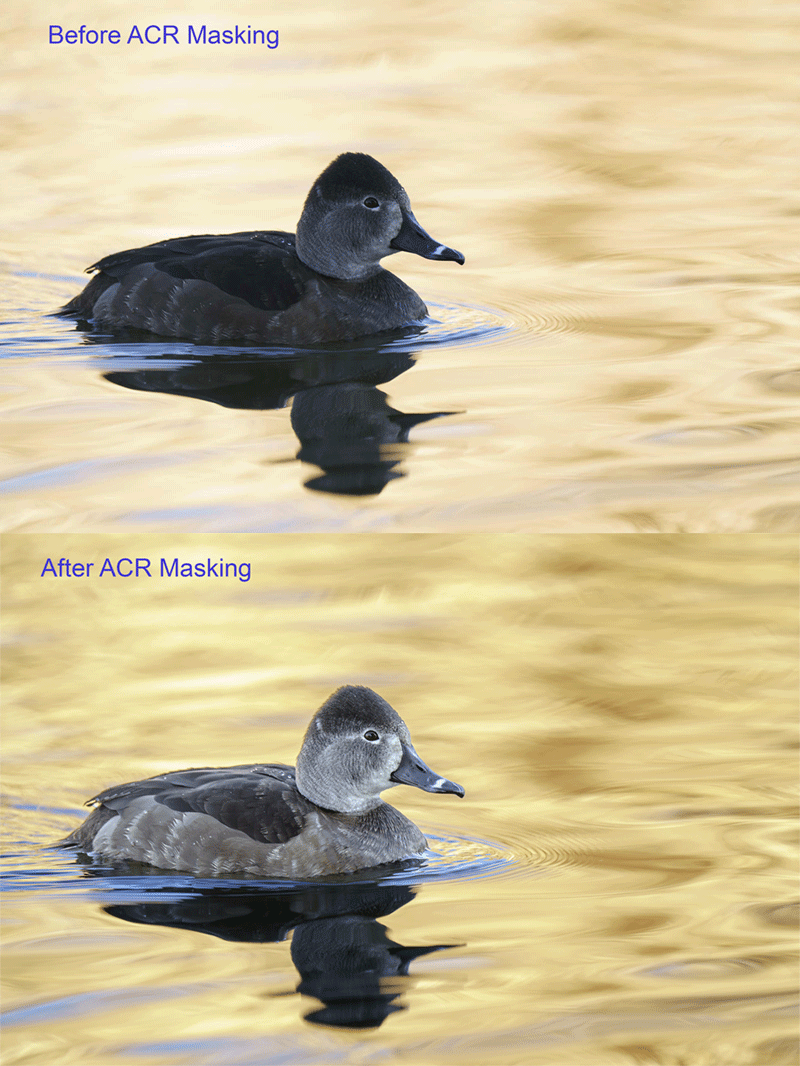
It is easy to learn to use ACR masks to adjust the color and tonality of both the subject and the background. And the results are dramatic.
|
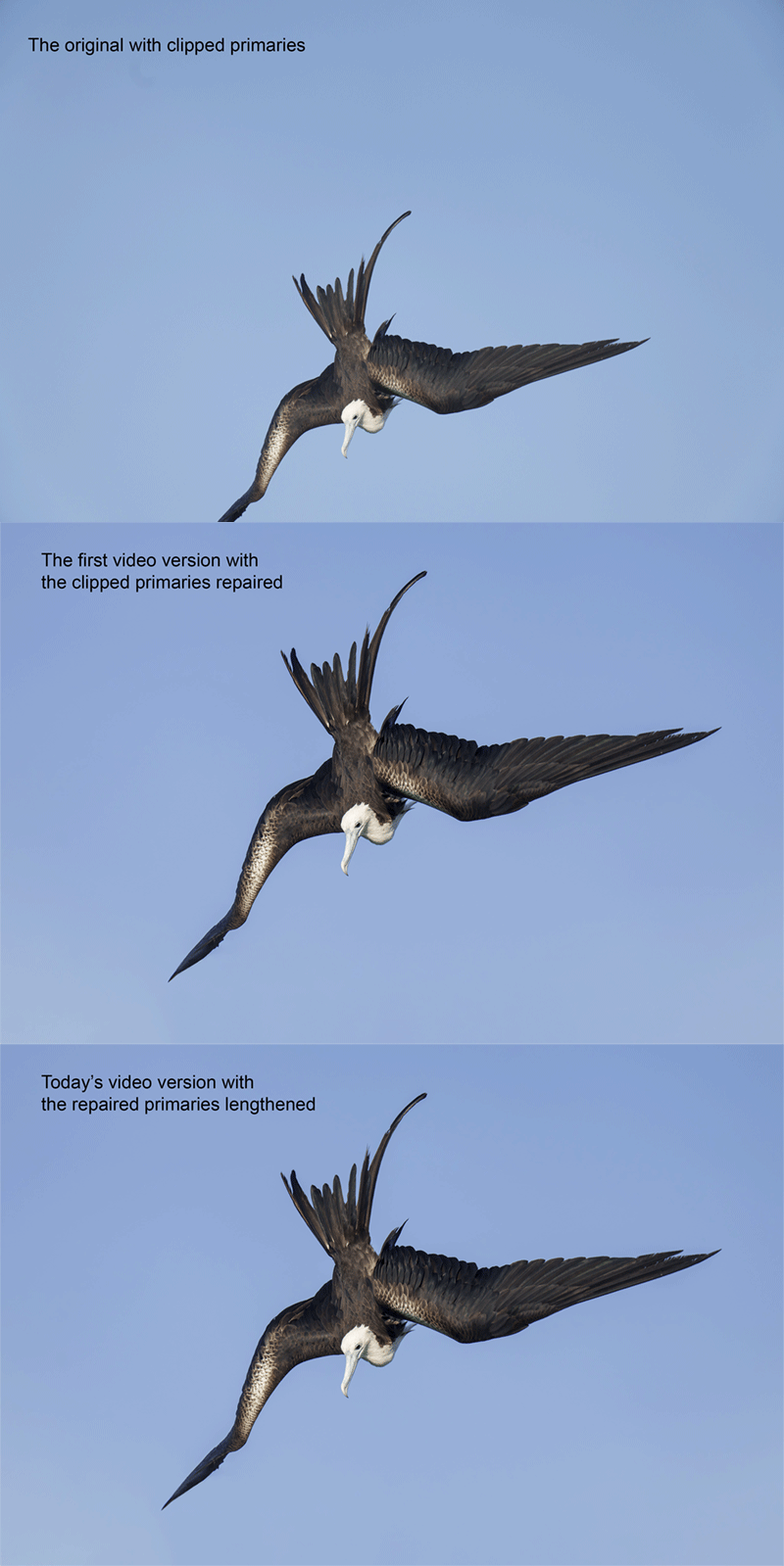
Creating a Wingtip Out of Nothing
When you clip a wing and there is no source material around you can often use the Clone Stamp Tool to do the repair.
|
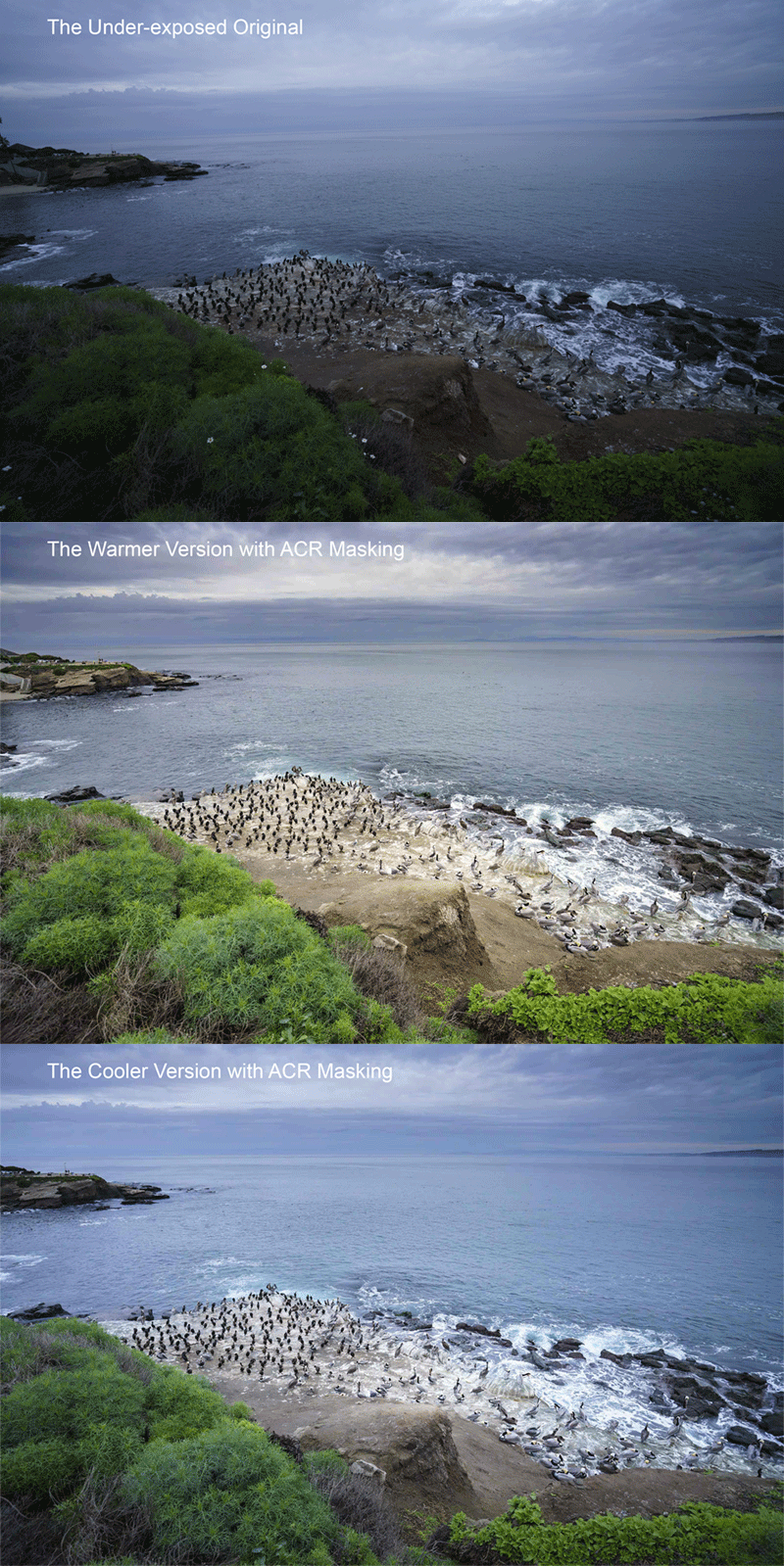
ACR Masks for Scenics
ACR masking can be used to hold back the exposure and bring details into stormy skies. And they can be used to control the color, tonality, and sharpness of foreground details as well.
|
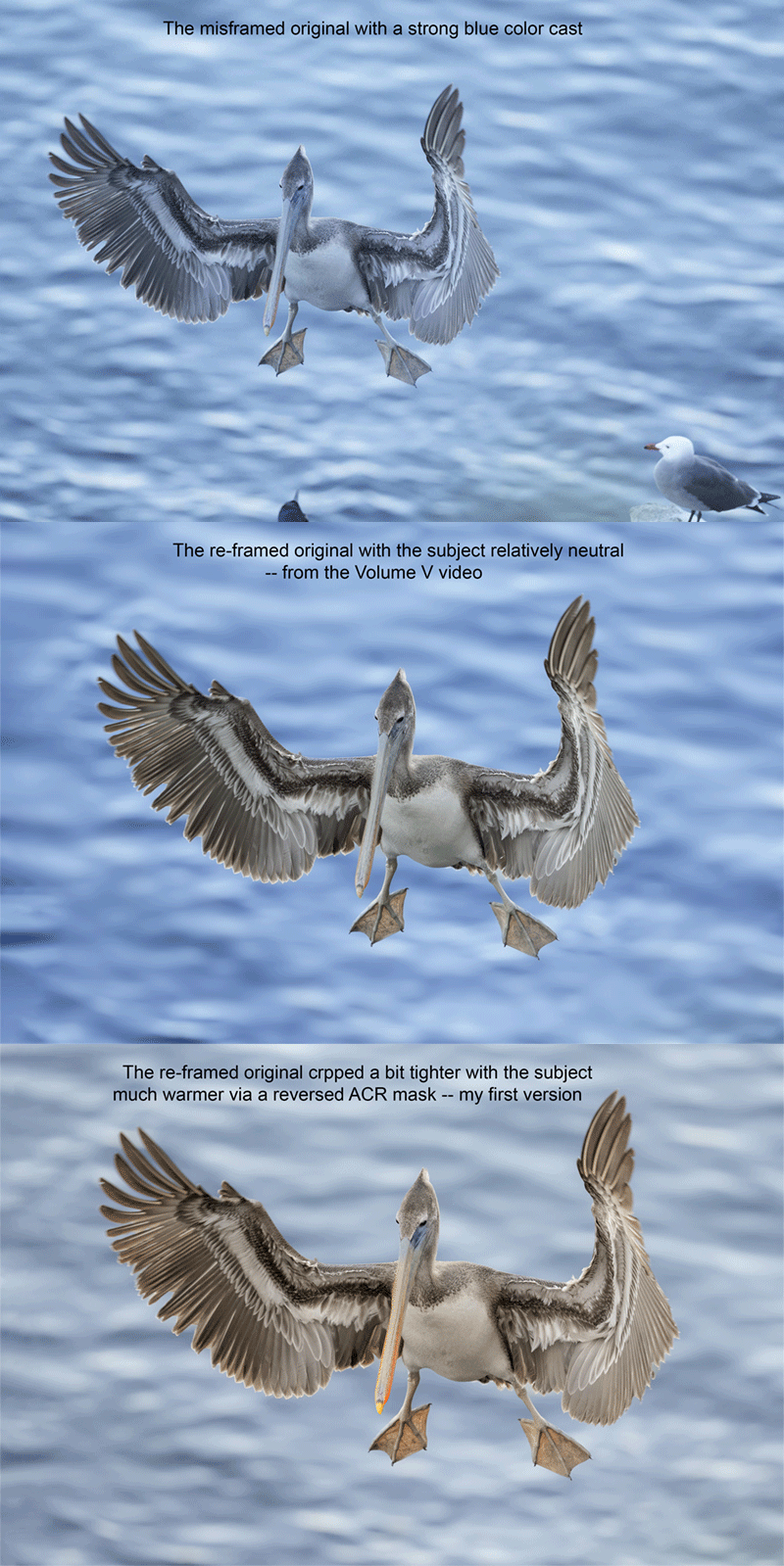
Warming UP (or Cooling Down) the Subject
It is fairly easy to select the subject with an ACR mask and then either increase or decrease the Color Temperature. Then you can invert the mask and do the same to the sky or the background. Note: “cropped” not “crpped” in one of the captions 🙁
|
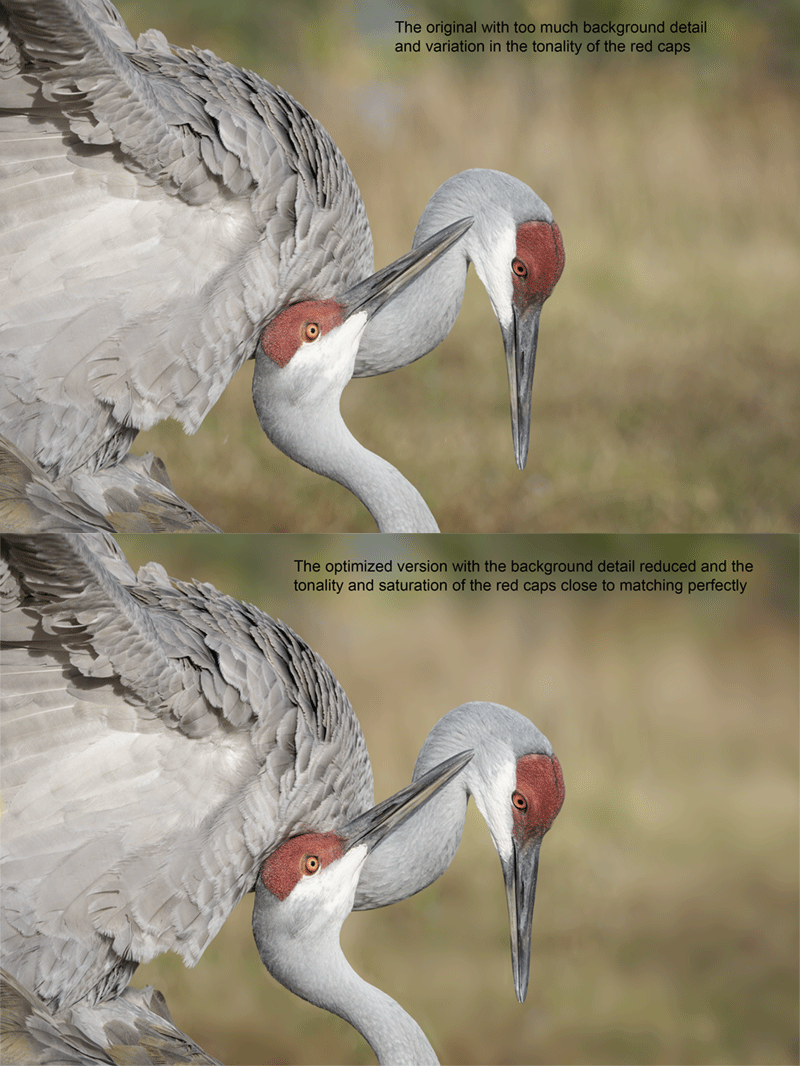
Softening the Background
After creating an ACR mask of the background, you can use the Clarity and Dehaze sliders to soften distracting background detail.
|
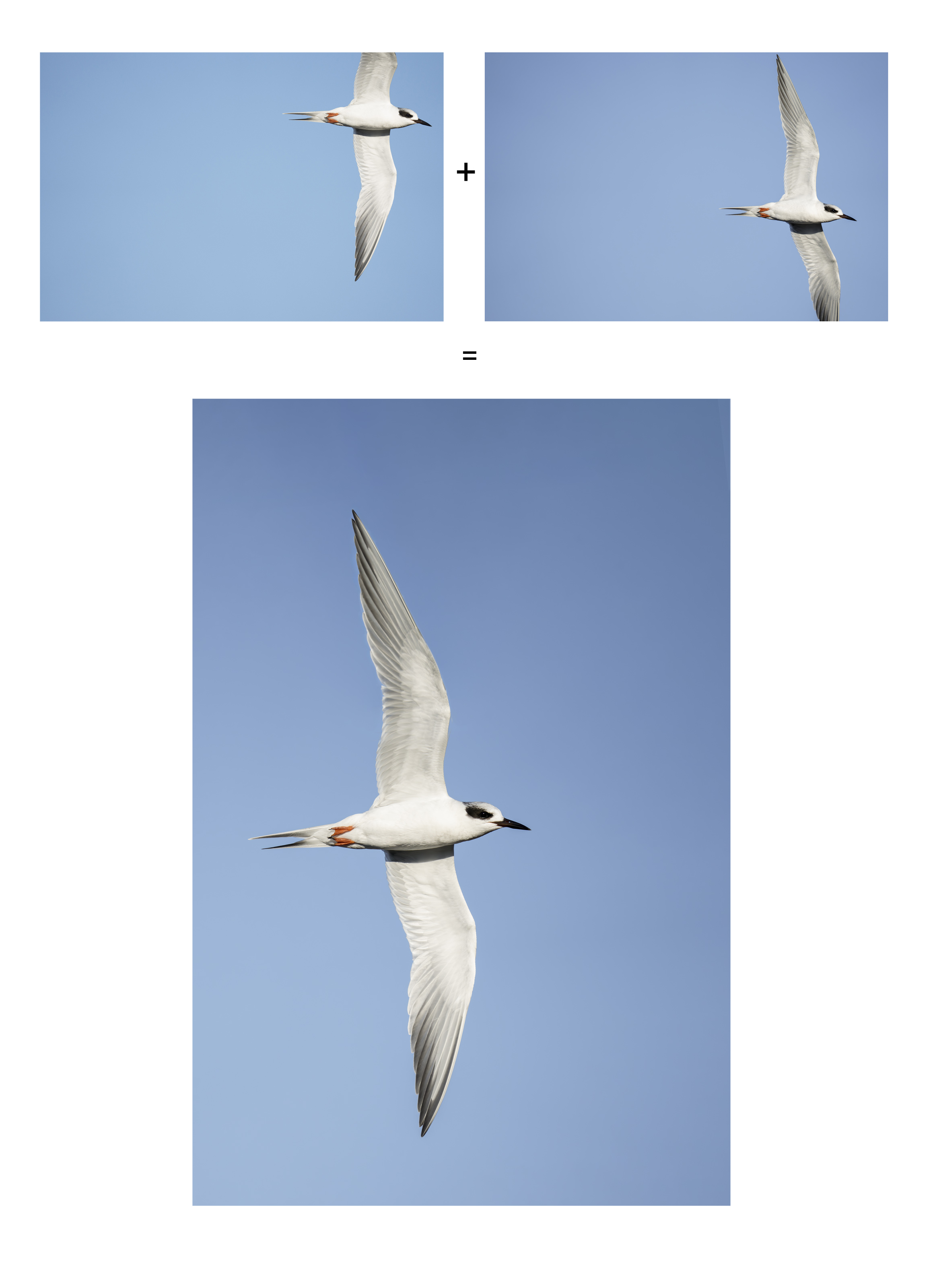
A + B = C |
Mis-framed Flight
There are times with fast, erratically flying birds when you totally botch things. When this Forster’s Tern flow by a close range I tried to pan fast enough to keep it in the frame. But failed miserably. By keeping an open mind and realizing the possibilities, you can often save the day.
|
|
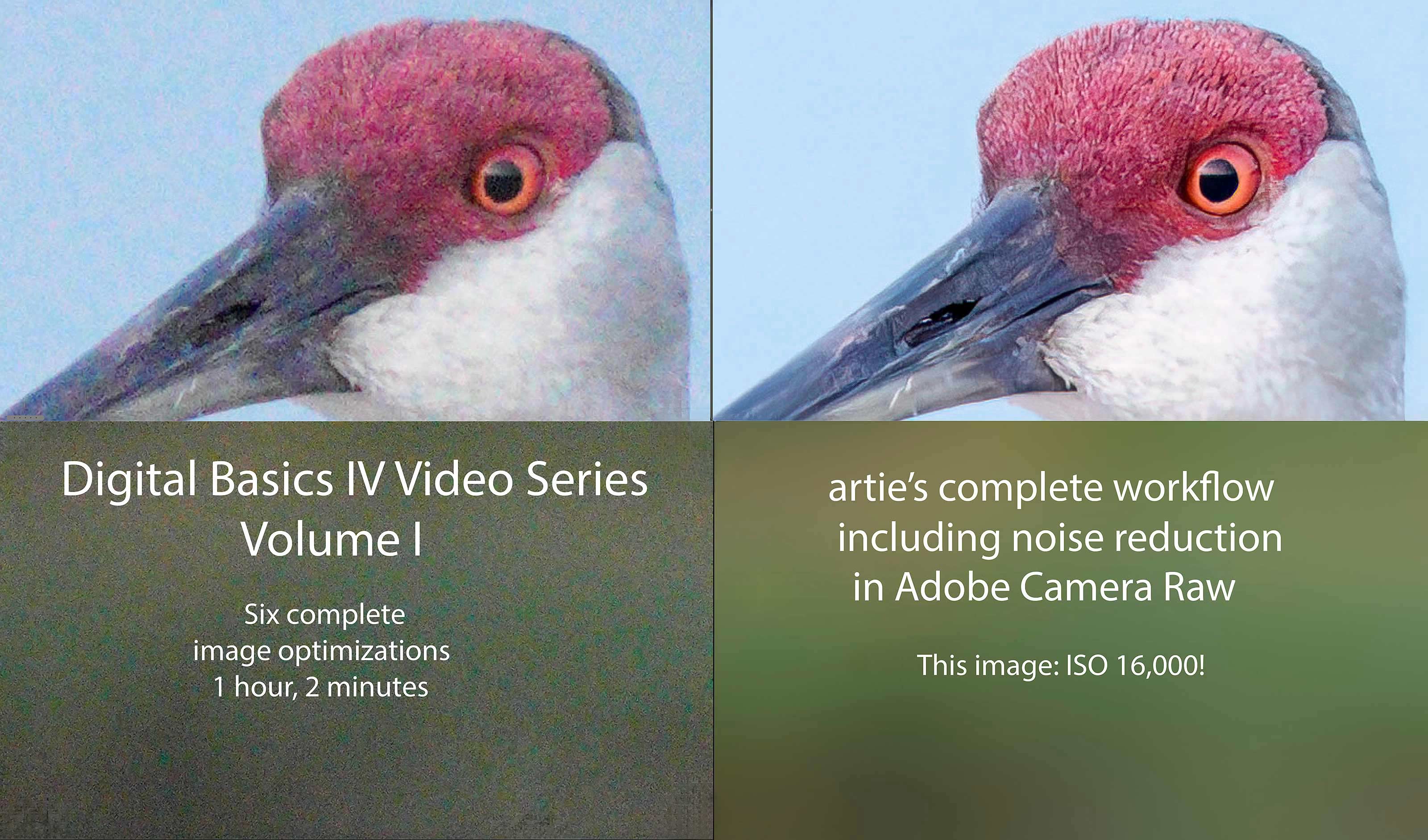
Click to enlarge and check out the noise reduction. Volume I of The Digital Basics IV Video Series by Arthur Morris/BIRDS AS ARTYou can purchase Volume I alone here for $49.00. |
Volume I of the Digital Basics IV Video Series
Volume I of the Digital Basics IV Video Series details the image optimizations of six images; it eliminates the confusion that resulted from the changes to AI Noise Reduction (under the Details tab) in the recent updates to Adobe Camera Raw (in both Photoshop 2025 Release 26.10.0 and the latest version of Lightroom). As you will learn in the Volume I video, the new interface represents a significant improvement as compared to those obtained with the Enhance dialogue box in previous versions of ACR. All the new stuff but for the use of the Point Color eye dropper to tame super-saturated colors during raw conversions is at least touched upon in Volume I, most of it in great detail. One hour, two minutes.
|
|
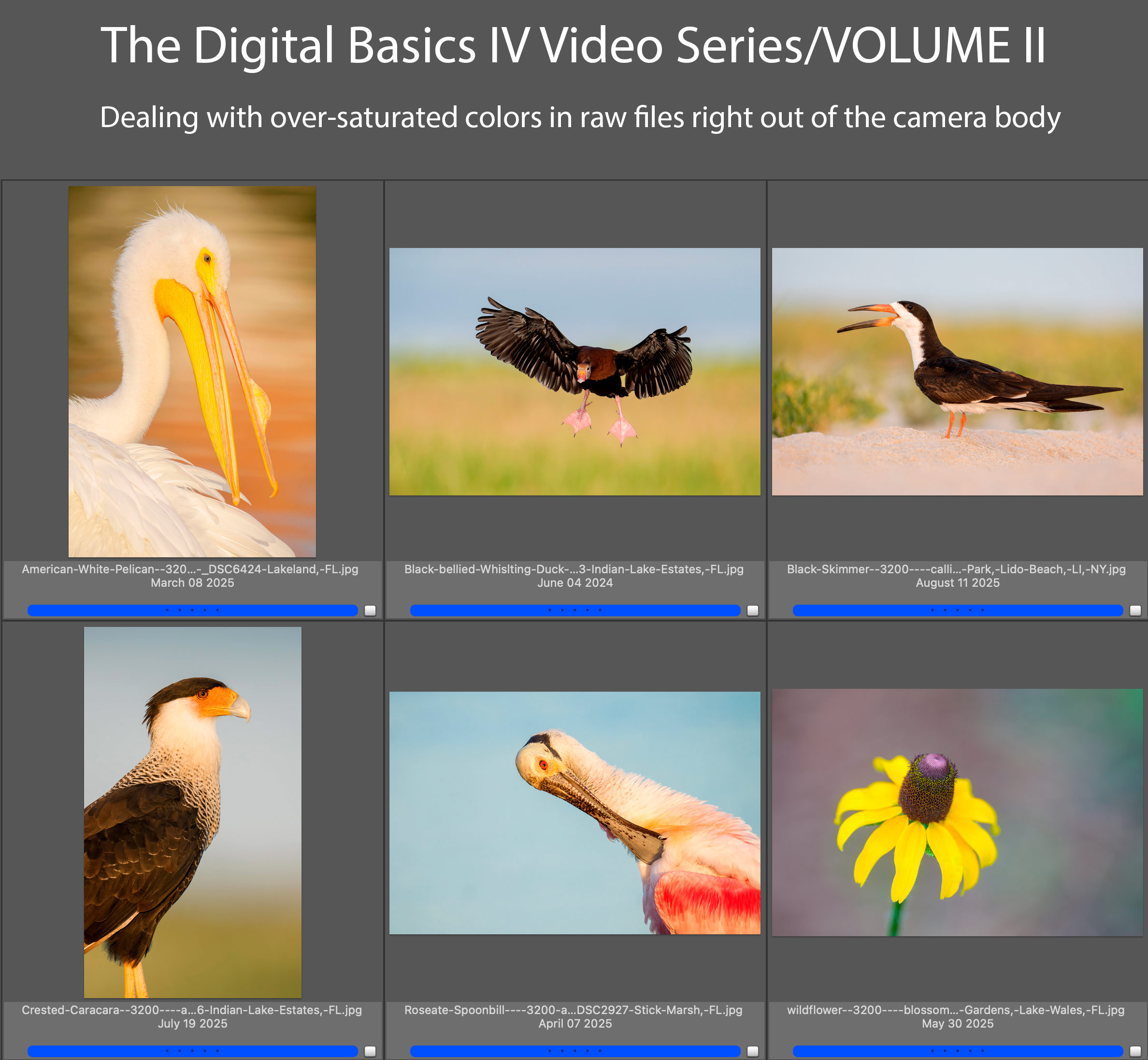
Click to enlarge. Volume II of The Digital Basics IV Video Series by Arthur Morris/BIRDS AS ARTYou can purchase Volume I alone here for $49.00. |
Volume II of the Digital Basics IV Video Series
Volume II of Digital Basics IV explains in detail how to handle images where some bright colors like reds, oranges, and yellows show as over-exposed as soon as you hold down the Alt or Option key and move the Whites slider to the right in Adobe Camera Raw. This is a commonly encountered problem for folks using Adobe Camera Raw either in Photoshop or Lightroom. The simple solution is to use the Point Color eyedropper the moment you encounter super-saturated colors in images right out of the camera. Raw files from all of the major dSLR and Mirrorless camera manufacturers will exhibit this problem. Depending on the system that you use, you may find that the certain colors are more problematic in one system than in another. Huge thanks to Anita North; working together, we came up with the Point Color Supersaturated Colors Fix. Just under one full hour.
|
|
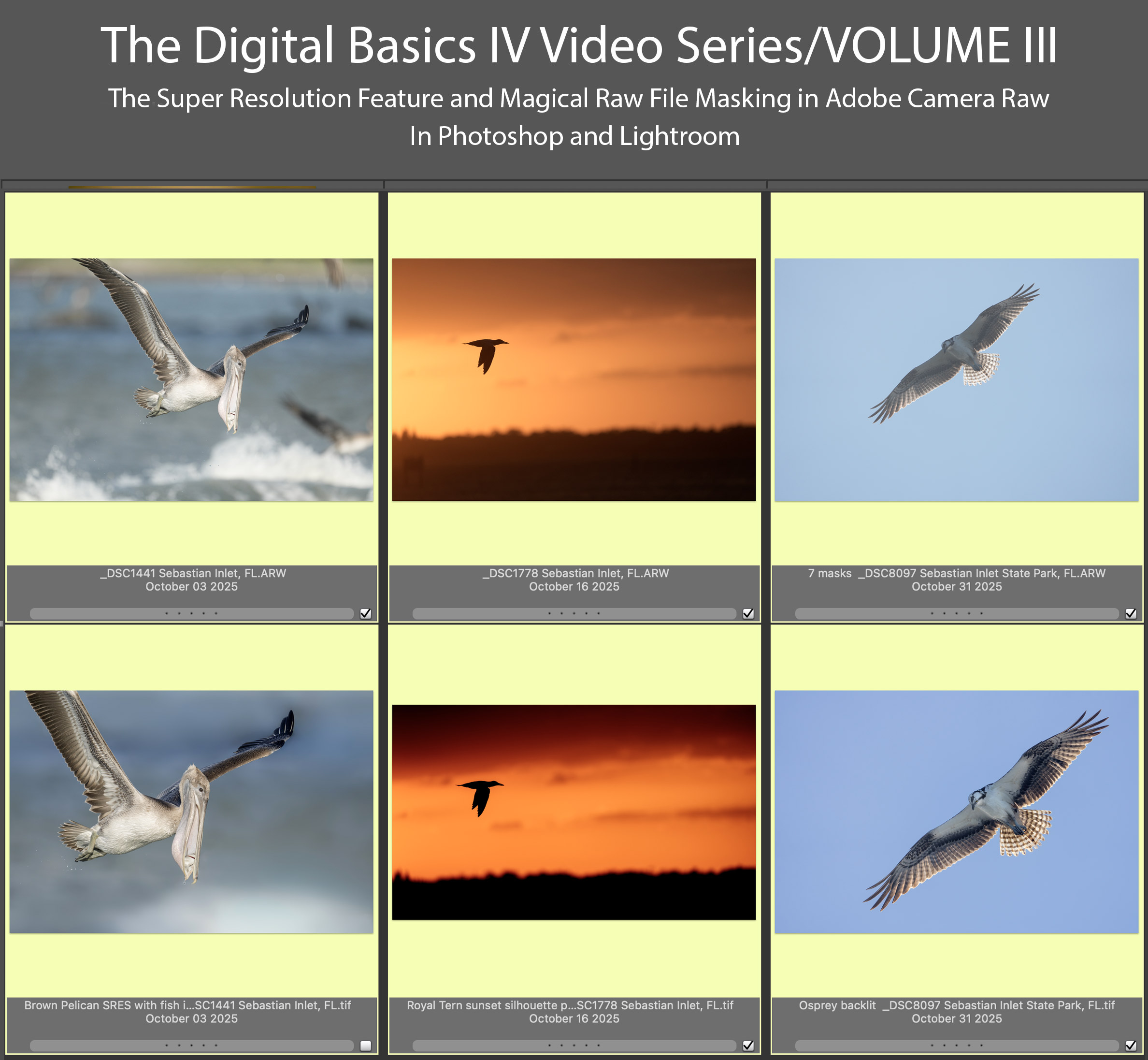
Click to enlarge. Volume III of The Digital Basics IV Video Series by Arthur Morris/BIRDS AS ARTYou can purchase Volume III alone here for $49.00. |
Volume III of the Digital Basics IV Video Series
Volume III of the Digital Basics IV Video Series goes into additional on making selections with the Masking feature in ACR in both Photoshop and Lightroom. Selections include the automatic one like Sky, Subject, and Background (and shows how they sometimes need to be refined). In addition, we cover as Linear and Radial Gradients and how to create your own masked area using the Brush Tool. This feature has transformed my workflow and I am now routinely using as many as six or seven masks on a single raw file. I am even using ACR masks to effectively do my Eye Doctor work. Also, you will learn when and how to use the new Super Resolution feature in Adobe Camera Raw to upsize your cropped .TIF files and the two effective ways to use the Remove Took. Just under one full hour.
|
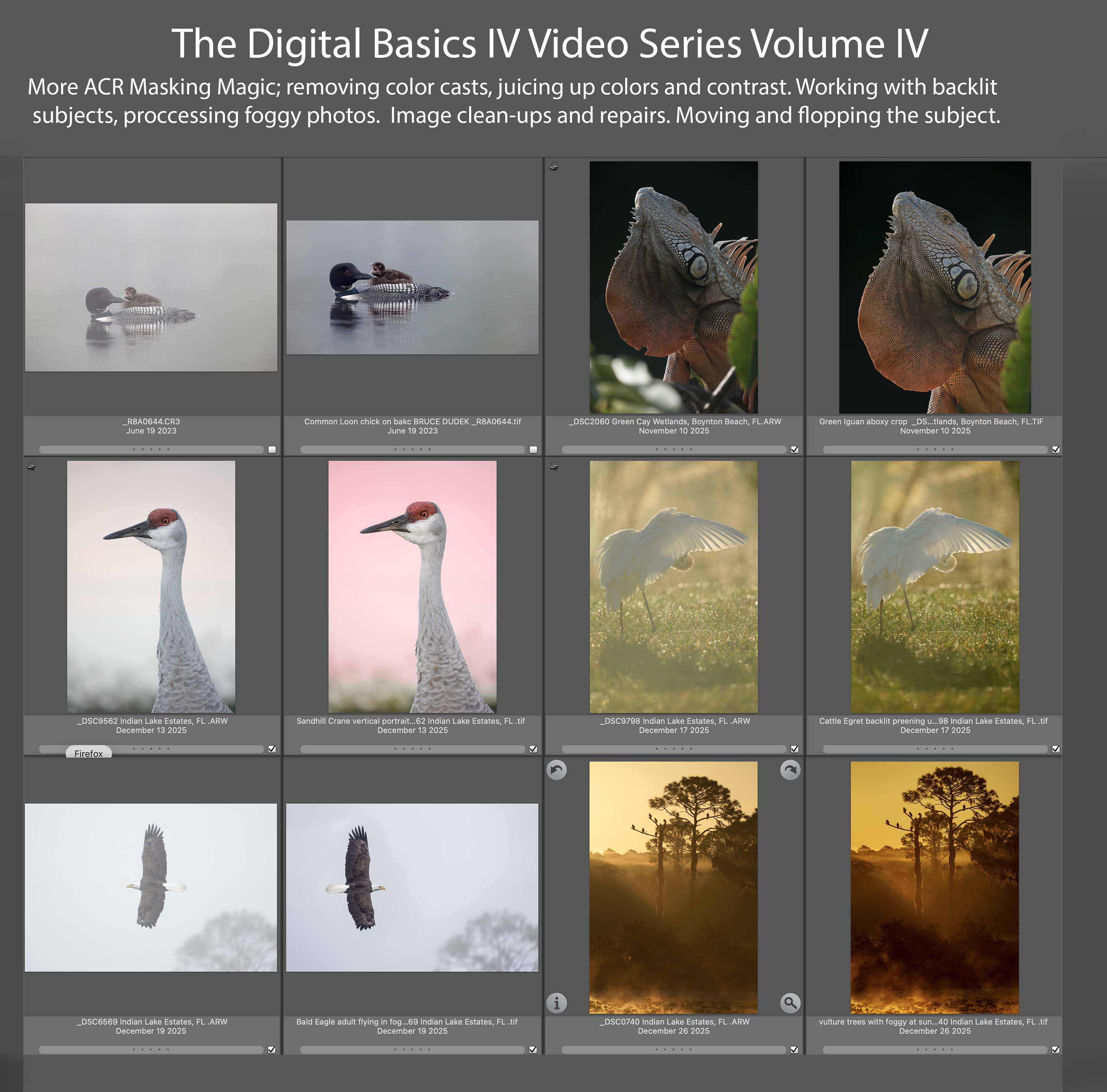
Volume IV of The Digital Basics IV Video Series by Arthur Morris/BIRDS AS ARTYou can purchase Volume IV alone here for $49.00. |
Volume IV of the Digital Basics IV Video Series
My current workflow includes the use of the masking feature in Adobe Camera Raw (thanks to Anita North), the use of the Point Color eye dropper to tame super-saturated colors during raw conversions (discovered in tandem with Anita), a fabulous new Remove Tool trick that makes my favorite Photoshop Tool even more powerful than before -— that one discovered by me. In addition, I have recently begun doing some Curves work during my ACR raw conversions.
My basic workflow remains much the same as is detailed in both DB II and in the DB III Video Series:
1- Setting the Color Temperature (when and if needed).
2- Setting the White and Black Points and adjusting the Highlights and Shadows sliders.
3- Setting the Clarity and Dehaze sliders.
4- Fine-tuning color using the Hue/Saturation/Luminance Targeted Adjustment Tool, a huge step up from the Color Mixer Tool.
5- My 2-step noise reduction technique (with most images).
Volume IV details the use the ACR Masking feature to selectively lighten the shaded side of backlit subjects, remove color casts, and juice up color (and contrast). In addition we cover and review the processing of foggy photos, the use of Quick Masks to flop and re-position a flying subject, the best ways to use of the Remove Tool, and a variety of repair and clean-up techniques. One hour, 18+ minutes.
There are five volumes in DB IV, each featuring six complete image optimizations.
Typos
With all blog posts, feel free to e-mail or to leave a comment regarding any typos or errors.








Leave a Reply