Deciding to keep the image above was a no-brainer. The bird was perfectly juxtaposed to the imaging sensor. It is diagonally oriented in the in the frame. And the sand had acted as a huge reflector, lighting the undersides of this female frigatebird perfectly. This is just another image that shows that you can make great images in bright sun on blue sky days even during the midday hours. It was photographed at 1:33 pm. (Click on each image to see a larger version.)
The Basics
Having created almost a thousand images on each of several landings, and possibly as many as 10,000 images on the trip, editing my work (selecting the keepers) is an important task. In fact, I never allow myself to fall behind more than a single day, and that only when I am too exhauasted to stay awake at the laptop. Whether you are photographing in your backyard or on a great international trip, if you do not edit your work on a daily basis you will exacerbate your storage problems and face a huge task when you do get around to it.
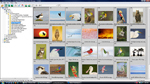
For years I have been known to be the fastest gun in the west when it comes to editing a day’s take. On the Galapagos trip, I pared 987 images down to 87 in less than ten minutes. How do I do it? #1 of course is experience. I have been picking and keeping my best images for almost 26 years now. #2 is that I use Breezebrowser to do my editing. Nothing is faster. Breezebrowser is one of the few programs that lets you view the JPEGs that are created along with the RAW files at the instant of capture (even when you think that you are using RAW capture only). While going through the images in slideshow mode, I can view each almost instantly when I press the right arrow key to advance (or the left arrow key to go back). I press the up arrow key when I want to keep an image; this places a blue check mark next to the file name. If I wish to remove the checkmark, I simply hit the down arrow key to deselect. Breezebrowser allows me to view each image as sharpened; this gives me an accurate idea of how the image will look when it is eventually sharpened. (This sharpening is only temporary and does not affect the RAW file at all, but is sure is convenient.) If you would like to learn more about Breezebrowser the product (along with Downloader Pro), click here: http://www.birdsasart.com/breezebrowser.htm. Complete details on how I use Breezebrowser for editing are covered in our Digital Basics File here: https://store.birdsasart.com/shop/category.aspx?catid=30. Digital Basics also covers the complete BIRDS AS ART digital workflow and contains dozens of great Photoshop tips and techniques.
When doing my first edit and deciding whether or not to keep a given image, I simply ask, “Is this a good image?” If the answer is yes, I keep it. (See “And More” below for exceptions.) At some point I do a second edit, choosing the best one or two images from several or many. And before I transfer the folder to the home computer, I do a final ruthless edit keeping only the very best images. My rule for doing the initial edit is “If in doubt, keep it.” For the final edit the rule is, “If in doubt, delete it.” For the entire Galapagos trip I kept only 454 images. This represented a keeper rate of about 5%. (My standards, however, are very high; many folks would dearly love to have a good percentage of my rejects in their files <smile>)
And More…
It has taken me more than five years to learn to think digitally while editing. I now keep some terrible images. Why? So that I have them to serve as source material for similar images that need to be repaired. You can scavenge wing-tips, tops of heads, lizard toes, areas of rock and sand and sections of all sorts of backgrounds to be Quick Masked into images that have family jewel potential. Two of my very favorite images from the trip needed to borrow parts of another image in the series in order to succeed. Had I deleted the inferior images without realizing their value, I would have been plumb out of luck.

This image (with the end of the adult's bill cut off by the frame edge) was created with the handheld Canon 400mmm f/4 IS DO lens and the EOS-50D. ISO 400. Evaluative metering at zero: 1/800 sec. at f/6.3.
Above is the optimized image. Below is the original catpure. Had I not save another image in he series with a lot less merit than the one above, the image with the yawning chick would have wound up in the trash bin….
To complete this learning experience, click here to read the great BPN thread on this image: http://www.birdphotographers.net/forums/showthread.php?t=41869
And for a similar tale involving the toes of a Marine Iguana, click here: http://www.birdphotographers.net/forums/showthread.php?t=41993