
Your Call?
Which do you think is the strongest image? Why?
What’s Up?
Monday morning was dark and rainy. Tuesday morning was even more difficult with bright sun, dropping temperatures, and a brisk NW wind as a cold front passed. It was 37° F and is supposed to be a bit colder for the next two mornings. I managed to make a very few decent images during each session. Three from Tuesday morning are features in today’s blog post. Enjoy and learn.
Today is Wednesday 28 January 2026. I will be heading down to the lake soon despite the death on bird photograph forecast: cold and sunny with a good wind from the NW. Later today, I will begin checking out my cold weather gear in preparation for my trip to Anchorage on 9 February for two days of songbirds and ten days of eagles (all sold out). If you would like to learn about joining me next year in February 2027 on one or both Homer IPTs, please get in touch via e-mail or try me on my ell at 863-221-2372. I hope that you too choose to have a wonderful and productive day and that you have fun too. And please remember that happiness is a choice — Byron Katie, The Work.Com (and as discussed in depth here recently).
If an item — a Delkin flash card or reader, a Levered-clamp FlexShooter Pro, or a Wimberley lens plate or low foot — for example, that is available from B&H and/or Bedfords, is also available in the BAA Online Store, it would be great, and greatly appreciated, if you would opt to purchase from us. We will match or beat any price. Please remember also to use my B&H affiliate links or to earn 3% cash back at Bedford by using the BIRDSASART discount code at checkout for your major gear purchases. Doing either often earns you free guides and/or discounts. And always earns my great appreciation.
Gear Questions and Advice
Too many folks attending BAA IPTs and dozens of photographers whom I see in the field and on BirdPhotographer’s.Net, are — out of ignorance — using the wrong gear, especially when it comes to tripods and more especially, tripod heads. And the same is true in spades when ordering new camera bodies or lenses. My advice will often save you some serious money and may help you avoid making a seriously bad choice. Please know that I am always glad to answer your gear questions via e-mail. If you are desperate, you can try me on my cell at 863-221-2372. Please leave a message and shoot me a text if I do not pick up.
|
|
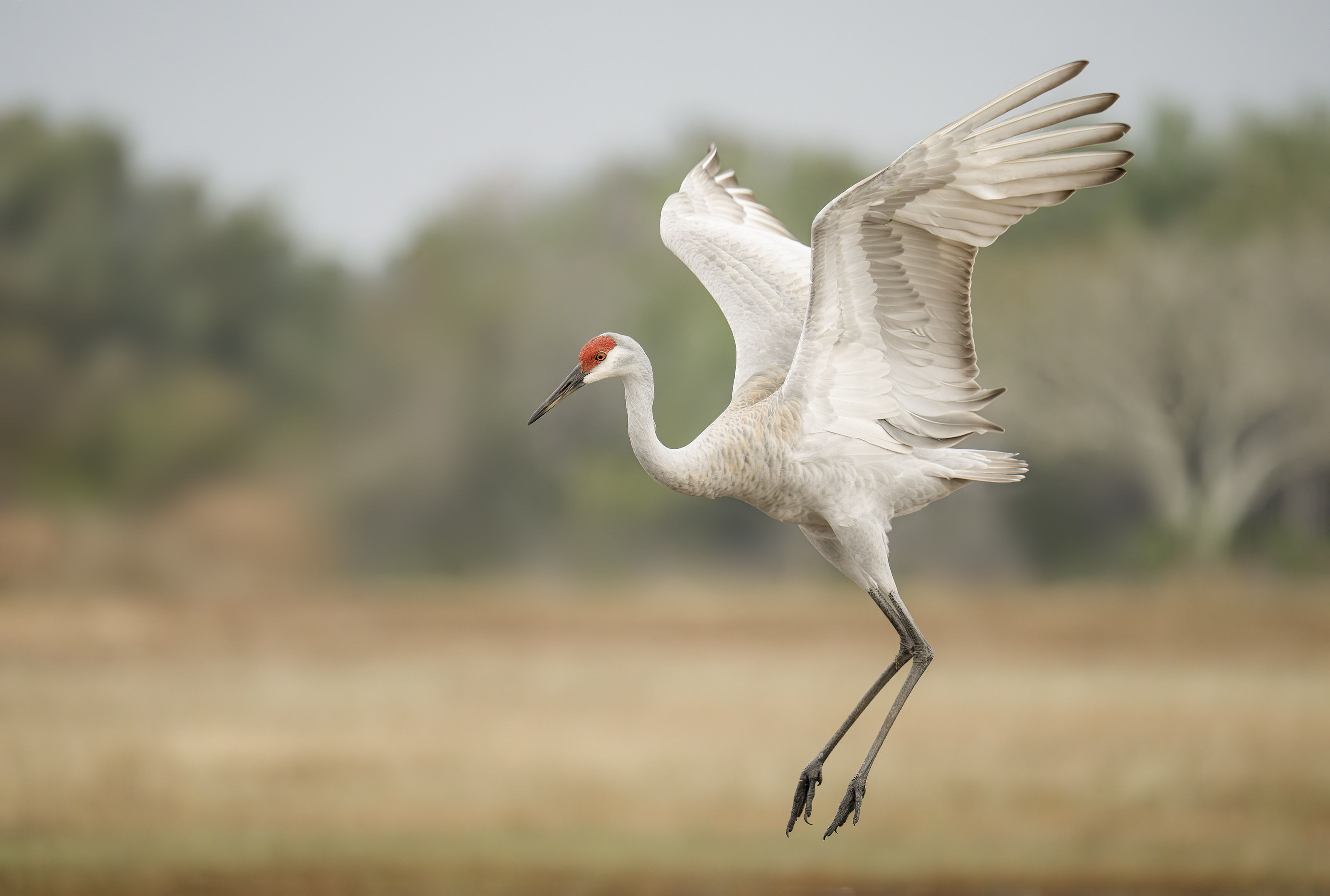
This image was created on 26 January 2026 by yours truly at Indian Lake Estates, FL. Standing on the grass in the North Field, I used the handheld Sony FE 200-600mm f/5.6-6.3 G OSS lens (at 553mm) and The Latest Greatest Sony Flagship Body, the a1 II Mirrorless Camera. The exposure was determined using Zebra technology with ISO on the Thumb Dial. ISO 6400. 1/1600 second at f/6.3 (wide-open) in Manual Mode. AWB at 8:38:54am on a cloudy-dark morning. Tracking: Zone/AF-C with Bird-Eye/Face Detection performed perfectly. Click on the image to enjoy the larger, inexplicably sharper high-res version. Image #1: Sandhill Crane courtship jump
|
Studying and Understanding Bird Behavior Can Help Your Bird Photography
There were about a dozen cranes hanging out on the North Field. Whenever I see a group of more than three of the tall, handsome birds, I figure that there will likely be some interactions. And I know that the birds in the group are transitory birds rather than local cranes; they are just visiting ILE.
I grabbed the 200-600 rather than the 400-800 as the lighter 2-6 is much easier for me to handhold and in addition, it is 2/3 stop faster at the long end. The latter is very important in low light situations. I exited my SUV as I did not want the line where the grass met the darker vegetation cutting through the birds’ necks.
ISO 6400!
I never hesitate when it comes to using a high ISO in order to create a sharp image. I figured that 1/1600 second would be fast enough to stop the action if any of the cranes danced, jumped, or best of all — squabbled. My double noise reduction technique is outlined (plus tons more!) in Digital Basics II, the Digital Basics III Video Series, and the Digital Basics IV Video Series. While the really high ISO files will always be somewhat lacking when it comes to fine feather detail (FFD), they are more than fine for electronic usages.
|
|
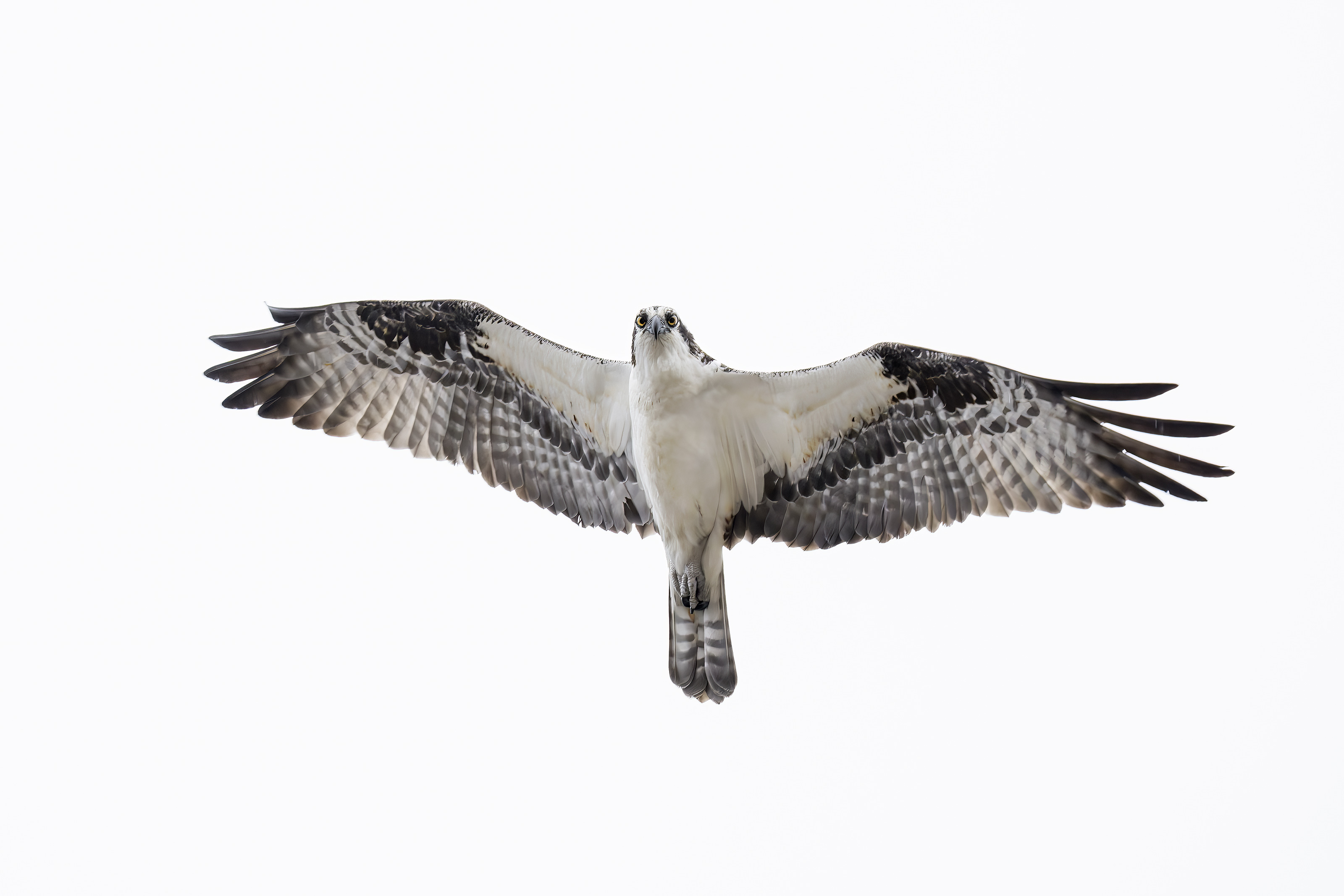
This image was also created on 26 January 2026 by yours truly at Indian Lake Estates, FL. Again, standing on the grass in the North Field, I used the handheld Sony FE 200-600mm f/5.6-6.3 G OSS lens (at 347mm) and The Latest Greatest Sony Flagship Body, the a1 II Mirrorless Camera. The exposure was determined using Zebra technology with ISO on the Thumb Dial. ISO 5000. 1/1600 second at f/6.3 (wide-open) in Manual Mode. AWB at 8:44:01am on a cloudy-dark morning. Tracking: Zone/AF-C with Bird-Eye/Face Detection performed perfectly. Click on the image to enjoy the larger, inexplicably sharper high-res version. Image #2: Osprey in flight — “T” shot
|
“No Great Shakes”
This image is certainly mediocre at best. It is included here to teach you three things:
1- There is always a bit more light on a flying subject than there is on a subject on the ground. The tonalities of a crane and an Osprey are quite similar, so I noted that the Osprey was approaching and going to fly by right over my head, I simply reduced the ISO by one click (1/3 stop) and made a short series of images.
Note: “No great shakes” is an idiom originating in the early 19th century (c. 1800s) to describe something, or someone, that is not very good, talented, or impressive. It most likely derives from gambling, referring to a poor throw of dice that isn’t worth boasting about.
2- ISO 5000 is quite useable especially if you properly expose to the right.
3- When a bird flies by directly overhead (or close to that) the “T” shot will be most pleasing when the bird is gliding rather than when the bird is flapping. This is even more true on a sunny day.
|
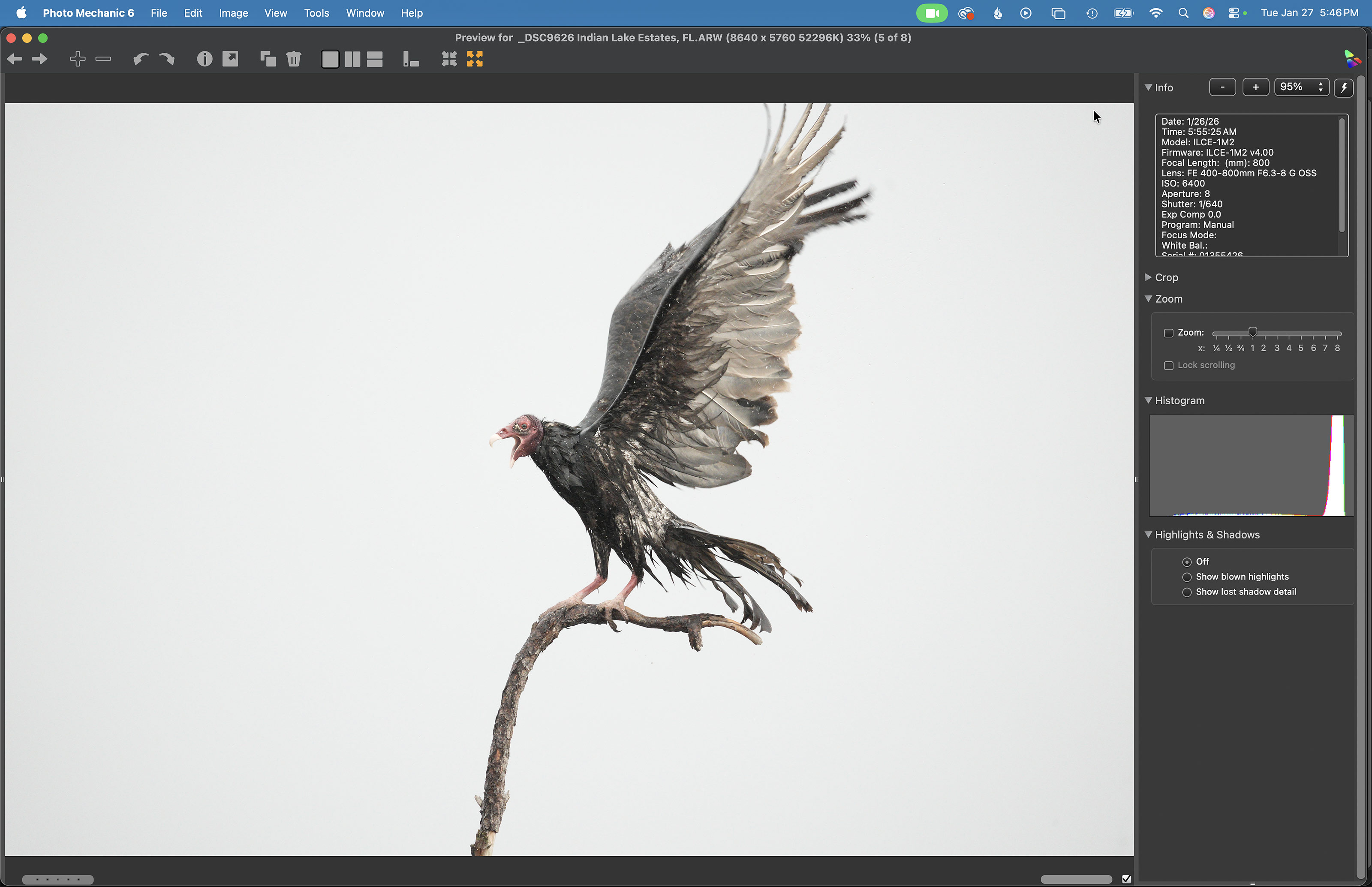
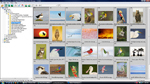
Image #3: The Photo Mechanic Screen Capture for the Black Vulture rain bathing on Bob Eastman’s skinny perch image |
The Photo Mechanic Screen Capture
What would your plans be for this image? Would you delete it? Scroll down to see what I did with it.
|
|
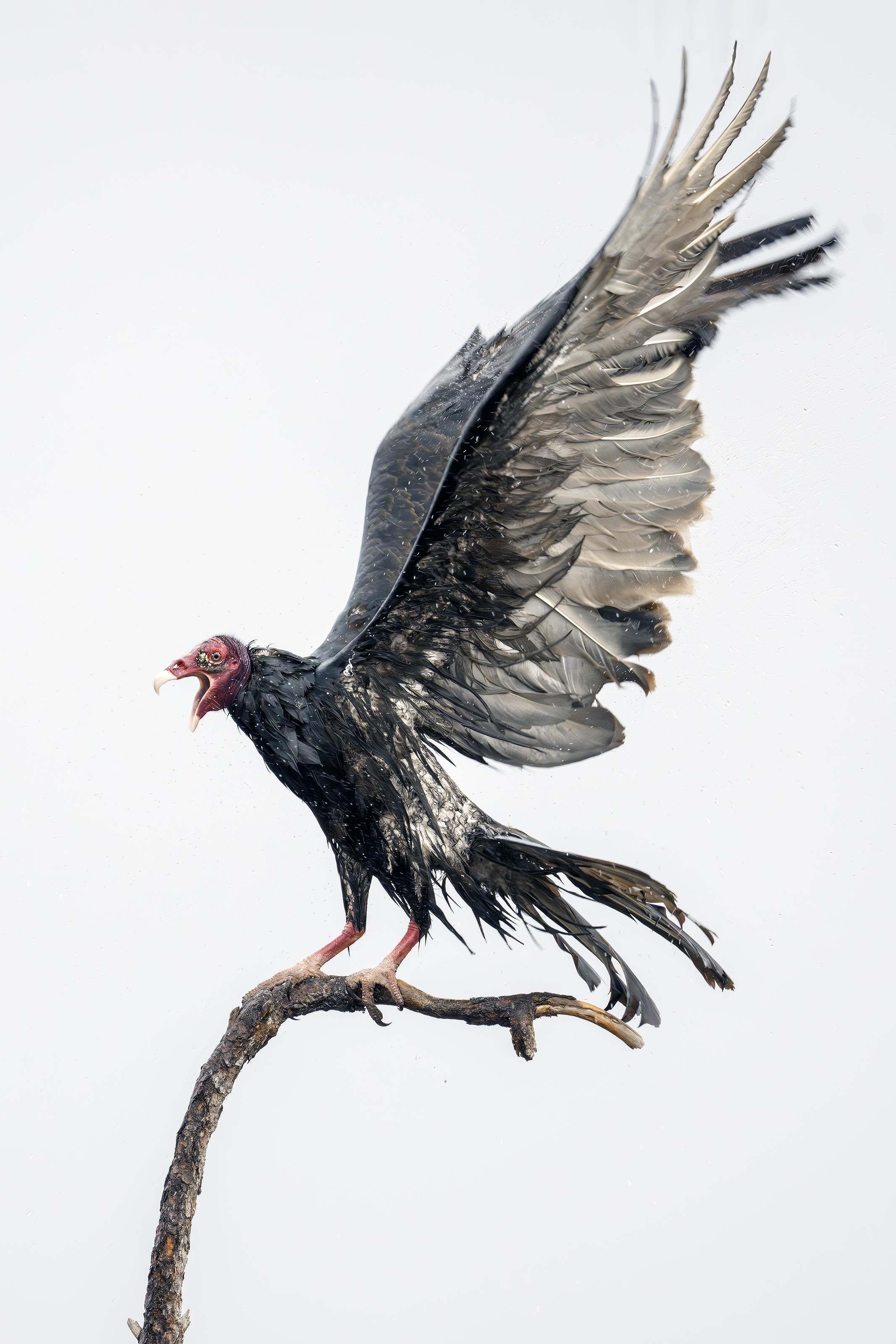
This image was also created on 26 January 2026 by yours truly at Indian Lake Estates, FL. Seated in the driver’s seat of my SUV, I used the BLUBB-supported Sony FE 400-800mm f/6.3-8 G OSS lens (Sony E) (at 800mm) and The Latest Greatest Sony Flagship Body, the a1 II Mirrorless Camera. The exposure was determined via Zebras with ISO on the Thumb Wheel. ISO 6400: 1/640 sec. at f/8 (wide open) in Manual mode. AWB at 8:55:25 am on then cloudy-dark and rainy morning. Tracking: Zone/AF-C with Bird-Eye/Face Detection performed perfectly. Click on the image to enjoy the larger, inexplicably sharper high-res version. Image #3A: Black Vulture rain bathing on Bob Eastman’s skinny perch |
Rain Bathing
It was quite cloudy dark on Sunday morning when I headed down to the lake later than usual). And while the sun tried to peek out briefly for a few moments, the clouds retook command and by 8:45 it had begun to rain. As I drove onto the South Field, there were about 15 Black Vultures on the ground gently flapping their spread wings obviously enjoying their rain baths. With the wind from the southwest, they were all facing away from me; photographing them would have been difficult or impossible.
Then, I noticed a TV on Bob Eastman’s skinny perch and another on his V-perch about 100 yards to the south. The bird on the skinny perch kept flapping its wings vigorously so I positioned my vehicle as close to the marsh as possible with the SUV facing west by slightly north in an effort to keep my gear dry and make a few images with the bird square to the back of the camera. The wind was shifting from SW (manageable) to west (impossible as the bird would face away from me and into the wind) and then back again to the SW (manageable).
As you can see, Image #3A was cropped from the horizontal original — Image #3 — in which I had clipped no more than 1/2 inch off the three longest primary feathers. It was made when the wind was nearly from the south.
|
The BIRDS AS ART Current Workflow e-Guide (Digital Basics II).You can order your copy from the BAA Online Store here, by sending a PayPal for $40 here, or by calling Jim or Jennifer weekdays at 863-692-0906 with your credit card in hand. Be sure to specify Digital Basics II. |
The BIRDS AS ART Current Workflow e-Guide (Digital Basics II)
The techniques mentioned above and tons more great Photoshop tips and techniques — along with all of my personalized Keyboard Shortcuts — are covered in detail in the BIRDS AS ART Current Workflow e-Guide (Digital Basics II), an instructional PDF that is sent via e-mail. Learn more and check out the free excerpt in the blog post here. While the new e-Guide reflects my MacBook Pro/Photo Mechanic/DPP 4/Photoshop workflow, folks using a PC and/or BreezeBrowser will also benefit greatly by studying the material on DB II. Note: folks working on a PC and/or those who do not want to miss anything Photoshop may wish to purchase the original Digital Basics along with DB II while saving $15 by clicking here to buy the DB Bundle.
Folks who learn well by following along rather than by reading can check out the complete collection of MP 4 Photoshop Tutorial Videos by clicking here. Note: all of the videos are now priced at an amazingly low $5.00 each.
You can learn how and why I converted all of my Canon digital RAW files in DPP 4 in the DPP 4 RAW Conversion Guide here. More recently, I became proficient at converting my Nikon RAW (NEF) files in Adobe Camera Raw. About three years ago I began converting my Nikon and Sony RAW files in Capture One and did that for two years. You can learn more about Capture One in the Capture One Pro 12 Simplified MP4 Video here. The next step would be to get a copy of Arash Hazeghi’s “The Nikon Photographers’ Guide to Phase One Capture One Pro e-Guide” in the blog post here.
You can learn advanced Quick Masking and advanced Layer Masking techniques in APTATS I & II. You can save $15 by purchasing the pair.
|
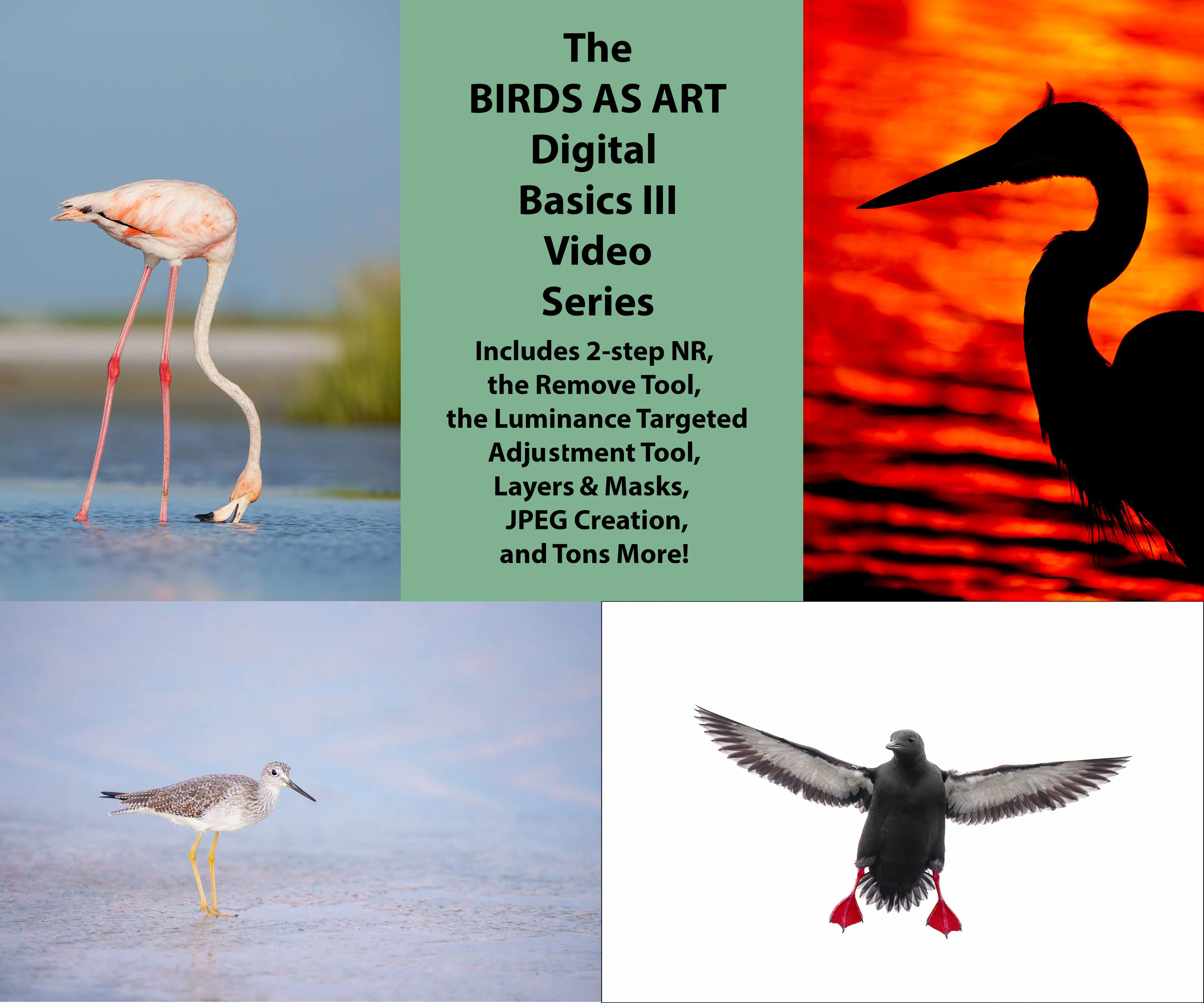
The Digital Basics III Video Series |
The Digital Basics III Video Series
Learn my double noise reduction technique and tons more including the use of the Remove Tool and the Luminance Targeted Adjustment Tool. The former is like a smarter Spot Healing Brush Tool on steroids and the latter is a step up from the fabulous Color Mixer Tool. During that same time frame, I came up with the new and improved 2-step noise reduction technique. I still use Divide and Conquer, Quick Masks, Layer Masks, an expanded array of personalized keyboard shortcuts, and tons of other stuff from both versions of Digital Basics.
As soon as I realized that I did not want to take on another large writing project, I realized that by creating a series of videos I could much more easily share all the details of my current digital workflow and much more easily incorporate additional new tips, techniques, and tools as I went. And so, The Digital Basics III Video Series was born.
You can order your copy here. The videos will be most valuable for folks using the latest versions of Photoshop or Lightroom along with Topaz DeNoise AI and Topaz Sharpen AI.
|
|
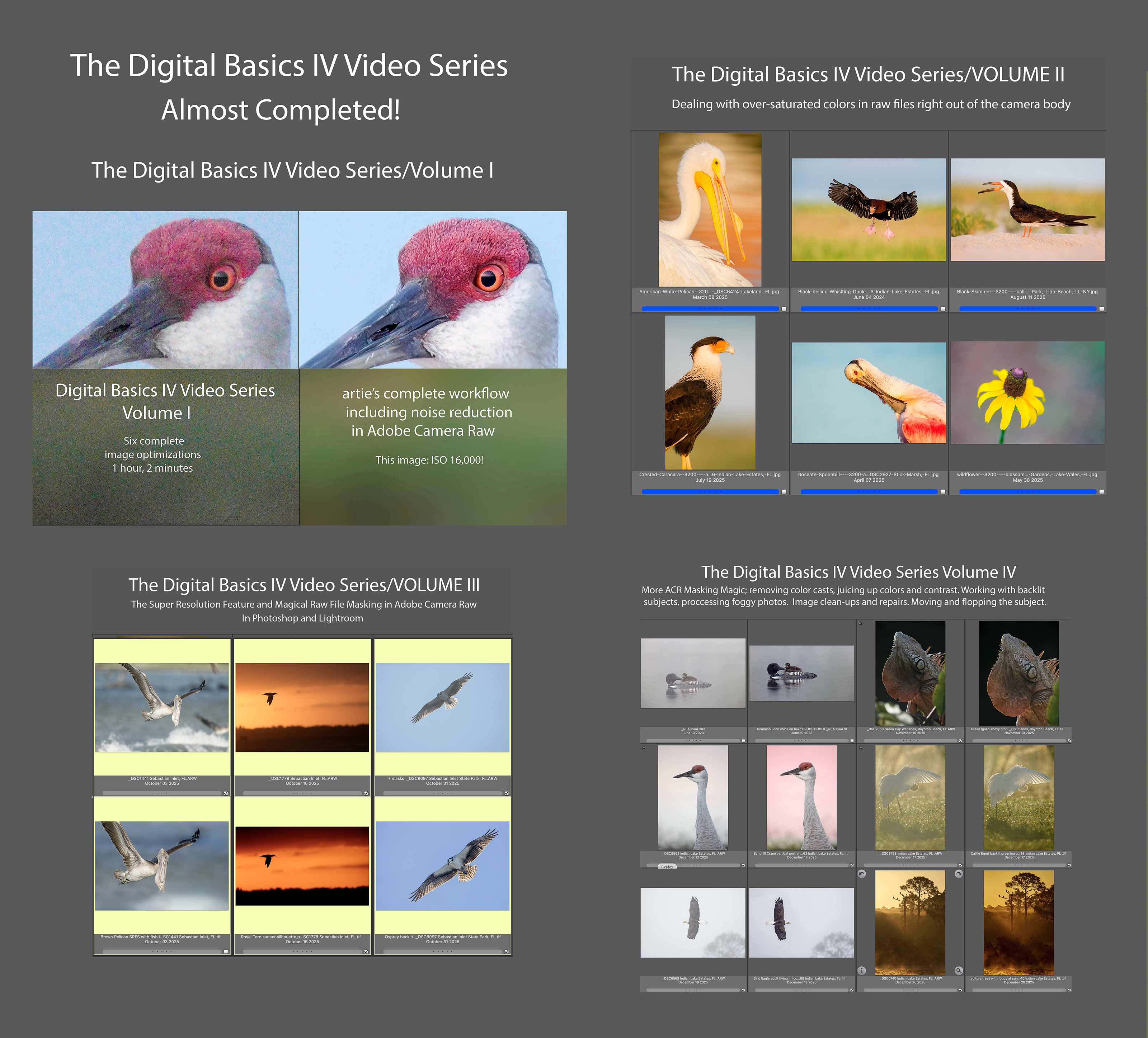
Click to enlarge. The Digital Basics IV Video Series by Arthur Morris/BIRDS AS ARTYou can save $50.00 by purchasing the entire 5-Volume Series by clicking here. |
Digital Basics IV Video Series: $146.00 for all five videos/save $50.00
I have some fabulous new image optimization tips, techniques, and tricks to share. As the Digital Basics III Video Series proved to be so popular, I decided last fall to run it back in the form of Digital Basics IV. Digital Basics V is on the horizon.
My new workflow includes the use of the masking feature in Adobe Camera Raw (thanks to Anita North), the use of the Point Color eye dropper to tame super-saturated colors during raw conversions (discovered in tandem with Anita), a fabulous new Remove Tool trick that makes my favorite Photoshop Tool even more powerful than before -— that one discovered by me. In addition, I have recently begun doing some Curves work during my ACR raw conversions.
My basic workflow remains much the same as is detailed in both the Digital Basics II PDF and in the Digital Basics III Video Series:
1- Setting the Color Temperature (when and if needed).
2- Setting the White and Black Points and adjusting the Highlights and Shadows sliders.
3- Setting the Clarity and Dehaze sliders.
4- Fine-tuning color using the Hue/Saturation/Luminance Targeted Adjustment Tool, a huge step up from the Color Mixer Tool.
5- My 2-step noise reduction technique (with most images).
Once I have the .TIF file in Photoshop, I use my usual cadre of clean-up tools and techniques including the Remove Tool, the Clone Stamp (only rarely), Divide and Conquer, Quick Masking, Layer Masking, Gaussian Blurs, an expanded array of personalized keyboard shortcuts, and tons of other image optimization strategies and methods adapted from previous versions of Digital Basics. I also demonstrate the selective use of Topaz Sharpen AI utilizing the masking feature. And last but not least, I share my JPEG creation methodology.
I will do my best to work on, finish, and distribute Volume V before I leave for Homer in two weeks.
Typos
With all blog posts, feel free to e-mail or to leave a comment regarding any typos or errors.









The fact that you could make such good images on a miserable day — when most of us wouldn’t leave our comfortable homes — is a testament to your dedication and persistence!
You are correct sir! Ed McMahon said that often to Johnny Carson 🙂
with love, artie