Arthur Morris/BIRDS AS ART
November 13th, 2012

Wrecked. And Loving It.

This two-frame stitched composite of an Elephant Seal pup and its mom was created at Fortuna Bay, South Georgia with the tripod mounted Canon 500mm f/4L EF IS II lens and the Canon EOS-1D X. ISO 800: 1/320 sec. at f/8 confirmed by histogram check.

Central sensor/Surround/AI Servo Rear Focus AF and recompose. Click here if you missed the Rear Focus Tutorial. Click on the image for a larger version.

I had been concentrating on the face of the pup and missed a chance when it brought its left front flipper forward so I pointed the lens to my right and created an image that included the young seal’s flipper. Then it was a simple matter of converting both images in DPP and merging them in Photoshop: File/Automate/Photoshop. As described in detail in Digital Basics along with my complete digital workflow, all of my keyboard shortcuts, and dozens of great Photoshop tips.

Wrecked. And Loving It.

While not as well known as the two spectacular South Georgia King Penguin colonies at Salibury Plain and St. Andrews Bay, Fortuna Bay has consistently offered superb photographic opportunities whenever I have visited. Conditions on the morning of October 25 were ideal: cloudy bright with light winds. It was our third day of landings and the fifth day of the expedition. I was in a mellow mood and took my time setting up my gear once I got ashore. Rather than rushing to the colony I headed in the opposite direction toward a big group of Elephant Seals and made the image above. Then I headed towards the colony about a mile distant.

This image of a small group of King Penguins with a frozen waterfall in the background was created at Fortuna Bay with the Canon 24-105mm f/4L IS EF USM AF Lens (hand held at 84mm) and the Canon EOS 5D Mark III Digital Camera (Body Only) w/FREE Bonus Items – $160.75 Value! [expires 11/24]!. ISO 400. Evaluative metering +1 stop: 1/400 sec. at f/10 in Manual mode.

Central sensor/AI Servo Rear Focus AF and recompose. Click here if you missed the Rear Focus Tutorial. Be sure to click on the image to enjoy a larger version.

After about a half mile I came across a nicely arranged group of King Penguins. I grabbed the 24-105 lens, got on the ground, and approached slowly without disturbing the birds. With four very good and one acceptable head angle this, the first image in the series, was the best.

This image of a sleeping King Penguin was also created at Fortuna Bay, South Georgia. I used the tripod mounted Canon 500mm f/4L EF IS II lens, the Canon 1.4x EF tele-extender III, and the Canon EOS 5D Mark III Digital Camera (Body Only) w/FREE Bonus Items – $160.75 Value! [expires 11/24]!. ISO 400. Evaluative metering +2 stops: 1/320 sec. at f/8. Central sensor/AI Servo Rear Focus AF and recompose. Click here if you missed the Rear Focus Tutorial. Click on the image for a larger version.

Next I came upon shipmate Andreas Liedmann sitting low and photographing some King Penguins against a backdrop of pure white snow. After carefully choosing my position to ensure that the snow on the distant hillside (see image next) would make up my background, I splayed the legs of my Gitzo 3532 LS tripod,got down in the snow, and had a blast.

This image depicts the situation described above. It was created with the Canon 24-105mm f/4L IS EF USM AF Lens (hand held at 24mm) and the Canon EOS-1D X. ISO 400. Evaluative metering +1 1/3 stops: 1/640 sec. at f/9 in Manual mode.

Central sensor/AI Servo Rear Focus AF and recompose. Click here if you missed the Rear Focus Tutorial. Click on the image for a larger version.

Aravind Krishnaswamy soon joined us. That’s my 500 II between them. Little did I know what would happen in less than two hours….

Wrecked

I made my way slowly to the colony, hooked up with Denise Ippolito for a while, had my lunch–ham and cheese roll-ups with mayo and low-sugar ketchup and an ice cold orange-ade made with a little bit of orange juice, water, and Stevia, a natural sweetener. Yummy. And messy.

I worked with Alan and Pat Lillich for a while. A bit after 1pm I began to head slowly back to the landing site. Before the trip I had been concerned about falling on some of the longer, more difficult hikes and wanted lots of time to meander and to enjoy. The last zodiac back to the ship would be at 2:30 pm so that the ship could re-position for the afternoon landing at Stromness. I was walking slowly on a clean, flat area with no snow just taking in the sights, totally relaxed and not at all in my usual rushed state. The 500 II and the 1D X were on the tripod that rested on my right shoulder with the lens pointing behind me. My right toe caught on a small rock about the size of my fist. I pitched forward. There was no chance to roll or attempt to protect my gear. I landed gently but the camera hit a half buried rock and was ripped from the lens mount. As I got up and realized that I was OK but that my gear was not I noted that the 1D X was firing rapidly. I removed the battery and it quit. I tried without success to mount the camera onto the lens. In short order I realized that both items had seen their last action on the trip.

I remembered that the last thing I did before leaving for the airport on October 16 was to remove the 70-200 f/2.8 L IS lens from my Think Tank Airport International™ V 2.0 Rolling Camera Bag, place it in one of the large front pockets of my Xtrahand Vest, and put the 300 f/2.8L IS II lens into the rolling bag. Why? “In case anyone wrecks a lens the 300 2.8 II would make a great back-up and provide lots of magnification with the 2X III TC.” I had no idea that that person would be me.

(Note: you can learn more about my custom-designed Xtrahand Vest from Vested Interest here. Denise got one for the expedition and loved it especially because it distributes the weight of your gear so well making it seem lighter than it would be if you were using a backpack.)

As I walked, still alone, I laughed. I was unhurt (or at least it seemed so at the time). I joked that I had been hurt worse getting into bed. I had the 300 2.8 II as a great back-up. I knew that the wreck was the very best thing that could have happened. How could I know that? Because it happened. And because I am a lover of what is. (See the work of Byron Katie at www.THEWORK.com.) I did not berate myself. No matter how careful we are accidents can and do happen.

When I got back to the ship and shared my tale most folks commented to the effect that “you must be so upset.” “What a terrible thing to happen at the start of the trip.” I thought to myself, “What a trip that was.” With “trip” as a pun of course. “No,” I said. “It was the best thing that could have happened and lots of good will come of it.” “Happiness is a choice,” I explained while hearing Byron Katie’s voice in the back of my head. “I am in a great place with great people, I have a great back-up lens, I was not hurt, and I am simply choosing happiness. What good would it have done to lament my fate.”

As it turned out my shoulder was injured a bit resulting in some numbness in my right hand and arm that continues. Both Dr. Oliver and Dr. McKeon are pretty sure that it is a circulatory issue and that it will subside with treatment over time. So am I.

Yesterday I ordered a second 1D X so that I will have one at Bosque and today Jim and I will be shipping both the 500 II and the 1D X to the Canon Factory Service Center in Jamesburg, NJ. All in all, you gotta love it. Why? It’s what is.

Want more peace in your life? See “Loving What Is; Four Questions That Can Change Your Life” by Byron Katie.

Are IPTs expensive? Of course they are. For good reason. The most experienced, knowledgeable, and hardest working leaders. Great Photoshop instruction. Great folks. And great food. For a greater appreciation of the composite image, click on the photo. Click on the enlarged version to close it.

Largest-ever Bosque del Apache IPT Late Registration Discount

With only a single opening and the IPT beginning in one week we are glad to be offering the largest-ever late registration discount for this great IPT. Please call Jim weekdays from 9-5 eastern time at 863-692-0906.

BOSQUE del APACHE 2012 IPT: “The Complete Bosque Experience.” NOV 21-27, 2012. 7-FULL DAYS: $3399.

Co-leaders: Denise Ippolito, landscape photography expert Jim Heupel, and Photoshop expert Mike Hannisian. Introductory Slide program: 6:30 pm on 11/20. Limit: 12/Openings 3.

Tens of thousand of Snow Geese, 10,000 Sandhill Cranes, ducks including point-blank American Wigeon and Wood Duck, amazing sunrises, sunsets, and blast-offs. Live, eat, and breathe photography with one of (if not the) world’s premier photographic educators at one of his very favorite locations on the planet. Top-notch Photoshop instruction. This will make 18 consecutive Novembers at Bosque for me. Nobody knows the place better than I do. Join us to learn to think like a pro, to recognize situations and to anticipate them based on the weather, especially the light and the wind direction. Every time we make a move we will let you know why. When you head home applying what you learned will prove to be invaluable.

Nobody alive or dead knows Bosque better than I do. Do consider joining us for the educational experience of a lifetime. For a greater appreciation of the composite image, click on the photo. Click on the enlarged version to close it.

Bosque/Albuquerque Thanksgiving Buffet Invite

For the past ten years or so I have hosted a midday Thanksgiving Day meal, in part to honor the memory of my late-wife, Elaine Belsky Morris, and in part because I love meeting others who love Bosque as I do. At first it was held at the wonderful and relatively elegant Val Verde Steak House in Socorro, now defunct. Then it was held at the lovely and historic Luna Mansion. Luna Mansion closed a few years ago and recently re-opened but no longer serves Thanksgiving Day. In 2009 we had fun and a fine meal at the Stage Door Grill but that wonderful little joint recently bit the dust also. Socorro is a tough place for businesses to survive. In 2010 we went a bit upscale and dined in the New Mexico Ballroom at the Hilton Albuquerque hotel. There was tons of food and it was all delicious.

The Hilton is now a Crowne Plaza and the good news is that they are having the buffet again this year as they did in 2011. I will be picking up the tab for the IPT group, but as always, all visiting birders and photographers are invited to join us. If you would like to take part in the fun and camaraderie this year please send a check for $45.00 per person made out to “”Arthur Morris”” to cover the cost of the buffet that will include all the traditional items plus lots more as well as tax and tip. Drinks are on you. Please mark ““Thanksgiving Buffet” on your check and mail it to; BIRDS AS ART, PO Box 4041, Indian Lake Estates, FL 33855. Be sure to include your e-mail address on your check and in a short note. Sorry, no PayPals or credit cards for this. I do hope that you can join us.

I have group reservations for Thanksgiving Day (of course). Those joining us will need to be at the hotel at 11:30 am sharp. It is located at 1901 University Blvd NE, Albuquerque, NM 87102, about an hour up I-25 from the Super 8 Motel in Socorro where I have stayed happily with my groups for well more than a decade. I do hope that you can join us.

Shopper’s Guide

Thanks a stack to all who have used our B&H affiliate links to purchase their gear as a thank you for all the free information that we bring you on the Blog and in the Bulletins. Before you purchase anything be sure to check out the advice in our Shopper’s Guide.

Shop B&H

B&H Photo Video Pro Audio

photography Pro Audio Computers and Solutions Portable Entertainment Home Entertament photography

Support the BAA Blog. Support the BAA Bulletins. We want and need to keep providing you with the latest free information, photography and Photoshop lessons, and all manner of related information. Show your appreciation by making your purchases immediately after clicking on any of the links above. Remember, B&H ain’t just photography!

And from the BAA On-line Store:

LensCoats. I have a LensCoat on each of my big lenses to protect them from nicks and thus increase their re-sales value. All my big lens LensCoat stuff is in Hardwood Snow pattern.
LegCoat Tripod Leg Covers. I have four tripods active and each has a Hardwood Snow LegCoat on it to help prevent further damage to my tender shoulders 🙂 And you will love them in mega-cold weather….
Gizo GT3532 LS CF Tripod. This one replaces the GT3530LS Tripod and will last you a lifetime. Learn more about this great tripod here.
Mongoose M3.6 Tripod Head. Right now this is the best tripod head around for use with lenses that weigh less than 9 pounds. For heavier lenses, check out the Wimberley V2 head.
Double Bubble Level. You will find one in my camera’s hot shoe whenever I am not using flash.
The Lens Align Mark II. I use the Lens Align Mark II pretty much religiously to micro-adjust all of my gear an average of once a month and always before a major trip. Enjoy our free comprehensive tutorial here.
BreezeBrowser. I do not see how any digital photographer can exist without this program.
Delkin Flash Cards. I use and depend on Delkin compact Flash Cards and card readers most every day. Learn more about their great 700X and 1000X cards here or about my favorite Delkin card here.
November 11th, 2012

Rat Eradication Auction

This image of a King Penguin resting on the snow was created at Fortuna Bay, South Georgia with the tripod-mounted Canon 500mm f/4L EF IS II USM Lens and the Canon EOS-1D X. ISO 400. Evaluative metering +2 1/3 stops: 1/1600 sec. at f/5.6 in Manual mode.

Central sensor/AI Servo Rear Focus AF and recompose. Click here if you missed the Rear Focus Tutorial. Be sure to click on the image to enjoy a larger version.

Nearly Back…

It is Sunday, November 11, 2012. I am sitting in the Admiral’s Club at the Miami Airport waiting to catch my 10:05 am flight to Orlando. Denise Ippolito and I enjoyed a wonderful, productive, amazing, and often exhausting trip to South Georgia and the Falklands with Cheesemans’ Ecology Safaris. I should be home in time to catch the first NFL game. There will be lots more coming on this great trip soon.

This abstract King Penguin neck pattern image was created at St. Andrews Bay with the tripod-mounted Canon EF 300mm f/2.8L IS II USM Telephoto Lens, the Canon 2x EF Extender III (Teleconverter), and the unfortunately discontinued EOS-1D Mark IV. ISO 400. Evaluative metering +1 2/3 stops: 1/125 sec. at f/16 in Manual mode.

Central sensor/AI Servo Rear Focus AF and recompose. Click here if you missed the Rear Focus Tutorial. Be sure to click on the image to enjoy a larger version.

To learn why I used the 300 and the 1D IVI rather than the 500 and the 1D X to create this image see the “Wrecked” blog post coming soon.

Rat Eradication Auction

On the last evening of the expedition cruise, a live auction was held to raise funds for the Rat Eradication Project that is sponsored by the South Georgia Heritage Trust. Learn more about the project here and here. BIRDS AS ART donated a traditional 16X24″ print of each of the three images that are posted here. Early in the trip, CES expedition staff naturalist Joe Kaplan was recruited as the auctioneer while delirious with a 103 degree fever. He did a bang-up job and had many folks rolling on the floor with his killer sense of humor.
A copy of “Antarctic Oasis: Under the Spell of South Georgia” by CES expedition staff members Tim and Pauline Carr–autographed by the authors and by Prince Phillip went for $700. The defeated bidder immediately offered to donate $600 for a copy of the book signed by Tim and Pauline. One turned up almost immediately.

On to the King Penguin prints. All-around nice-guy, systems engineer, and trivia expert (he knew something about pretty much everything) Jon Eidinger made a generous bid of $295 for the Resting King Penguin image. Joe Kaplan just about swallowed his gavel when his wife Chris opened the bidding for the King Penguin Abstract at $400. Going once, going twice, sold! In the last and most hotly contest auction multiple-IPT participant Alan Lillich (with wife Pat’s approval) outbid Aravind Krishnaswamy walked away with the King Penguin HDR image after posting the winning bid of $750. Though I am not sure of the total, this year’s auction raised a record amount of money. And the entire amount was matched by a most generous benefactor who chose to remain anonymous.

Rat Eradication Project leader Professor Tony Martin, stated on-line, “When Captain Cook first set foot on the island in 1775 this was perhaps the most important seabird breeding island in the world. By far the majority of birds have been removed by one agent – rats – which man introduced. What we’re doing is turning back the clock two centuries to try to get the island back to where it was; and it’s something we do believe can be accomplished.”

South Georgia Heritage Trust’s objective is to remove every rodent from every piece of land on South Georgia, and leave it rodent-free for generations to come. Hopefully, this will allow seabird populations to thrive on the island once more. To find out more about the rat eradication project, visit the South Georgia Heritage Trust’s website.

Cheesemans’ is to be applauded for giving the expedition participants the chance to generously support the projects fundraising efforts. It was a thrill for BIRDS AS ART to be a small part of the evening’s events.

This in-camera Art Vivid HDR image of a group of King Penguins by a stream was created at the Ample Bay Colony, Salisbury Plain, South Georgia with the tripod-mounted Canon 24-105mm f/4L IS EF USM AF Lens and the Canon EOS 5D Mark III Digital Camera (Body Only) w/FREE Bonus Items – $160.75 Value! [expires 11/24]!. ISO 400. Evaluative metering +2/3 stop: 1/160 sec. at f/22 in Av mode +/- 2 full stops.

Central sensor/AI Servo Rear Focus AF and recompose. Click here if you missed the Rear Focus Tutorial. Be sure to click on the image to enjoy a larger version.
When even the remotest possibility of doing some serious land-scape or bird-scape work with a short lens exists, I make sure to have a Wimberley P-5 plate and my Giottos MH 1302-655 Ballhead in my vest. It takes less than two minutes to mount the plate on the camera body, spin off the Mongoose M3.6, and replace it with the tiny ballhead.

Help Kill a Rat

If you would like to help the South Georgia Trust with their most ambitious project we would be glad to send you a signed 16X24″ traditional print of one of the three images here for only $249.95 plus $14.95 shipping to US addresses only. $50 of your purchase price will be donated to the Rat Eradication project. Call Jim at 863-692-0906 to order your print.

Which?

Take a moment to let us know which of the three images is your favorite. And be sure to let us know why. It is interesting to note that the same species is featured in each of these dramatically different images.

EOS-5D Mark III USer’s Guide

Learn to use both the 5D Mark III’s in-camera HDR and Multiple Exposure features along with everything that I know about this lightweight, 22 million mega-pixel gem of a camera by clicking here.

“The EOS-1D X Autofocus Guide”

Learn how best to use the 1D X’s new AF system in the recently released EOS-1D X Autofocus Guide. But for iTR AF, the 1D X has the same great autofocus system that was introduced with the 5D Mark III. Only better. The 60-page eBook includes 19 screen captures along with everything that I know about the 1D X AF system. Instructions on how to use all AF-related buttons, dials, and wheels and my settings for all AF-related Menu Items. Of special interest to bird photographers will be my comments and strategies involving Cases 1-6, the custom-Case that I created and use for most of my bird photography (with detailed instructions for setting it up of course), my strategy for Select AF area selection mode (on AF4, the fourth purple menu), and pretty much anything that has to do with 1D X autofocus….

This eBook is written in my customary easy-to-read, easy-to-understand, easy-to-follow style. Few realize the time and effort that goes into creating a guide of only 7,000 words; can you say “tedious”? Do note that writing how-to requires a huge amount of study, writing, re-writing, and fact checking in order to come up with something that is clear and concise. As is usual, I needed lots of help on this guide and as usual, I got it from my friend Rudy Winston, Canon Advisor, Technical Information. Rudy’s knowledge of the various Canon digital camera bodies is encyclopedic and is exceeded only by his helpfulness and generosity.

I am not sure if I will ever publish a complete 1D X User’s Guide as most everything is covered in the 5D III User’s Guide. Be sure to save the e-mail that brings you your 1D X AF Guide PDF because if I wind up doing a 1D X User’s Guide you will receive a $25 discount.

To order your copy now, click here, call Jim at 863-692-0906, or send a check for $25 to us at BIRDS AS ART, PO Box 7245, Indian Lake Estates, FL, 33855. If the latter, be sure to let us know what you are paying for and include your typed or clearly written e-mail address.

Shopper’s Guide

Thanks a stack to all who have used our B&H affiliate links to purchase their gear as a thank you for all the free information that we bring you on the Blog and in the Bulletins. Before you purchase anything be sure to check out the advice in our Shopper’s Guide.

Shop B&H

B&H Photo Video Pro Audio

photography Pro Audio Computers and Solutions Portable Entertainment Home Entertament photography

Support the BAA Blog. Support the BAA Bulletins. We want and need to keep providing you with the latest free information, photography and Photoshop lessons, and all manner of related information. Show your appreciation by making your purchases immediately after clicking on any of the links above. Remember, B&H ain’t just photography!

November 8th, 2012

Ten Good Reasons...

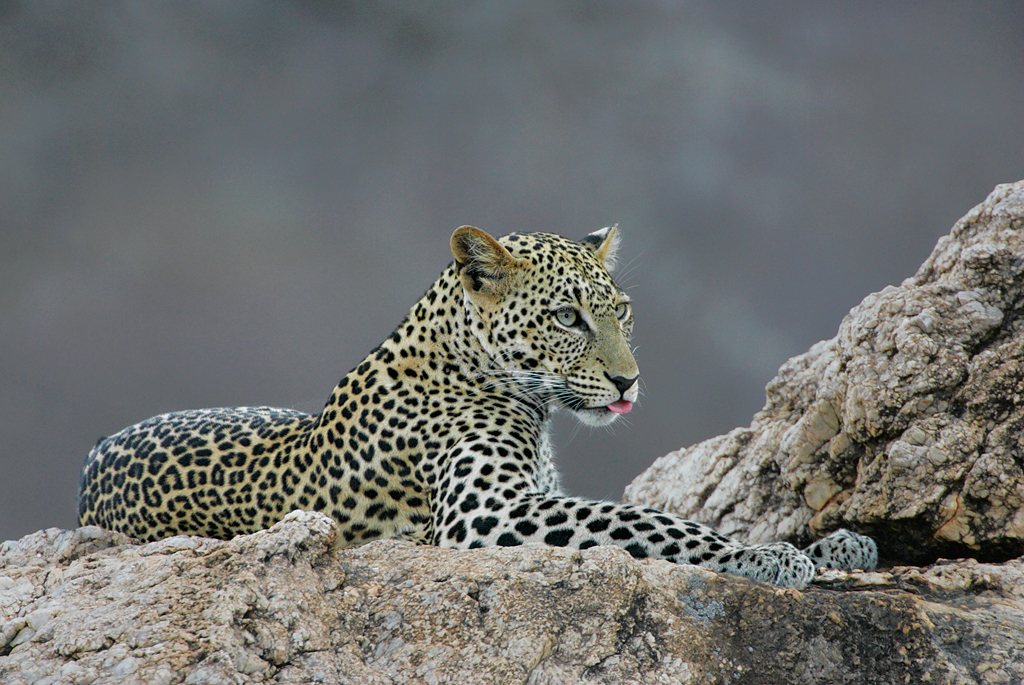
Leopard, Serengeti. Nikon D3 (Replaced by the D4), 600mm lens. Image courtesy of and copyright Todd Gustafson.

Todd has an uncanny knack for spotting the big cats.

Ten Good Reasons…

Here are a dozen good reasons to join Todd Gustafson, Denise Ippolito, and me on our African Safari to Tanzania is August 2013. All of the images are Todd’s. For more info and a complete itinerary, please contact Jim at BAA via e-mail.

African Elephants, Serengeti. Nikon D3 (Replaced by the D4), 70-200mm lens. Image courtesy of and copyright Todd Gustafson.

Todd (and the other leaders as well) will teach you to develop your creative vision.

Impalas battling, Tarangire. Nikon D3 (Replaced by the D4), 600mm lens. Image courtesy of and copyright Todd Gustafson.

We will put you on the action with the van in the best spot for a given lighting condition.

Hippos battling, Ngorongoro Crater. Nikon D3 (Replaced by the D4), 1.7X TCE, 600mm lens. Image courtesy of and copyright Todd Gustafson.

Crater is like a zoo, only the animals are wild and they are not fooling around…. Note the perfect timing and the two perfect head angles. I taught Todd well.

Zebra braying, Tarangire. Nikon D3 (Replaced by the D4), 1.7X TCE, 600mm lens. Image courtesy of and copyright Todd Gustafson.

We will teach you how to isolate using your longest focal length lenses.

Yellow-billed Storks courting, Tarangire. Nikon D3 (Replaced by the D4), 1.7X TCE, 600mm lens. Image courtesy of and copyright Todd Gustafson.

We will teach you when and why to hold the hammer down.

Baobab sunset, Tarangire. Nikon D3 (Replaced by the D4), Nikon 200-400 lens. Image courtesy of and copyright Todd Gustafson.

You will learn that Todd always knows where to be when….

African Elephants, Serengeti. Nikon D3 (Replaced by the D4), 70-200mm lens. Image courtesy of and copyright Todd Gustafson.

You will learn when to go for more depth-of-field.

Serengeti Lioness yawning. Nikon D3 (Replaced by the D4), 1.7X TCE, 600mm lens. Image courtesy of and copyright Todd Gustafson.

You will learn to create small in the frame wildlife-scapes.

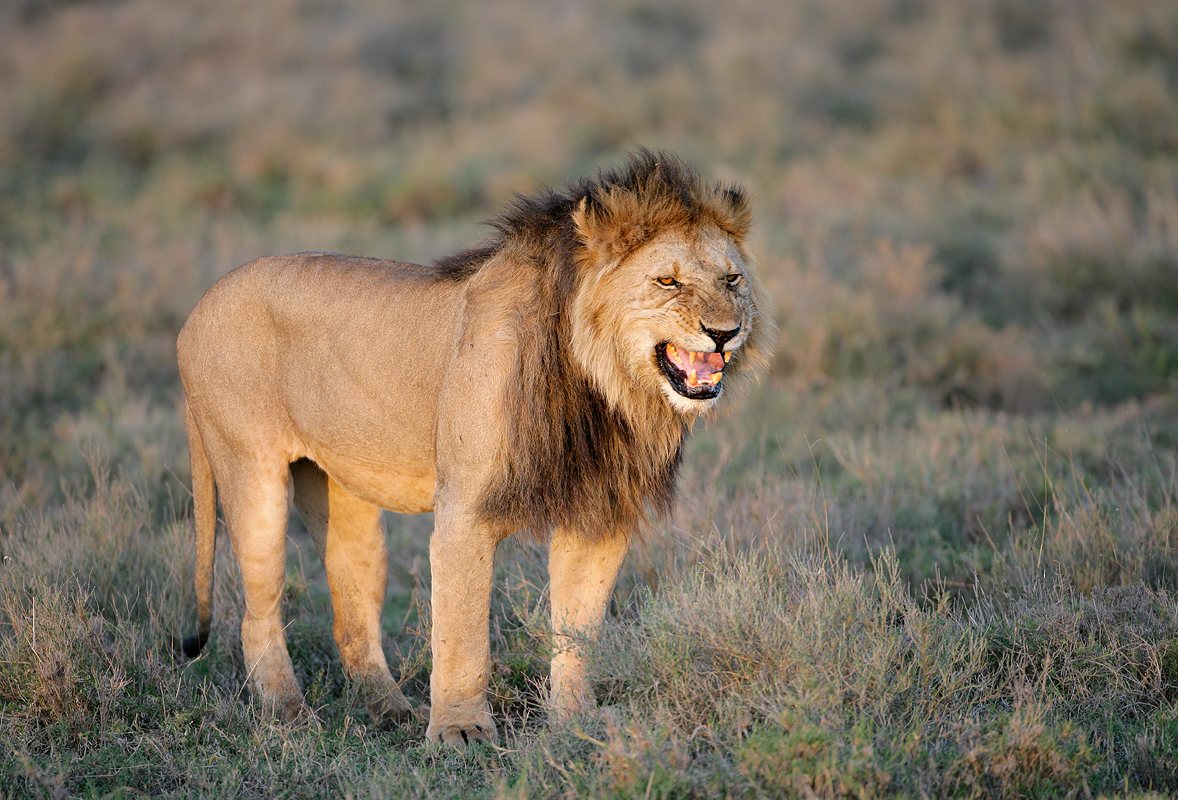
Lion snarling, Serengeti. Nikon D3 (Replaced by the D4), Nikon 200-400 lens. Image courtesy of and copyright Todd Gustafson.

We will teach you to anticipate the peak of action.

Africa Photo Safari: August 2013

Serengeti Summer Migration Safari: 12 full and two half-days of photography: $12,999/person double occupancy. Limit: 12/Openings: 7.

Leaders: Todd Gustafson, Denise Ippolito, and Arthur Morris.

Leave the US AUG 3, 2013. Fly home from Arusha, Tanzania on the evening of August 18. Day 1 of the safari is August 5. Our last morning of photography is August 18. We will be visiting Taranagire National Park, Seronera Lodge–aka Leopard City!–twice, an exclusive mobile tented camp in the Serengeti, and at the end, the spectacular wildlife spectacle that is Ngorongoro Crater.

A deposit of $4,000 is due now. We will not cash your check until we have 7 deposits in hand. If the trip does not run, we will return or tear up your check. As there has been great interest already, we fully expect that the trip will run.

Happy Campers only please.

Once we cash your check you will be strongly advised to purchase travel insurance. While we all assume that we will be fine, health and family emergencies do arrive unexpectedly. You may wish to consider using Travel Insurance Services. Do understand that most policies must be purchased within two weeks of our cashing your deposit check.

The 2nd payment of $4000 is due NOV 30, 2012. The final payment/balance is due MAR 30, 2013.

Sign up with a friend or a spouse and apply a $300 per person discount.

Minimum to run as noted above: 7 photographers. Guaranteed maximum no more than 12 photographers plus the three great leaders. 3 persons/van. You get a row of seats for yourself and your gear. In addition to rotating in-the-field instruction with each of the co-leaders, artie, Todd, and denise will be available for image sharing and review and informal Photoshop instruction during breaks and after meals. And–with apologies to Miss Manners–even during meals!

The lodging is all first class. Please e-mail for a PDF with additional details, the complete itinerary, and a description of the unparalleled photographic opportunities that we will enjoy.

Please e-mail to request the complete itinerary. Any questions? Please e-mail Todd. As always, we will work with the first 12 deposits that we receive. I hope that you can join us.

Bosque/Albuquerque Thanksgiving Buffet Invite

For the past ten years or so I have hosted a midday Thanksgiving Day meal, in part to honor the memory of my late-wife, Elaine Belsky Morris, and in part because I love meeting others who love Bosque as I do. At first it was held at the wonderful and relatively elegant Val Verde Steak House in Socorro, now defunct. Then it was held at the lovely and historic Luna Mansion. Luna Mansion closed a few years ago and recently re-opened but will no longer serves Thanksgiving Day. In 2009 we had fun and a fine meal at the Stage Door Grill but that wonderful little joint recently bit the dust also. Socorro is a tough place for businesses to survive. In 2010 we went a bit upscale and dined in the New Mexico Ballroom at the Hilton Albuquerque hotel. There was tons of food and it was all delicious.

The Hilton is now a Crowne Plaza and the good news is that they are having the buffet again this year as they did in 2011. I will be picking up the tab for the IPT group, but as always, all visiting birders and photographers are invited to join us. If you would like to take part in the fun and camaraderie this year please send a check for $45.00 per person made out to “”Arthur Morris”” to cover the cost of the buffet that will include all the traditional items plus lots more as well as tax and tip. Drinks are on you. Please mark ““Thanksgiving Buffet” on your check and mail it to; BIRDS AS ART, PO Box 4041, Indian Lake Estates, FL 33855. Be sure to include your e-mail address on your check and in a short note. Sorry, no PayPals or credit cards for this. I do hope that you can join us.

I have group reservations for Thanksgiving Day (of course). Those joining us will need to be at the hotel at 11:30 am sharp. It is located at 1901 University Blvd NE, Albuquerque, NM 87102, about an hour up I-25 from the Super 8 Motel in Socorro where I have stayed happily with my groups for well more than a decade. I do hope that you can join us.

Are IPTs expensive? Of course they are. For good reason. The most experienced, knowledgeable, and hardest working leaders. Great Photoshop instruction. Great folks. And great food. For a greater appreciation of the composite image, click on the photo. Click on the enlarged version to close it.

Bosque del Apache IPT Late Registration Discount Announcement

With four openings on this IPT and me headed out of town till 11/11 we are glad to announce a healthy late registration discount for this great IPT. Please call Jim weekdays from 9-5 eastern time at 863-692-0906 for details and leave a message if he is at the post office. Or call me today, at the same number.

BOSQUE del APACHE 2012 IPT: “The Complete Bosque Experience.” NOV 21-27, 2012. 7-FULL DAYS: $3399.

Co-leaders: Denise Ippolito, landscape photography expert Jim Heupel, and Photoshop expert Mike Hannisian. Introductory Slide program: 6:30 pm on 11/20. Limit: 12/Openings 4.

Tens of thousand of Snow Geese, 10,000 Sandhill Cranes, ducks including point-blank American Wigeon and Wood Duck, amazing sunrises, sunsets, and blast-offs. Live, eat, and breathe photography with one of (if not the) world’s premier photographic educators at one of his very favorite locations on the planet. Top-notch Photoshop instruction. This will make 18 consecutive Novembers at Bosque for me. Nobody knows the place better than I do. Join us to learn to think like a pro, to recognize situations and to anticipate them based on the weather, especially the light and the wind direction. Every time we make a move we will let you know why. When you head home applying what you learned will prove to be invaluable.

Nobody alive or dead knows Bosque better than I do. Do consider joining us for the educational experience of a lifetime. For a greater appreciation of the composite image, click on the photo. Click on the enlarged version to close it.

Shopper’s Guide

Thanks a stack to all who have used our B&H affiliate links to purchase their gear as a thank you for all the free information that we bring you on the Blog and in the Bulletins. Before you purchase anything be sure to check out the advice in our Shopper’s Guide.

Shop B&H

B&H Photo Video Pro Audio

photography Pro Audio Computers and Solutions Portable Entertainment Home Entertament photography

Support the BAA Blog. Support the BAA Bulletins. We want and need to keep providing you with the latest free information, photography and Photoshop lessons, and all manner of related information. Show your appreciation by making your purchases immediately after clicking on any of the links above. Remember, B&H ain’t just photography!

November 6th, 2012

The Same Old Lessons...

This image of an adult Snow Goose braking to land was created on last year’s Bosque del Apache BAA Instructional Photo-tour with the Canon EF 800mm f/5.6L IS USM Autofocus lens and the unfortunately discontinued EOS-1D Mark IV. ISO 400. Evaluative metering +2/3 stop off the low blue sky: 1/1250 sec. at f/6.3.

Central Sensor/AI Servo Rear Focus active at the moment of exposure. Click here if you missed the Rear Focus Tutorial. Click on the image to enjoy a larger version.

The Same Old Lessons…

Pan faster for better flight images. Easy to say. Easy to teach. Not so easy to do especially as the calendar pages keep flipping…. The problem with the image above is that by not panning fast enough to keep the sensor on the bird’s eye, face, or neck, the subject is much too far forward in the frame. You want the bird flying into the frame not flying out of it. See below for the 3-second solution.

The key to getting great flight images at Bosque is to understand the wind and know where to be when. With this being my 18th consecutive year at the refuge during the Thanksgiving holiday season, I understand the wind and know where to be when pretty much better than anyone alive. Do consider joining us on this year’s Bosque IPT.

BOSQUE del APACHE 2012 IPT: “The Complete Bosque Experience.” NOV 21-27, 2012. 7-FULL DAYS: $3399. Introductory Slide program: 6:30 pm on 11/20. Limit: 12/Openings 4.

Non-refundable deposit: $500/Balance by check due immediately

Tens of thousand of Snow Geese, 10,000 Sandhill Cranes, ducks including point-blank American Wigeon and Wood Duck, amazing sunrises, sunsets, and blast-offs. Live, eat, and breathe photography with one of (if not the) world’s premier photographic educators at one of his very favorite locations on the planet. Top-notch Photoshop instruction. This will make 18 consecutive Novembers at Bosque for me. Nobody knows the place better than I do. Join us to learn to think like a pro, to recognize situations and to anticipate them based on the weather, especially the light and the wind direction. Every time we make a move we will let you know why. When you head home applying what you learned will prove to be invaluable. The cast of co-leaders includes Denise Ippolito, Jim Heupel, and Mike Hannisian.

Moving the bird back in the frame took about one minute in Photoshop…. You can see what others had to say about this image and learn the basics of 1/3-stop understanding of ISO, aperture, and shutter speed by clicking here.

The Fix

Using the”Composition Correction: Increase Lead Room Without Cropping” technique from Robert O’Toole’s APATATS II I easily moved the bird back in the frame. How? Control A. Control J. V for the Move Tool. Move the bird back in the frame. Use a Quick Mask of the blue sky to cover the portion of the wing revealed by the move. Add a Layer Mask to the Background Copy and blend the edges after hitting B, D, X. (See Layer Masking for Dummies in Digital Basics.)

You can learn advanced Layer Masking techniques in APTATS II. Using one of the super-fast techniques below would have cut the time in Photoshop by more than half as I would not have needed to paint the Layer Mask.

APTATS II

Here are the tutorials that are included in APTATS II:

· Composition Correction: Increase Lead Room Without Cropping/Basic

· Composition Correction: Increase Lead Room Without Cropping/Intermediate

· Composition Correction: Increase Space Near a Frame Edge/Advanced

· Super-Fast Element Removal: Basic

· Super-Fast Element Removal Plus Composition Improvement

· Gradient Background Blur

· Mask Blending for Mega-Depth-of-Field

· Selective Highlight Detail Enhancement

· Selective Noise Reduction and Sharpening

· Selective Sharpening with Finely Detailed Edges

· Average Blur Color Balance Trick

NYC Weekend Nature Photography Seminar

Presented by Denise Ippolito/A Creative Adventure and Arthur Morris/BIRDS AS ART
Hilton Garden Inn, Staten Island, New York. December 8-9, 2012 from 9am-4:30pm.
Weekend: $169. SAT or SUN: $99. Lodging available for out of town guests.
Saturday: Image Capture Sunday: Image Evaluation and Processing

Click here for complete details including the Saturday and Sunday schedules, club and group discount info, and registration incentives and for more info on the In-the-Field Seminar Follow-up Workshop.

Artie, the grizzled veteran, is widely noted as one of the premier bird photographers, tour leaders, and educators on the planet. Denise, who specializes in flowers, is the mega-creative up-and-comer, a popular lecturer, a skilled field instructor, and an amazing Photoshop wizard who will share her tips and tricks with you. Both artie and denise are full time professional nature photographers.

BIRDS AS ART Instructional Photo-Tours

Click here for complete IPT information including the current schedule and links to general IPT info, deposit and cancellation policies. and the required registration and release forms.

Shop B&H

B&H Photo Video Pro Audio

photography Pro Audio Computers and Solutions Portable Entertainment Home Entertament photography

Shop B&H. Support the BAA Blog. Support the BAA Bulletins. Show your appreciation by making your purchases immediately after clicking on any of the links above or below. We want and need to keep providing you with the latest free information, photography and Photoshop lessons, and all manner of related information. Remember, B&H ain’t just photography!

November 4th, 2012

A Greener View

A Greener View

After Jeff Rugg read the “Field Etiquette for Nature Photographers” post here, he sent me the column that he has written for the weekly newspaper column that he writes. He was writing for permission to mention the blog in his column; I gladly assented. Jeff’s Yellow-rumped Warbler Art image was awarded first prize in the Digital Category in the BIRDS AS ART 1st Annual Bird Photography Competition. You can see his image here.

I thought it apropos to share this with you here in a guest blog post.

Jeff enjoys creating avian composite images. He created the files for this one in his backyard with the old EOS-30D (replaced now by the EOS 7D) and the Canon EF 100-400mm IS L zoom lens. He did not need to worry about having others scare off his birds.

From Jeff: “This bird bath composite was created in the bird bath area of my water garden. I used the Canon 30D set on a tripod with the Canon 30 foot remote cable release. When I saw a bird striking a good pose, I created an image. The first shot was at 10:20am and the last one was 4:46pm all on April 10 of this year. The shutter speed varied. All at f/5.6, ISO 160, at 200mm.

For more on the 7D/100-400 combo see “How Dan Cadieux Masters Canon EOS-7D Image Files.”

A Greener View

By Jeff Rugg

It is the political season and that seems to bring out the worst in human behavior. I won’t be getting into politics in this article, but I would like to talk about proper etiquette while people are roaming around in nature. If you, like me, have been on a bike or hiking trail this summer, you may have seen some familiar scenes. First, there are the trail hogs. They are having a great time talking about who knows what and who knows who and while doing so they are taking up the whole width of the trail. They often seem oblivious to the natural surroundings and to anyone else who wants to use the trail. Second, there are the speed demons. They may be running or riding a bike and they are not to be trifled with. Pity the poor trail hogs when a speed demon is on the same trail.

Next, there are people with dogs. The dogs are almost always supposed to be on a leash, but the rules don’t say the leash can’t be 500 feet long. Dogs can frighten some people, but they can really frighten animals. Have you been to the beach this summer? Did you see someone sending their dog running into flocks of gulls and shorebirds? Last, we have people who loudly interrupt or barge on past bird watchers and nature photographers. Parks and wildlife are ‘used’ by lots of people with differing needs and that can lead to confrontations.

What do all these situations have in common? Lack of knowledge of proper natural area etiquette. In cities, people don’t usually make eye contact, but in nature most people are friendlier and are often willing to stop and talk. Trail hogs need to pay more attention to their surroundings and note when other people are approaching; they need to be courteous enough to allow passage without hindering other people. Trail runners, joggers and mountain bikers all need to realize there will be slow people on the same trail and give them enough advance notice of their approach that they can safely get out of the way. Dog owners need to realize that terrorizing people and wildlife is never appropriate, even for gulls or squirrels. This advice also applies to beach joggers and driving on the beach.

Bird watchers and wildlife photographers are usually cognizant of their affect on birds and other animals, but not on people. Other park users may not realize their own affect on an animal when they just walk right up to someone who spent a lot of time trying to get close to a bird or another animal. Birders and photographers may need to notice other people more often. People will often stop from walking in front of a camera and wait for the photographer to take a picture, but they shouldn’t be made to wait forever. It is not appropriate to approach birders or photographers without their first acknowledging your presence, just as it is not appropriate for them to ignore people trying to use the same area of the park. If after several minutes the photographer has not acknowledged your presence, it is appropriate to quietly ask if you can approach or move past.

The bigger concern is not about disturbing the person, but about disturbing the objects of their attention, the birds and animals that they are photographing. It may be more appropriate for the photographer to move towards you, so that the wildlife is not bothered by too many people getting too close.
If you are interested in more information on field etiquette for nature photographers, Arthur Morris writes an incredibly good blog on his Birds As Art website and he recently covered this topic. Check it out at www.birdsasart-blog.com and I am sure you will not be disappointed at the photography and the information he delivers. If you or someone you know is interested in nature photography, Mr. Morris has written several excellent books that would make great holiday presents.

To find out more about Jeff Rugg and read features by other Creators Syndicate writers and cartoonists, visit the Creators Syndicate website here.

Article Copyright 2012: Jeff Rugg and Creators.Com

What Do You Think?

Take a moment to leave a comment and share your thoughts with Jeff in my absence. Denise Ippolio and I are on a Cheeseman’s Ecology Safaris Southern Ocean expedition until 11/11.

NYC Weekend Nature Photography Seminar

Presented by Denise Ippolito/A Creative Adventure and Arthur Morris/BIRDS AS ART
Hilton Garden Inn, Staten Island, New York. December 8-9, 2012 from 9am-4:30pm.
Weekend: $169. SAT or SUN: $99. Lodging available for out of town guests.
Saturday: Image Capture Sunday: Image Evaluation and Processing

Click here for complete details including the Saturday and Sunday schedules, club and group discount info, and registration incentives and for more info on the In-the-Field Seminar Follow-up Workshop.

Artie, the grizzled veteran, is widely noted as one of the premier bird photographers, tour leaders, and educators on the planet. Denise, who specializes in flowers, is the mega-creative up-and-comer, a popular lecturer, a skilled field instructor, and an amazing Photoshop wizard who will share her tips and tricks with you. Both artie and denise are full time professional nature photographers.

BIRDS AS ART Instructional Photo-Tours

Click here for complete IPT information including the current schedule and links to general IPT info, deposit and cancellation policies. and the required registration and release forms.

Shop B&H

B&H Photo Video Pro Audio

photography Pro Audio Computers and Solutions Portable Entertainment Home Entertament photography

Shop B&H. Support the BAA Blog. Support the BAA Bulletins. Show your appreciation by making your purchases immediately after clicking on any of the links above or below. We want and need to keep providing you with the latest free information, photography and Photoshop lessons, and all manner of related information. Remember, B&H ain’t just photography!

November 2nd, 2012

98.6 Percent...

98.6 Percent…

ABP vs ABP vs DB

When I’m home, you can find me most mornings sitting in my office in the back of the house where we added two big rooms in 2010. I am usually working on my laptop: on images, on a blog post, or on a bulletin. Or tackling the Sisyphean task of answering e-mails. Sports Center or a Criminal Minds rerun is on the big flat screen TV. Most days my right hand Jim Litzenberg visits holding a few softcover copies of the original “The Art of Bird Photography” for me to sign. Inside each is the printed order form from the BAA On-line Store. I need to look at each sheet for the buyer’s name so that I can personalize the book with my red Flair pen–I stole that idea from Roger Tory Peterson after he died in 1996. Out of curiosity I look at the sheet to see if the order is for the softcover book alone, or for the two-book bundle, “The Art of Bird Photography” (ABP) and “The Art of Bird Photography II” (ABP II: 916 pages on CD only).

To nearly everyone’s credit, 98.6% of the folks who order ABP also order ABP II. That always puts a smile on my face. Oh how I wish that the information available in the two books were available when I started on August 7, 1983…. As regular readers know, one of my pet peeves is folks who own $20,000+ worth of photography gear who won’t spend a minute studying or learning and won’t spend a dime on learning to hone their skills.

We receive several e-mails each week asking about the merits and the specifics of the original “The Art of Bird Photography” (in soft cover), “The Art of Bird Photography II” (ABP II, 916 pages on CD only), and our Digital Basics File (DB), a PDF sent via e-mail.

To clear up any confusion I offer the following:

The Art of Bird Photography

The original “The Art of Bird Photography” was first published in hardcover book in 1998 by Amphoto. It quickly became the classic how-to book on the subject. About 15,000 copies of this edition were sold. It was re-released in soft-cover in 2003; more than 17,000 additional copies sold in soft cover. The very great strength of the book is chapter on Exposure which offers complete coverage of exposure theory and its practical application. Though all of the images are film-based, ABP covers the basics with always-relevant chapters on selecting the right focal length lens, autofocus, light, making sharp images, composition and image design, getting close, photographing action and behavior, and evaluating and selling your work. And of course, there is the killer chapter on exposure theory.

About five years ago after learning that Amphoto had let the book go out of print, I bought the rights, digitally re-mastered the cover, and had 5,000 copies printed in Hong Kong and delivered to my home in Indian Lake Estates, FL. On four huge palettes. 5,000 is a lot of books. See “It’s a Miracle” here.

The Art of Bird Photography II

In January 2003, I began work on “The Art of Bird Photography II” (ABP II). “The Art of Bird Photography II is the all-new continuation of the original “The Art of Bird Photography; The Complete Guide to Professional Field Techniques.” At 916 pages with more than 900 images, ABP II is available only on CD. One chapter covers all aspects of Digital Photography and includes a section on understanding histograms. It also includes our complete digital workflow along with tons of great Photoshop tips. Other chapters include “Equipment; What’s New?,” “Advanced Composition and Image Design,” “It Ain’t Just Birds,” and “Advanced Sharpness Techniques & Creating Pleasing Blurs.” The “Practicalities” chapter will include a detailed section on setting up your backyard for bird photography as well as sections on photographing on safari and on the tundra. In addition it covers the every day aspects of handling and transporting your equipment from setting up your tripod to packing and traveling by air with your gear. Nearly all of the images in the book include all the technical data as well as our legendary educational captions. Most chapters include one or more galleries designed to illustrate and reinforce the principles covered in the text. There are two copies of the book on the CD. The “Spreads” version is best if you would like to enjoy the beauty of the images and the layout and design. The “Single Pages” version was designed for easy reading. The “Exposure and Flash Simplified” chapter re-visits two subjects that give folks the most trouble. Since the publication of ABP in 1998 we have refined and simplified our teaching in these two areas and these new approaches are covered in this all-new material. “Is the sun in or out? What is the overall tonality of the scene? When the sun is out at full strength your evaluative or matrix meter is smart. When it is cloudy, the same meter is dumb and needs your help. In addition to teaching this new approach to exposure the section on flash covers the use of fill flash, the use of flash as main light, and—for advanced students—the use of Manual Flash as main light. Other than the information in this chapter, virtually all of the material in ABP II is new. It is a professionally burned and manufactured CD replete with a cardboard CD case and CD face art.

Digital Basics

After beginning work on ABP II, I realized that the CD book would not be ready for quite some time–that turned out to be an under-estimate–but that the information on digital photography, Breezebrowser and Downloader Pro, and Photoshop was of great value to the legion of folks just getting started in digital photography. This, thus we began offering our Digital Basics File (DB) that includes free updates for as long as I am around pushing the shutter button.

With more than 3,500 copies sold to rave reviews, Digital Basics has succeeded beyond our wildest dreams. On the other hand, it is surprising that we have not sold ten times as many. Why? First off, we have received nothing but positive feedback. DB was created so that folks with no digital experience can be optimizing their images exactly as I do within minutes; just print the section on digital workflow, open an image in Photoshop, and follow the script. It’s that simple. My approach to Photoshop is a direct one; because I have so many images to process, my choice is to make the images look as good as possible in the shortest amount of time and DB teaches you to do just that. While teaching my Instructional Photo-Tours it amazes me that during both our imaging critique sessions and our Photoshop sessions I find that many photographers, including more than a few experienced ones, have no clue as to how to make their images look great in Photoshop. In addition, they do not understand how to use Photoshop to automate a variety of tasks. When I ask, “Do you have our Digital Basics File?” the answer is always, “No.” It makes you think: these folks have spent huge sums of money on equipment and joined an IPT, yet they have not spent the additional $20 or $30 that would greatly improve the quality of their processed images and reduce the time that it takes for them to optimize an image. (Most of my family jewels are optimized in three to ten minutes…)

The Source of Confusion

The Digital chapter in ABP II contains virtually the same information as the April 2005 version of Digital Basics. Over the years Digital Basics has been updated numerous times. What’s in it now? My complete digital workflow. Detailed instructions for converting your images in Adobe Camera Raw. Dozens of great Photoshop tips including making and using Color Range selections, non-destructive dodging and burning, removing color casts, adding and filling canvas, image clean-up and repair techniques using Quick Masks, regular and hide-all Layer Masks, the Patch Tool, the Clone Stamp Tool, and the Spot Healing Brush. The “Basics of Quick Masking” and the “Layer Masking for Dummies” sections alone are worth the price of admission. For these and many other reasons, we advise that serious digital photographers purchase both ABP II for the amazing wealth of information that it contains and DB so that they can receive the free DB updates that contain the latest and greatest Photoshop techniques that I continue to add to my repertoire each year.

Best Advice

If you do not have ABP and ABP II, click here to save $10 and get both in a single fell swoop. The click here and order a copy of Digital Basics.

If you already own all three, hit the books.

NYC Weekend Nature Photography Seminar

Presented by Denise Ippolito/A Creative Adventure and Arthur Morris/BIRDS AS ART
Hilton Garden Inn, Staten Island, New York. December 8-9, 2012 from 9am-4:30pm.
Weekend: $169. SAT or SUN: $99. Lodging available for out of town guests.
Saturday: Image Capture Sunday: Image Evaluation and Processing

Click here for complete details including the Saturday and Sunday schedules, club and group discount info, and registration incentives and for more info on the In-the-Field Seminar Follow-up Workshop.

Artie, the grizzled veteran, is widely noted as one of the premier bird photographers, tour leaders, and educators on the planet. Denise, who specializes in flowers, is the mega-creative up-and-comer, a popular lecturer, a skilled field instructor, and an amazing Photoshop wizard who will share her tips and tricks with you. Both artie and denise are full time professional nature photographers.

BIRDS AS ART Instructional Photo-Tours

Click here for complete IPT information including the current schedule and links to general IPT info, deposit and cancellation policies. and the required registration and release forms.

Delkin 700X CompactFlash Pro UDMA Enabled Cards

You can learn more about Delkin’s new 700X CompactFlash Pro UDMA Enabled Cards by clicking here and learn why the 1000X cards are overkill for still photographers. These cards are as important to my 5DIII as the batteries in the vertical battery grip!

Shopper’s Guide

Thanks a stack to all who have used the Shopper’s Guide and our B&H affiliate links to purchase their gear as a thank you for all the free information that we bring you here on the Blog and in the Bulletins. Before you purchase anything be sure to check out the advice in our Shopper’s Guide.

Shop B&H

B&H Photo Video Pro Audio

photography Pro Audio Computers and Solutions Portable Entertainment Home Entertament photography

Shop B&H. Support the BAA Blog. Support the BAA Bulletins. Show your appreciation by making your purchases immediately after clicking on any of the links above or below. We want and need to keep providing you with the latest free information, photography and Photoshop lessons, and all manner of related information. Remember, B&H ain’t just photography!

October 31st, 2012

What Would You Do?

This image of a Royal Tern coming in for a landing was created at Fort DeSoto with the hand held Canon 500mm f/4L EF IS II lens, the Canon 1.4x EF tele-extender III, and the Canon EOS-1D X. ISO 800. Evaluative metering +2/3 stop off the sky: 1/2000 sec. at f/6.3 in Manual mode.

Central sensor/Surround/AI Servo Rear Focus AF active at the moment of exposure. Click here if you missed the Rear Focus Tutorial. Click on the image for a larger version.

A Great Morning at Desoto

This is another of the many wonderful images that I created on the morning of Sunday, September 16 at Fort Desoto Park just south of St. Petersburg, FL. For more on that wonderful day (including lots of great images and a 100% crop that will knock your socks off) click here and here.

The image above was created from the original image below.

What Would You Do?

What changes did I make during post-processing? (Hint: there are at least six major ones.)

What would you have done?

Was what I did to the image wrong?

Would you have done anything else?

Which image do you like better, the original below or the master file above?

NYC Weekend Nature Photography Seminar

Presented by Denise Ippolito/A Creative Adventure and Arthur Morris/BIRDS AS ART
Hilton Garden Inn, Staten Island, New York. December 8-9, 2012 from 9am-4:30pm.
Weekend: $169. SAT or SUN: $99. Lodging available for out of town guests.
Saturday: Image Capture Sunday: Image Evaluation and Processing

Click here for complete details including the Saturday and Sunday schedules, club and group discount info, and registration incentives and for more info on the In-the-Field Seminar Follow-up Workshop.

Artie, the grizzled veteran, is widely noted as one of the premier bird photographers, tour leaders, and educators on the planet. Denise, who specializes in flowers, is the mega-creative up-and-comer, a popular lecturer, a skilled field instructor, and an amazing Photoshop wizard who will share her tips and tricks with you. Both artie and denise are full time professional nature photographers.

BIRDS AS ART Instructional Photo-Tours

Click here for complete IPT information including the current schedule and links to general IPT info, deposit and cancellation policies. and the required registration and release forms.

Shop B&H

B&H Photo Video Pro Audio

photography Pro Audio Computers and Solutions Portable Entertainment Home Entertament photography

Shop B&H. Support the BAA Blog. Support the BAA Bulletins. Show your appreciation by making your purchases immediately after clicking on any of the links above or below. We want and need to keep providing you with the latest free information, photography and Photoshop lessons, and all manner of related information. Remember, B&H ain’t just photography!

October 29th, 2012

Party Crashing Gear

The birthday girl, my Mom, Hazel Louise Morris

Party Crashing Gear

On September 23 past, my Mom, Hazel Morris, celebrated her 90ieth birthday in fine fashion at Tate’s Restaurant in Nesconset, NY not far from her home in Holbrook, Long Island. Four generations were in attendance. I brought along the 24-105 zoom, the 70-200mm f/2.8L IS II, the EOS-5D Mark III, and the Canon Speedlite 600EX-RT. For the most part I worked in Program mode at ISO 800 adding and subtracting light as best I could. The flash was kept at -2/3 stop. Most of the images are straight out of camera.

My Mom and her aide, Addie.

My Mom’s four grandchildren: my daughter’s Alissa on our left, Jennifer on our right. My older sister Ilene’s two kids: Brian on our left and Scott on our right.

Scott being Scott. Scott is always first on line to help my Mom with fixing stuff!

My Mom loves doing jigsaw puzzles. Denise came up with the idea of having puzzles made from our photos. Here is my Mom with her Snow Monkey puzzle.

A rare photo of my guest Denise Ippolito. Looking quite beautiful.

I am eternally grateful to Kenny Giles. He made my former wife Dana happy and is a great grandpa as well. Dana is the mother of Jennifer and Alissa. Dana and Kenny live near my Mom and Alissa and Ilene.

Alissa’s older son Ilyas with his wonderful Dad Ajiniyaz in the background.

Alissa’s younger son Idris; he started reading at 3 1/2 and is something of a geography savant.

My younger sister Arna Lee. Actually I would have had an older sister but my Mom lost baby Carla right after my Dad went overseas during WWII.

Jennifer’s daughter Maya posing. (Future rock star.)

Brian’s oldest Max, a skilled Little League pitcher.

Carter, the little brother of Max is a sure fire Hall of Fame pitcher. He can knock you over with his fastball.

Scott’s youngest Emmie and her baby blues.

Max and Carter’s little sister Leiah.

Shopper’s Guide

Thanks a stack to all who have used our B&H affiliate links to purchase their gear as a thank you for all the free information that we bring you on the Blog and in the Bulletins. Before you purchase anything be sure to check out the advice in our Shopper’s Guide.

Shop B&H

B&H Photo Video Pro Audio

photography Pro Audio Computers and Solutions Portable Entertainment Home Entertament photography

Support the BAA Blog. Support the BAA Bulletins. We want and need to keep providing you with the latest free information, photography and Photoshop lessons, and all manner of related information. Show your appreciation by making your purchases immediately after clicking on any of the links above. Remember, B&H ain’t just photography!

October 27th, 2012

I Suck at Flight Photography. But...

This image was created with the hand held Canon 500mm f/4L EF IS II USM lens, the Canon 1.4x EF Extender III (Teleconverter), and the Canon EOS 5D Mark III Digital camera body. ISO 800. Evaluative metering +2/3 stop: 1/2000 sec. at f/6.3. Central sensor Surround/Rear Focus AI Servo AF active at the moment of exposure.

Click on the image to see a larger version.

I Suck at Flight Photography. But…

I Suck at Flight Photography. But I am hard-working and determined. On our first afternoon with Osvaldo and Walter we had lots of great chances with Condors in flight. Click here if you missed the info on Osvaldo. Out of about 350 images, I kept 41. Most of the keepers were pretty bad. Tons of the images had the wings cut off, were mis-framed, or plain old not sharp. Heck, you cannot expect the images to be sharp when you cannot keep the active AF sensor anywhere near the bird’s head.

When my flight images are bad, the first place I look is in the mirror; can you say “Operator Error”? Sure, it is easy to blame your gear but the fact is that the gear that I would be complaining about is the same gear that produced the image above….

When Osvaldo saw my optimized Condor image, he said, “That is the finest image of a Condor that I have ever seen. And I have seen lots of great ones on several of the Chilean nature photography sites.” The next day I asked him if he said that to be nice. He assured me that that was not the case and that his original assessment was both accurate and honest. I was flattered and very proud of myself, especially considering how bad I am at flight photography. Sometimes persistence can be a great virtue.

This JPEG represents the original capture. The dark blotches were quite distracting. Note the crop from the right and below for a more pleasing composition–easy to do with the killer 22mp files of the 5D Mark III.

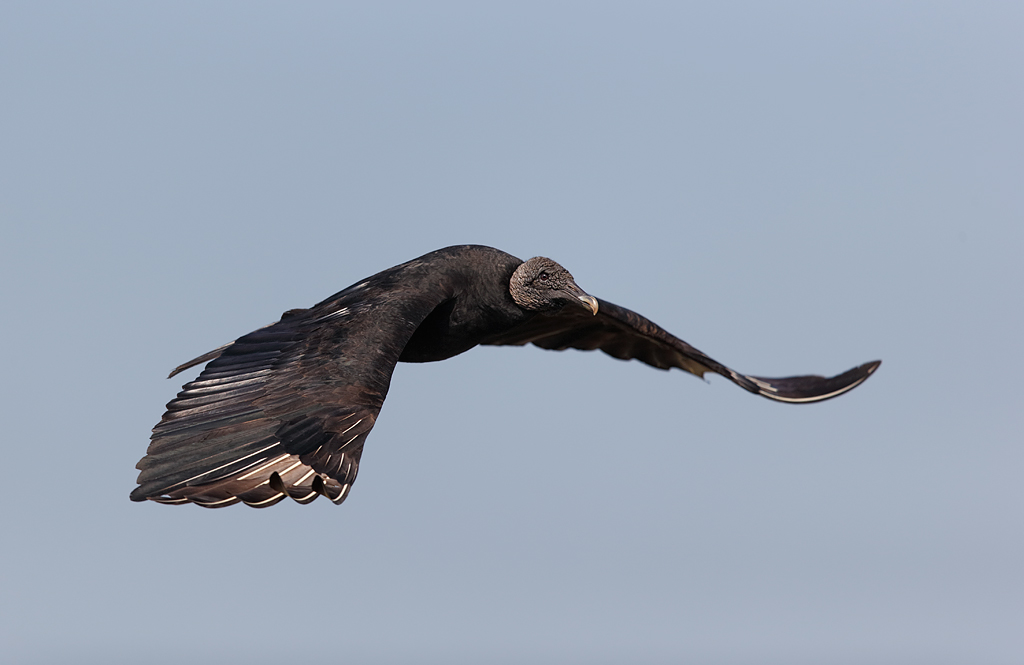
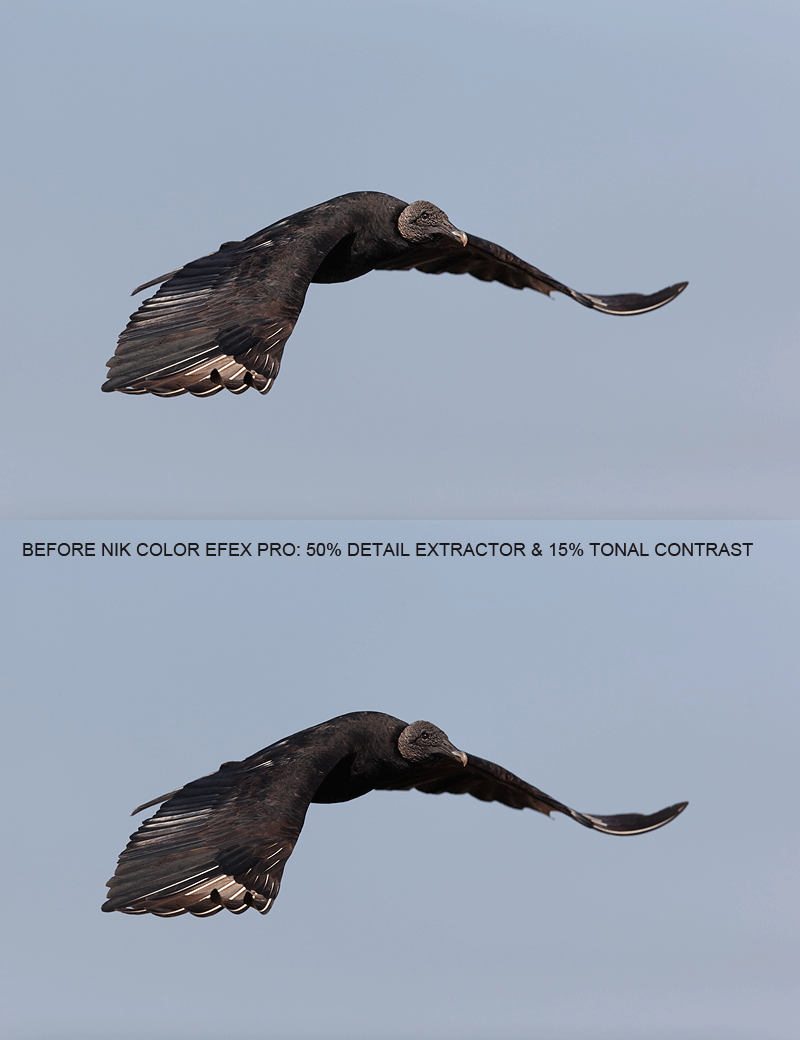
I used a 40% opacity/0% hardness Clone Stamp Tool brush to clean up most of the dark areas. The dark area by the feet was dealt with with Protect and Defend Cloning on a Layer as taught to me by Denise Ippolito. A small bit of NIK Color EfexPro Detail Exractor and Tonal Contrast. All of the above and tons more is covered in detail in the latest update of our Digital Basics File. If I can finish packing tonight I will do my best to create the PDF and get it to Jim before I head off-line for three weeks….

This is a 100% crop of the optimized TIFF.

The 100% crop above gives you an idea of the kind of quality you can expect from sharp RAW files converted with Canon Digital Photo Professional. Once I get into Arash Hazeghi’s NR eGuide I am positive that I will be able to eliminate most or all of the luminance noise in the BLACKs.

The Digital Photo Professional RAW Conversion Guide

The Digital Photo Professional RAW Conversion Guide by Arthur Morris with Arash Hazeghi is complete and available.

I have long resisted doing conversions in Digital Photo Professional (DPP), the software that comes on a CD in the box with your new Canon camera. I tried it a few times, found that the interface was not as user-friendly as with Adobe Camera RAW (ACR), and did not see any great advantages to using it. ACR was fast and the results were excellent.

When I began working with images from my new EOS-1D X, I noticed right off the bat that the colors were off and that the image quality was poor at best. Skilled photographer Arash Hazeghi had been using DPP for quite some time, often touting its benefits in the Avian Forum at Bird Photographer’s.Net. With phone help from Arash, I began converting my 1D X images in DPP explicitly following his instructions. The images looked so good and so clean with accurate color that before long I was converting all my 5D Mark III, 1D Mark IV, and 1D X images in DPP and loving the results.

In this new eGuide (sent via e-mail as a 19-page PDF) I share everything that Arash taught me. I encourage you to give DPP a shot even if like me you tried it before and did not like it…. There is a good reason that Arash has a PhD!

The simplest and fastest way to order your copy of “The Digital Photo Professional RAW Conversion Guide” (DPP RCG) is through the BAA On-line Store by clicking here. Or, you can order your copy by sending a check for $15 made out to “Arthur Morris” to us at BIRDS AS ART, PO Box 7245, Indian Lake Estates, FL 33855. Be sure to include your e-mail address (written legibly). If you prefer PayPal you can send $15 to us via e-mail; be sure to include the title of the eGuide.

This image of an adult White-tailed Kite was created by Arash Hazeghi with the hand held Canon EF 600mm f/4L IS II USM Telephoto lens, the Canon 1.4x EF Extender III (Teleconverter), and the unfortunately discontinued EOS-1D Mark IV. ISO 640: 1/3200 sec. at f/5.6.

This image was of course converted in DPP and processed further using the techniques detailed in Arash’s new eGuide, “The Professional Photographer’s Guide to Noise Reduction for EOS Cameras.” Note the superb detail and the beautiful smooth virtually noise-less background. If you want to have your socks knocked off, check out the bird’s talons in the HD sized version here.

Image courtesy of and copyright 2012: Arash Hazeghi.

Announcing “The Professional Photographer’s Guide to Noise Reduction for EOS Cameras” by Arash Hazeghi

The Professional Photographer’s Guide to Noise Reduction for EOS Cameras: $35

This 50-page eGuide includes many high-resolution examples, figures, and screen captures.

After learning to do RAW conversions in DPP with the The Digital Photo Professional RAW Conversion Guide, those who wish proceed to the next level, who wish to consistently obtain professional quality images that look impressive in both large prints and digital presentation, are directed to Arash’s advanced eBook, “The Professional Photographer’s Guide to Noise Reduction for EOS Cameras.”

This eGuide, which covers post-conversion noise reduction for EOS cameras, will help you improve the quality of your digital photographs over a wide ISO range. The techniques detailed in this guide approach both luminance noise reduction and sharpening in a scientific manner and are designed to help you produce the highest quality image files, files with maximum fine detail.

These techniques have been developed and refined after many years of dedicated work by Arash. The various steps in processing high-ISO images are explained clearly and in detail with many examples. You will learn to produce clean, noise free images with most modern EOS camera models at ISO 1600 and even at ISO 3200 and beyond with selected models. The 50-page eGuide is available in digital (PDF) format; it is sent via e-mail. It includes many high-resolution examples and figures. To order your copy, click here, send a check for $35 to BIRDS AS ART, PO Box 7245, Indian Lake Estates, FL 33855, or send a PayPal for $35 to us at birdsasart@verizon.net. After purchase, you will receive e-mail instructions for downloading it via YouSendIt.

NYC Seminar Door Prizes!

NYC Seminar Door Prizes!

Wow! We have put together a killer collection of door prizes for the NYC Seminar. If you live in the northeast and are not yet registered click here to join us and have a chance at winning some of the great and valuable loot below.

From ThinkTank: an Airport AirStream™ Rolling Camera Bag; meets all International carry- on regulations. A $324.75 value.
From LensCoat: a Standard LensCoat® RainCoat. A $79.99 value.
Manfrotto/Gitzo will be contributing one or more items.
From Delkin: a 32 gb 700X Compact Flash Card plus give-aways. The card is a $134.99 value.
NIK has sent a gift certificate for one copy of NIK Color Efex Pro, the Photoshop filter plug-in that has changed my digital workflow. Enter the code BAA at checkout to save 15%.
Topaz is sending a gift certificate for their black and white effects filter program.
Micheal Tapes at RAW Workflow has chipped in with a Lens Align Mark II. A $79.95 value.
You might also win a copy of The Art of Bird Photography II by Arthur Morris or a copy of A Guide to Pleasing Blurs by Arthur Morris and Denise Ipplito.

Thanks a stack to all of our generous sponsors.

Shopper’s Guide

Thanks a stack to all who have used our B&H affiliate links to purchase their gear as a thank you for all the free information that we bring you on the Blog and in the Bulletins. Before you purchase anything be sure to check out the advice in our Shopper’s Guide.

Shop B&H

B&H Photo Video Pro Audio

photography Pro Audio Computers and Solutions Portable Entertainment Home Entertament photography

Support the BAA Blog. Support the BAA Bulletins. We want and need to keep providing you with the latest free information, photography and Photoshop lessons, and all manner of related information. Show your appreciation by making your purchases immediately after clicking on any of the links above. Remember, B&H ain’t just photography!

October 25th, 2012

Exposure Simplified Simplified

Exposure Simplified Simplified

Folks consistently make far too big a deal about getting the right exposure with digital capture. My belief is that if the light is constant for ten seconds or longer that anyone with a third grade education should be able to create an image with a perfect exposure every time. How? Add or subtract light as needed so that you have at least some data in the right-most histogram box while avoiding significant blinkies. It’s that simple. Here we will take a look at three simple examples that cover a lot of ground.

Before we take a look at the images consider the following:

1-When the sun it out at full strength, the meters on our cameras are pretty smart.

2-Whenever the sun is at less than full strength–sunrise, sunset, low light, cloudy, or in the shade for example– the meters on our cameras are pretty dumb and will need lots of help from you.

3-I use Evaluative metering 100% of the time.

[Not a valid template]

This Coastal Brown (Grizzly) Bear image was created at Hallo Bay, Katmai National Park, AK with the tripod-mounted Canon 500mm f/4L EF IS II USM Lens, the Canon 1.4x EF Extender III (Teleconverter), and the Canon EOS 5D Mark III Digital Camera (Body Only). ISO 400. Evaluative metering at zero as framed: 1/640 sec. at f/5.6. Note that once I had confirmed the correct exposure in the opening image I simply stuck with it as the bear approached us.

Left of center sensor/AI Servo Surround Rear Focus AF active at the moment of exposure. Click here if you missed the Rear Focus Tutorial. Click on the image for a larger version.

This is a BreezeBrowser Main View screen capture.

When the sun is out, your camera’s meter is pretty smart. I had been photographing this young bear long before he walked right up to us and had already checked the histogram. Here, though I was working in Manual mode, I noted that my manual settings perfectly matched those suggested by the camera; the indicator was on the zero mark. No + or – compensation was needed with this framing to give me a perfect histogram with lots of data well into the right-most box of the histogram. And there were no significant blinkies. When the sun is out and the scene averages to a middle tone as this one does, you can simply use the settings suggested by your camera’s metering system without adding or subtracting light.

For more photos and the complete story of this wonderful little bear, check out “The Adventures of Little Mr. Huffer” here.

This image of an adult Glaucous-winged Gull in snow, near Homer, AK with the Canon EF 800mm f/5.6L IS USM Autofocus Lens and the unfortunately discontinued EOS-1D Mark IV. ISO 800. Evaluative metering + 2 1/3 stops: 1/320 sec. at f/8 in Manual mode.

When the sun is at less than full strength, as in the near white-out here, the meters on our cameras are pretty dumb and need lots of help from us. The closer the scene averages to white in such conditions, the more light you will need to add to get a good exposure. With this image I added 2 1/3 stops of light to move the histogram well to the right while always checking to make sure that I had avoided significant blinkies. The exposure here was actually three stops more than the meter reading off the snow alone.

This image of an Adlie Penguin was created at Paulet Island, Antarctica with the Canon EF 300mm f/2.8L IS II USM Telephoto Lens, the Canon 2x EF Extender III (Teleconverter) and the unfortunately discontinued EOS-1D Mark IV. ISO 400. Evaluative metering -1 stop: 1/2500 sec. at f/8 in Manual mode.

As far back as the film days I taught folks, “White against blue with the sun out, subtract 1/3 stop of light.” With the dark blue water and the bird’s head dominating the frame here, my first exposure was made at -2/3 stop but I had more than a few blinkies on the whites of the upper breast so I took away another 1/3 stop of light and wound up with a perfect exposure at -1 full stop. Understand that though most of the data here, represented by the darker tones, is well left of center on the histogram, the strip of data that extends well into the right-most histogram box represents the white of the upper breast–another perfect exposure.

Those who would like to master exposure theory so that they can get it right when they have less than ten seconds are directed to the chapter on exposure in the original “The Art of Bird Photography.” Those who would like to read the whole story will want to consult “Exposure Simplified” in “The Art of Bird Photography II” (ABP II: 916 pages on CD only). And those who would like to do both can save $10 by purchasing the two book bundle.

NYC Weekend Nature Photography Seminar

Presented by Denise Ippolito/A Creative Adventure and Arthur Morris/BIRDS AS ART
Hilton Garden Inn, Staten Island, New York. December 8-9, 2012 from 9am-4:30pm.
Weekend: $169. SAT or SUN: $99. Lodging available for out of town guests.
Saturday: Image Capture Sunday: Image Evaluation and Processing

Click here for complete details including the Saturday and Sunday schedules, club and group discount info, and registration incentives and for more info on the In-the-Field Seminar Follow-up Workshop.

Artie, the grizzled veteran, is widely noted as one of the premier bird photographers, tour leaders, and educators on the planet. Denise, who specializes in flowers, is the mega-creative up-and-comer, a popular lecturer, a skilled field instructor, and an amazing Photoshop wizard who will share her tips and tricks with you. Both artie and denise are full time professional nature photographers.

BIRDS AS ART Instructional Photo-Tours

Click here for complete IPT information including the current schedule and links to general IPT info, deposit and cancellation policies. and the required registration and release forms.

Shop B&H

B&H Photo Video Pro Audio

photography Pro Audio Computers and Solutions Portable Entertainment Home Entertament photography

Shop B&H. Support the BAA Blog. Support the BAA Bulletins. Show your appreciation by making your purchases immediately after clicking on any of the links above or below. We want and need to keep providing you with the latest free information, photography and Photoshop lessons, and all manner of related information. Remember, B&H ain’t just photography!

October 23rd, 2012

Thanks Artie!

This very nice image of a bathing Royal Tern was created by David Pugsley with the (discontinued) Canon 500mm f/4L EF IS lens, the Canon 1.4x EF tele-extender II, and the (discontinued) EOS-1D Mark III. ISO 400. Evaluative metering +2/3 stop: 1/1000 sec. at f/10. Image courtesy of and copyright 2012: David Pugsley. This was the best of a 9-frame sequence.

Thanks Artie!

I received the e-mail below from David Pugsley with the image above attached. I had had the pleasure of meeting David at the Orange Audubon presentation back in September. I had recognized his name from the blog. He struck me as very fine young man (in part because helped us carry in some boxes and stayed late to help us pack up despite the fact that he had a pretty long drive to get back some. As I said, a nice young man.

Hi Artie,

Not only is the blog the bomb, it’s also very timely. The day after your Bathing Bird Strategies post I went out and made this image of a down-the-barrel Royal Tern. While I was, unfortunately, off sun angle a bit, I’m pretty pleased. And, as you suggested, bottom center sensor with AI Servo active at time of exposure. 🙂 Thanks for all you do to help us out.

Cheers!
David Pugsley

David is a very fine photographer. He has learned a ton both from the blog and from ABP II. You can see lots of his stunning images on his website both in the home page slide show and in the galleries.

Here is David at work on the morning that he made the image above. The photo is courtesy of and copyright 2012: Stephanie Abeles.

Lots of Lessons

First off, it is always gratifying to learn that somebody out there is not only reading the blog but grasping the materials covered, applying them in the field, and making some great images.

Picking a lower sensor for bathing birds is of great importance as it generally prevents clipping the wings. David’s choice here was to stay close with the TC mounted and go for the in-your-face splashing shot presented above. I am 99% sure that when the bird finished the bath and jumped up and flapped that David was too tight to get the whole bird in. Here is another lesson: with digital, it pays to try to keep the bird in the frame with the sensor on the bird and make some really tight images of the bird in the air. If you have a moment’s notice as to when the bird will jump, it is best to go to the central sensor. Another fine point that is covered in both the EOS-1D Mark III User’s Guide and the EOS-1D Mark IV User’s Guide is that it it possible to select two side-by-side sensors below the central sensor or two side-by-side sensors from the bottom row. I love the former for most bathing birds situations.

The second main point here is one that we have been stressing on recent IPTs: when everything looks good blast away!

That’s David in the front row in the cap at the Orange Audubon/Canon Explorers of Light-sponsored event. My granddaughter, Maya, is to his left. That’s me standing with the white shirt and a lapel mike. Photo copyright and courtesy of Milton Heiberg.

EoL-Sponsored Programs

If you are a member of a photography club (or know of a group of clubs) that can put 100+ folks in seats and can provide a venue, I would love to do a program for your group. Please e-mail if you would like to discuss the possibility of arranging a visit that would be sponsored by the wonderful Canon Explorers of Light Program. I was one of the original 55 Explorers and continue in that role today.

NYC Weekend Nature Photography Seminar

Presented by Denise Ippolito/A Creative Adventure and Arthur Morris/BIRDS AS ART
Hilton Garden Inn, Staten Island, New York. December 8-9, 2012 from 9am-4:30pm.
Weekend: $169. SAT or SUN: $99. Lodging available for out of town guests.
Saturday: Image Capture Sunday: Image Evaluation and Processing

Click here for complete details including the Saturday and Sunday schedules, club and group discount info, and registration incentives and for more info on the In-the-Field Seminar Follow-up Workshop.

Artie, the grizzled veteran, is widely noted as one of the premier bird photographers, tour leaders, and educators on the planet. Denise, who specializes in flowers, is the mega-creative up-and-comer, a popular lecturer, a skilled field instructor, and an amazing Photoshop wizard who will share her tips and tricks with you. Both artie and denise are full time professional nature photographers.

BIRDS AS ART Instructional Photo-Tours

Click here for complete IPT information including the current schedule and links to general IPT info, deposit and cancellation policies. and the required registration and release forms.

Shop B&H

B&H Photo Video Pro Audio

photography Pro Audio Computers and Solutions Portable Entertainment Home Entertament photography

Shop B&H. Support the BAA Blog. Support the BAA Bulletins. Show your appreciation by making your purchases immediately after clicking on any of the links above or below. We want and need to keep providing you with the latest free information, photography and Photoshop lessons, and all manner of related information. Remember, B&H ain’t just photography!

October 21st, 2012

BreezeBrowser on a Mac

BreezeBrowser on a Mac

For years folks have been asking, can you run BreezeBrowser on a Mac? I have been using Downloader Pro to download my images and BreezeBrowser Pro to edit my day-take folders quickly and efficiently. It temporarily sharpens the images and viewing is virtually instantaneous, a far cry from waiting for photos to “generate” for viewing in Bridge. I can often have a morning’s images downloaded and edited (have the keepers selected) before my lunch is served. You can learn more about these two great programs here.

Recently I’ve been hearing that all Windows PC manufacturers will soon quit making laptop screens of high enough quality to support the work that we currently do on our HP PCs. I am somewhat of an oddity in I optimize all of my best images on my laptop (rather than on my home computer). Recently, I began bugging my superb web guy, Peter Kes, about running BreezeBrowswer Pro and Downloader Pro on a Mac. Peter kindly wrote two short pieces for me to share. The first is a bit simpler than the second. Reading both will–when the time comes–make the transition easier.

This version is a joint effort:

Mac users can use one of two different virtual machine products to run operating systems other than Mac OS. Those include Parallels Desktop and VMWare/VMWare-Fusion. Once you have installed either of these, you can install and run a Windows operating system like XP, Windows 7, or Vista on your Mac. Once that is accomplished and Windows is up and running on your virtual machine you can install programs like BreezeBrowser Pro, and Downloader Pro. Serious creative photographers who are into Out-of-the-Box stuff can even run Fractalius on a Mac. Do note, however, that a Window’s copy of Photoshop or Elements needs to be installed for Fractalius to work. In all of the preceding cases, the programs and plug-ins will run just as they would on a Windows machine. And all of you know that I find the convenience of Downloader Pro BreezeBrowser Pro to be unbeatable; in combination, they save me dozens of hours each month.

Note: installing Windows on a virtual machine requires that you own a legal copy of the Windows operating system. This is where VMWare Fusion comes in handy; you can use this program to import a Windows operating system that has been previously installed on a PC. Once imported, you will have a fully operative copy of the original Windows operating system that will be already registered.

This version–directly from the keyboard of Peter Kes–may shed additional light on the BreezeBrowser on a Mac issue for many of you.

More than once I hear from friends and colleagues questions related to Windows vs Mac functionality. Most software is available for both platforms but often there is only a Windows solution. Good examples of this–from the photographic community–,re BreezeBrowser Pro and Downloader Pro, available only for Windows platforms. The BreezeBrowser products are in many ways very intuitive to use and offer a great many functions that make downloading, sorting, and organizing your images very easy. I use both programs on my Mac most every day.

The most recent release of Mac (Mac OS X Lion) de-commissioned support for Rosetta. This function in older Mac operating systems allowed for the installation of PowerPC based applications. As Rosetta is no longer supported many applications that previously ran fine on a Mac are now useless. Vendors are either late, unwilling, or unable to develop a Mac OS X Lion solution. After my upgrade from Mac OS X Snow Leopard to Mac OS X Lion a number of my favorite applications did not run anymore. (For example, on my updated Mac the Fuji X10 camera software failed.)

There is a simple and powerful solution for this: virtualization software for your Mac. How does that work? It allows you to run other operating systems like Windows (e.g. Windows XP, Windows Vista, Windows 7) or other operating systems on a Mac. With this solution a dual boot is not required. Your Windows programs will run like any other applications, in a virtual machine, in parallel with other applications on your Mac. You can now install Windows-only programs or programs that were previously able to run with Apple’s Rosetta support in the virtual machine

There are two ways to get to a Windows-based virtual machine on your Mac.

If you have a Windows license or a legal copy of a Windows Installation CD, you can purchase a license for Parallels Desktop for Mac V10.7. Once purchased, downloaded, and installed with a valid license key, you will launch the program and install Windows within Parallels Desktop. You can order a copy of Parallels Desktop by clicking here.

If you have a Windows license in the form of a privately owned Windows PC (you have a PC with Windows on it but do not have the Installation CD), you will want to purchase VMWare Fusion 5 instead of Parallels. Once purchased, you install the software on your Mac and then install the migration assistant software that comes with VMWare Fusion 5 on your Windows PC.

When these installations are complete, launch the Mac installed VMWare Fusion server component. Now open the PC migration assistant software on your PC and follow the instructions for pairing your PC with the Mac. VMWare on your Mac will now import everything on your PC into a new virtual machine: all applications installed on your PC can now run from within the virtual machine on your Mac. This is a great solution for those who own PCs that are already loaded with Windows-based software solutions. You can order a copy of VmWare Fusion 5 by clicking here.

I have installed and used both Parallels Desktop for Mac V10.7 and VMWare Fusion 5 and am very happy with the performance of both.

…..

Thanks to Peter Kes for his help here. If you have any questions, please feel free to leave a comment on the blog; Peter will get back to you.

October 19th, 2012

It's a Whole New World: 1D X AF at f/8

This Comedocino was photographed at Farellones, Los Andes with the Canon 500mm f/4L EF IS II USM lens, the Canon 2x EF Extender III (Teleconverter), and the Canon EOS-1D X Digital SLR camera body.
ISO 800. Evaluative metering +2/3 stop: 1/200 sec. at f/10.

Central sensor Expand AI Servo/Rear Focus AF and re-compose. Click on the image for a larger version.

Thanks to my new friend, Osvaldo Larrain (Fotografo Profesional) and his pal Walter, for guiding Denise and I to two great spots near Santiago, Chile over three days, 10/17-19. You can see lots of Osvaldo’s killer images here. Not only is Osvlado Chile’s best bird photographer, but both he and Walter are two of the nicest, sweetest folks you could ever hope to meet. More on these two great guys later, and still more when I get back to civilization.

I saw what seemed to be an accurate rumor of the new firmware on Wednesday but could not corroborate it. That came on Thursday morning. I downloaded the new firmware here and loaded it onto my 1D X on the way up the Andes in search of Condors. I did not get to try out f/8 AF until late in the day when we got to photograph some nice songbirds including the male Comedocino above. Lots of folks have been announcing AF at f/8; here you get to see what you can do.

Being very brief here, AF at f/8 changes everything as far a lens choice: the new 600 becomes far more attractive for folks with a 1D X and the 800 loses some of its luster…. There are many ramifications. More on that when I get back home on 11/11.

If you run out and purchase a 1D X, please use this B&H affiliate logo-link:

You can see the entire glitzy announcement here and download the firmware here.

It’s a Whole New World: Canon EOS-1D X AF at f/8

AF at f/8

LAKE SUCCESS, N.Y., October 17, 2012 – Canon U.S.A., Inc., a leader in digital imaging solutions, today announced a new firmware update in response to user requests which further enhances the capabilities of Canon’s flagship EOS-1D X Digital SLR camera. The EOS-1D X will now be capable of AF point illumination during AI Servo AF and cross-type AF for maximum apertures as small as f/8. The new firmware update is available now at no charge from the Canon U.S.A. website and can be downloaded by end users or through Canon Factory Service Centers.

AF Point Illumination During AI Servo AF

To support the needs of wedding, portrait, sports, wildlife, and theatrical performance photographers working in low light, the new firmware allows AF points in the EOS-1D X’s viewfinder to be illuminated in red when the shutter button is pressed halfway during AI Servo AF, for easy viewing of the selected point. This valuable feature will enhance the photographers’ ability to aim the camera accurately in low-light conditions, and when photographing dark subjects. To preserve exposure-metering accuracy, illumination is intermittent, not continuous. Three choices will be selectable from the menu system – Non-illuminated, Illuminated (Normal) and Illuminated (Brighter).

Cross-Type AF Support at f/8

The EOS-1D X is equipped with an innovative 61-point High Density Reticular AF System featuring up to 41 cross-type AF points, depending on the lens in use. The cross-type AF points recognize a wide variety of subject matter, making them highly desirable for maximum autofocus performance. Until now, cross-type AF on the EOS-1D X has been limited to EF lenses and lens/extender combinations with a maximum aperture of f/5.6 or larger. The new firmware allows cross-type autofocusing with the center AF point even when the maximum aperture of a Canon EF lens/extender combination becomes as small as f/8. Ideal for wildlife photographers and others who often use EF super-telephoto lenses with extenders, this new feature greatly expands the range of EF lens/extender combinations that support autofocus when used with the EOS-1D X.

If AF point expansion is selected with an f/8 maximum aperture lens/extender combination, the four AF points surrounding the center point will act as AF Assist points. This option effectively expands the size of the AF detection area to enhance autofocus performance with subjects that are small in the frame and difficult to track, such as small animals and birds in flight. AF points above and below the center will be sensitive to vertical contrast, while points to the left and right will be sensitive to horizontal contrast.

More…

I will have more to say on the fine points above when I return. Please remember: I will be off line from the very early morning of Saturday, 10/20 until 11/11.

Shopper’s Guide

Thanks a stack to all who have used our B&H affiliate links to purchase their gear as a thank you for all the free information that we bring you on the Blog and in the Bulletins. Before you purchase anything be sure to check out the advice in our Shopper’s Guide.

Shop B&H

B&H Photo Video Pro Audio

photography Pro Audio Computers and Solutions Portable Entertainment Home Entertament photography

Support the BAA Blog. Support the BAA Bulletins. We want and need to keep providing you with the latest free information, photography and Photoshop lessons, and all manner of related information. Show your appreciation by making your purchases immediately after clicking on any of the links above. Remember, B&H ain’t just photography!

October 16th, 2012

Two Great New eGuides and Important Digital Basics Info

Only after I re-converted the RAW file in DPP and used Arash’s workflow did the 100% crop look so good with superb image quality and tons of fine detail. For more on the creation of this image and to see the full frame photograph click here.

The Digital Photo Professional RAW Conversion Guide

The Digital Photo Professional RAW Conversion Guide by Arthur Morris with Arash Hazeghi is complete and available.

Continue reading Two Great New eGuides and Important Digital Basics Info

October 14th, 2012

How'd He Do Dat?

This image of an adult dark morph (Blue) Snow Goose (with the head of a juvie just sticking into the frame) was created on last year’s Bosque del Apache BAA Instructional Photo-tour with the Canon EF 800mm f/5.6L IS USM Autofocus lens, the Canon 1.4x EF Extender III (Teleconverter), and the unfortunately discontinued EOS-1D Mark IV. ISO 400. Evaluative metering -1/3 stop: 1/1250 sec. at f/9 in Manual mode.

Central Sensor (by necessity)/AI Servo Rear Focus active at the moment of exposure. Click here if you missed the Rear Focus Tutorial. Click on the image to enjoy a larger version.

How’d He Do Dat?

Though I did my very best while creating the image above, there are lots of problems with the original capture….

1-the image is not level; in my excitement, I forgot to check my double bubble level.
2-the extra heads on the left frame-edge are distracting.
3-the pretty plant pointing to the bird’s breast is compositionally distracting.
4-the out-of-focus white blotches in the background (actually Snow Geese in the field beyond the road) are distracting, especially those that merge with the bird’s breast and tail and with the plant in the lower right corner.
5-the bird is a bit too high in the frame; there is not enough room above, and too much o-o-f road in the foreground. If I have placed the active sensor higher up on the bird this problem would have been eliminated….
6-the dark blotches in the upper right are distracting.
7-the black rocks (?) on the road just behind the bird are distracting.
8-there are several dust spots in the background.
9-the entire right foot and the toes on the left foot are not visible.

Well, to paraphrase Meat Loaf, “7 out of 8 ain’t bad.” I was able to work on all the problems above in Photoshop except for #9.

This is the image that I created from the original image above. Artistically, it is far superior to the original. Notice how much better the image looks with a cleaner more uniform background and a bit more room above the bird….

What He Did

1-I leveled the image quickly using two of my favorite time-saving keyboard shortcuts.
2-I covered the distracting stuff on the left frame-edge with one large, warped and layer-masked Quick Mask. I cleaned up the edges and eliminated the last trace of one of the goose heads with the Patch Tool.
3-I painted a Quick Mask of the pretty plant and moved it to the right where it balanced the composition nicely.
4-I used Denise Ippolito’s Protect and Defend cloning on a layer technique along with Refine Edge. (Denise does it all with layer masks.) For the lower right corner I just used here 40% Clone Stamp Tool trick and cloned over the whole plant; it worked superbly.
5-I used one of the APTATS II tutorials to move the bird down in the frame seamlessly.
6-I used another Denise Ippolito trick–she is one smart lady–to eliminate the dark areas and some of the o-o-f white areas as well. What was the trick: use the Clone Stamp Tool at 40%.
7-The black rocks (if that’s what they were…) were quickly eliminated with the Patch Tool.
8-I used the Spot Healing Brush to eliminate the dust spots.
9-Sorry, no can do. 🙂

You can learn to do pretty much everything above by getting a copy of Digital Basics and studying it. Digital Basics is a PDF that is sent via e-mail. It contains my complete Digital Workflow, all of my time-saving keyboard shortcuts, and dozens of great Photoshop tips.

Bosque/Albuquerque Thanksgiving Buffet Invite

For the past ten years or so I have hosted a midday Thanksgiving Day meal, in part to honor the memory of my late-wife, Elaine Belsky Morris, and in part because I love meeting others who love Bosque as I do. At first it was held at the wonderful and relatively elegant Val Verde Steak House in Socorro, now defunct. Then it was held at the lovely and historic Luna Mansion. Luna Mansion closed a few years ago and recently re-opened but will no longer serves Thanksgiving Day. In 2009 we had fun and a fine meal at the Stage Door Grill but that wonderful little joint recently bit the dust also. Socorro is a tough place for businesses to survive. In 2010 we went a bit upscale and dined in the New Mexico Ballroom at the Hilton Albuquerque hotel. There was tons of food and it was all delicious.

The Hilton is now a Crowne Plaza and the good news is that they are having the buffet again this year as they did in 2011. I will be picking up the tab for the IPT group, but as always, all visiting birders and photographers are invited to join us. If you would like to take part in the fun and camaraderie this year please send a check for $45.00 per person made out to “”Arthur Morris”” to cover the cost of the buffet that will include all the traditional items plus lots more as well as tax and tip. Drinks are on you. Please mark ““Thanksgiving Buffet” on your check and mail it to; BIRDS AS ART, PO Box 4041, Indian Lake Estates, FL 33855. Be sure to include your e-mail address on your check and in a short note. Sorry, no PayPals or credit cards for this. I do hope that you can join us.

I have group reservations for Thanksgiving Day (of course). Those joining us will need to be at the hotel at 11:30 am sharp. It is located at 1901 University Blvd NE, Albuquerque, NM 87102, about an hour up I-25 from the Super 8 Motel in Socorro where I have stayed happily with my groups for well more than a decade. I do hope that you can join us.

Ooops.

I almost forgot. I applied a bit of Detail Extractor and Tonal Contrast from NIK Color Efex Pro to the goose only.

NIK 15% Discount

As regular readers here know, NIK Color Efex Pro has drastically changed my digital workflow. You can save 15% on all NIK products by clicking here and entering BAA in the Promo Code box at check-out. Then hit Apply to see your savings. You can download a trial copy that will work for 15 days and allow you to create full sized images.

Wanna Chat?

Call me, today only, Sunday 10/14, if you’d like to sign up for the NYC Seminar: 863-692-0906. All info here. I will be in the pool from 11-noon eastern and in the ice-bath 5-6pm. All eastern time.

Are IPTs expensive? Of course they are. For good reason. The most experienced, knowledgeable, and hardest working leaders. Great Photoshop instruction. Great folks. And great food. For a greater appreciation of the composite image, click on the photo. Click on the enlarged version to close it.

Bosque del Apache IPT Late Registration Discount Announcement

With four openings on this IPT and me headed out of town till 11/11 we are glad to announce a healthy late registration discount for this great IPT. Please call Jim weekdays from 9-5 eastern time at 863-692-0906 for details and leave a message if he is at the post office. Or call me today, at the same number.

BOSQUE del APACHE 2012 IPT: “The Complete Bosque Experience.” NOV 21-27, 2012. 7-FULL DAYS: $3399.

Co-leaders: Denise Ippolito, landscape photography expert Jim Heupel, and Photoshop expert Mike Hannisian. Introductory Slide program: 6:30 pm on 11/20. Limit: 12/Openings 4.

Tens of thousand of Snow Geese, 10,000 Sandhill Cranes, ducks including point-blank American Wigeon and Wood Duck, amazing sunrises, sunsets, and blast-offs. Live, eat, and breathe photography with one of (if not the) world’s premier photographic educators at one of his very favorite locations on the planet. Top-notch Photoshop instruction. This will make 18 consecutive Novembers at Bosque for me. Nobody knows the place better than I do. Join us to learn to think like a pro, to recognize situations and to anticipate them based on the weather, especially the light and the wind direction. Every time we make a move we will let you know why. When you head home applying what you learned will prove to be invaluable.

Nobody alive or dead knows Bosque better than I do. Do consider joining us for the educational experience of a lifetime. For a greater appreciation of the composite image, click on the photo. Click on the enlarged version to close it.

Shopper’s Guide

Thanks a stack to all who have used our B&H affiliate links to purchase their gear as a thank you for all the free information that we bring you on the Blog and in the Bulletins. Before you purchase anything be sure to check out the advice in our Shopper’s Guide.

Shop B&H

B&H Photo Video Pro Audio

photography Pro Audio Computers and Solutions Portable Entertainment Home Entertament photography

Support the BAA Blog. Support the BAA Bulletins. We want and need to keep providing you with the latest free information, photography and Photoshop lessons, and all manner of related information. Show your appreciation by making your purchases immediately after clicking on any of the links above. Remember, B&H ain’t just photography!

October 12th, 2012

You Do Everything Right, But...

This image of an adult Sandhill Crane braking to land was created on last year’s Bosque del Apache BAA Instructional Photo-tour with the Canon EF 800mm f/5.6L IS USM Autofocus lens, Canon 1.4x EF Extender III (Teleconverter), and the unfortunately discontinued EOS-1D Mark IV. ISO 400. Evaluative metering +2/3 stop off the low blue sky: 1/1250 sec. at f/6.3.

Central Sensor (by neccesity)/AI Servo Rear Focus active at the moment of exposure. Click here if you missed the Rear Focus Tutorial. Click on the image to enjoy a larger version.

You Do Everything Right, But…

You were in the right place at the right time. The light was perfect, and so was the wind. As the birds were landing in the back of the field, you properly added the 1.4X teleconverter. You got the exposure right–data halfway into the fifth histogram box. You nailed the focus; the central sensor was right on the base of the bird’s bill. You made a series of images as the bird came in for a landing. But when you review your images you see that in the frame with the very best pose, there are five too many cranes in the frame. Three heads and a back along the lower frame edge, and a pair of feet hanging into the frame from above.

What to do?

What to do? Get to work in Photoshop.

Image Clean-up

After converting the image in DPP I went to work on the background with the Patch Tool. Next I made a large Quick Mask of the lower right hand corner, flopped it, moved it to the lower left corner, added a Layer Mask, and fine-tuned as needed. Several smaller Quick Masks were used to cover the heads near the feet and the legs above the landing bird. I worked large on the various Layer Masks so that I could hide what I needed to hide and then reveal the legs and feet. The last major bit of work was to select the bird with the Quick Selection Tool in advance of running NIK Color Efex Pro on the bird only. Denise like to do the whole thing on a layer, add a Hide-All Mask, and then paint in the effect where needed, in this case, on the bird. I find it easier to select the bird, put the selection on its own layer, and then run the NIK stuff. For this image I ran Detail Extractor at about 35% and Tonal Contrast at about 25%. The selection took me about ten minutes as I needed to work large and refine the edges. Here’s a great tip for using the Quick Selection Tool: when you need to subtract something from the selection you can hold down the Alt key to turn the brush from + to -. That is a lot easier than having to click on the -brush and then again on the +brush every two seconds….

Most of what I did above is already included in Digital Basics. The rest, including and especially the NIK Stuff along with the new DPP RAW Conversion Guide (DPP RCG), will be included in the next update. Everyone who has already purchased Digital Basics will receive the next update at no additional charge.

The DPP RCG will be announced no later than this coming Tuesday, October, 16; it will sell as a stand alone eGuide for $15. That Tuesday Denise Ippolito and I head down to the Southern Ocean for the South Georgia/Falklands Cheesemans’ Expedition. I am still hoping to get the Digital Basics update sent before we leave. After the update is sent, the price of the Digital Basics PDF for new purchasers will go from $20 to $30. Those who buy it before the price goes up will receive the updated version at no charge as will all who have previously bought the guide. And again, the next update will include the DPP RCG. Stay tuned.

Click here to see the great South Georgia/Falklands itinerary and click here to learn more about Cheesemans’ Ecology Safaris.

Animated GIF

If you look at the bird only in the animated GIF above you can see how much better the crane looks after NIK than before. Not to mention the background.

Thanks to the comment below by Ajit Huilgol I was able go back to the master file and re-work the claw on the inner left toe.

In the first comment below, Ajit Huilgol wrote, “Very informative, as always, Artie! I noticed, however, that the bird’s talon on the left inner ‘toe’ is missing (after the processing). Is there any way to bring it back?

I responded, ” Thanks Ajit. You have a good eye. The claw on that toe was actually there in the JPEG and on the TIFF but was very faint at best. I have made note of your comment above and added a repaired image at the bottom. When I write that I have a poor eye for fine detail now maybe folks will start to believe me. BTW, I went back to the converted RAW file, brought the area around the toe in on a layer, added a Layer Mask, and painted away all but the claw. Then I selected the toe with the Magnetic Lasso, cloned black into the selection, and then softened the edges with the Clone Stamp Tool….

BOSQUE del APACHE 2012 IPT: “The Complete Bosque Experience.” NOV 21-27, 2012. 7-FULL DAYS: $3399. Co-leader: Denise Ippolito. Introductory Slide program: 6:30 pm on 11/20. Limit: 12/Openings 4.

If you have been thinking about joining us at Bosque, now is the time to act as there are only four slots left….

Tens of thousand of Snow Geese, 10,000 Sandhill Cranes, ducks including point-blank American Wigeon and Wood Duck, amazing sunrises, sunsets, and blast-offs. Live, eat, and breathe photography with one of (if not the) world’s premier photographic educators at one of his very favorite locations on the planet. Top-notch Photoshop instruction. This will make 18 consecutive Novembers at Bosque for me. Nobody knows the place better than I do. Join us to learn to think like a pro, to recognize situations and to anticipate them based on the weather, especially the light and the wind direction. Every time we make a move we will let you know why. When you head home applying what you learned will prove to be invaluable. The cast of co-leaders includes Denise Ippolito, Jim Heupel, and Mike Hannisian.

The Bosque Site Guide

I have heard some knowledgeable folks say, “You don’t need to go on the Bosque IPT to get good images at Bosque. You don’t even need the site guide.” Funny that both of those statements are both true and at the same time, ludicrous. Why true? You can go to Bosque and make some great images by stumbling around and following the crowd. Why ludicrous? This will be my 18th consecutive year at Bosque at the Thanksgiving holiday season. I know the place better than anyone alive or dead. There are mornings when we make four or more moves before 9am. And often, we are rewarded with incredible photographic situations.

For example, there is roughly an hour on many mornings when the wind from the north switches to the south. If you are not in the right spot, you will simply never have a chance to make an image like the one above. And the same goes for single geese landing. And for crane silhouettes. And on and on and on. If you cannot make or afford the IPT, the Bosque Site Guide is the next best thing. I share everything that I know and have learned about the refuge over the past two decades. Nothing is held back. To head to New Mexico without the Site Guide on your laptop is simply foolish. Your choice. 🙂 To learn more or to purchase, click here.

NIK 15% Discount

As regular readers here know, NIK Color Efex Pro has drastically changed my digital workflow. You can save 15% on all NIK products by clicking here and entering BAA in the Promo Code box at check-out. Then hit Apply to see your savings. You can download a trial copy that will work for 15 days and allow you to create full sized images.

NYC Weekend Nature Photography Seminar

Presented by Denise Ippolito/A Creative Adventure and Arthur Morris/BIRDS AS ART
Hilton Garden Inn, Staten Island, New York. December 8-9, 2012 from 9am-4:30pm.
Weekend: $169. SAT or SUN: $99. Lodging available for out of town guests.
Saturday: Image Capture Sunday: Image Evaluation and Processing

Click here for complete details including the Saturday and Sunday schedules, club and group discount info, and registration incentives and for more info on the In-the-Field Seminar Follow-up Workshop.

Artie, the grizzled veteran, is widely noted as one of the premier bird photographers, tour leaders, and educators on the planet. Denise, who specializes in flowers, is the mega-creative up-and-comer, a popular lecturer, a skilled field instructor, and an amazing Photoshop wizard who will share her tips and tricks with you. Both artie and denise are full time professional nature photographers.

BIRDS AS ART Instructional Photo-Tours

Click here for complete IPT information including the current schedule and links to general IPT info, deposit and cancellation policies. and the required registration and release forms.

Shop B&H

B&H Photo Video Pro Audio

photography Pro Audio Computers and Solutions Portable Entertainment Home Entertament photography

Shop B&H. Support the BAA Blog. Support the BAA Bulletins. Show your appreciation by making your purchases immediately after clicking on any of the links above or below. We want and need to keep providing you with the latest free information, photography and Photoshop lessons, and all manner of related information. Remember, B&H ain’t just photography!

October 10th, 2012

The Lens Align Mk II & the Non-tethered Micro-adjusting Tutorial

[Not a valid template]

This is the assembled Lens Align Mark II. Thanks to Michael Tapes for the image.

Why Micro-adjust?

It’s simple. While the images made with most rigs are sharp, in many cases, they will be that much sharper with more fine detail once a given camera body/lens or camera body/TC/lens combination has been properly micro-adjusted. While some of my rigs are spot on, others have needed front- or back-focusing corrections as high as +/- 12 units.

The Lens Align Mk II; Micro-adjusting Magic!

Ever since the introduction of digital camera bodies that feature micro-adjustments for individual lenses, folks–including me–have been searching for a quick, easy way to make those micro-adjustments. When I was working on the 7D and the Mark IV User’s Guides, I worked hard on developing a make-it-yourself cardboard rig that was a big improvement on the original version. But in reality, it did not offer the needed precision. And in addition to the extremely low cost, the rig took up lots of space–heck, it was huge, and using it was tedious work.

I had heard about Lens Align for some time, but a quick web check revealed that it was expensive. And performing the calibrations seemed to require somewhat of an extraordinary effort…. But, Michael Tapes, the designer/creator/inventor of Lens Align–with the introduction of the Lens Align MkII about 2 years ago–drastically changed the playing field. But having to tether your rig to a laptop still made things a bit on the cumbersome side. Working with both Peter Kes and Robert O’Toole I have developed a neat way to micro-adjust your lenses without being tethered to a laptop or other computer. As with many of my writing projects this one has taken far too long, in fact, the Non-tethered Micro-adjusting Tutorial below comes in second only to the creation of The Art of Bird Photography II; that one took four years but at 916 pages with more than 900 images I had a good excuse.

The Lens Align MkII offers an inexpensive, accurate and repeatable methodology that allows photographers to test for potential front/back focus issues. The MkII maintains the high quality standards of the original LensAlign Pro and uses the same patent pending True Parallel Alignment™ (TPA™) Sighting System that is an exclusive feature of all genuine LensAlign products. TPA allows the user to establish exact parallel alignment between the camera’s sensor-plane and the focus target of LensAlign quickly and easily. The huge failure of all other AF micro-adjustment products and procedures (including my incredibly crude efforts in the two most recent User’s Guide Updates) is their inability to ensure true parallel alignment. TPA is, however, an absolute requirement for accurate and repeatable AF testing and and for making accurate and repeatable micro-adjustments. The Lens Align MkII costs only a fraction of the original Lens Align Pro and–with the slightly longer ruler, and the new ruler patterns, it performs even better. You can order yours right now for only $79.95 plus shipping: ~$6/US or ~$13/INT via Priority Mail. Please be aware that the shipping fees may vary a bit depending on your location or when you order through the BAA On-Line Store. International shipping charges will also vary by country depending on additional fees for customs, VAT, duties, or fees depending on their laws, rules or policies. You can send us a Paypal, call Jim at 863-692-0906, or purchase through the BAA On-Line store here.

Lens Align Non-Tethered Testing & Micro-adjusting Tutorial

Finally!

Non-tethered testing is fast, easy, and much more convenient than tethered testing. Below I will teach you how to do it and how to make a few images to confirm your results.

All you need is a relatively level and open spot for you to set up your lens and the LA Mark II on tripods. I far prefer to work outdoors so that I have lots of light and contrast. I generally try to do my micro-adjusting (MA-ing) on cloudy bright days. Even when working with shorter focal length lenses it is best to work outside. With non-tethered testing it is not necessary to install EOS Utility from the CD that came in the box with the camera. And Nikon folks do not need to purchase Nikon Camera Control Pro 2 Software Full Version for Nikon DSLR Cameras or Breeze Systems’ NKRemote as they did for tethered MA-ing.

Here is exactly how I do non-tethered MA-ing with my Canon gear. I set up a tripod with the big lens that I will be testing with the camera body attached. I make sure that only the central sensor active and that no surrounding points are enabled. I work in Av mode at the wide open aperture. I make sure that the Live View/Movie function is set to Stills. Make sure to set the AF Mode to Quick Mode. I like to have the focus confirmation beep on. I set the ISO high enough to give me a decent shutter speed to ensure that my final confirmation images are sharp. I use rear focus and believe that that is the best option for MA-ing. And I set the Drive Mode to Single Frame Advance.

I keep a spare Wimberley P-5 plate on the base plate of the Lens Align MKII. Next I grab any old tripod–a light one is fine, and screw on my Giotto’s tiny ballhead (the Giottos MH 1302-655) which is ideal for the chore. (Any ballhead will do.) Note: the unit comes with a 1/4 20 threaded hole that requires a mounting plate with a 1/4 20 bolt. Having the LA MII on a small ballhead makes the alignment process (described below) a snap.

Now I take the tripod with the Lens Align MKII atop it and walk off the prescribed distance. It is recommended that all lenses including telephoto lenses be tested at distances of at least 25 times the focal length of the lens. That works out to 8.2 feet per 100mm. I usually work at about 20 times the focal length; that works out to a bit more than 6.5 feet per 100mm. For a 500mm lens that’s about 32.5 feet. You can either estimate the distance by walking it off or use a carpenter’s rule. A good rule of thumb without calculating or measuring anything is to set up so that the corners of the central AF sensor are just touching the edges of the main focusing circle as seen through the viewfinder.

Camera Settings Review

For your calibration efforts it is–as above–imperative to check and make sure that you camera is set up properly for testing:

  • Central Sensor AF point (selected manually) with no surrounding points enabled.
  • Av mode at the wide open aperture
  • Live View/Movie function set to Stills
  • The Live View AF Mode needs to be set to Quick Mode
  • The (focusing) Beep is On.
  • The ISO is set high enough to give you a decent shutter speed to ensure that the final confirmation images (if you choose to make them) are sharp
  • Rear button focus is set.
  • Drive Mode should be set to Single Frame Advance

Setting Up

Walk off or estimate the distance and set down the small tripod with the LA MII on top. Loosen the ballhead just a bit while still maintaining enough tension to prevent it from flopping. Then point the Lens Align roughly at the lens. Then look through the TPA’s Rear Sighting Port’s Main Target on the back of the unit, center the lens barrel in the center of the viewing port, and tighten the ball. This part is easy.

[Not a valid template]

This is the view from the back of the Lens Align Mark II. Thanks to Michael Tapes for the image.

Next I return to the camera set up and aim the lens so that the central AF sensor is on the center of the large focusing target on the left side of the Lens Align Mark II unit as shown in the image below.. Getting the central sensor to rest precisely on the center of the target once you tighten the tripod head may require several attempts and you will never get it done perfectly. Close is good enough. I will teach you how to deal with this situation below.

[Not a valid template]

This image shows the central AF sensor just touching the edges of the main circular target. This configuration gives you about 20 times the focal length for any lens regardless of focal length.

Attaining True Parallel Alignment

The next step is to align the camera and lens so that the camera (actually the imaging sensor) is perfectly parallel to the test target. As it turns out, this is–thanks to the brilliance of Michael Tapes and his ingenious design, sometimes fairly easy to do. But at times it can be frustrating. The very best case is to work with a partner who is capable of making minute adjustments to the aim of the LA MII as per your instructions. That way you do not have to walk back and forth until you are happy with your aim and the position of the edge of the red circle inside the hole in the center of the target.

With your tripod head tightened and the central AF sensor on the circular main target, focus, activate Live View, and magnify the image to 10X. As long as you have taken care and centered the lens in the Main Target from behind the device you should see at least parts of the red target circle in the hole in the center of the focusing target. If the circle made by the edge of the red circle is–as shown in the image below–perfectly centered in the hole in the target then you are ready to continue.

[Not a valid template]

This Michael Tapes screen capture shows the red ring centered in the hole in the center of the focusing target. If this is what you see at 10X, then your rig is perfectly square to the test target; you have attained True Parallel Alignment. Note: you will only see a thin bit of red–I am guess that this image was enhanced for educational purposes. 🙂

If the red circle is well off to one side or too high or too low, you or your assistant will need to re-aim the LA MII, re-focus, re-activate Live View, magnify to 10X, and see how you did. Trial and error is required when attempting to re-aim the LA MII. Sometimes you may get so frustrated that you simply start over by re-aiming from behind through the Rear Sighting Port’s Main Target. In any case, you do not need to have it as perfect as it is in the image above. If you can see at least part of the red circle all the way around you can proceed with confidence.

Non-tethered Testing

You are now ready to determine if your rig–the lens and the camera–are front or back focused. Activate Live View. Turn the manual focusing ring on the lens counter-clockwise to de-focus the image just a bit. You may have to “bend your rig” a bit by shifting the lens so that the AF sensor is precisely on the main target. This is easy to do even with the image de-focused a bit. Then you focus. Now magnify to 5X. Use the joystick to shift the view to your right so that you can see both the main target on the left and the ruler on the right. At 5X the ruler should be just about filling the horizontal frame from top to bottom.

Now look carefully at the pairs or numbers above and below the zero mark. If all the 4s, 8s, and 12s look equally sharp and relatively in focus and the sharpness falls off equally as you look at the pairs of 16s and 20s and the pairs of 28s, 32s, and 36 look equally blurry then the single image that you created is neither front- nor back-focused.

Here’s the rub: in order to determine that your result was not a lucky (or unlucky) fluke, we recommend that you take a look at at least ten Live View rounds of focusing, five slightly de-focused by turning the manual focus ring counter-clockwise, and five slightly de-focused by turning it clockwise. Important note: after viewing in Live View at 5X be sure to go back to the full screen view each and every time before focusing again so that you can be sure–even though you have de-focused the image a bit—that the active AF sensor, the central sensor, is squarely on the main focusing target. If 8 of the 10 show neither front- nor back focus then you are good to go. You can be confident that your rig is neither front- or back-focused.

Just to be clear on everything above. You are not making any images. You are not tethered to a laptop. You are simply focusing multiple times while in Live View and checking the results on the large LCD screen on the back of the camera as detailed above.

[Not a valid template]

Note first that what you see above is roughly what you will see on the rear LCD at 5X magnification. In this image that the 4s, 8s, and 12s are all in relatively sharp and focus falls off equally above and below them. Note that when you view the screen at 5X on the rear LCD that it will be relatively easy to determine front of back focus. This image was actually created with the 500II/5D Mark III with a micro-adjustment of -2 dialed in to correct for slight back-focus.

[Not a valid template]

The image above represents what you would see on the rear LCD if your camera/lens combination were severely back-focused. To correct such severe back focus you would need to dial in an adjustment of approximately -15 units; you want to move the focus towards the camera. Remember, however, that you need to focus about 10 different times after de-focusing the lens manually in different directions. Never make a micro-adjustment based on a single Live View view or test image.

You can see additional examples of front- and back-focusing in the original tutorial here.

To learn to perform the actual micro-adjustment please consult your camera body manual or a BAA camera User’s Guide. Once you have entered the needed micro-adjustment for a given camera body/lens combination you may wish to create a series of three to five test images being sure to de-focus manually after each image. It is not a bad idea to set your Picture Style to Monochrome to make the images easier to see clearly once you download them and view them on the computer to double-check your non-tethered micro-adjustments.

Specific instructions for doing the actual micro-adjustment on the EOS-1D MIV can be found in the original tutorial here.

Important note: you must make individual micro-adjustments for each lens/camera combination and for each lens/teleconverter/camera combination (with individual MAs for the 1.4X and the 2X TC. If you own and use two 1.4X TCs for example, understand that the camera will not be able to differentiate between them. I mark my two 1.4X TCs with a black Sharpie so that I can tell them apart.

If you are confused at all by this tutorial feel free to leave questions or comments below. Do note that I will be without internet access from 10/17 through 11/11. Peter Kes and Michael Tapes, however, will likely be able to help.

October 9th, 2012

Travel Plans and Lots of Stuff

On the Road Again

Denise Ippolito and I will be traveling to the Southern Ocean for the South Georgia/Falklands Cheesemans’ Expedition. We are traveling with a small group of BIRDS AS ART folks who will be receiving additional instruction from Denise and me both aboard ship and in the field. I am hoping that my good weather Karma holds…. We fly to Santiago, Chile on October 16. I will not be back home until November 11. Please hold your e-mails until then. Click here to see the great itinerary and what you will be missing. Click here to learn more about Cheesemans’ Ecology Safaris.

October is National Breast Cancer Awareness Month. The pink butterfly logo was created in Photoshop by Denise Ippolito. She started with a blank canvas, added a bow from custom shapes, distorted it with “Flaming Pears” Flexify, and then jazzed it up with the Liquefy Tool. All from a blank canvas. Amazing. Learn more about blank canvas creations (and tons more) in Denise’s “A Guide to Creative Filters and Effects.”

National Breast Cancer Awareness Month

Consider celebrating National Breast Cancer Awareness Month by making a donation to The Susan G. Komen For the Cure Foundation here or to another breast cancer charity. You can read the story of Susan G. Komen here; having lost my second wife, Elaine Belksy Morris to breast cancer made this a tear-filled but wonderful read as the memories came flooding back.

This drake Harlequin Duck was photographed at the Barnegat Jetty with the Canon EF 800mm f/5.6L IS USM Autofocus lens, Canon 1.4x EF Extender III (Teleconverter), and the unfortunately discontinued EOS-1D Mark IV. ISO 800. Evaluative metering at zero: 1/250 sec. at f/8.

Central Sensor (by neccesity)/AI Servo Rear Focus and re-compose. Click here if you missed the Rear Focus Tutorial. Click on the image to enjoy a larger version.

BIRDS AS ART/A Creative Adventure Barnegat Jetty IPT

Barnegat Jetty IPT, Barnegat Light, NJ: 2 1/2 DAYS. DEC 20 (1:30pm), 21, and 22, 2012: $999. Limit 8. Includes 5 photo-sessions, both lunches, introductory slide program (DEC 20), Photoshop session (DEC 21), and image sharing at lunch DEC 22.

Join Arthur Morris and Denise Ippolito for a 2 1/2 Day Instructional Photo-Tour at the infamous Barnegat Jetty in Barnegat Light, New Jersey. Artie and Denise will teach you how to get close to the ducks and shorebirds that frequent this famed winter birding and photography hotspot, how to get the right exposure every time, and how to see, understand, and tackle a variety of photographic situations. Each will conduct a killer Photoshop session. We should have some excellent chances with Harlequin Duck and Purple Sandpiper, the two headliner species. With any luck we should get to photograph most of these species: Long-tailed Duck (formerly Oldsquaw), Common Loon, Red-throated Loon, Red-breasted Merganser, Surf Scoter, Black Scoter, Common Eider, Brant, Dunlin, Ruddy Turnstone, Black-bellied Plover, and Sanderling . Great Black-backed, Herring, and Ring-billed Gulls are also likely. Sunning Harbor Seals are possible. With the right winds we may have some good flight photography also.

Having at least a 500mm f/4 lens with a 1.4X teleconverter is recommended. Participants should be in good physical condition with a good sense of balance. A $500 per person non-refundable deposit by check only made out to “Arthur Morris” is required to hold your spot. Please click here and then scroll down and read our cancellation policies. Then please print, read, and sign the necessary paperwork here and send it to us with your deposit check. Deposit due immediately. That leaves a balance of $499, due on NOV 20, 2012.

In the brand new 1D X AF Guide I share everything that I have learned about the killer AF system of the 1D X including when to use 61-point, when to use AF Surround, and which AF Area Selection Zones I have disabled. There are 19 AF-related captures in the new eGuide. You can view the optimized image here.

This image of a Snowy Egret fishing near a salt marsh was created in early morning light with the hand held Canon 500mm f/4L EF IS II lens, the Canon 1.4x EF tele-extender III, and the Canon EOS-1D X. ISO 800. Evaluative metering at zero: 1/1000 sec. at f/6.3 in Manual mode.

Well left of the central sensor/Surround/AI Servo Rear Focus AF active at the moment of exposure. Click here if you missed the Rear Focus Tutorial.

“The EOS-1D X Autofocus Guide”

The recently released EOS-1D X Autofocus Guide, here-in-after the 1D X AF Guide, has been receiving rave reviews so far. Here’s a short one from my old friend John (“Mind the thorns, boys”) Bryant of George, South Africa, friend of Ernie Els:

Artie, Thanks so much for your 1D X AF Guide. As usual you put it in the most simple terms. Your pupils at school probably never appreciated fully your talent for simplifying things. Your suggestion of using Case 3 for a “custom” setting is brilliant! I was using the same settings, but had to make changes each time. What I then did was to put the three parameters in “My Menu” which made it much easier to change, but your idea is so much better and faster. Thanks again for another BAA classic. John

John began his e-mail by rubbing Europe’s amazing Ryder Cup victory over Davis Love’s American squad in my face….

But for iTR AF, the 1D X has the same great autofocus system that was introduced with the 5D Mark III. Only better. The 60-page eBook includes 19 screen captures like the one above. It includes everything that I know about the 1D X AF system. Instructions on how to use all AF-related buttons, dials, and wheels and my settings for all AF-related Menu Items. Of special interest to bird photographers will be my comments and strategies involving Cases 1-6, the custom-Case that I created and use for most of my bird photography (with detailed instructions for setting it up of course), my strategy for Select AF area selection mode (on AF4, the fourth purple menu), and pretty much anything that has to do with 1D X autofocus….

This eBook is written in my customary easy-to-read, easy-to-understand, easy-to-follow style. Few realize the time and effort that goes into creating a guide of only 7,000 words; can you say “tedious”? Do note that writing how-to requires a huge amount of study, writing, re-writing, and fact checking in order to come up with something that is clear and concise. As is usual, I needed lots of help on this guide and as usual, I got it from my friend Rudy Winston, Canon Advisor, Technical Information. Rudy’s knowledge of the various Canon digital camera bodies is encyclopedic and is exceeded only by his helpfulness and generosity.

I am not sure if I will ever publish a complete 1D X User’s Guide as most everything is covered in the 5D III User’s Guide. Be sure to save the e-mail that brings you your 1D X AF Guide PDF because if I wind up doing a 1D X User’s Guide you will receive a $25 discount.

To order your copy now, click here, call Jim at 863-692-0906, or send a check for $25 to us at BIRDS AS ART, PO Box 7245, Indian Lake Estates, FL, 33855. If the latter, be sure to let us know what you are paying for and include your typed or clearly written e-mail address.

If you wish to create an image of a speeding Sanderling with the bird well back in the original frame you’d better have a camera with a great AF system and you’d better know how to use it….

The winter plumage Sanderling was photographed at Nickerson Beach with the tripod-mounted Canon 500mm f/4L EF IS II USM lens and the Canon EOS-1D X Digital SLR camera body.ISO 800. Evaluative metering +1 stop: 1/1000 sec. at f/5.6 in Av mode. As always with the Gitzo 3532LS CF tripod with the lightweight, sturdy, rigid, and efficient Mongoose M3.6 on top.

Left of center sensor/Surround/AI Servo Rear Focus AF active at the moment of exposure. Click here if you missed the Rear Focus Tutorial. Click on the image for a larger version.

“The Photographer’s Guide to Attracting Birds”

“The Photographer’s Guide to Attracting Birds”

Alan Murphy taught the world to create killer images at backyard set-ups in his 106 page eBook, “Guide to Songbird Set-Up Photography.” In his latest effort, “The Photographer’s Guide to Attracting Birds,” he has out-done himself. As I proofread this new e-Book for readability, I was amazed not only by the images, but by Alan’s innovative and creative techniques. Heck, in many cases, I was stunned by his cleverness.

This great brand new eBook is available by download right now for $50. Click on the logo-link below to get your copy. (PayPal payments accepted.)

Buy Now

A while back, Alan asked me to write the forward for”The Photographer’s Guide to Attracting Birds.” Here’s what I had to say:

That Alan Murphy is a superb avian photographer and workshop leader goes without saying. His spectacular images—most often of songbirds in surreally perfect settings—have graced the covers of many popular magazines, the pages of countless books, magazines and calendars, and dozens of websites around the world.

The idea for Alan Murphy’s first eBook, “The Guide to Songbird Set-up Photography,” popped into my head not ten minutes into the great program he did for the Nature and Wildlife Photographers of Long Island group three years ago, almost to the day. I let him know my thoughts right after the conclusion of that program and thus, the songbird set-up guide was born. When we first teamed up to tackle that project, he shared the following story with me:

“Twenty years ago when I first became interested in bird photography, I purchased a copy of the original ‘The Art of Bird Photography.’ I was confused about several topics, including and especially the use of extension tubes. So I got Arthur Morris on the phone. Though he did not know me from Adam, he generously shared 30 minutes of his time with me and answered all of my questions. That is why, to this day, I go out of my way to be help other photographers.”

As I had zero memory of that phone call, I felt that it was most kind of Alan to share the story with me.

In his first eBook, Alan shared many long-held secrets that were carefully developed over time. It was a spectacular start and has helped thousands of folks—including me—to improve their craft and create stronger images. In his next effort, “The Photographer’s Guide to Attracting Birds,” Alan has continued his tradition of sharing in ten, all-new, wide-ranging chapters. While the first eBook dealt mainly with attracting songbirds into photographic range, the new book teaches you to attract birds from many different families: shorebirds, roadrunners, quail and raptors. The latter group includes eagles, vultures, buteos, caracaras and accipiters. And there are, of course, dozens of never-before-revealed tricks for attracting those colorful songbirds: tanagers, flycatchers, warblers, orioles, thrashers, jays, longspurs, cardinals, larks, buntings and woodpeckers, among others. From your backyard to the deserts to the woodlands to arctic tundra, Alan covers it all.

As you read through the new eBook, the words amazing, simple, brilliant, clever, innovative, and practical will come to mind frequently. You will constantly find yourself saying aloud, “Why didn’t I think of that?”

His tips for feeding individual songbirds and then photographing them in flight are simply remarkable, as are those for dealing with bird species that habitually land on barbed wire. Who would think of attracting shorebirds into photographic range? Alan Murphy. And not only does he share his methods and techniques with you, he shares several of the great images he created using each of the strategies.

The chapter on using audio playback to attract birds into photographic range is alone worth the price of the book. In addition to a complete synopsis of the techniques he uses, it contains tips on the recordings themselves, the needed gear and the techniques he uses for specific bird families. And most importantly, he teaches you how to minimize any potential stress on the subjects.

The chapter on blinds and camouflage is full of practical suggestions that will help you in the field. And the one on using decoy owls to attract raptors into range for both flight and perched photography includes lots of stuff that is new to me even though I first began using my very own Cabela’s plastic owl—affectionately nicknamed “Hootie”—more than 15 years ago.

From constructing and designing effective ground perches to using insects and—yes, even road kill—as bait, it seems that every conceivable avian photography situation is covered in detail and includes easy-to-read, easy-to-follow instructions.

I for one can’t wait to get out in the field to try some of the great new techniques that Alan shares with us in “The Photographer’s Guide to Attracting Birds.” Kudos, my friend!

Arthur Morris

“The Photographer’s Guide to Attracting Birds”

Buy Now

Scissor-tailed Flycatchers, Galveston County, TX with the Nikon D3 (replaced by the D4), 600mm lens, ISO 800, f/4 at 1/250 sec. Image courtesy of and copyright Alan Murphy.

Barbed Wire

There are lots of beautiful birds that love to land on barbed wire…. Bummer on the barbed wire. In the new eGuide above Alan shares the techniques that he uses to get the birds to land on attractive perches rather than on rusty barbed wire.

Shop B&H

B&H Photo Video Pro Audio

photography Pro Audio Computers and Solutions Portable Entertainment Home Entertament photography

Shop B&H. Support the BAA Blog. Support the BAA Bulletins. Show your appreciation by making your purchases immediately after clicking on any of the links above or below. We want and need to keep providing you with the latest free information, photography and Photoshop lessons, and all manner of related information. Remember, B&H ain’t just photography!

October 7th, 2012

Sunrise/Sunset Silhouette Magic: No Flash Needed

News Flashes

The Digital Photo Professional RAW Conversion Guide

I am working with Arash Hazeghi on a short new eGuide, The Digital Photo Professional RAW Conversion Guide (The DPP RCeG). It should be finished in a few days. As regular readers know I have been working more and more in DPP, at first with my 1D X files, and more recently with all of my Canon RAW files. There are many advantages. The eGuide, which should be available this week, will cost $10 and will be sent as a PDF.

Digital Basics News

The basics of converting Canon RAW images in DPP will be included in the next update of Digital Basics. As always, updates are free to all who have purchased Digital Basics. Once the next update is complete, the cost for new purchasers of Digital Basics will go up, from $20 to $25. Buy Digital Basics now or before the next update is released and you will effectively get the DPP Conversion info for free when the update becomes available.

The 1D X Autofocus Guide

The 1D X Autofocus Guide is available for $25. All of the early reviews have been overwhelmingly positive. Click here for more info (see item 1) or here to purchase.

“The Photographers Guide to Attracting Birds”

The amazing “Photographers Guide to Attracting Birds,” available for only a week, has also been receiving rave reviews. Click here for more info or to purchase.

This Sandhill Crane was photographed at sunset at Bosque del Apache NWR in San Antonio, NM with the Canon EF 800mm f/5.6L IS USM Autofocus lens, the Canon 1.4x EF Extender III (Teleconverter), and the unfortunately discontinued EOS-1D Mark IV. ISO 1250. Evaluative metering +1 stop: 1/125 sec. at f/8 in Tv mode.

Central sensor/AI Servo/Rear Focus active at the moment of exposure. Click here if you missed the Rear Focus Tutorial.

Sunrise/Sunset Silhouette Magic: No Flash Needed

The JPEG above represents the original capture. The image is neither here nor there. It is not an effective silhouette with the crane and its reflection in the pond jet black. There is not enough light on the bird to make the image interesting. At times, hitting the shadowed side of the bird with some flash can yield spectacular results. But using flash is somewhat of a pain. And digital is magic, right? Lastly, the small branch sticking out of the water just beyond the bird’s head is distracting.

This was my first attempt at improving the image. I used Content Aware Fill to eliminate the protruding stick.

I used the Quick Selection Tool to select the bird. Once I made my initial selection I worked large and fine-tuned the edges of the selection. (Holding the Alt key down allows you to subtract from the selection as you paint.) I made sure to save the selection. Then I put the selection on its own layer (Control J) and used curves on a layer (Control M) to lighten the bird only by pulling the curve up. Better, but no cigar.

Now you’re talking!

I was still not too happy with the image so I brought the bird only on its own layer in NIK Color Efex Pro. I applied Detail Extractor at 80% followed by Tonal Contrast at 30%. Digital is magic but here, Color Efex Po was the magician. The final image looks more natural than if I had used flash in the field. Almost forgot, I reloaded my saved selection, selected inverse, and applied a bit of Tonal Contrast to the background only.

The animated GIF above gives you an idea of the progression from the original image through to the optimized master file.

NIK 15% Discount

As regular readers here know, NIK Color Efex Pro has drastically changed my digital workflow. You can save 15% on all NIK products by clicking here and entering BAA in the Promo Code box at check-out. Then hit Apply to see your savings. You can download a trial copy that will work for 15 days and allow you to create full sized images.

NYC Weekend Nature Photography Seminar

Presented by Denise Ippolito/A Creative Adventure and Arthur Morris/BIRDS AS ART
Hilton Garden Inn, Staten Island, New York. December 8-9, 2012 from 9am-4:30pm.
Weekend: $169. SAT or SUN: $99. Lodging available for out of town guests.
Saturday: Image Capture Sunday: Image Evaluation and Processing

Click here for complete details including the Saturday and Sunday schedules, club and group discount info, and registration incentives and for more info on the In-the-Field Seminar Follow-up Workshop.

Artie, the grizzled veteran, is widely noted as one of the premier bird photographers, tour leaders, and educators on the planet. Denise, who specializes in flowers, is the mega-creative up-and-comer, a popular lecturer, a skilled field instructor, and an amazing Photoshop wizard who will share her tips and tricks with you. Both artie and denise are full time professional nature photographers.

BIRDS AS ART Instructional Photo-Tours

Click here for complete IPT information including the current schedule and links to general IPT info, deposit and cancellation policies. and the required registration and release forms.

Shop B&H

B&H Photo Video Pro Audio

photography Pro Audio Computers and Solutions Portable Entertainment Home Entertament photography

Shop B&H. Support the BAA Blog. Support the BAA Bulletins. Show your appreciation by making your purchases immediately after clicking on any of the links above or below. We want and need to keep providing you with the latest free information, photography and Photoshop lessons, and all manner of related information. Remember, B&H ain’t just photography!

October 5th, 2012

Too Excited: Mis-framed...

“The “EOS-1D X Autofocus Guide” is now available.

See item 1 in BAA Bulletin #420 here. Complete details will be on the blog this weekend. In the Bulletin, see also some of the great images from Denise Ipploito’s MiniMag. In the meantime, was are getting together some killer (i.e., valuable) door prizes for the NYC Seminar–see seminar details below. Door prize details coming soon.

Black-browed Albatross on nest with chick, New Island, Falkland Islands. This image was created with the Canon EF 70-200mm f/2.8L IS II USM Telephoto Zoom lens, the Canon 1.4x EF Extender III (Teleconverter), and the unfortunately discontinued EOS-1D Mark IV. ISO 400. Evaluative metering +1/3 stop: 1/400 sec. at f/5.6.

Two sensors left and above the central sensor/AI Servo/Rear Focus Expand AF active at the moment of exposure. Click here if you missed the Rear Focus Tutorial.

On my upcoming trip I will have the 70-200 f/2.8L IS II with a 1.4X III TC and a 5D Mark III on my shoulder via a Black Rapid RS-7 strap whenever I am in the field. And with Cheeseman’s, you get lots of time on each landing.

Too Excited: Mis-framed…

Denise Ippolito and I are getting super-excited: we leave in 11 days to join the South Georgia and Falklands Expedition put together by Cheesemans’ Ecology Safaris. As Lady D would say, “Whoohooo!” As regular readers recall I did their Antarctica/South Georgia/Falklands trip at the beginning of 2102. It was a great trip. Just this morning I was (finally) finishing editing the trip folder so that I could get it onto the main office computer and have lots of room on my laptop for the new images from this trip. In addition, if your computer is too full it really slows down Photoshop.

In any case, when I saw the albatross in the opening image stand up on the nest for only a moment I was so excited that I mis-framed the image cutting off both the side and the bottom of the nest. From The Art of Bird Photography II (ABP II: 916 pages on CD only), “If you choose to include an object in the frame,” in this case the nest, “it is important to include the whole thing with a nice border around it.? And this was the only vertical frame that I had. What to do?

I had created this image before the albatross stood up….

The Plan!

After first declining to process the vertical image I realized that I could expand the canvas below and left, grab the missing portions of the nest from the horizontal capture, and rebuild the nest and the background. So I did. The final image is below.

This is the optimized master file sized for the web at 1024 wide and sharpened at 125/0.3/0 with Unsharp Mask.

Voila

Time in Photoshop for the nest reconstruction was about 20 minutes. It is of course much, much better to get it right in the field. But heck, I just got too excited and it all happened to fast…. So I used the tools that I had to make a much more pleasing much more salable image, one that made me happy.

After expanding canvas as needed I used a series of transformed Quick Masks (some with Layer masks of course), the Clone Stamp Tool, the Patch Tool, and the Spot Healing Brush to repair, fill in, and touch up. The basics of Quick Masking, Layer Masking for Dummies, and detailed instructions for using the Clone Stamp Tool, the Patch Tool, and the Spot Healing Brush for image clean-up along with my complete digital workflow and dozens of great Photoshop tips are included in Digital Basics, a PDF that is sent via e-mail. Advanced Quick Masking is covered in detail in APTATS I.

See “Even Better?” immediately below…

Even Better?

Dennis Goulet left the following comment:

“I love the image and the capture of the adult and chick both looking at the camera; it would certainly been a shame to discard it. The rebuilding of the nest is very well done, but I find the background to the right of the bird too eye catching. Compared to the rest of the background it has the appearance of being manufactured. I think it’s the numerous parallel lines that catch the eye. Perhaps there are other images available that can supply more complete background to clone into this image.”

I responded, “Good catch Dennis; I missed those striations. I did not have any source material so I ran a layer of Viveza with the Structure slider moved all the way to the right and then added some Surface Blur in Photoshop at 3/7. Then added a Hide-All mask and painted the softening effect on most of the background. Now I have to do back and re-do the master fil. Thanks for your excellent critique.” artie

What Do You Think?

Take a moment to let us know what you think of the repair job. Would you have deleted the vertical image? Processed it as is? Whatever your choice, please let us know your rationale.

NYC Weekend Nature Photography Seminar

Presented by Denise Ippolito/A Creative Adventure and Arthur Morris/BIRDS AS ART
Hilton Garden Inn, Staten Island, New York. December 8-9, 2012 from 9am-4:30pm.
Weekend: $169. SAT or SUN: $99. Lodging available for out of town guests.
Saturday: Image Capture Sunday: Image Evaluation and Processing

Click here for complete details including the Saturday and Sunday schedules, club and group discount info, and registration incentives and for more info on the In-the-Field Seminar Follow-up Workshop.

Artie, the grizzled veteran, is widely noted as one of the premier bird photographers, tour leaders, and educators on the planet. Denise, who specializes in flowers, is the mega-creative up-and-comer, a popular lecturer, a skilled field instructor, and an amazing Photoshop wizard who will share her tips and tricks with you. Both artie and denise are full time professional nature photographers.

BIRDS AS ART Instructional Photo-Tours

Click here for complete IPT information including the current schedule and links to general IPT info, deposit and cancellation policies. and the required registration and release forms.

Shop B&H

B&H Photo Video Pro Audio

photography Pro Audio Computers and Solutions Portable Entertainment Home Entertament photography

Shop B&H. Support the BAA Blog. Support the BAA Bulletins. Show your appreciation by making your purchases immediately after clicking on any of the links above or below. We want and need to keep providing you with the latest free information, photography and Photoshop lessons, and all manner of related information. Remember, B&H ain’t just photography!